Best SEO Plugin For WooCommerce in 2026
By Rimon
Your WooCommerce store can have great products and still stay invisible if shoppers cannot find it on Google. The right plugin helps search engines understand your product pages, categories, prices, and reviews. Choosing the best SEO plugin for WooCommerce is one of the first steps toward fixing that.
Table of Contents
The choice is not simple, though. Some plugins are free and light. Others add product schema, redirects, and AI tools, but only on paid plans. In this guide, we compare 10 WooCommerce SEO plugins and eCommerce SEO tools using official pages and documentation, so you can find the best SEO plugin for WooCommerce for your store and budget.
Quick note on our research: Prices, features, and install counts come from official plugin pages, WordPress.org listings, and vendor documentation reviewed in October 2026. We did not hands-on test every plugin. Prices exclude tax and change often, so confirm them on the vendor’s site before you buy.
What to Look for in the Best SEO Plugin for WooCommerce
A regular WordPress SEO plugin handles titles, meta descriptions, and sitemaps. A store needs more. When you shop for the best SEO plugin for WooCommerce, check these points:
- WooCommerce product schema: Structured data can describe price, availability, and ratings. Google says Product structured data helps it understand your products, but it does not guarantee rich results.
- Product sitemaps: Your sitemap should include products and categories and leave out cart and checkout pages.
- Templates and dynamic tags: These let you apply SEO titles and descriptions across hundreds of products at once.
- Breadcrumbs and canonicals: Both help avoid duplicate-content confusion on filtered and variable product pages.
- Redirects and 404 monitoring: Products go out of stock or change URLs, so you need a clean way to handle old links.
- Price and plan limits: Many WooCommerce features sit behind a paid plan, so check what the free version really includes.
Just plugins do not do SEO for you. Google asks for helpful, people-first content, so use a plugin to support strong product descriptions, not replace them.
Best SEO Plugin for WooCommerce: Quick Comparison Table
Use this table for a fast look at the best SEO plugin for WooCommerce options. The first seven are full SEO plugins. The last three are companion tools that support your store’s SEO.
| Plugin or tool | Free version | Paid pricing | WooCommerce highlight | Best for |
|---|---|---|---|---|
| Rank Math | Yes | PRO from €7.99/month, billed annually | Product schema, GTIN/MPN, and noindex for hidden products (Pro) | Stores that want many features at a low price |
| Yoast SEO + WooCommerce SEO | Yes (Yoast SEO) | $178.80/year for the WooCommerce add-on bundle | Product schema, product sitemap, AI titles and descriptions | Beginners who like clear guidance |
| All in One SEO | Yes (Lite) | Paid plans listed from $49.60/year for 1 site | Dynamic tags, product schema, WooCommerce sitemaps | Store owners who want a guided setup |
| SEOPress | Yes | PRO from $49/year for 1 site | Product schema, GTIN fields, and enhanced ecommerce tracking (PRO) | Budget-conscious stores and agencies |
| The SEO Framework | Yes | PRO from $84/year for 1 site | Product breadcrumb settings, no ads or tracking | Users who want a minimal, fast plugin |
| Slim SEO | Yes | PRO from $59/year for 1 site | WooCommerce variables in meta tags, product Open Graph tags | Small stores that want automation |
| Redirection | Free only | No premium version | Redirects and 404 tracking for changed product URLs | Any store that moves or removes products |
| Site Kit by Google | Free only | Free | Search Console, Analytics, and PageSpeed data in WordPress | Store owners tracking performance |
| Google for WooCommerce | Free to use | Ad spend is optional | Free Google Shopping listings through Merchant Center | Stores that want product visibility on Google |
9 Best WooCommerce SEO Plugins and Tools in 2026
1. Rank Math
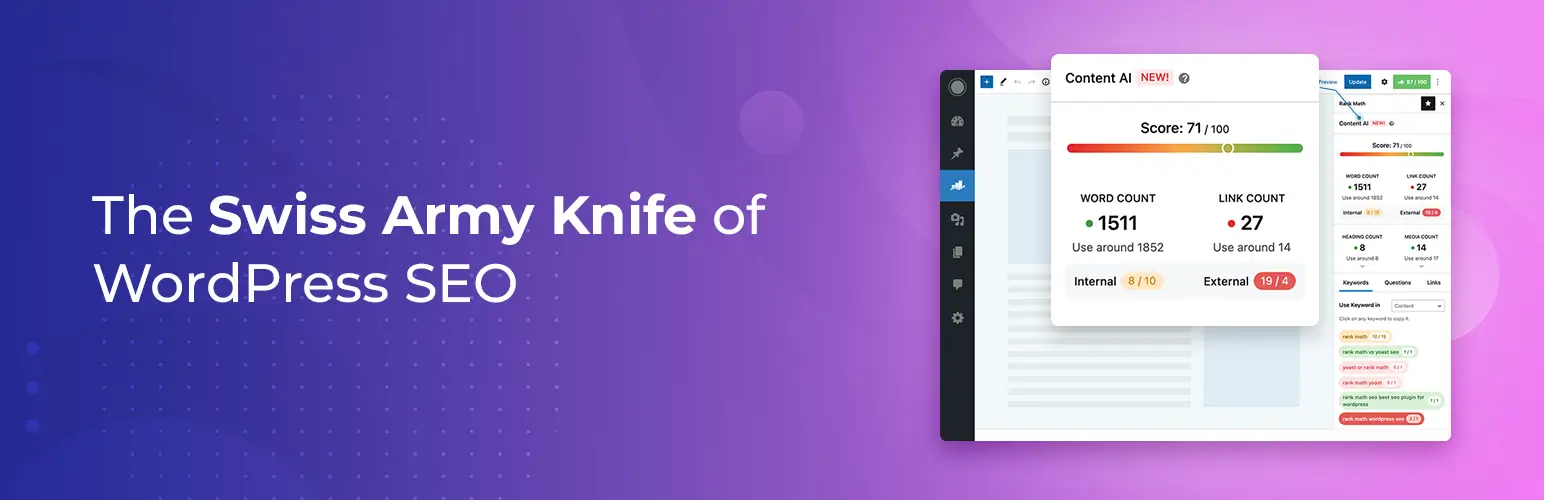
Rank Math is one of the most popular choices for people searching for the best SEO plugin for WooCommerce. Its more than 4 million active installs.
- Key features: SEO content analysis, XML sitemaps, schema, a redirection manager, a 404 monitor, Google Search Console integration, and AI tools such as Content AI.
- WooCommerce benefits: The listing names automatic product schema, product Open Graph tags, noindexing hidden products, removing product and category bases, and GTIN/MPN identifiers (including for variations) as Pro features.
- Pros: A generous free version, strong schema options, and low paid pricing.
- Cons: The many settings can feel crowded for new users, and the WooCommerce features need Pro.
- Pricing: Free version available. According to the official pricing page, PRO starts at €7.99 per month billed annually, with a renewal of €8.99 per month.
- Best for: Owners who want the best SEO plugin for WooCommerce features without a high price.
2. Yoast SEO and Yoast WooCommerce SEO
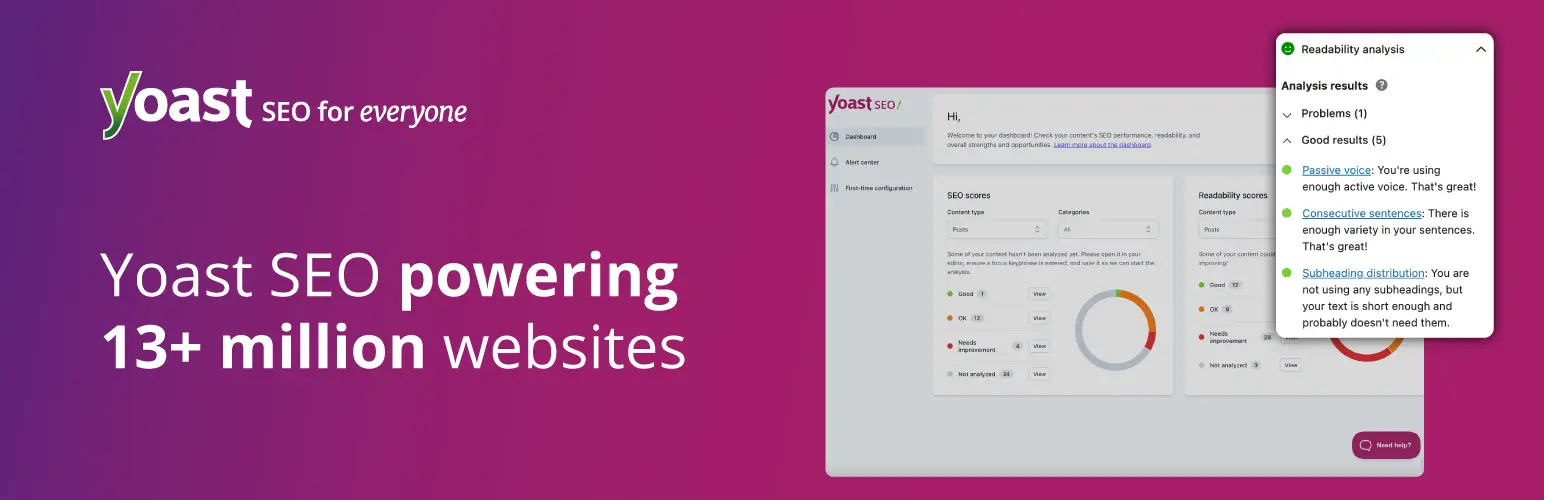
Yoast WooCommerce SEO is an add-on that works with Yoast SEO. The free Yoast SEO plugin has more than 10 million active installs.
- Key features: Real-time SEO and readability feedback, XML sitemaps, canonical URLs, breadcrumbs, and a bulk editor in the free plugin.
- WooCommerce benefits: The add-on page lists automatic product schema (price, availability, ratings, identifiers), product sitemaps that skip cart and checkout pages, AI-generated titles and descriptions, and templates for catalog-wide settings.
- Pros: Clear on-page guidance and an easy learning curve.
- Cons: Product-focused features cost extra, and the add-on requires Yoast SEO to be installed.
- Pricing: Yoast SEO is free. Yoast SEO Premium is $118.80 per year for one site. Yoast WooCommerce SEO is listed at $178.80 per year and includes Premium plus Local, News, and Video SEO. The page does not state how many sites that license covers.
- Best for: Beginners who want simple, guided optimization.
Still comparing the two big names? Our Rank Math vs Yoast SEO comparison breaks down the differences in more detail.
3. All in One SEO (AIOSEO)
All in One SEO offers a free Lite plugin and paid plans. Its more than 2 million active installs.
- Key features: SEO titles and descriptions, XML sitemaps, schema markup, Google Search Console integration, and TruSEO content analysis in the free version.
- WooCommerce benefits: The WordPress.org listing says WooCommerce SEO for product pages and categories is a Pro feature. AIOSEO’s own guide lists dynamic tags, product schema, WooCommerce-specific sitemaps, and Google Merchant Center schema markup.
- Pros: A guided setup and a broad feature set.
- Cons: WooCommerce tools need a paid plan, and the pages we reviewed did not clearly show which tier includes each feature.
- Pricing: Lite is free. AIOSEO’s own guide lists Basic at $49.60 per year for 1 site, Plus at $99.60 for up to 3 sites, Pro at $199.60 for up to 10 sites, and Elite at $299.60 for up to 100 sites. Check the pricing page for current and renewal prices.
- Best for: Owners who want an all-in-one setup and do not mind paying for WooCommerce features.
4. SEOPress
SEOPress is a lightweight option with a free version and a paid PRO add-on. Its free plugin lists more than 300,000 active installs.
- Key features: Meta tags, sitemaps, schema, breadcrumbs, redirects, and no ads in the free plugin.
- WooCommerce benefits: The WooCommerce page marks product schema, GTIN fields, Google Analytics Enhanced Ecommerce tracking, AI image alt text, and WooCommerce breadcrumbs as PRO features. The product sitemap is not marked as premium.
- Pros: Low pricing and a renewal price that matches the purchase price.
- Cons: The best product features require PRO, and the interface is plainer than some rivals.
- Pricing: According to the official pricing page, PRO costs $49 per year for 1 site, $59 for 5 sites, or $149 for unlimited sites.
- Best for: Budget-conscious stores and agencies wanting the best SEO plugin for WooCommerce at a low cost.
5. The SEO Framework
The SEO Framework focuses on speed and simplicity. It’s more than 200,000 active installs and states there is no tracking or ads.
- Key features: Automatic meta tags, canonical URLs, schema, sitemaps, breadcrumbs, an SEO Bar, and an optional Extension Manager.
- WooCommerce benefits: The listing mentions compatibility with WooCommerce. Version 5.2.0 added product breadcrumb settings, such as using Brands or Product categories.
- Pros: Clean and fast.
- Cons: We could not verify dedicated product schema or WooCommerce-specific templates, so it may feel basic for large catalogs.
- Pricing: The plugin is free. The extensions pricing page lists Pro at $7 per month, Business at $17, and Agency at $27, billed yearly. We could not confirm which plan covers WooCommerce features.
- Best for: Store owners who want a minimal plugin that stays out of the way.
6. Slim SEO
Slim SEO automates most of your SEO settings. The plugin lists more than 70,000 active installs.
- Key features: Auto-generated meta tags, JSON-LD schema, sitemaps, breadcrumbs, redirects, 404 monitoring, and optional AI-assisted titles and descriptions using your own API key.
- WooCommerce benefits: The WooCommerce integration adds price, SKU, stock, and rating variables to meta templates, outputs product Open Graph tags, improves breadcrumbs, and skips cart and checkout pages.
- Pros: Very little setup.
- Cons: Fewer manual controls than larger plugins.
- Pricing: A free version exists. PRO from $59/year for 1 site
- Best for: Small stores that want automation over manual tweaking.
7. Redirection
Redirection is not a full SEO plugin, but it solves a common store problem: broken product URLs. It has more than 2 million active installs and works alongside the best SEO plugin for WooCommerce you choose.
- Key features: Redirect management (including regular expressions), 404 tracking, bulk redirects, and import and export tools.
- WooCommerce benefits: It helps when you retire products, rename categories, or change permalink structures, so shoppers and search engines land on a working page.
- Pros: Free and focused, with no premium version.
- Cons: It does not handle titles, schema, or sitemaps. Skip it if your main SEO plugin already manages redirects, to avoid duplicate rules.
- Pricing: Free.
- Best for: Stores with a changing catalog whose SEO plugin lacks redirects.
8. Site Kit by Google
Site Kit is Google’s official plugin. It has more than 5 million active installs and does not optimize pages itself, but it shows whether your WooCommerce SEO optimization efforts work.
- Key features: Dashboard stats from Search Console, Analytics, PageSpeed Insights, Tag Manager, and Google Ads.
- WooCommerce benefits: You can see which product and category pages get impressions and clicks, then improve the weak ones.
- Pros: Free, official, and easy to read.
- Cons: It reports on SEO but does not edit titles, schema, or sitemaps.
- Pricing: Free and open source. Individual Google products may have their own terms.
- Best for: Any store owner who wants search data inside WordPress.
9. Google for WooCommerce
Google for WooCommerce connects your store to Google Merchant Center. It is the official route to showing products across Google surfaces.
- Key features: Automatic product data sync and optional Performance Max ad campaigns.
- WooCommerce benefits: After setup and eligibility checks, products can appear in the Shopping tab with free listings. Google also recommends structured data for ecommerce sites alongside your product feed.
- Pros: Free listings and a direct link to Google’s shopping tools.
- Cons: You need a Merchant Center account and must meet Google’s eligibility rules. Multi-client Merchant Center accounts are not supported.
- Pricing: The documentation says it works for free or with ads, and no extension price is listed.
- Best for: Stores that want product visibility beyond regular search results.
How to Choose the Best SEO Plugin for WooCommerce
The best SEO plugin for WooCommerce depends on your store size, budget, and comfort level. These recommendations may help:
- New store, small budget: Start with a free plugin such as Rank Math, Yoast SEO, or AIOSEO Lite, then upgrade when you need product schema or templates.
- Want advanced product SEO for less: Compare Rank Math PRO and SEOPress PRO, since both list product schema and GTIN support in paid plans.
- Want the simplest guidance: Yoast SEO with its WooCommerce add-on is the beginner-friendly route, though it costs more.
- Prefer a lightweight plugin: Try The SEO Framework or Slim SEO.
- Not sure where to start: Rank Math and Yoast are the usual starting points when shopping for the best SEO plugin for WooCommerce.
- Selling many products: Prioritize templates, dynamic tags, and bulk editing so you do not write every title by hand.
Use only one main SEO plugin at a time. Running two can create duplicate titles, schema, and sitemaps. If you want to switch, take a full backup first. Our roundup of WordPress backup and migration plugins can help you pick a tool.
WooCommerce SEO Optimization Tips After You Install a Plugin
Even the best SEO plugin for WooCommerce only gives you tools. These WooCommerce product SEO habits give you results:
- Write original product descriptions. Avoid copying manufacturer text. Explain who the product is for, how it works, and what makes it different.
- Use clear titles and meta descriptions. Put the product name and a key detail up front, and write for shoppers first.
- Check your product schema. Make sure price, availability, and review data match what shoppers see on the page. Test it with Google’s Rich Results Test.
- Keep cart, checkout, and account pages out of search. Most plugins above can handle this.
- Add useful category content. A short buying guide on a category page can help shoppers and give search engines context.
- Handle removed products properly. Redirect discontinued items to a close match when one exists.
- Watch Search Console. Review which queries and pages bring traffic, then improve underperformers.
For broader steps beyond your shop pages, see our guide on how to improve WordPress SEO. No plugin can promise rankings or instant indexing.
Frequently Asked Questions
What is the best SEO plugin for WooCommerce?
There is no single winner for every store. Rank Math, Yoast SEO with its WooCommerce add-on, and All in One SEO are the best-known choices, and SEOPress is a strong lower-cost option. Pick based on your budget, store size, and the product features you need.
Which is the best SEO plugin for WooCommerce for beginners?
Yoast SEO and Rank Math are common beginner picks. Yoast gives simple on-page guidance, while Rank Math offers more free features.
Do I need a paid plugin for WooCommerce SEO?
Not always. Free versions cover titles, descriptions, and sitemaps. However, several vendors list product schema, GTIN fields, and WooCommerce templates under paid plans, so check before relying on the free version.
Does WooCommerce have built-in SEO features?
WooCommerce lets you edit product titles, descriptions, categories, and permalinks, but a dedicated WordPress SEO plugin adds meta templates, sitemaps, schema, and content analysis.
Does product schema guarantee rich results?
No. Google says Product markup helps it understand your pages, but it does not promise special search features. Accurate, visible product data still matters.
Can I use two SEO plugins on one store?
It is best to avoid it. Two full SEO plugins can output duplicate tags and sitemaps. You can pair one main plugin with a focused tool such as Redirection or Site Kit.
How long does it take to see results?
It varies by competition, site age, and content quality. SEO is a long-term effort, so track progress over months in Search Console rather than days.
Final Thoughts: Choosing the Best SEO Plugin for WooCommerce
The best SEO plugin for WooCommerce is the one that matches your store’s needs and that you will actually use. Rank Math and SEOPress offer strong product features at lower prices. Yoast is easy for beginners, and All in One SEO adds a guided setup. Lightweight options like The SEO Framework and Slim SEO suit smaller stores.
Whichever you pick, start with one plugin, set up product schema and sitemaps, write helpful product content, and measure your progress with Search Console. Before you buy, confirm current prices and plan features on each vendor’s official site.