Accept cards and crypto in WooCommerce with no account: paste a wallet address and get paid to your own wallet. No business verification is needed to start, subject to our Acceptable Use Policy. Suitable for eligible high-risk businesses.
How wallet-only mode works
- Paste an EVM address (starts with 0x) from a wallet you control. It receives payouts on every EVM network. Never use an exchange deposit address: an exchange may not credit payouts on every network.
- Choose how buyers pay. All card and wallet methods (including new ones) and USDC and USDT on Polygon, USDC on Base and USDT on BNB Chain are on by default. Switch any off or add more EVM coins.
- Get paid. Card payouts usually arrive as USDC on Polygon, but can arrive as another coin or stablecoin (for example USDT on BNB Chain, ETH or POL) on Polygon, Base, Ethereum or BNB Chain, always to this same address.
- Add other coins (Monero, Bitcoin, Litecoin, Solana, TRON, XRP), each with its own payout address.
Monero pays out once about $10 builds up; Bitcoin, Litecoin and Ethereum at about $200; other networks right away. Amounts below a network’s payout minimum wait for the next payment. A waiting payout shows as a WooCommerce notice.
The plugin is free. Crypto costs 1% plus the network fee. Cards cost 2.9% plus the card processor’s 1–5% (about 4–8% all-in).
Optional free account
Start one in the settings to keep your store’s history, payout wallets and keys, or connect an existing account or API key. It adds swaps, statistics, balances, email alerts (wallet-only stores get no email) and a custom API. Existing API-key stores keep working unchanged.
Questions or need help? Join our Telegram channel: t.me/onepaycx_official.
Features
- Hosted checkout for cards, supported mobile wallets, Bitcoin, Litecoin, Monero and supported stablecoins.
- Orders marked paid automatically after a signed notification and a separate status check.
- Classic and block checkout; HPOS compatible.
- Custom checkout title and description.
- Optional direct card checkout that skips the card-or-crypto page.
- Test mode: test orders move no money.
- Payment references and confirmation notes saved on the order.
- Card details never pass through your WordPress server.
External services
The plugin needs the 1pay.cx payment service, operated by 1pay.cx, to take payments. It sends all requests to https://api.1pay.cx; you and your buyers visit https://1pay.cx for checkout, connect and account pages. The plugin loads no analytics, tracking, remote scripts or remote images. Like any web request, each call reveals your server’s IP address and the plugin’s user agent (onepaycx-woocommerce/<version>).
Store setup (wallet-only mode)
- First save with a valid wallet address: sends your EVM address, site URL, store name and plugin version to
https://api.1pay.cx/wallet-stores, and keeps the live and test API keys it returns in your WordPress options. - Every settings save: sends all your payout addresses, the payment methods you switched off, the coins you accept and your store name to
https://api.1pay.cx/wallet-stores/settings, which replies with the coins accepted or refused.
Each order
- When a buyer chooses 1pay.cx: sends the order amount, currency, billing email, order reference and your return and notification URLs to
https://api.1pay.cx/v1/payments, then sends the buyer tohttps://1pay.cxto pay. - In account mode, with narrowed methods or coins: also sends those choices, and may first read the methods and coins your account allows from
https://api.1pay.cx/v1/methods(with your API key) and the public list fromhttps://api.1pay.cx/payment-methods, each cached for ten minutes.
Status checks
- Each signed payment notification: checks the payment’s status at
https://api.1pay.cx/v1/payments/{payment-id}with your API key before marking the order paid. - A failed notification signature (for example after switching test mode): re-reads your signing secret from
https://api.1pay.cx/v1/mewith your API key, at most once a minute, and checks again. - Settings screen: reads your store’s status (merchant ID, business name, signing secret, number and value of waiting payouts) from
https://api.1pay.cx/v1/meat most every five minutes and after each save, and the method and coin lists fromhttps://api.1pay.cx/payment-methods(sends nothing about your store) andhttps://api.1pay.cx/v1/methods.
Account features (optional)
- Saving or refreshing an API key: sends it to
https://api.1pay.cx/v1/meto validate it and fetch your merchant ID and signing secret. - Connect: opens
https://1pay.cx/connectwith your site’s host name and settings-screen address, then sends the one-time code you return with tohttps://api.1pay.cx/wallet-stores/connect/exchangefor your account’s API key. - Create free account: sends your settings-screen address to
https://api.1pay.cx/wallet-stores/claim-linkfor a short-lived link, opened athttps://1pay.cx/connect.
Screenshots
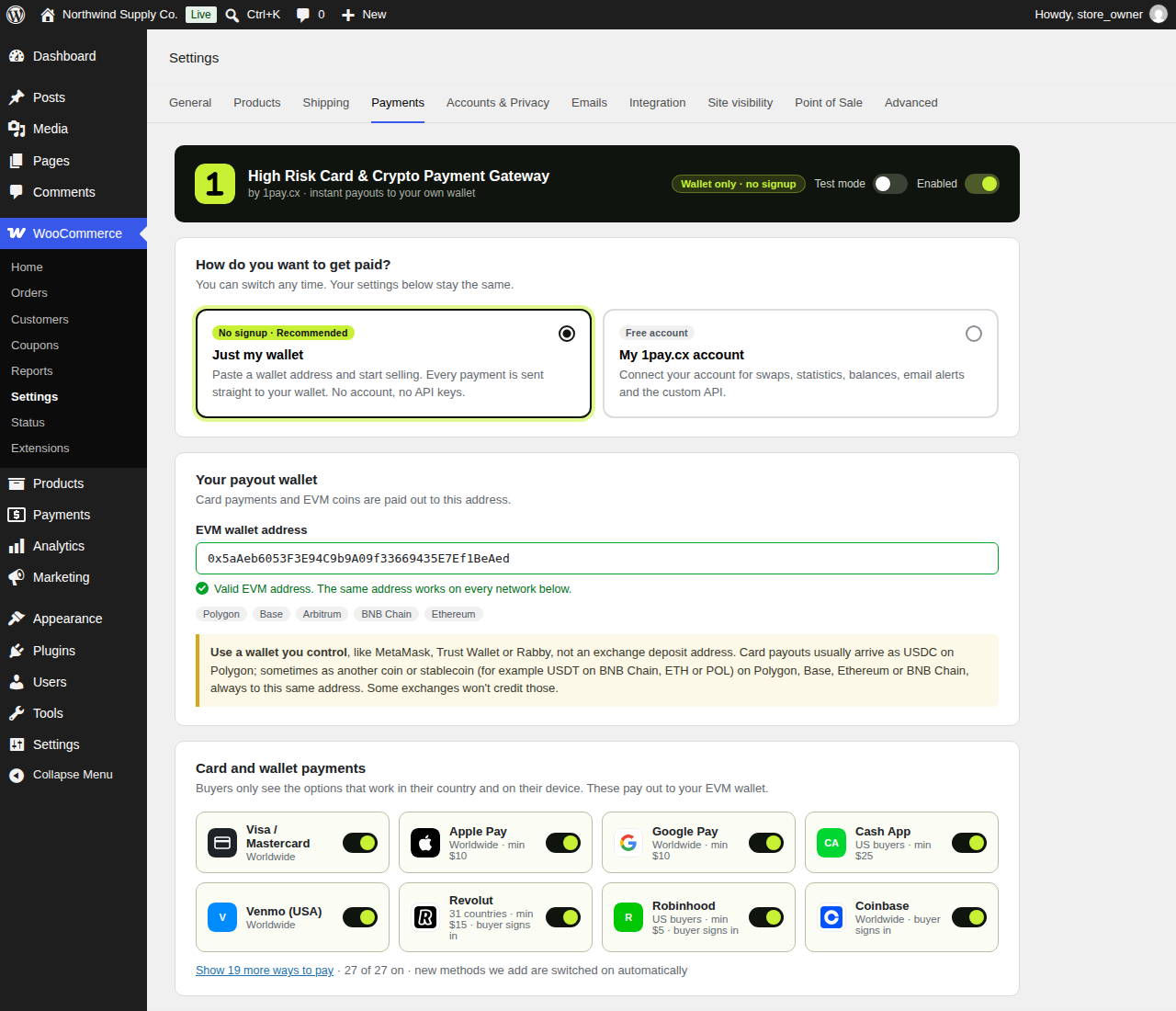
The 1pay.cx settings screen in WooCommerce: choose wallet-only mode (no signup) or your 1pay.cx account, paste your payout wallet, and pick the card and wallet methods buyers can use.
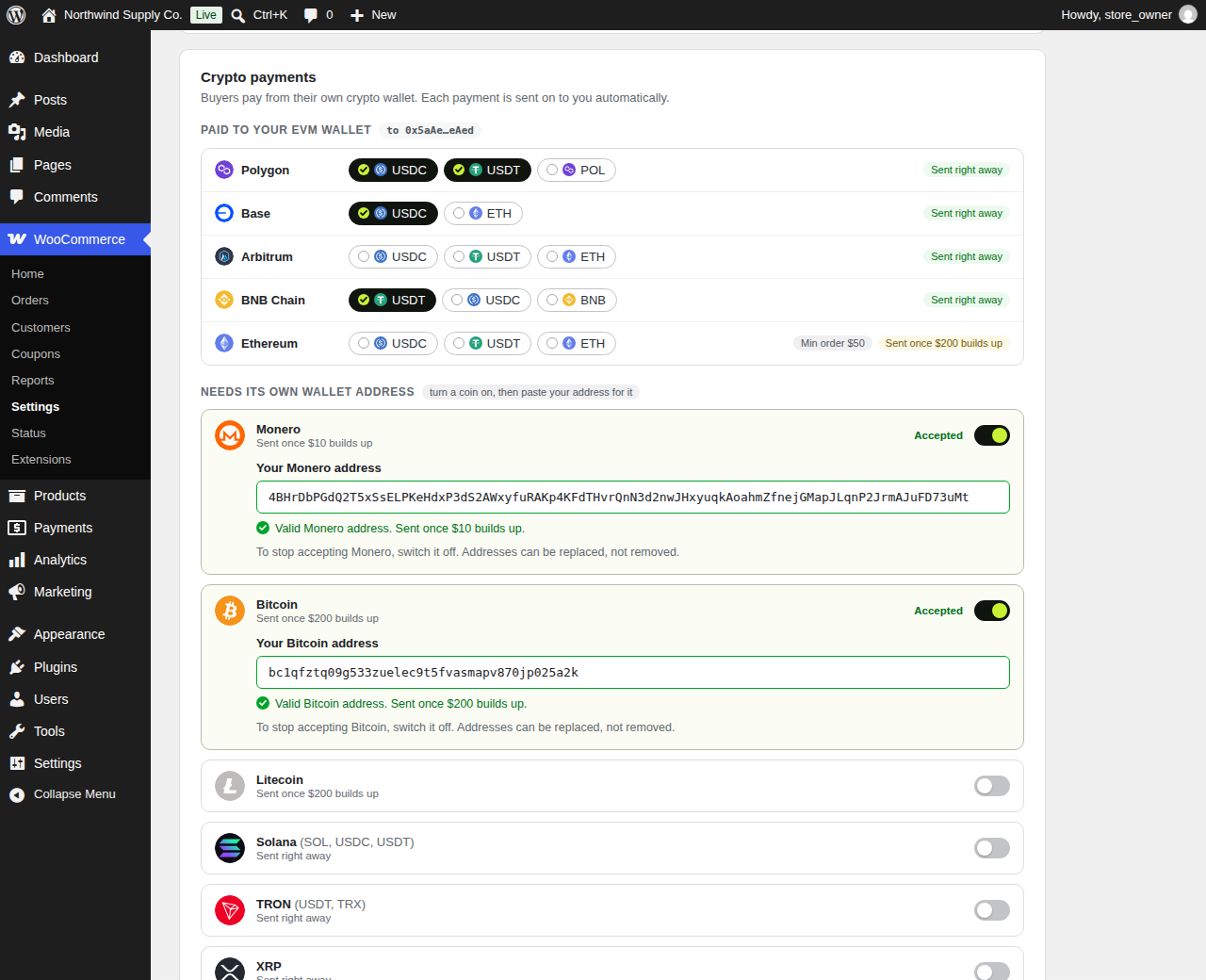
Crypto payments: EVM coins pay out to the same wallet. Turn on Monero, Bitcoin, Litecoin, Solana, TRON or XRP and paste your address for each.
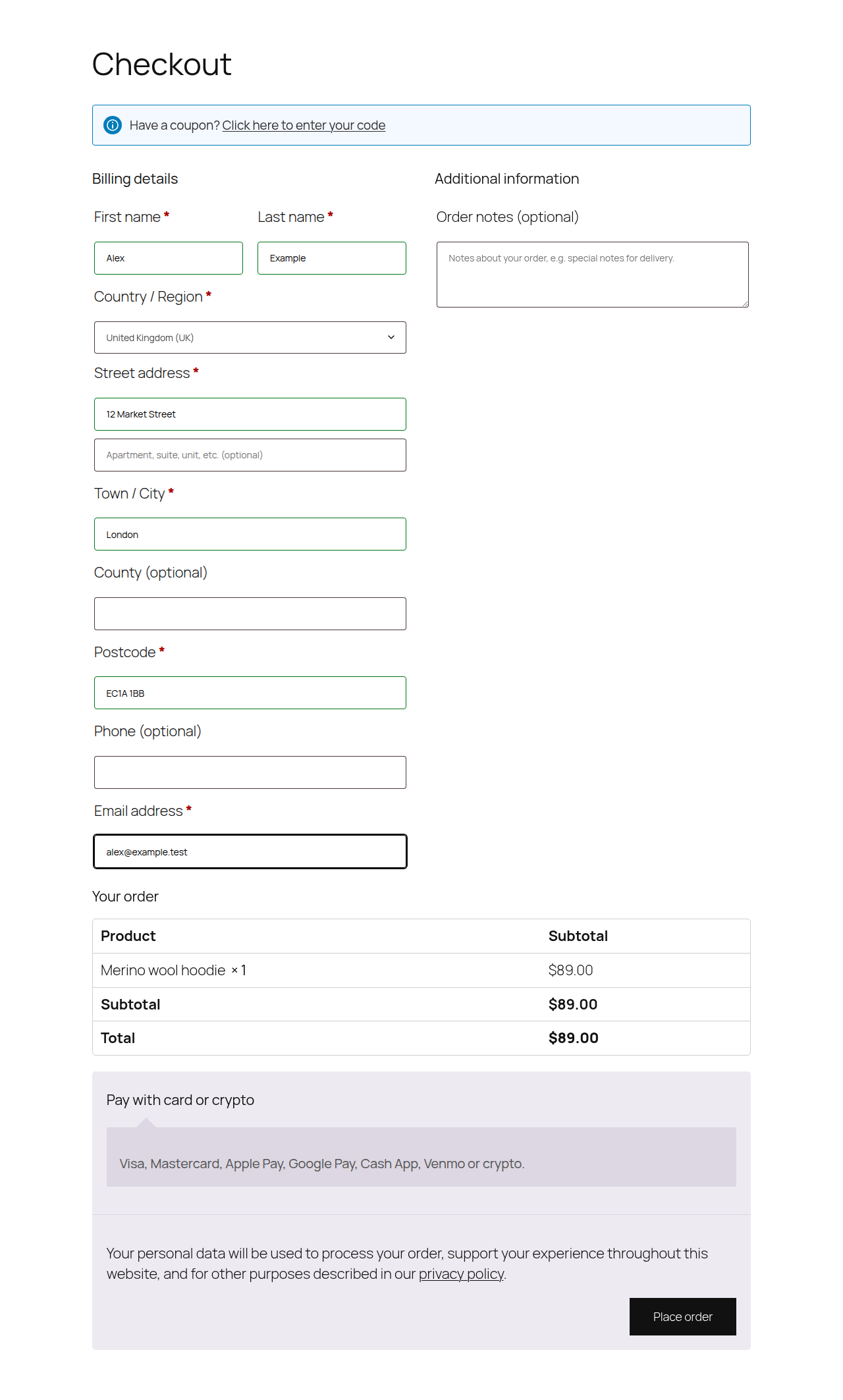
Classic WooCommerce checkout with the 1pay.cx "Pay with card or crypto" option (the title and description are yours to set).
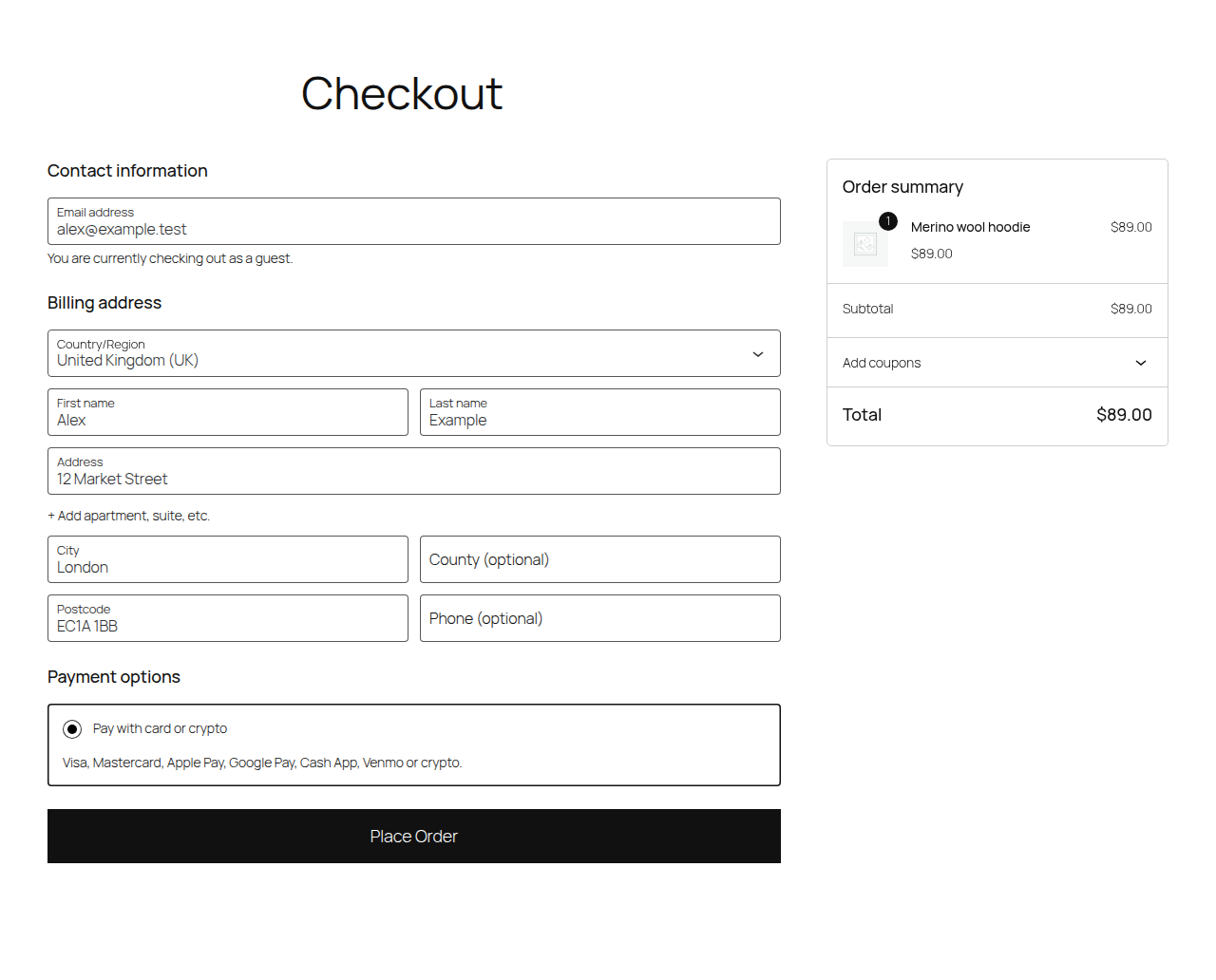
Block-based WooCommerce checkout with the same 1pay.cx payment method.
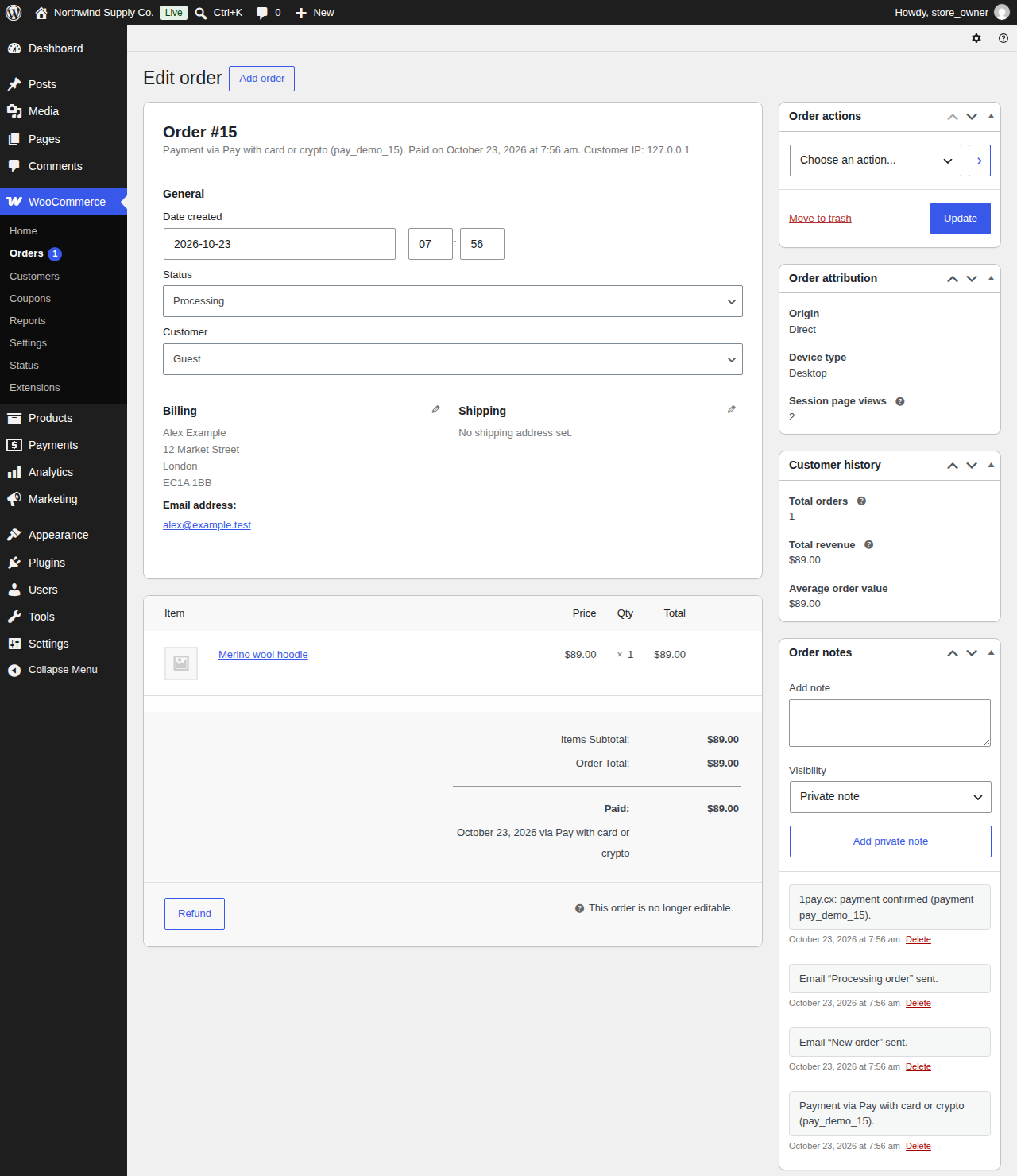
A demonstration order after payment confirmation, with the payment reference and confirmation note recorded in WooCommerce.