Multi Style Kits for Elementor – Abdiel gives you the freedom to have multiple Brandboards (Style Kits) within the same website.
Elementor normally restricts you to one single Global Kit for the entire site.
This plugin breaks that limit, allowing you to play with colors, typography, and styles without losing your original identity.
You can have multiple “identities” living together on the same site.
It is perfect for:
* Landing Pages: Give a specific sales page a unique look without affecting your home page.
* A/B Testing: Quickly swap design systems to test what converts better.
* Multi-Brand Sites: Manage distinct color palettes for different sections of your business.
This plugin is free to use.
If you find it useful for your projects, consider supporting the development using the link in the sidebar!
Key Features
- Unlimited Kits: Create as many Style Kits as you need.
- Per-Page Assignment: Assign a specific kit to any page directly from the Elementor Editor.
- Smart Context Awareness: Ensures styles don’t conflict between the Editor and the Frontend.
- Bulk Assignment: Apply a kit to multiple pages at once using the dashboard tool.
- Global Switcher: Change the default look of your entire site in one click.
- Import / Export: Move your kits between sites easily.
Screenshots
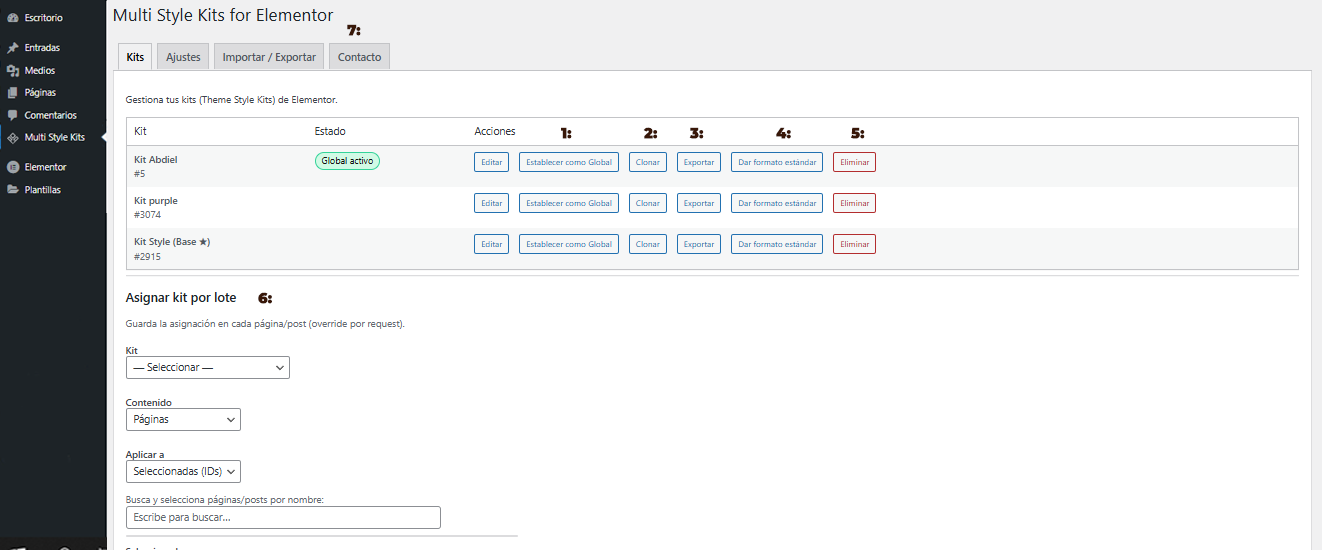
Main Dashboard: Overview of your Kits. (1) Set as Global: Makes this kit the default for the whole site. (2) Clone: Duplicates the kit.
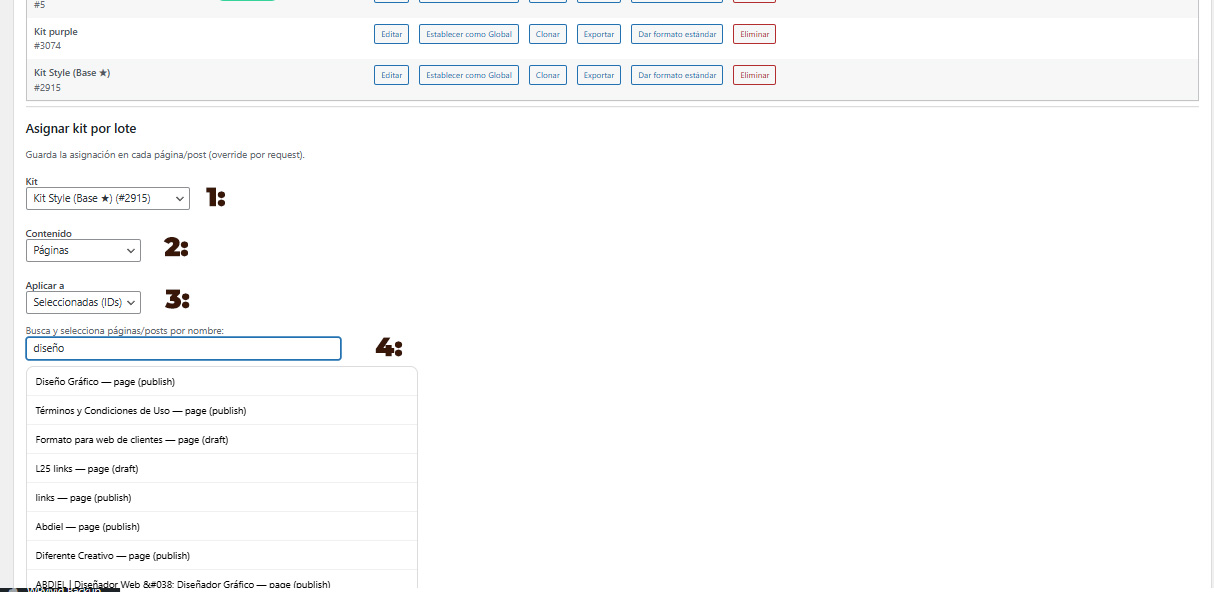
Bulk Assignment Tool: Apply styles massively.
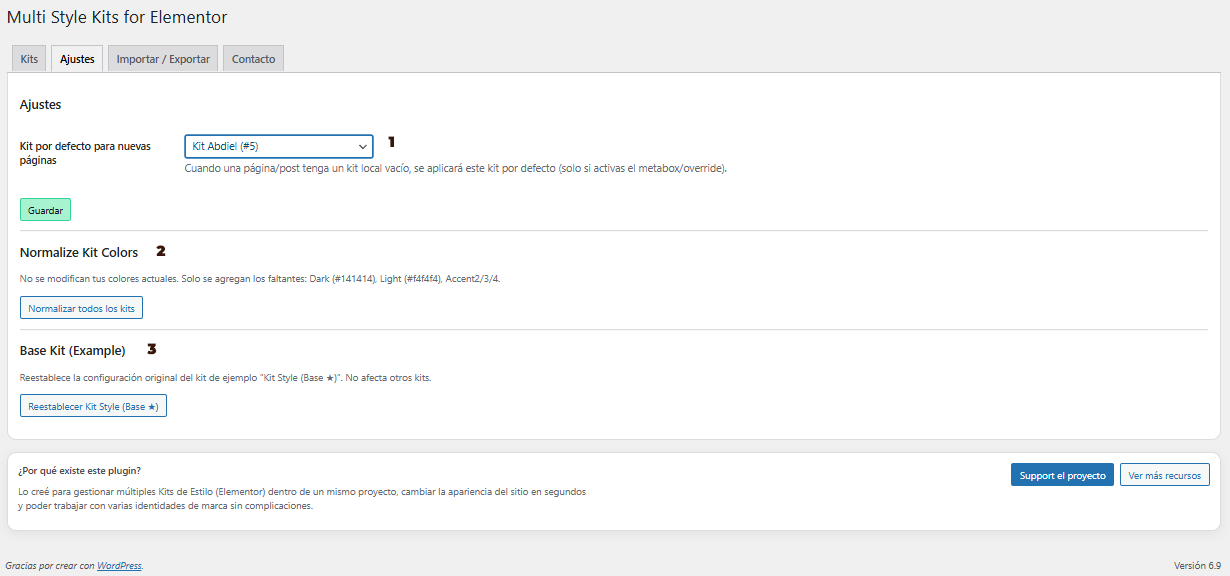
Plugin Settings: Configure default kits for new pages.
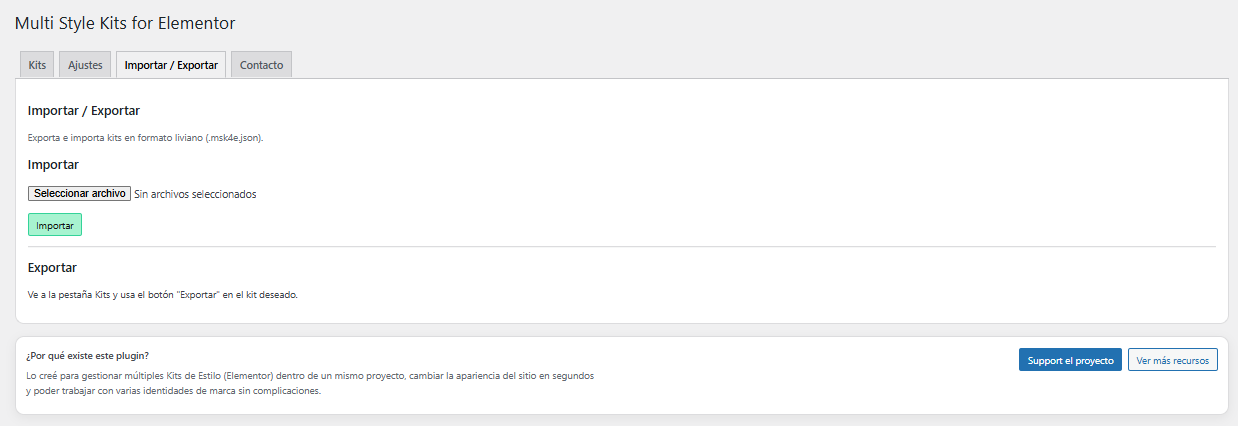
Import / Export: Backup your work or migrate your Brandboards.
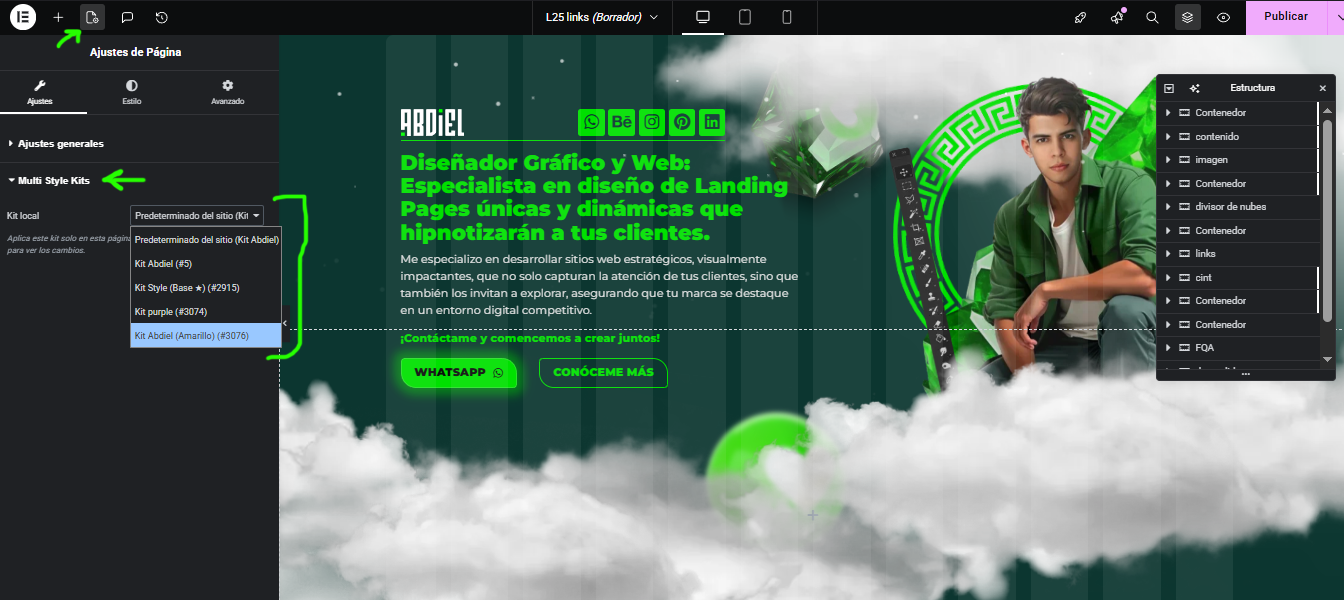
Elementor Editor Integration: Located inside Page Settings (gear icon) > Multi Style Kits.
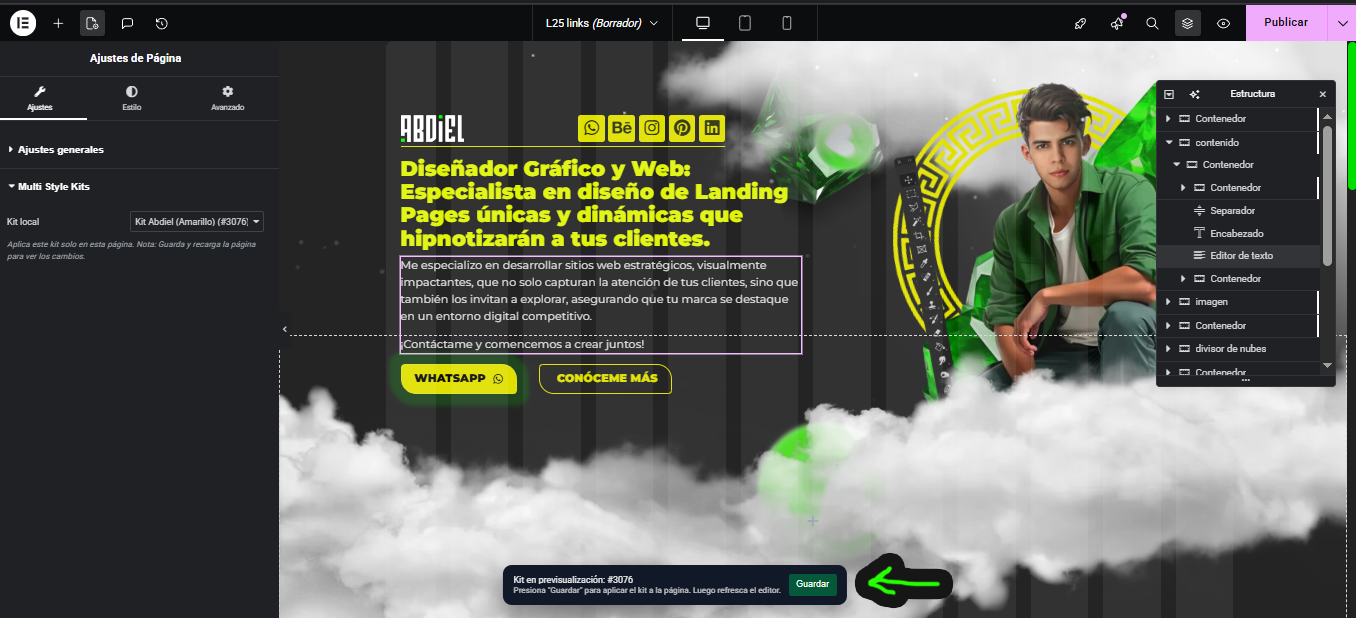
Style Selection: Select your local kit. A notification bar will remind you to save and refresh to apply changes correctly.