Abdiel Multilingual Manager is a lightweight and developer-friendly multilingual plugin for WordPress.
It is designed to manage language structure, content relationships, and SEO signals, without automatic translations or heavy overhead.
You keep full control over:
– Your content
– Your URLs
– Your SEO strategy
– Your performance
This plugin is ideal for projects where translations are created manually and quality matters.
Key features
- Define multiple site languages with one default language
- Assign a language to each page, post, and selected custom post types
- Link translation equivalents between languages
- Automatically generate hreflang and alternate URLs
- Language switcher via shortcode, menu, or floating button
- Optional menu switching per language
- Elementor compatible (headers, footers, and Nav Menu widgets)
- Flexible URL modes (prefix or query-based)
- Bulk language assignment for content
- Clean, predictable, and SEO-friendly behavior
Important note about translations
This plugin does NOT translate content automatically.
Abdiel Multilingual Manager is built for:
* Manual, high-quality translations
* SEO-focused multilingual sites
* Full control without forced workflows
* Minimal performance impact
Optional translation tools (Beta)
Automatic translation features are intentionally not included in the core plugin.
An optional beta translation module may be offered separately for users who want assisted translations, while keeping the core plugin clean, fast, and predictable.
Ideal for
- Developers
- Designers using Elementor
- SEO professionals
- Multilingual business websites
- Projects that require full control over URLs and content
Usage
- Insert the language switcher anywhere using the shortcode:
[abdiel_language_switcher] - Optionally enable the floating switcher from Settings.
- Link translation equivalents to activate hreflang and alternate URLs automatically.
Screenshots

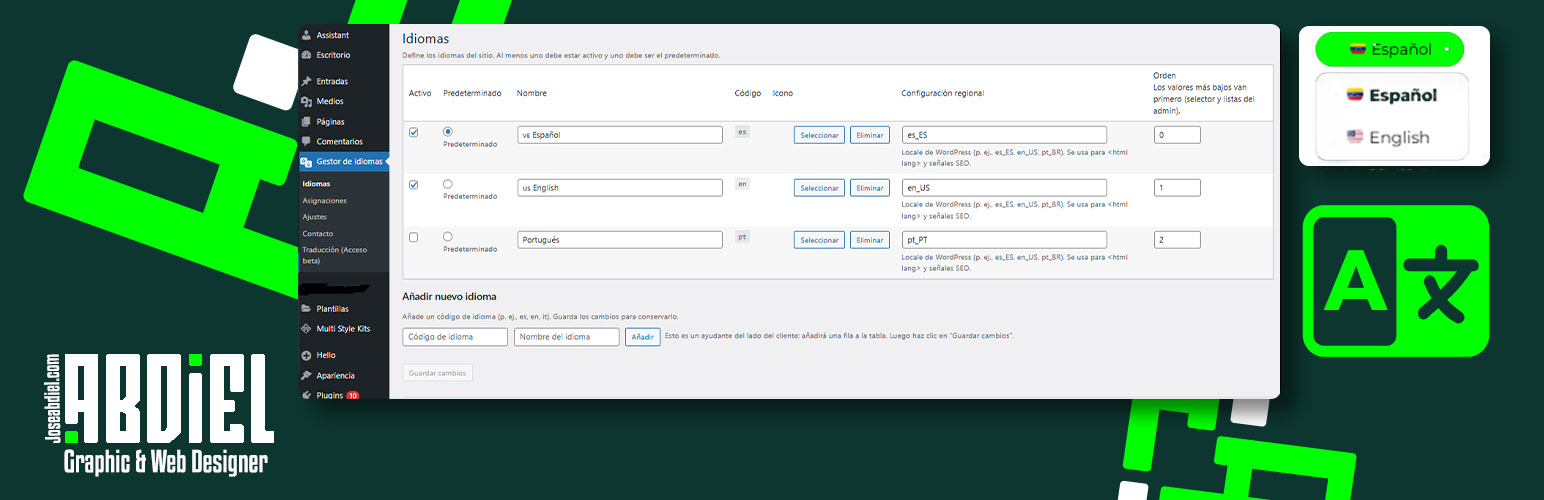
Language configuration Add and configure site languages by defining the language code, name, locale, and default language. At least one language must be active and one must be set as default.

Translation assignments Link equivalent pages or posts across languages. For example, define which English page corresponds to a Spanish page to establish translation relationships.

Menu assignments per language Assign different menus per language. If you don’t want or can’t create multiple menus, the plugin can automatically substitute menus based on language. Includes direct compatibility with Elementor Nav Menu widgets.

Selector placement settings Choose where the language selector appears: menu, shortcode, or floating button.

Selector customization and URL mode Customize selector colors and behavior. Choose between path prefix URLs (e.g. /en/) or query-based switching, with optional canonical control for SEO.

Bulk language assignment Assign a language to multiple pages or posts at once using bulk actions.

Per-page language settings Assign the language directly inside the page or post editor. A shortcut to translation assignments is also available.

Elementor display conditions Filter Elementor templates, menus, or elements by language using custom display conditions.