
Sell dates instead of stock. A holiday home, a room, a bike or a kayak: the customer picks the dates on the product page and pays for the days or the nights. One checkbox makes any WooCommerce product bookable. The cart, checkout, payments, coupons, taxes and e-mails stay the same.
🎯 Made for
- 🏡 Holiday homes, sold by the night, with an arrival and a departure
- 🚲 Bikes and kayaks, sold by the day, each size at its own price
- 🛏️ Rooms and cabins, one product with a variation per size
✅ Free
- Simple, variable and grouped products, with rules for the shop and for any product or variation
- By the day or by the night, on one date or two
- Shortest and longest stay, stays sold by the week, opening and closing of the bookings
- Only the departures giving an allowed stay can be picked, and every rule is checked again at checkout
- The dates in the cart, the checkout, the order and its e-mails
- A list and a month calendar of the bookings, with five booking steps
- Dates corrected from an unpaid order, a repair tool, and an option to delete everything with the plugin
- Cart and checkout blocks, high-performance order storage
- Ten languages
⭐ Pro
- The same dates never sold twice
- Closed dates
- A date filter on the shop, also as a shortcode and a block
- Prices by day of the week, date and season
- Discounts and surcharges by length of stay
- Bookings without an order, entered by hand or imported from a CSV file
- Booking export to a CSV file
👉 Get Pro or try it free for 14 days, no free install needed.
Hours and time slots are in neither version.
Screenshots

The booking rules of the whole shop, which every product follows unless it sets its own.

The list of the bookings, with their order, product, dates, length and status.

The month calendar, where each booking runs across the days it takes up.

The repair tool, which rebuilds the bookings from the orders.

The Booking tab of a product: one checkbox sells it by date, and each rule can differ from the shop.

On the shop page, a bookable product asks for dates instead of going straight to the cart.

Arrival and departure picked on the product page, with the number of nights and the total.

The dates follow the booking into the cart.
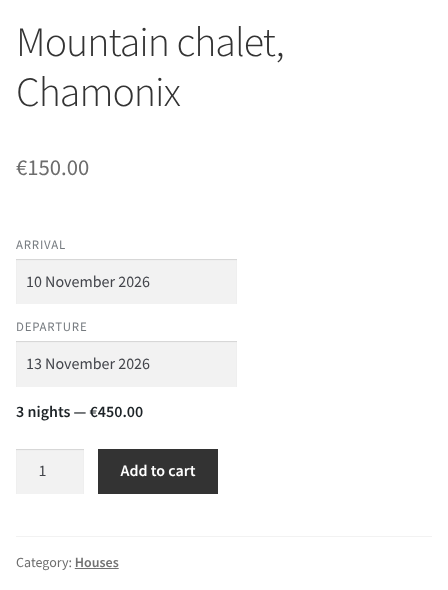
A holiday home sold by the night, with the number of nights and the total.
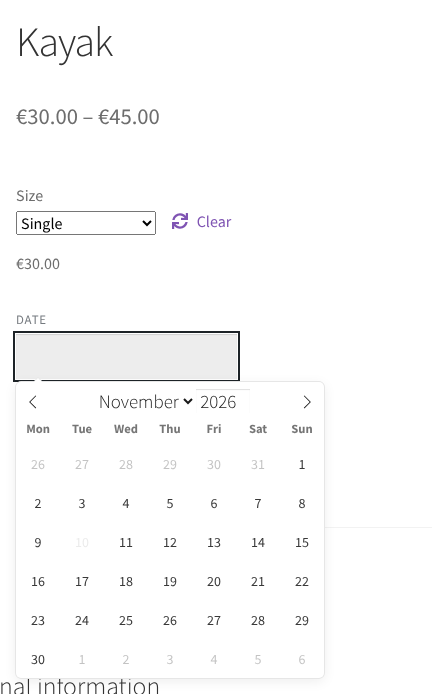
A kayak rented by the day, each size with its own price. The date already rented out is greyed out (Pro).
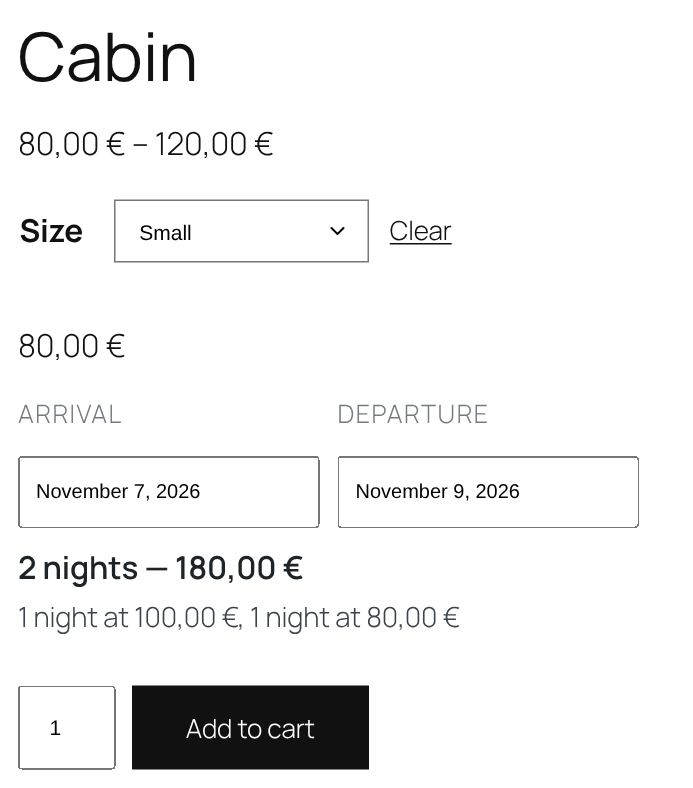
A cabin in several sizes, each at its own price per night. The weekend costs more (Pro).
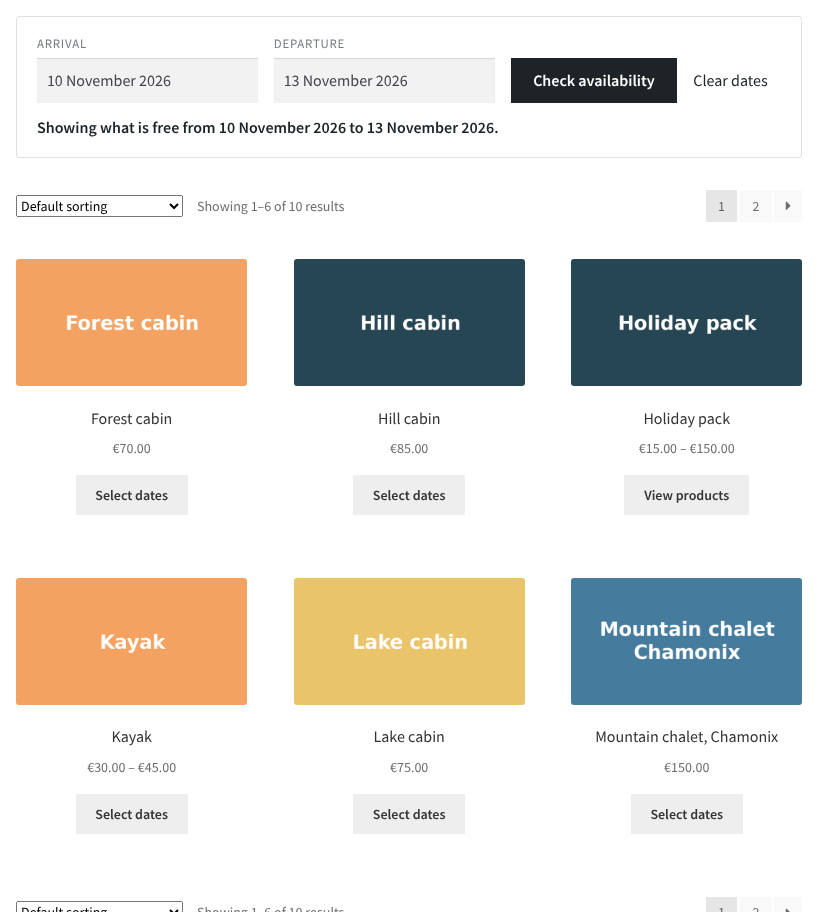
The date filter on the shop, listing only what is free on the dates chosen (Pro).