AcrossAI Model Manager gives site administrators full control over three aspects of the WordPress 7.0 AI client: which model is used per capability, how long requests are allowed to run, and a complete audit log of every AI generation call made on the site.
Model Preferences
By default, WordPress picks the first available model from your configured AI connectors. This plugin adds a settings page under Settings > AcrossAI Model Manager where you can pin a specific model per capability — and that model will always be prioritised.
- Text Generation — preferred model for all text-generation tasks
- Image Generation — preferred model for image-generation tasks
- Vision / Multimodal — preferred model for vision and multimodal tasks
HTTP Request Timeout
Set a site-wide timeout (in seconds) for all wp_ai_client_prompt() calls. Works directly with the WordPress 7.0 built-in AI client — no additional plugins required.
AI Request Logging
Every successful AI generation call is automatically logged to a dedicated database table. The Settings > AI Logs admin page provides a sortable, paginated view of all requests with:
- Provider, model, and capability for each call
- Full prompt text and response text (expandable detail view)
- Token usage (prompt, completion, total) and request duration
- Source tracking — which plugin, theme, mu-plugin, or WordPress core file triggered the request, including the file path and line number
- Configurable log retention (auto-delete logs older than N days via WP-Cron)
Settings are stored as a single serialised option and exposed to the WordPress REST API, so the settings page saves without a full page reload using a React-powered interface.
Requirements:
- WordPress 7.0 or higher.
- The AI plugin must be installed and activated for Model Preferences to work. Without it, the Model Preferences dropdowns are disabled and no models will appear. The HTTP Request Timeout and AI Logging features work with WordPress 7.0 core directly.
- At least one AI connector (e.g. Llama.cpp, Hugging Face, OpenAI via the AI Connectors screen) must be configured for Model Preferences to work.
Screenshots
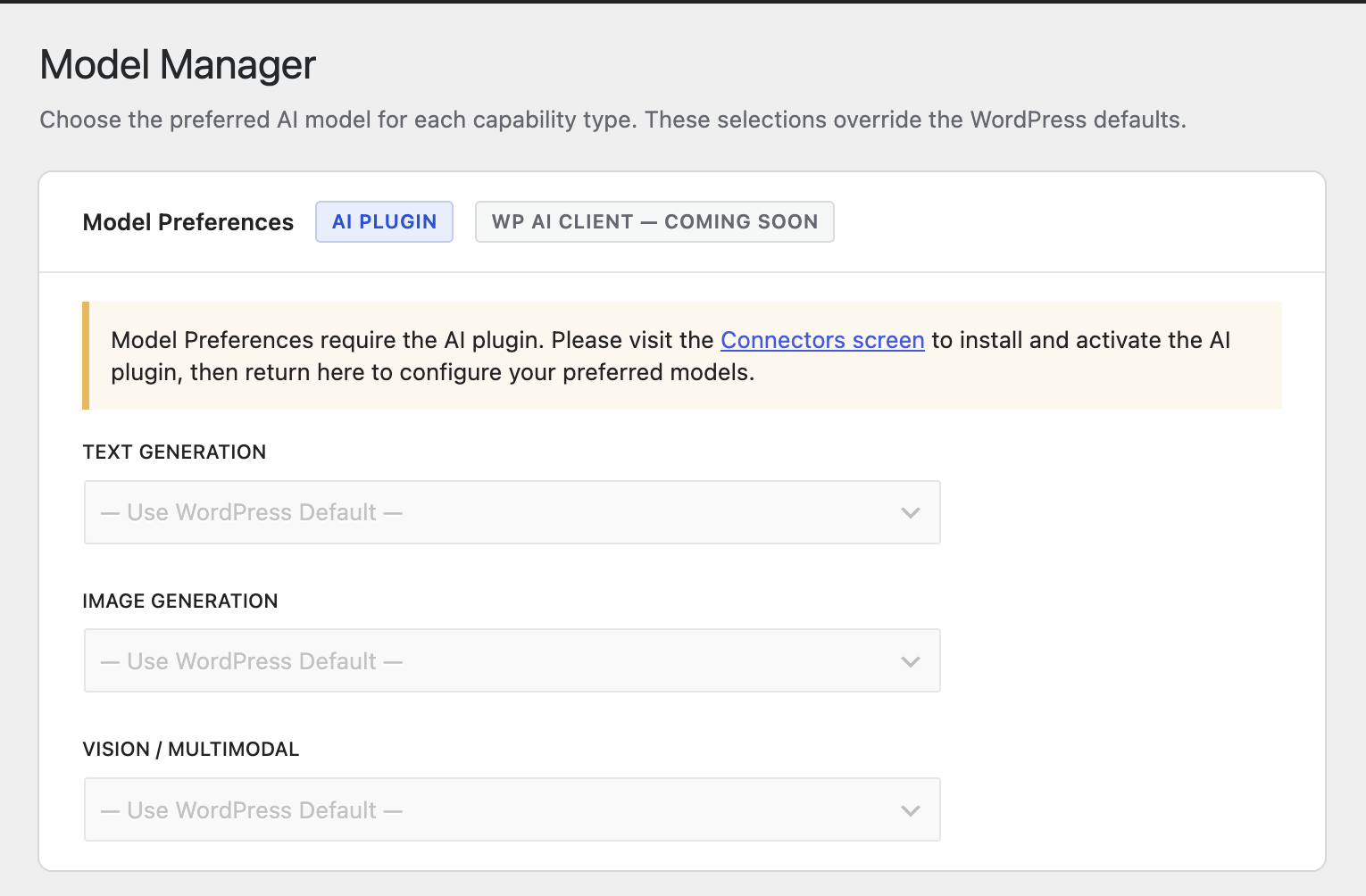
The Model Manager settings page showing dropdowns for each capability type.
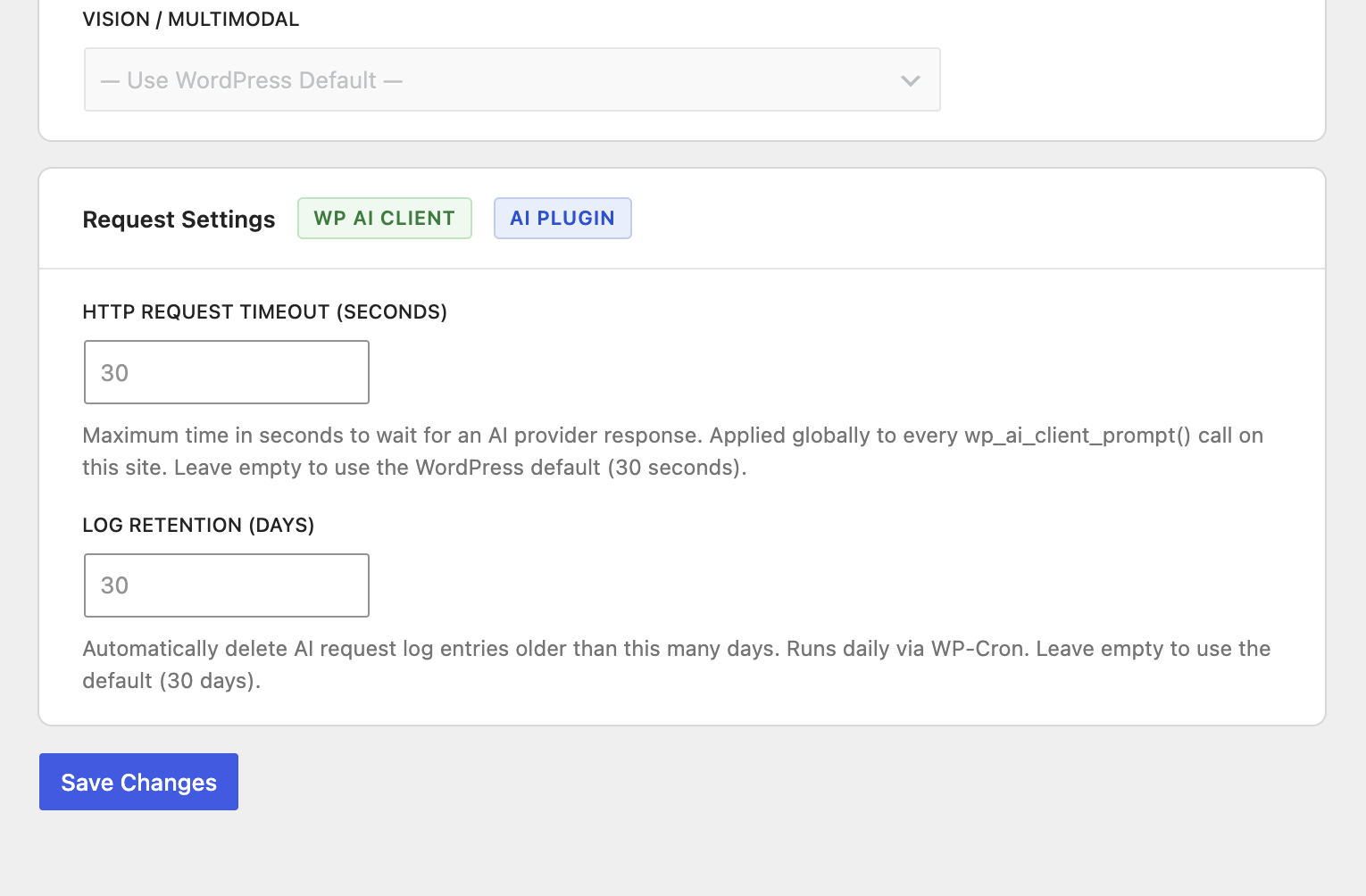
Settings to control the WP AI client Timeout Request
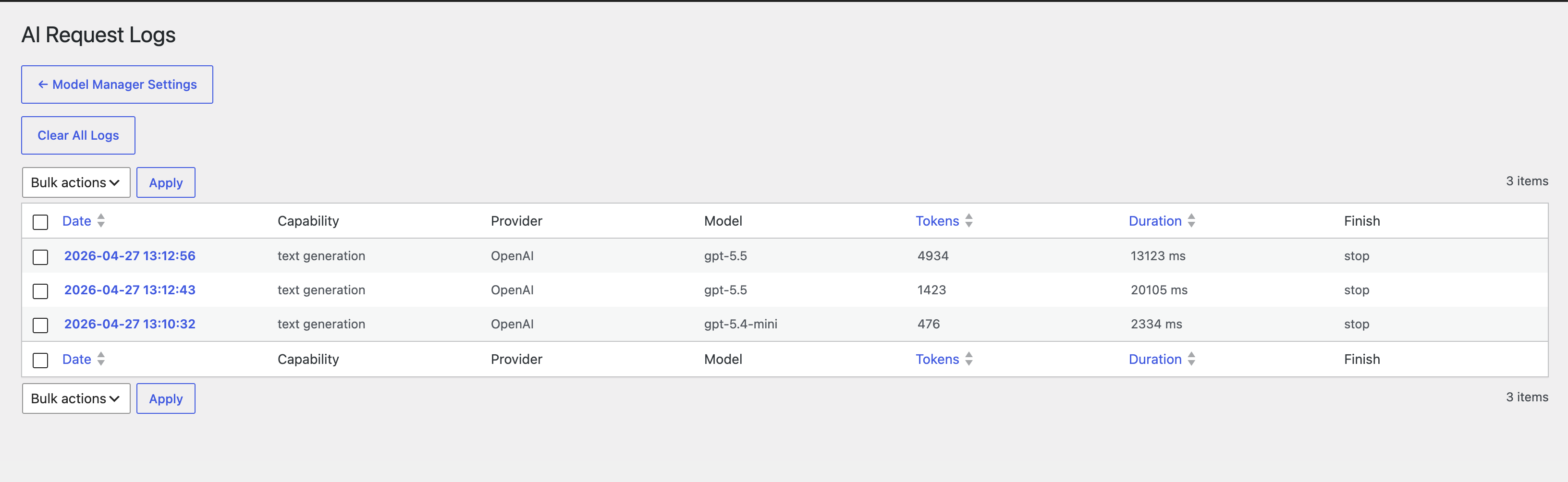
Screenshots to show all the of WP AI Client