
This plugin is designed to simplify the process of creating new users/customers. It’s particularly useful if you receive client orders via phone or email and want to integrate these orders into WooCommerce for stock and order management.
The plugin adds a checkbox at the end of the billing address form. When this box is checked, it creates a new user with the role “customer.” If an email is not provided, the plugin generates a unique one using your site’s domain as the email domain and the customer’s name as the local part (e.g., firstname.lastname@your-site.com). You have the option to customize this auto-generated email format.
Try it out for free with TasteWP:
https://tastewp.com/new?pre-installed-plugin-slug=woocommerce%2Cadd-customer-for-woocommerce
By default, the newly created user does not receive any emails during account creation, though they will probably on order updates.
In the settings menu, there are options to:
– Check the box by default
– Send login credentials to the new customer
There are also additional options:
– Update new customer information by default
– Link customer orders
– Define the user role individually
– Set the user role for new customers
– Customize the auto-generated email format
– Edit the email subject for accounts created
– Change the sender’s email address
Settings Menu:
WooCommerce -> Add customer settings
Required Plugins: WooCommerce 4.7.0 or higher
Required PHP extension: Intl
If you like the plugin, please leave some stars or buy me a coffee. Thank you!
Screenshots
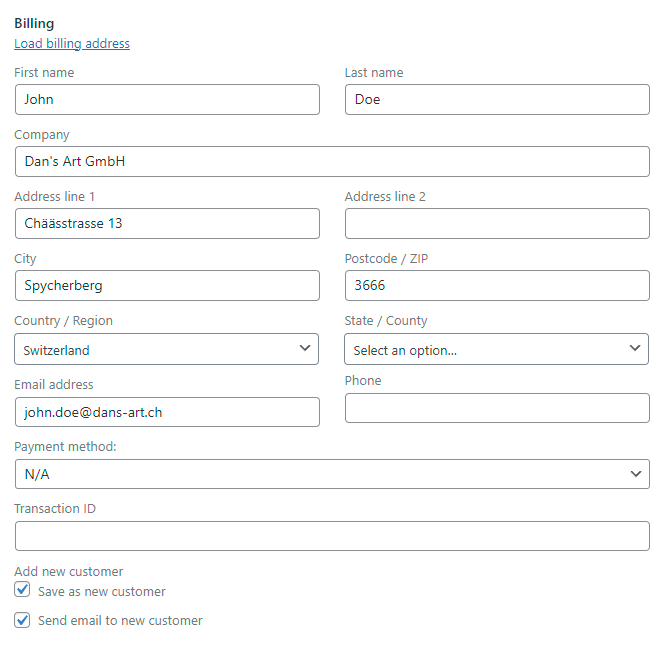
The billing section of a new order. When the checkboxes are selected, it creates a new user who will receive a notification.
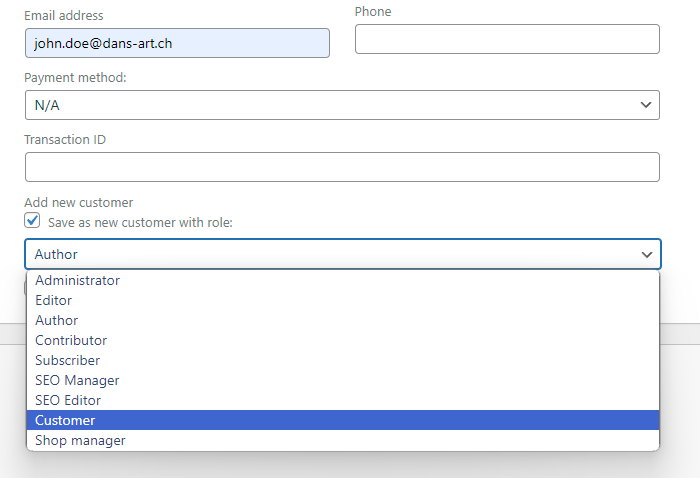
Selection of the role when "Define user role individually" is activated
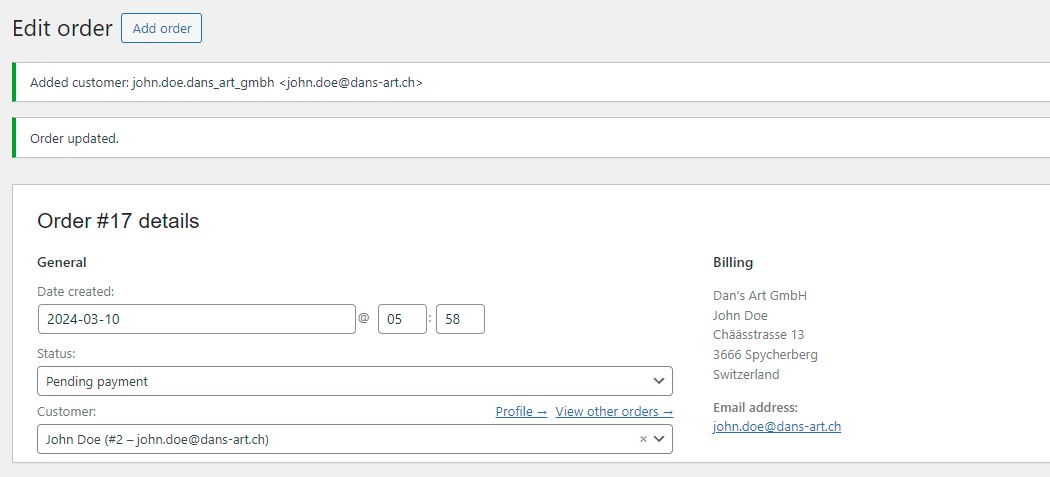
The order after saving. A new customer was created and assigned to the order.
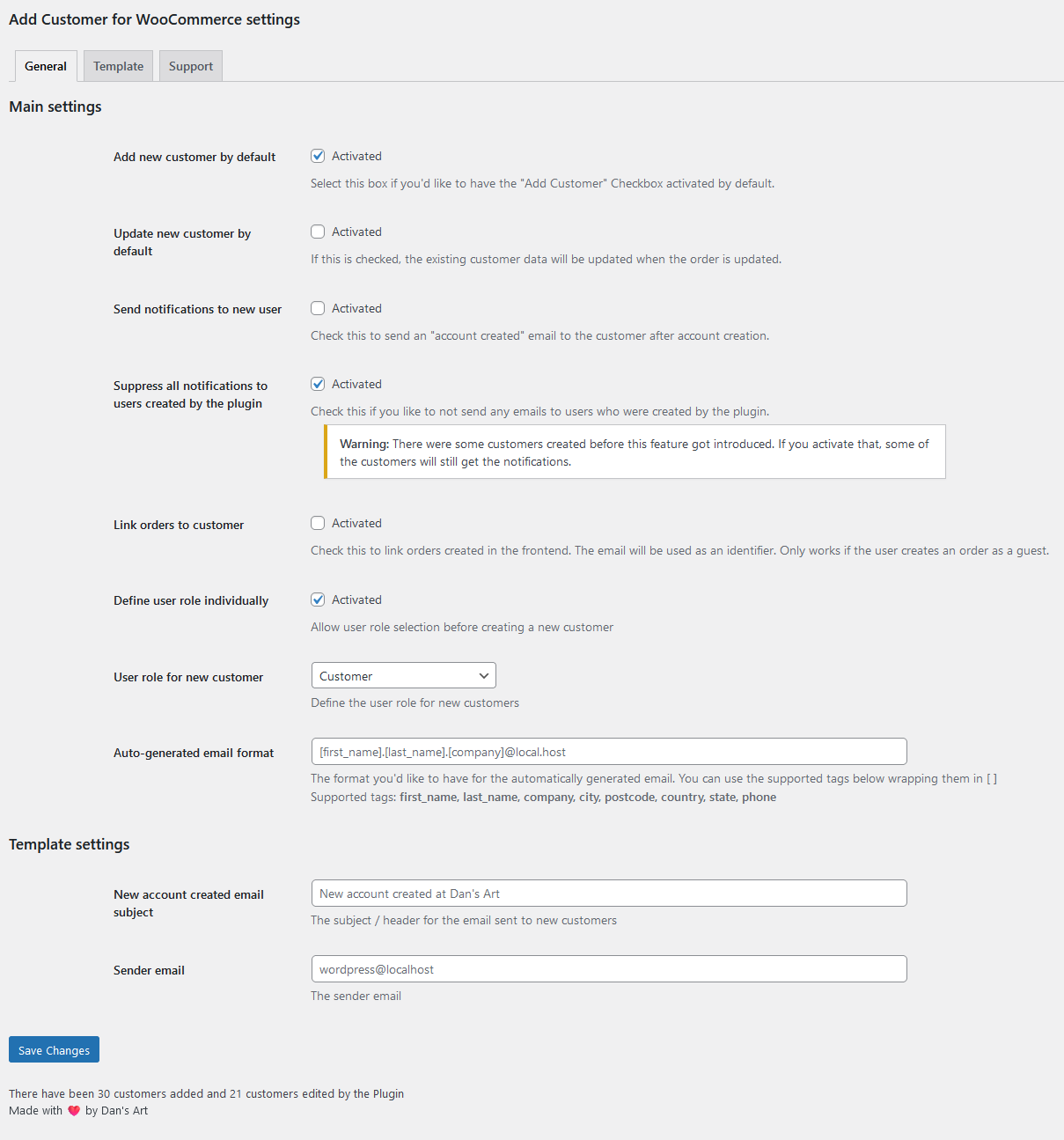
The main settings menu.
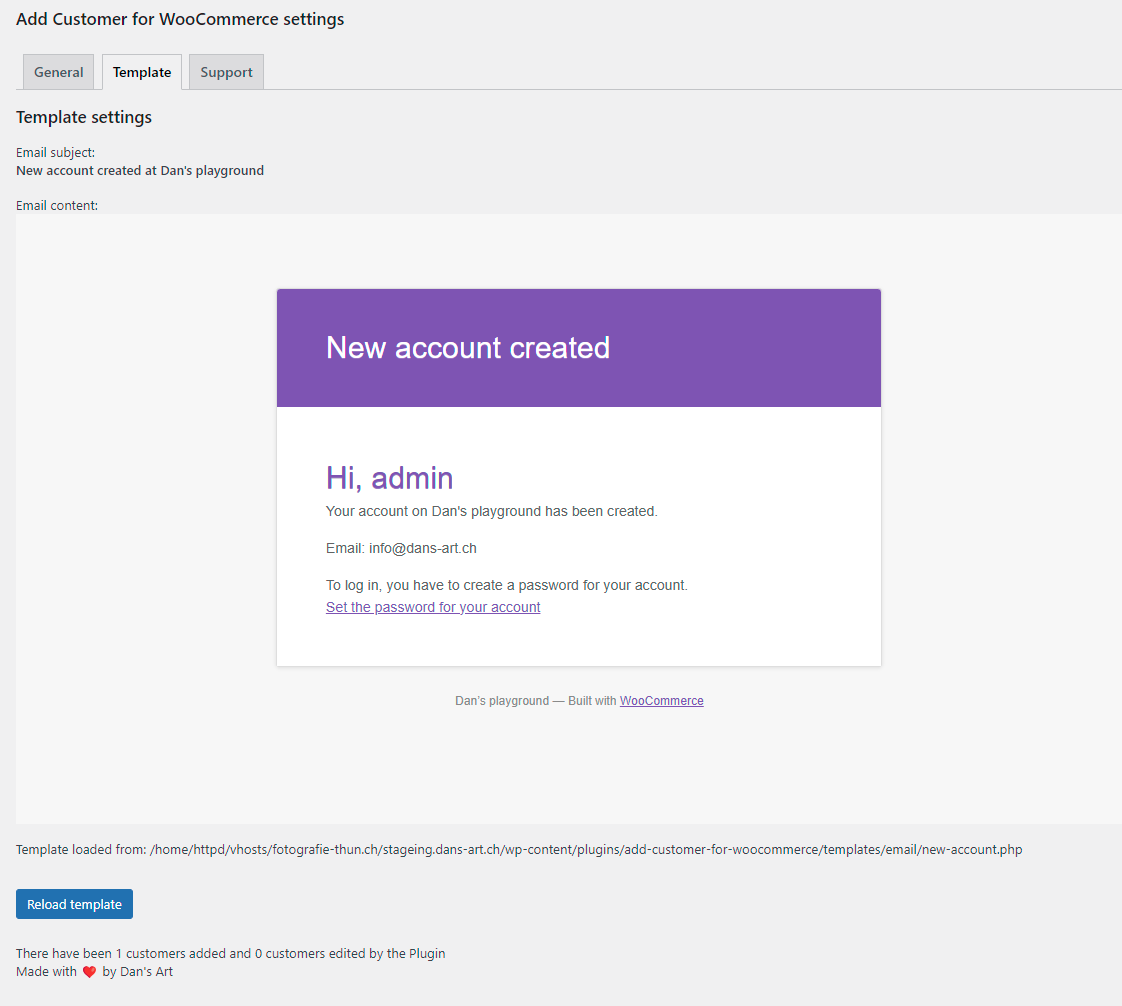
The template preview menu and the design of the email that the new customer receives.