
Running ads on TikTok? To see what people do on your site after they see or click your ads, and to show your ads again to people who already visited, TikTok needs its pixel, a small piece of tracking code, on your pages.
This plugin adds it for you. Paste your Pixel ID, switch the pixel on, save, and the pixel code is added to the pages of your site. No theme files to edit, no account to connect, no code to maintain.
What you can do with it
- Measure your TikTok campaigns. The pixel records each page view, so you can see in TikTok Ads Manager what visitors from your ads do on your site.
- Reach your visitors again. TikTok can use pixel data to build audiences of people who visited your site, then show them your ads.
- Track the actions that matter. With the pixel in place, you can define events such as a sign-up or a contact form in TikTok Events Manager, without code, using the TikTok Event Builder.
- Keep your setup simple. One screen, one switch. Your settings stay in WordPress, independent of your theme, and you choose whether they are deleted when you deactivate the plugin.
Free and Pro
The free version adds the TikTok Pixel to your site. If WooCommerce is active, it leaves out product, cart and checkout pages.
Pro is for online stores and more precise tracking:
- The pixel on your WooCommerce store. With the store option turned on, Pro adds the pixel to product, cart and checkout pages too, so you can define shopping events, such as add to cart or checkout, in TikTok Events Manager.
- An event on a specific page. A box in the editor of your posts, pages and products lets you add TikTok event code to that page only, for example on a thank-you page after a form.
- Developer mode. Paste your own TikTok code, such as the complete base code or events, and it is added to every page.
Pro does not send order amounts or product details to TikTok by itself. To send them, set them up in the TikTok Event Builder or add your own event code.
You can upgrade from the plugin’s menu in your WordPress admin. Plans and billing are handled through Freemius, which shows the price before you pay.
What this plugin does not do
- It does not create or manage your TikTok campaigns: you do that in TikTok Ads Manager.
- It does not ask your visitors for consent. If consent is required before marketing tags load, use a consent management tool that can hold back the TikTok script until visitors agree.
- It does not use TikTok’s server-side Events API.
This plugin is an independent tool made by Pagup. It is not affiliated with, endorsed by or sponsored by TikTok.
External services
This plugin connects your site to TikTok, a third-party advertising service. Adding the TikTok Pixel to your pages is its main purpose.
- When: only after you switch the pixel on and save a Pixel ID. From then on, the pages that carry the pixel load TikTok’s script from
analytics.tiktok.comin the visitor’s browser. With Pro, this includes WooCommerce product, cart and checkout pages if you turn that option on, and any code you paste in developer mode or in a page’s event box runs as written. - What is sent: TikTok’s script sends TikTok information about the visit, such as the event and the page, a timestamp, the visitor’s IP address, browser and device details (user agent) and TikTok cookies. TikTok describes this data in About TikTok Pixel.
- Terms: TikTok handles this data under the TikTok Business Products (Data) Terms, presented in TikTok Advertiser Tools and Related Terms Overview, and under its Privacy Policy.
The plugin also uses Freemius, its licensing and update service, for Pro upgrades. When you activate the plugin, Freemius asks whether you agree to share basic information about your profile and your site, such as your site address and your WordPress and PHP versions. You can skip this step. Freemius handles this data under its Terms of Service and Privacy Policy.
Screenshots

Settings page: switch the pixel on and enter your TikTok Pixel ID.
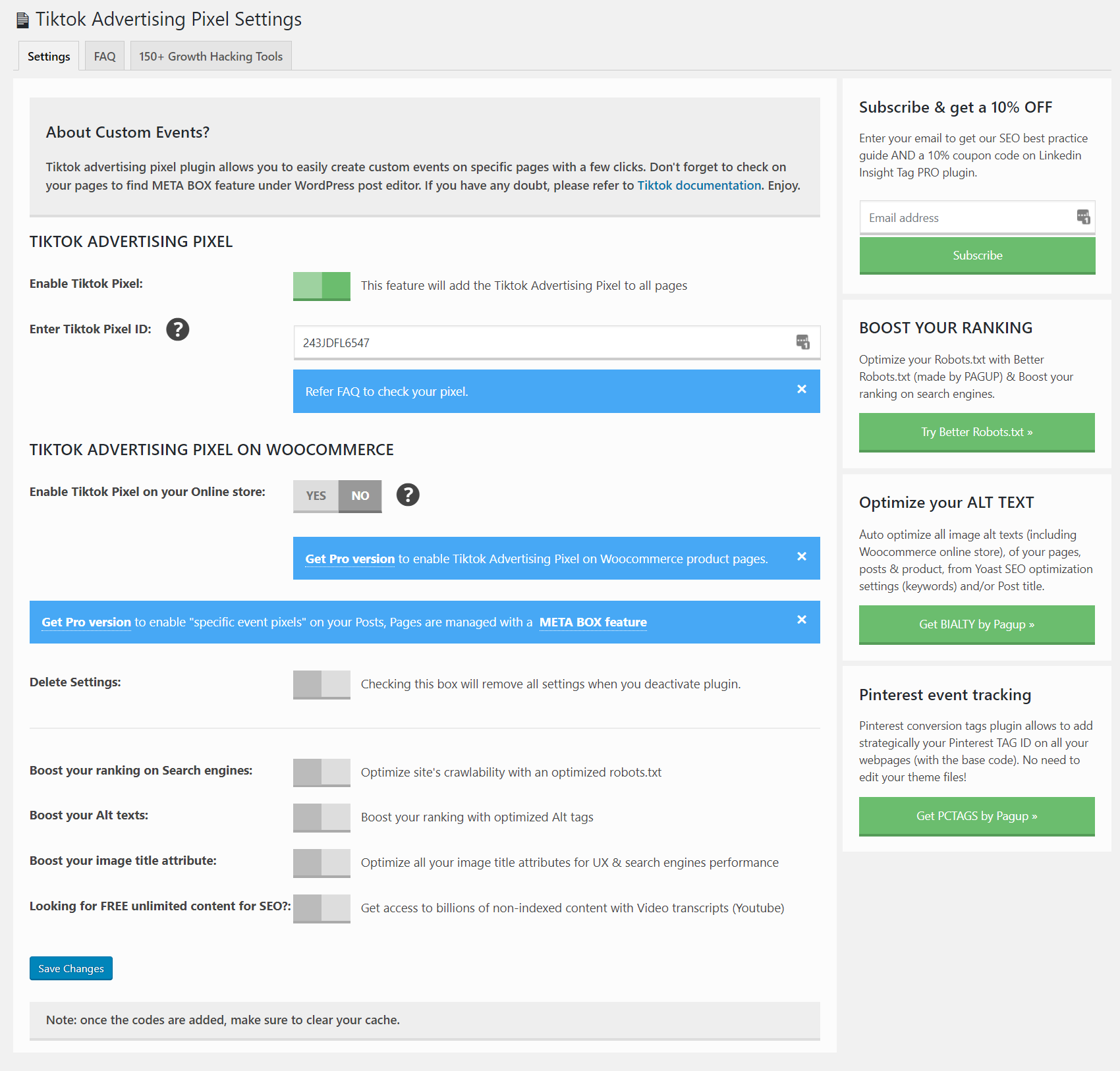
Settings page with the WooCommerce store option (Pro) and the option to remove settings on deactivation.