BACK TO DIRECTORY


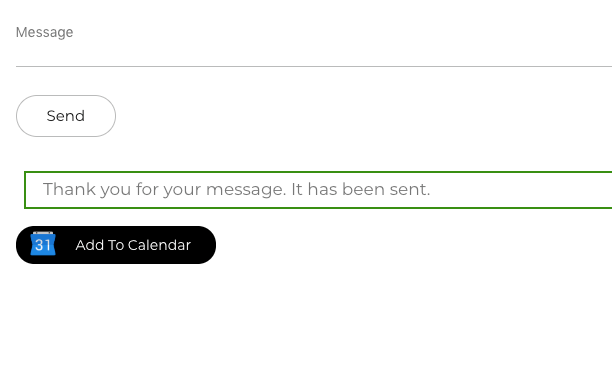
- This plugin provides a “Add to Calendar” button when a form (CF7) is submitted.
- After sending a form with a date field (reservation, booking, event), you can add that date on your calendar (Google Calendar for now).
- Basically, you allow the user to sync the form with their Google Calendar.
Contact Form 7 (CF7) plugin is required.
Features
- Booking/Reservation purpose;
- Compatible with Google Calendar;
- Simple configuration is needed (Easy to use);
- A simple button is added when a form is submitted.
- You can choose the Title, Description and Location for the event
- You can customize your button with background and text color
Google Calendar icon by Icons8.
Screenshots
Settings Panel into Contact Form 7 Panel
Contact Form 7 Editor Panel (with date fields)
The Button on frontend
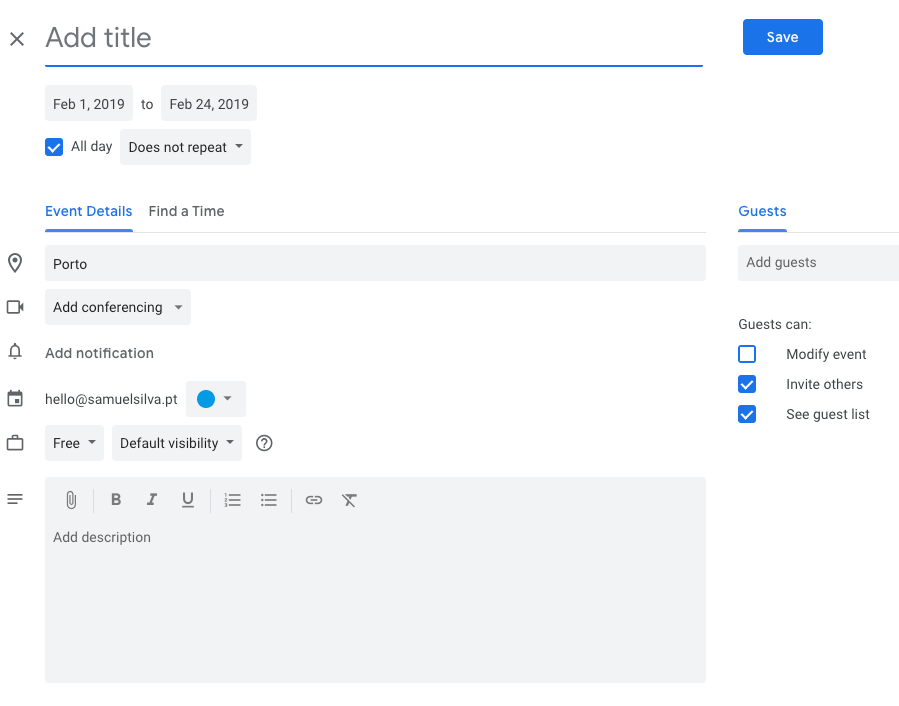
The result on Google Calendar
Plugin Details
Active Installs
100Total Downloads
5,575Version
1.5Requires WP
4.1Requires PHP
5.3Tested Up To
5.2.30Added
2019-01-30Last Updated
2019-05-08 9:01am GMTRatings
5
3
4
0
3
0
2
0
1
0