BACK TO DIRECTORY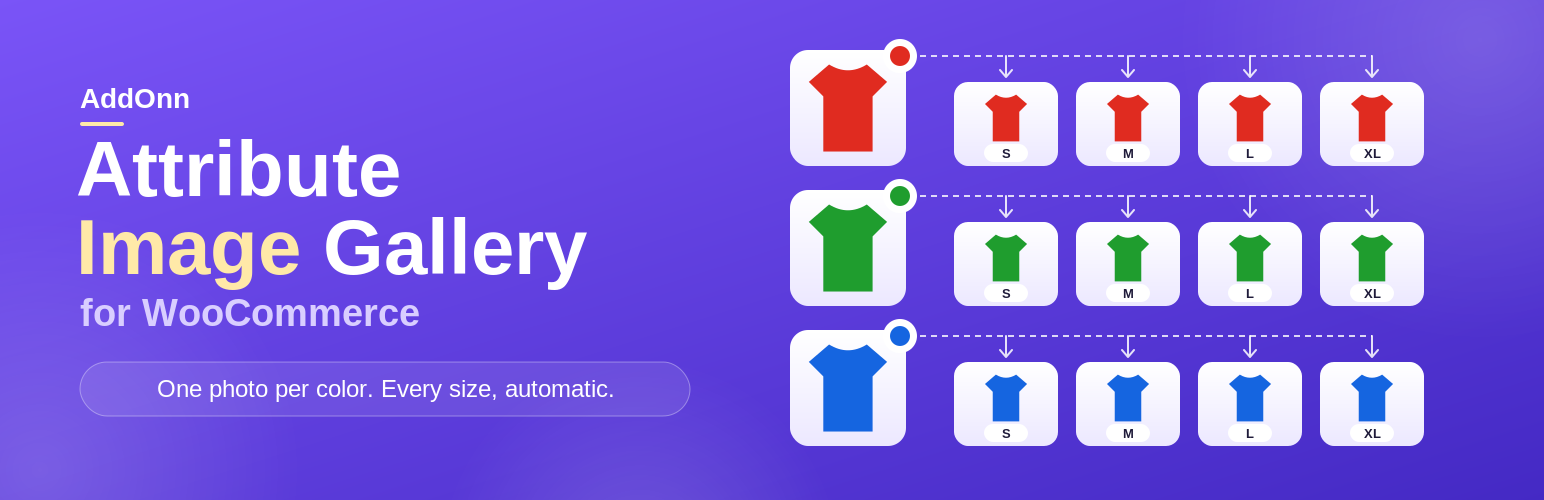
If your products use attributes like Color and Size, WooCommerce makes you upload a separate image for every single variation, and it only supports ONE image per variation, not a gallery. Four colors times four sizes means sixteen uploads, even though the photo only changes with color.
AddOnn Attribute Image Gallery fixes this:
- Upload one image and a full photo gallery per attribute value (e.g. once for “Red”), not per variation.
- Every variation in that product that uses that value, across every size, gets the image and gallery automatically.
- Images are scoped to each product, so two different products that happen to share a value (e.g. both have a “Red”) never accidentally share the same photo.
- One-click “Sync Variation Images” button re-applies images any time you add new variations or update a value’s photos.
- The frontend product gallery swaps automatically when a shopper changes the variation.
- Pro: managing dozens or hundreds of products? Export your entire image mapping to a spreadsheet, update it in bulk, and re-import in one click — instead of clicking through every product one by one.
How it works
- Pick your “primary” attribute (usually Color) under WooCommerce > Variation Gallery.
- Open a variable product that uses this attribute. Click the new “Variation Gallery” tab in the Product data box.
- Upload one image and gallery per value used on that product (e.g. once for Red, once for Blue).
- Update/save the product, then click “Sync Variation Images” in the Variations tab.
- Done. All matching variations in that product, any size, now share the same image and gallery.
Plugin Details
Active Installs
20Total Downloads
222Version
2.2.5Requires WP
6.0Requires PHP
7.4Tested Up To
7.1.4Added
2026-09-14Last Updated
2026-09-14 12:16pm GMTRatings
5
0
4
0
3
0
2
0
1
0