BACK TO DIRECTORY
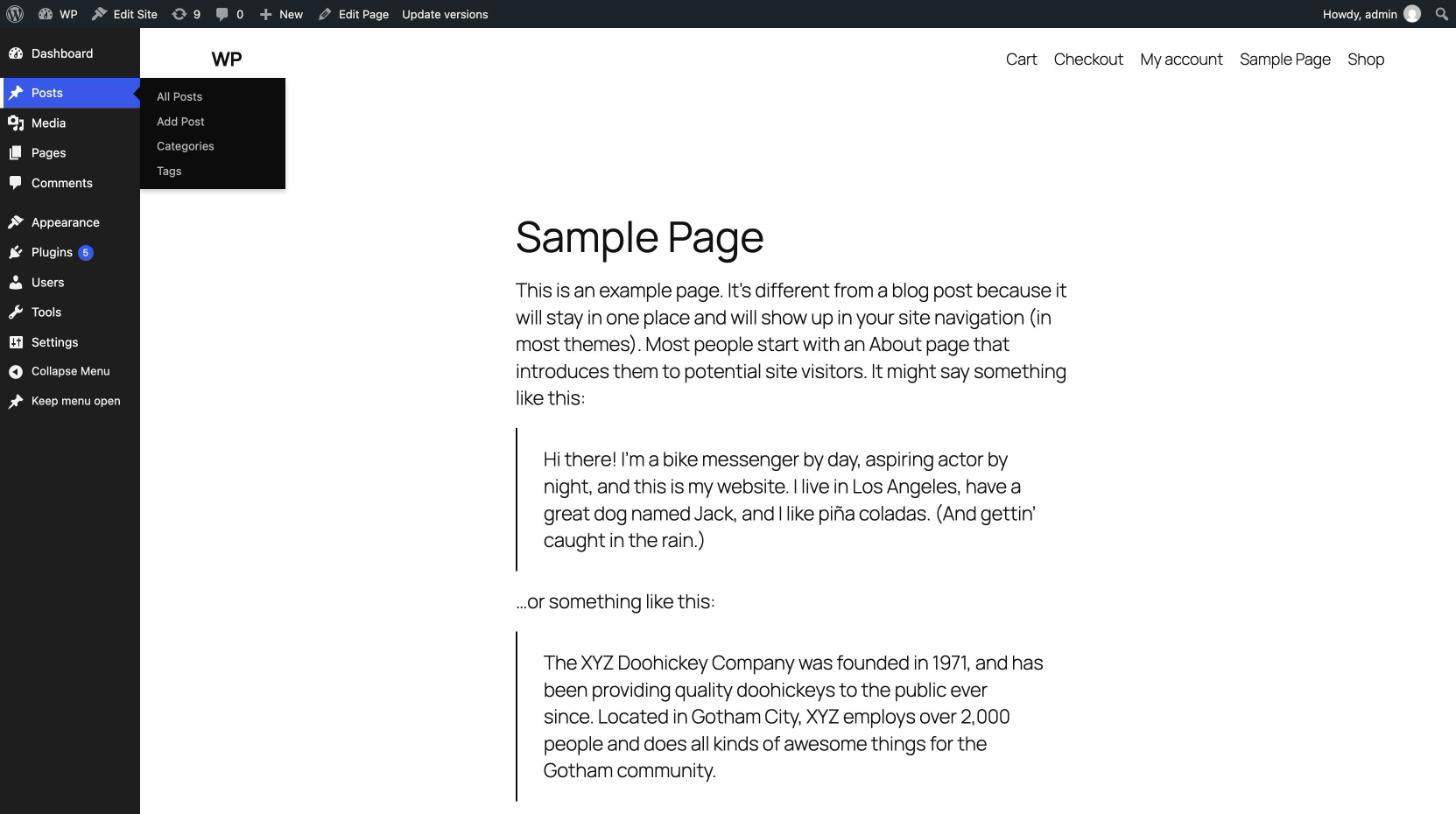
Admin Menu in Frontend adds the option “Show the admin menu when viewing the site” to your profile. Turn it on, and the admin menu you know from the dashboard appears on the public pages of your site: the same items, the same counters, the same colour scheme, with fly-out submenus.
- The real admin menu. The plugin keeps a copy of the menu as WordPress renders it for you in the dashboard, including the menus of your other plugins, and styles it with WordPress’s own admin stylesheet and your admin colour scheme.
- Pinned or hidden. Keep the menu open next to the page, or unpin it: it then waits as a thin strip at the edge of the screen and slides out when you point at it.
- Collapsed to icons, as in the dashboard.
- Keyboard accessible. Tab into the menu and it opens; submenus open on focus, Escape closes them.
- Back to where you were. In the dashboard, the close (×) button in the toolbar returns you to the last public page you viewed.
- Out of the way where it does not belong: not shown in the Customizer, in embeds, inside iframes, or in the edit modes of popular page builders.
- Light. No jQuery on your public pages; nothing at all is loaded for visitors or for users who did not turn the option on.
Each user decides for themselves. The plugin turns the option on for the user who activates it; everyone else turns it on in their own profile.
For developers
The filter admin_menu_in_frontend_show decides whether the menu is shown on the current page:
add_filter( 'admin_menu_in_frontend_show', function ( $show, $user_id ) {
    return $show && ! is_page( 'checkout' );
}, 10, 2 );
Screenshots
The admin menu on a public page, with a submenu open.
Plugin Details
Active Installs
10Total Downloads
3,457Version
1.2.0Requires WP
6.2Requires PHP
7.4Tested Up To
7.1.4Added
2017-10-12Last Updated
2026-10-14 5:44pm GMTRatings
5
2
4
1
3
0
2
0
1
0