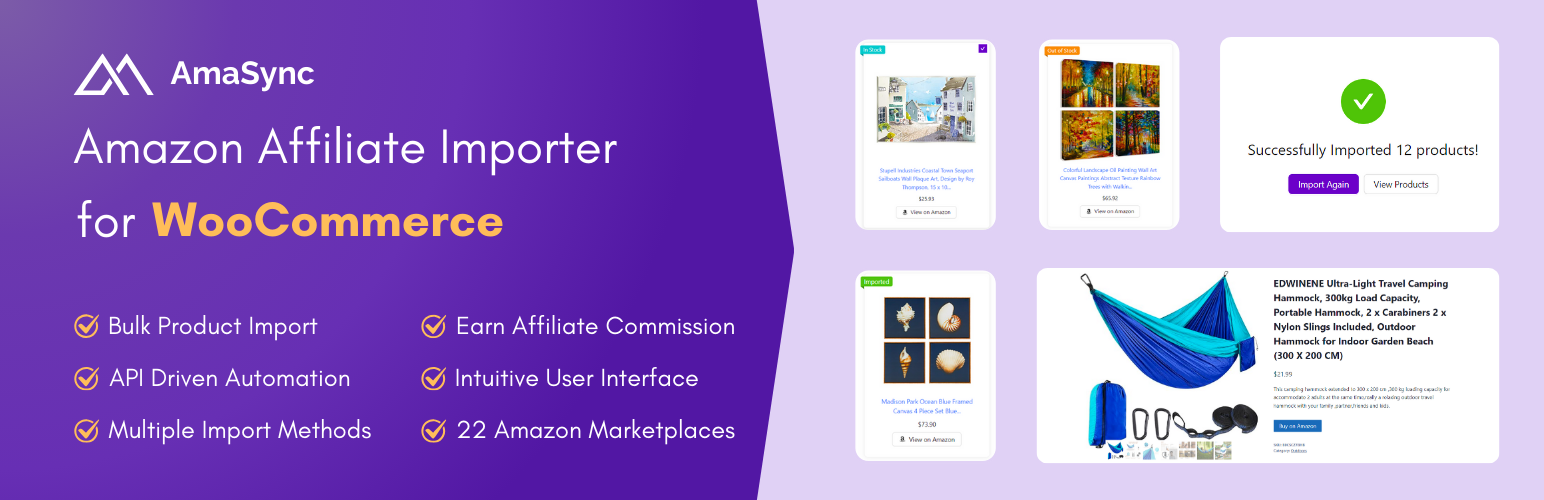
AmaSync is a streamlined WordPress plugin designed to simplify the process of importing Amazon affiliate products into your WooCommerce store. Whether you’re a beginner exploring affiliate marketing or an experienced marketer, AmaSync provides essential tools to help you build and manage your product catalog efficiently.
Key Features:
- Multiple Import Methods: AmaSync supports ASIN code lists and manual input through a user-friendly form, offering flexibility for users to build their product catalog their way.
- API-Driven Automation: Utilize Amazon Creators API keys to automate the import process. Retrieve accurate product data, including descriptions, images, prices, and availability, directly from Amazon’s database.
- User-Friendly Interface: Navigate an intuitive interface designed for simplicity. Manage single or bulk product imports with ease.
- Support for 22 Amazon Marketplaces: AmaSync enables you to import products from 22 Amazon marketplaces worldwide, including: Australia, Belgium, Brazil, Canada, Egypt, France, Germany, Ireland, India, Italy, Japan, Mexico, Netherlands, Poland, Saudi Arabia, Singapore, Spain, Sweden, Turkey, United Arab Emirates, United Kingdom, and the United States.
Benefits of AmaSync:
- Save Time: Automate product entry to reduce effort and focus on growing your business.
- Expand Your Product Range: Quickly add products to your WooCommerce store to cater to diverse customer needs.
- Enhance Customer Experience: Offer a rich selection of products, ensuring customer satisfaction and loyalty.
Upgrade to Premium for Even More Power:
Unlock the full potential of AmaSync by upgrading to the Premium version, which includes advanced features such as import by search and product synchronization to keep your WooCommerce store always up-to-date.
Experience AmaSync in Action – Live Demo
Discover the powerful features of AmaSync by exploring our live demo. Get hands-on with its functionality and see how it can streamline your workflow.
Access Live Demo: https://www.themedyno.com/amasync-demo/
Username: demo
Password: demo123!
Ready to supercharge your affiliate marketing? Buy AmaSync Premium on WooCommerce.com and take your WooCommerce store to the next level!
3rd Party or External Service
This plugin utilizes the Amazon Creators API to fetch products from Amazon into your WooCommerce store. To fully benefit from this plugin’s features, you will need access to the Amazon Creatros API.
When using this plugin, please be aware that it communicates with Amazon’s external API service to retrieve product information. This may involve the transmission of certain data to Amazon’s servers as part of the API interaction. For detailed information about how the Amazon Creators API works, please refer to the official documentation: Amazon Creators API Documentation.
Important Links:
- Amazon Creators API Documentation: https://affiliate-program.amazon.com/creatorsapi/docs/
- Amazon Creators API License Agreement: https://affiliate-program.amazon.com/creatorsapi/docs/en-us/license-agreement
Please review the terms of use and privacy policies provided by Amazon to understand how they manage and process the data. This documentation is crucial for ensuring that you comply with all legal requirements related to data transmission when using this plugin.
Source Code
The source code of this plugin is available in the GitHub repository.
Screenshots

Dashboard tab – Displays the current status of your Amazon API connection.

Import tab – Shows the available import types.

Import via ASIN – Verify up to 3 ASINs per batch.

ASIN verification results – Once ASINs are verified, they're listed below with an indicator showing whether each one is eligible for import.

Category selection – After verifying your ASINs, choose an existing product category to import into, or create a new category on the spot — no need to leave the page and go to the category screen.

Final import step – Import all selected products with a single click.

Post-import options – Once products are imported, return to the ASIN verification step to import more, or head to the Products tab to view your imported products.

Products tab – Displays a list of all products imported via AmaSync.

Amazon API Settings – Set your Amazon Creators API credentials here to enable bulk product imports.

Import Settings – Choose the WooCommerce product type — External/Affiliate or Simple — and select which optional data to import: product price, gallery images, and/or product attributes.

AmaSync Pro – Migrate products previously imported via WZone into AmaSync in just a few clicks.


