AffiliateLauncher runs affiliate, consultant, and distributor programs for online stores and direct-sales companies. This plugin connects your WooCommerce store to the AffiliateLauncher cloud service, so every order from a partner link is credited to the right person.
In AffiliateLauncher you manage your roster and enrollment, give each partner tracking links, set commission plans, review a sales and commission ledger, and export PayPal mass payment files when it’s time to pay. On your store, the plugin captures tracking links, saves the affiliate (and party or event, if used) on each order, and can show a lookup so shoppers credit their consultant.
Commissions are calculated in AffiliateLauncher, not inside WordPress. Create an AffiliateLauncher account at https://directsales.software/user/register (or log in at https://directsales.software/user/login), paste three values from your AffiliateLauncher admin into the plugin, then connect a WooCommerce REST API key so order webhooks can sync.
- Tracking links in three formats: ?_f=site-id, short /al/r/site-id links, and #site-id
- Party and event credit with ?_e=event-id
- Optional storefront lookup so shoppers can pick their consultant
- Works with High-Performance Order Storage (HPOS) and the Cart and Checkout blocks
- Shopify and WooCommerce orders can feed the same company
External services
This plugin connects to AffiliateLauncher, a hosted service run by CNR Consulting Services, Inc. Nothing is sent until you enter an API base URL and integration key on the WooCommerce > AffiliateLauncher settings screen.
What is sent and when:
- Storefront pages (only when the cart float is turned on): the visitor’s browser loads the AffiliateLauncher lookup widget scripts from
<API base URL>/storefront-widget/and sends affiliate and event lookups, your company site ID, the integration key, and an anonymous session ID to the AffiliateLauncher API. - Admin settings screen: the “Open AffiliateLauncher” button links to your company page on the API base URL. Nothing is sent until you click it.
- Order sync: AffiliateLauncher reads order data through the WooCommerce REST API key and webhooks you authorize from AffiliateLauncher. Orders carry the affiliate, event, and session IDs this plugin saves at checkout.
The plugin also sets a first-party cookie, al_fsession, to keep the affiliate session for attribution.
AffiliateLauncher terms of service and privacy policy: https://directsales.software/pub/agreements
The plugin itself is free and GPL-licensed and does not license-gate features. Paid AffiliateLauncher plans are billed by the service, not inside WordPress. Support: affiliatelauncher@directsales.software.
Screenshots

The AffiliateLauncher plugin active on the Plugins screen, with WooCommerce as its required plugin.

The Site ID on the AffiliateLauncher Company Information page. Settings > WooCommerce shows the same value as the Company site ID.
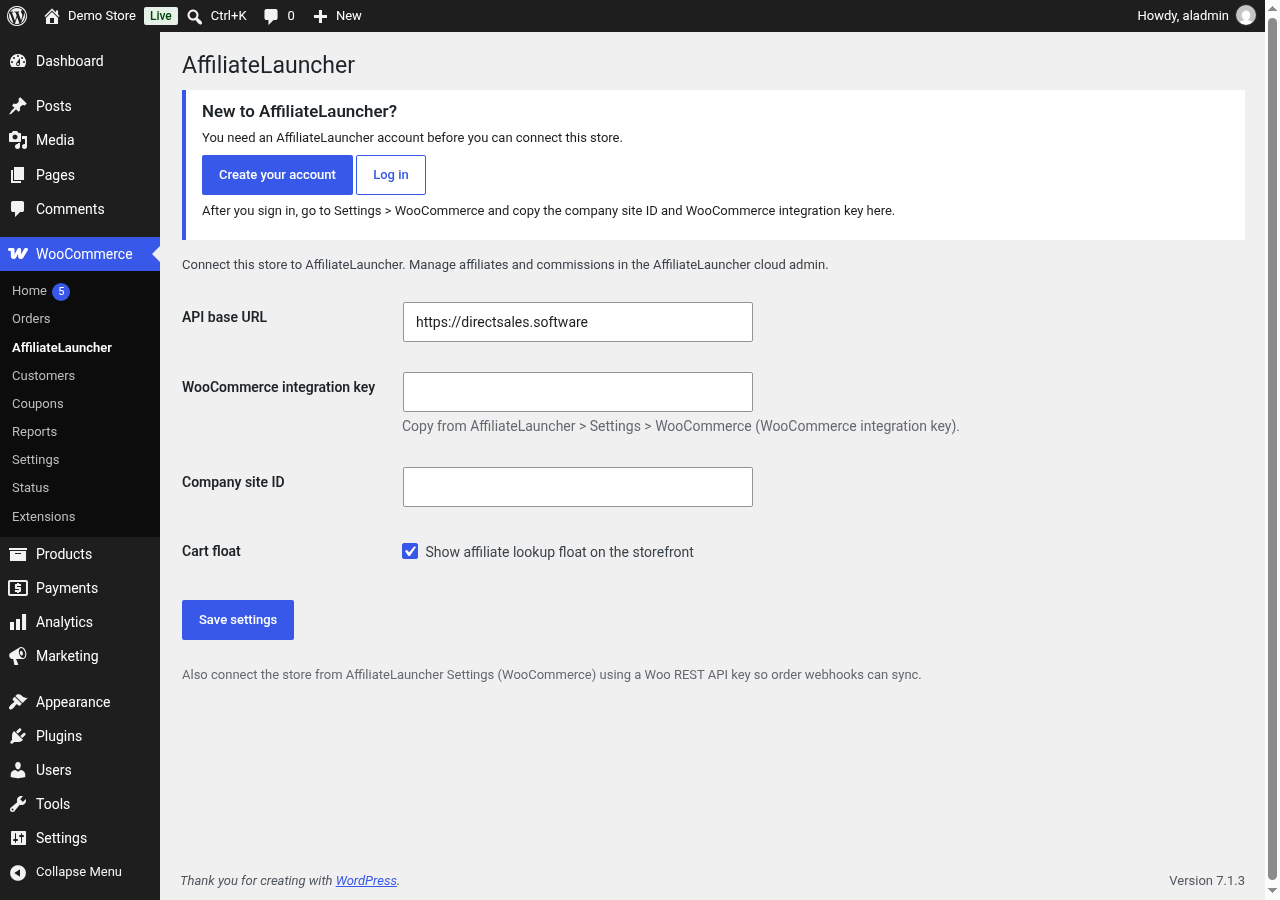
Plugin settings under WooCommerce > AffiliateLauncher, with the API base URL prefilled. Paste the WooCommerce integration key and Company site ID, and choose whether to show the affiliate lookup (Cart float).
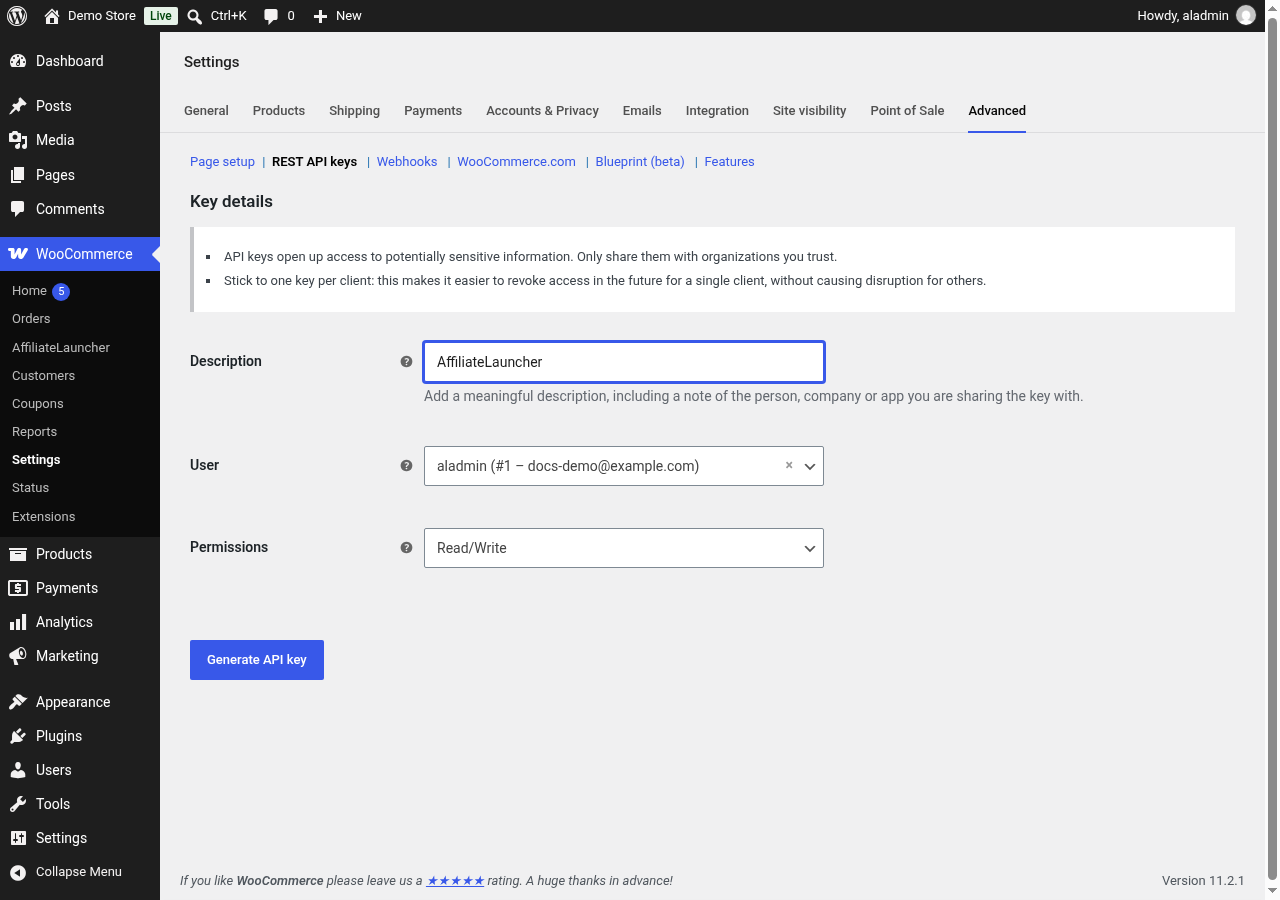
Creating a Read/Write WooCommerce REST API key for AffiliateLauncher.

Creating a commission plan in AffiliateLauncher (name and default rate).

Saved commission plan with its plan ID.

Commission plans list with an active plan.
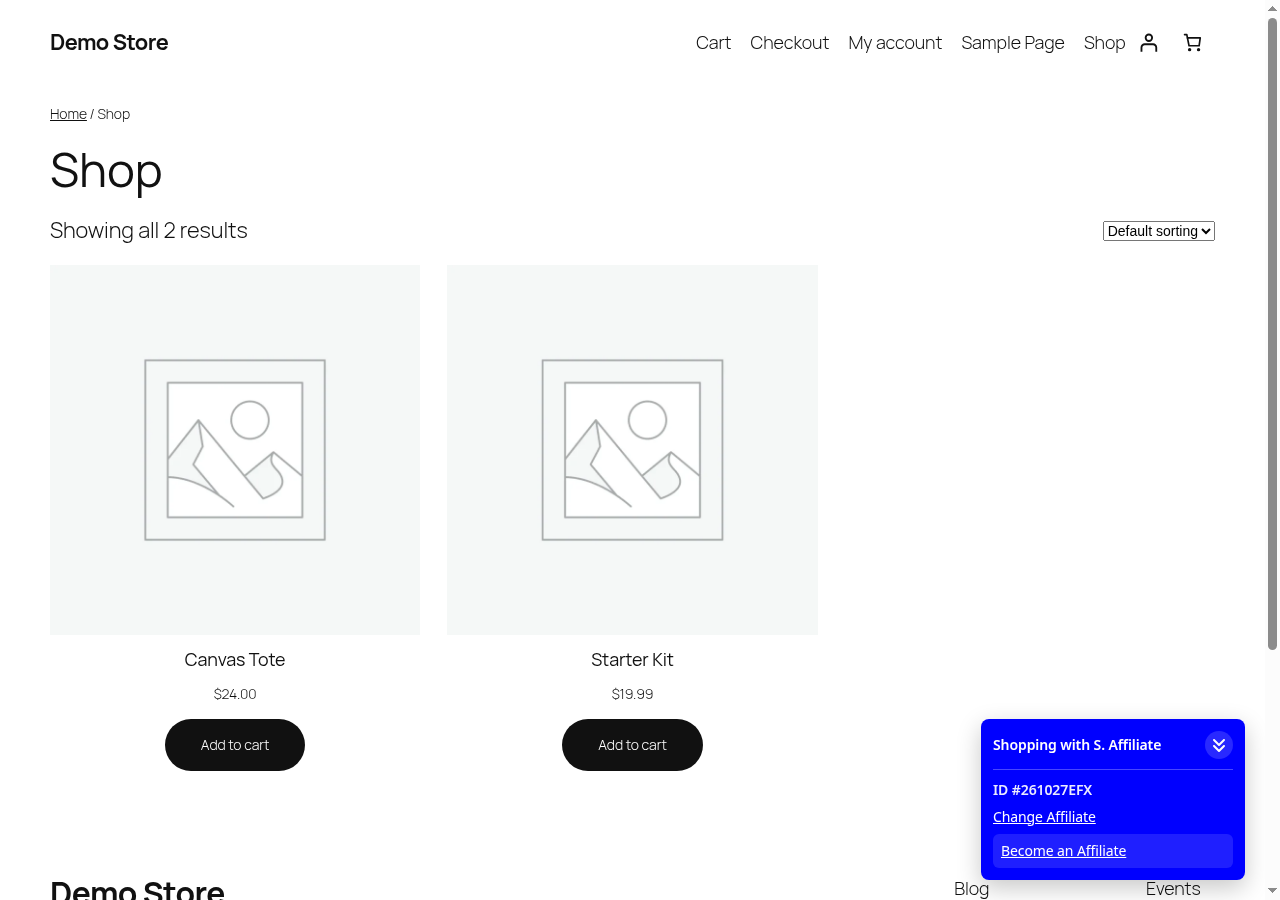
Storefront: the affiliate lookup panel after picking an affiliate, with Become an Affiliate.

Storefront: choosing an enrollment type.

Storefront: the Join page form, with the sponsor shown.
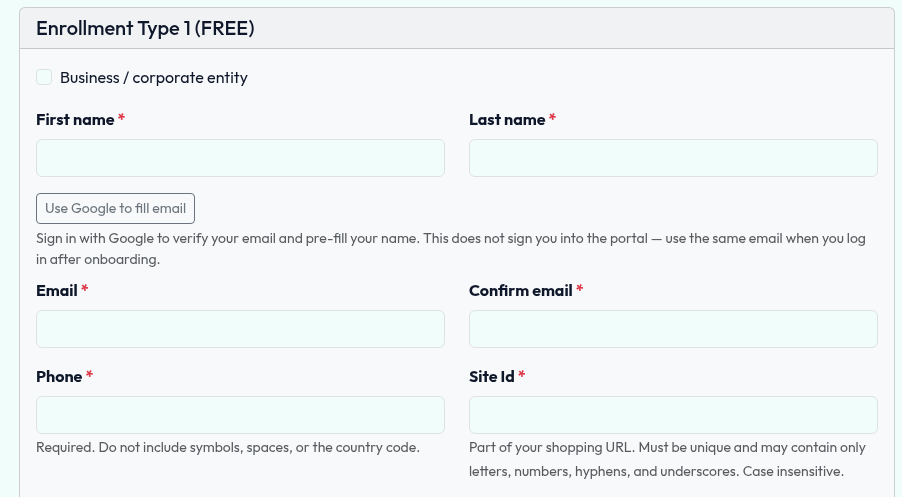
The Join page opened directly.

Storefront: a paid enrollment kit in the WooCommerce cart.
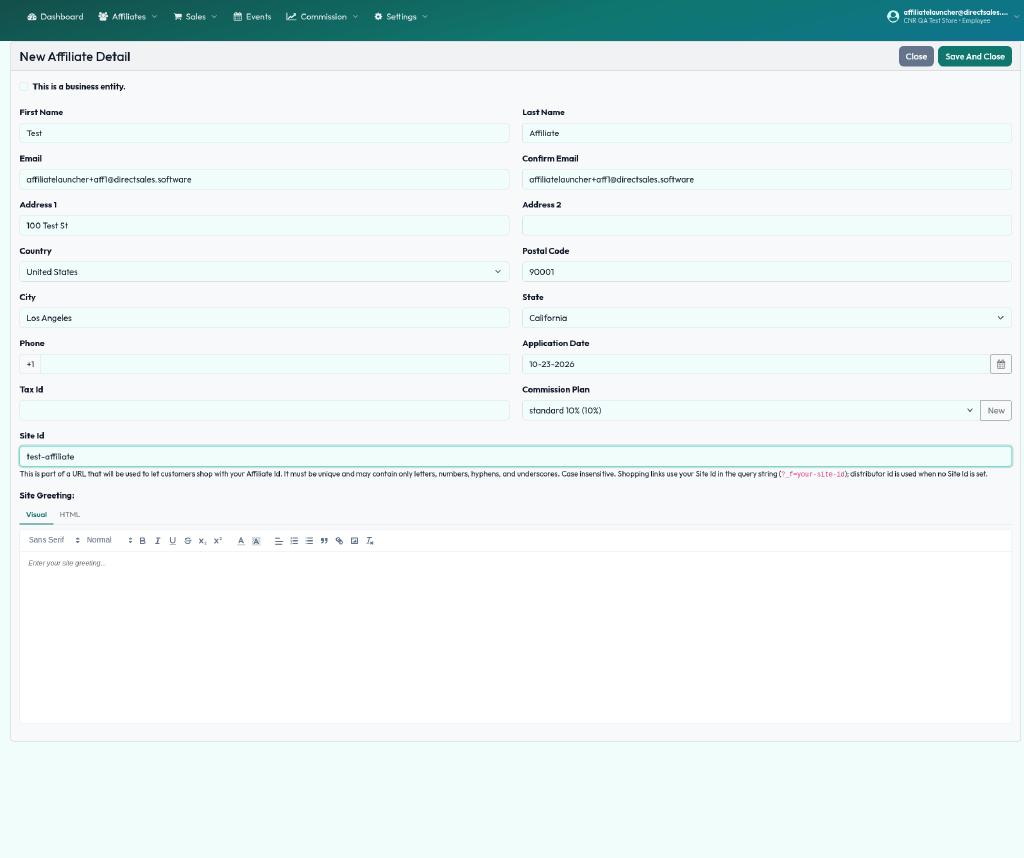
Adding an affiliate in AffiliateLauncher and picking a commission plan.

The affiliates roster after saving.
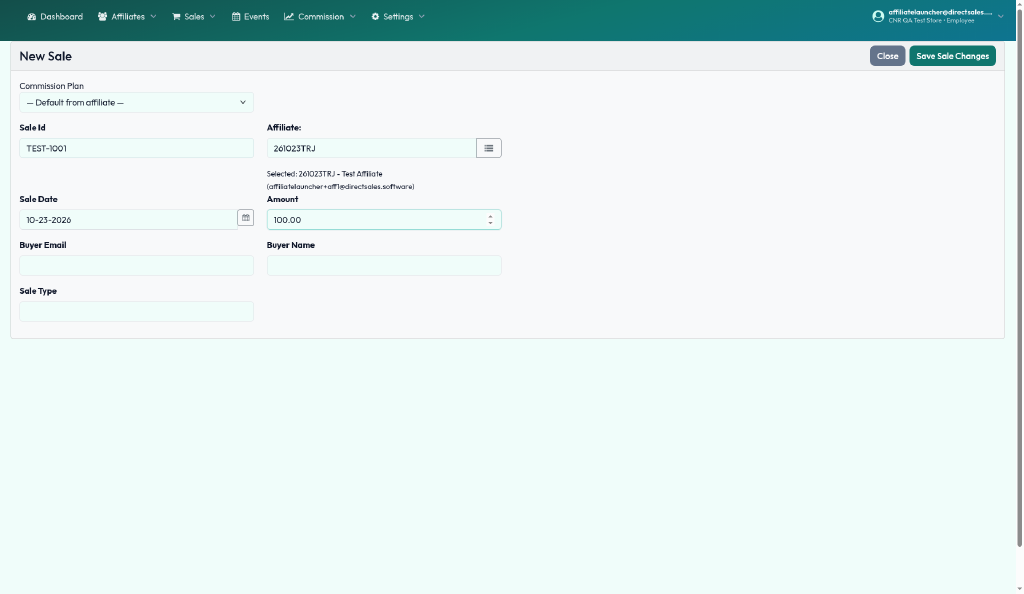
Recording a test sale for an affiliate.
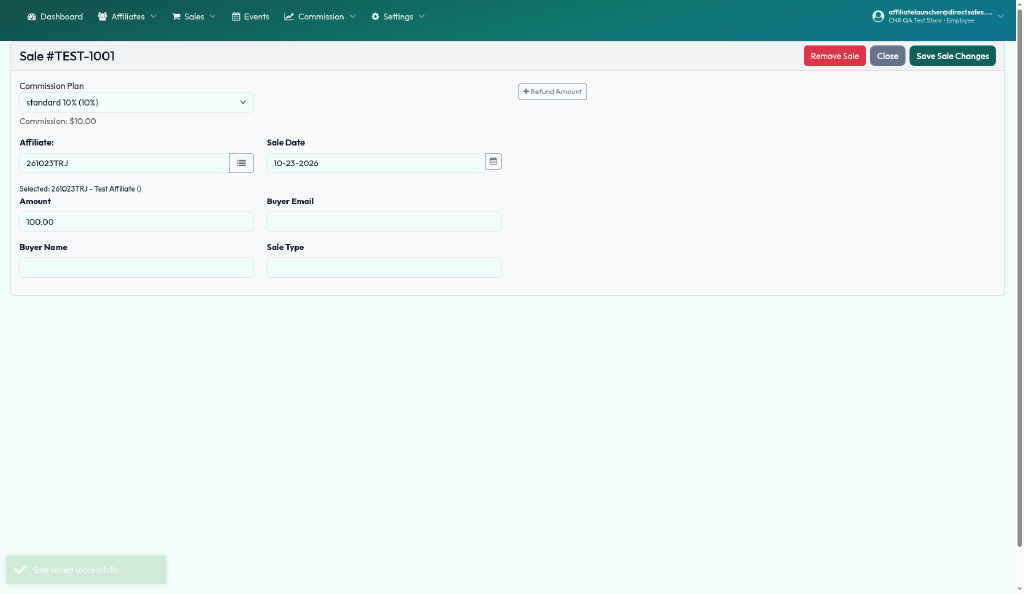
Saved sale with its calculated commission.

Commission payout screen with the PayPal CSV upload option.