Add an AI chatbot that answers from your own pages and WooCommerce store, and cites them. It runs on Claude, Amazon Nova, Meta Llama, Mistral, DeepSeek, OpenAI gpt-oss, Qwen or Kimi through Amazon Bedrock in your own AWS account. Requests go from your server straight to the Bedrock endpoint you configure. There is no relay service and no third party in between.
Built for site owners, developers and teams who want predictable requests, safe defaults for public chat, and a way to check that answers are still right after a change.
Why site owners choose it
- Answers from your content, with sources. The chat searches your published pages, in the visitor’s language first, and cites what it used. Questions your site does not cover are listed as content gaps, with a shortcut to draft the missing page.
- Ready for WooCommerce. Live product answers with prices, stock and Add to cart. Signed-in customers can ask where their order is. Product descriptions can be drafted from real attributes.
- Safe for public traffic by default. Guest access is off until you turn it on. Requests are rate limited and tools run on the server. The chat stays hidden until it can actually answer.
- No AWS keys to store. An instance role, a task role or environment variables are enough. Off AWS, one Bedrock API key is enough. Diagnostics generates the least-privilege IAM policy your configuration needs.
- Know what it costs. A dashboard of requests and tokens by the model that answered, the input tokens Claude read from Bedrock’s cache, and failed requests by cause.
- Know whether answers are still right. Run questions whose right answer you know and read the result by category. Every check is a program, so no model grades another, and the command-line run can gate a deployment.
Features
Chat on any page
[ai_chat_bedrock]shortcode, a chat block, or a floating launcher on every page; full screen above the keyboard on phones- Streaming answers that a visitor can stop, which also stops the Bedrock request
- Answers and posts read aloud with Amazon Polly
- Several chats with their own profiles, a fallback model, and managed prompts from Bedrock Prompt Management
- Optional conversation memory, kept in the visitor’s browser tab only, or also saved in a signed-in visitor’s user data for the days you set
Grounded in your content
- Matching by shared words; choose an embedding model to match by meaning instead, so “when will my parcel arrive” finds a page titled “Getting parcels to you”
- Amazon S3 Vectors searches every passage of every page; a reranking model keeps the passages that best answer the question, from your pages and a knowledge base alike
- Only what a signed-out visitor can read is ever indexed or quoted, so members-only sections stay out of answers, and pages your SEO plugin keeps out of search engines stay out too
For WooCommerce stores (each feature is off until you turn it on)
- Product answers from the live catalog, with the price, sale price, stock and options the shop shows right now, as cards with View product and, where nothing has to be chosen, Add to cart. Drafts, private and hidden products are never described.
- Order questions for signed-in customers about their own recent orders only. Only the order number, dates, status, items, total, shipping method and tracking number are sent to the model; addresses, email, phone and payment details never are, and naming another customer’s order number reveals nothing.
- Product assistant that drafts the short and full description from the product’s name, attributes and categories, or summarizes approved reviews without reviewer names. Nothing is saved until you update the product.
- Compatible with High-Performance Order Storage and the Cart and Checkout blocks.
The Amazon Bedrock provider for WordPress AI
On WordPress 7.0 and later, every plugin that calls the WordPress AI Client, including the official AI plugin, can use Amazon Bedrock. The plugin offers core what each model can actually do:
- Text, with system instructions, several candidates, top P and stop sequences where the model accepts them
- Images in the prompt for models that read them, such as Claude, Nova Lite and Pro, Llama 4 and Qwen3 VL, so alt text and image descriptions work
- JSON answers, checked before they are returned and constrained by the schema on models that take one
- Image generation with Stability AI Stable Image Core, Stable Diffusion 3.5 Large and Stable Image Ultra, including image editing with Stable Diffusion 3.5
- Embeddings with Amazon Titan and Cohere on WordPress 7.2, where core adds them
A capability a model lacks is not offered, so core picks a model that has it. Every request takes the chat’s path, so the guardrail, daily limit, token ceiling and usage dashboard apply to all of them.
Images in the Media Library
Choose an image model and turn on the media helpers, and every JPEG, PNG or WebP image gets Remove background and, up to about one megapixel, Upscale 4×. The result is saved as a new image; the original is never changed.
AI agents and MCP
- A WordPress MCP endpoint, on protocol revision 2026-07-28, that clients such as Claude Code, Cursor or VS Code can read. Anonymous access and OAuth are both off by default.
- Calls to external MCP servers and an Amazon Bedrock AgentCore Gateway, with no authentication, an encrypted bearer token, or SigV4, over public HTTPS only
- An agent that answers from your own content and from approved tools; a tool that changes data needs an explicit capability
- The WordPress abilities integration, WP-CLI, and moving a configuration between sites
- An llms.txt file at your site root, written from the site description: your public posts, pages and products by type and language, for AI tools to read. Off until enabled, and served only where nothing else answers the address.
Channels
- Answers for a WeChat Official Account from the same pages, and customer service for a mini game
- A record your agents keep of where each post is published on Bilibili, YouTube or Xiaohongshu, Bilibili embeds, and uploads to YouTube
Security by default
Every default below is the safe one, and each is a setting you can change rather than a promise you have to trust:
- Guest access is off until you enable it, and the chat is hidden from visitors until it can actually answer, so a half-finished setup is never public
- Requests are rate limited per visitor and per profile, with optional per-role limits and an optional daily site cap
- Tools run on the server, so a browser cannot forge a tool result
- External MCP tools are off for visitors, and the built-in MCP routes require authentication unless you deliberately open read-only access
- Input, history, token and tool-call limits are enforced on the server
- Credentials saved through the settings screen are encrypted with authenticated encryption derived from the site’s WordPress authentication salts, and are never rendered back into the form
Stored data and privacy
No custom table is created. The conversation log is optional and off by default; when enabled it holds the 200 most recent exchanges in a WordPress option, with a retention window you set, and supports the WordPress personal-data export and erase tools. Conversation memory is off by default too: it can keep a conversation in the visitor’s browser tab only, or also save a signed-in visitor’s recent conversation in their user data for the days you set. Debug mode records redacted metadata, not prompts, responses or credentials. AWS states that model providers have no access to Bedrock prompts and completions, and that they are not used to train the base models. The Privacy Policy section sets out what is sent, to whom, and what is kept.
What it costs
Amazon Bedrock bills your AWS account for what the models use. Whether your AWS plan includes Bedrock depends on the account: AWS’s Free Tier page lists it for the Paid plan, while AWS’s newer sign-up experience, which AWS is releasing to a limited number of customers, includes it in the Free Tier without multi-Region or cross-Region features. A new AWS Free Tier account gets $100 in credits when it is created and can earn up to $100 more, up to $200 over six months; remaining credits apply to AWS bills after upgrading to the Paid plan. The dashboard shows requests and tokens for the last seven days by the model that actually answered, kept for 30 days without prompts, responses or identities. It also counts chat requests that still failed after any fallback model, grouped as throttled, access denied, rejected, unavailable, network or other, and shows how long streamed answers take to start.
Token counts are what Bedrock reported and are not a price estimate. Rate limiting reduces accidental usage but guarantees nothing about your bill, so review Amazon Bedrock pricing and set AWS Budgets before opening a chat to public traffic.
Get started
- Install and activate the plugin.
- Paste an Amazon Bedrock API key, or use the server’s IAM role, and pick a model.
- Run Diagnostics: it sends one short question to the model and reports the answer.
- Add the chat block or
[ai_chat_bedrock]to a page.
The Installation tab has the details, and the FAQ covers every feature with its limits stated. A step-by-step guide for sites on AWS is in English and in Japanese.
Privacy Policy
Chat messages and the configured system prompt are sent to Amazon Bedrock. When MCP tools are enabled for authenticated users, relevant tool parameters are sent to the selected external MCP server and tool output is sent to Amazon Bedrock to complete the answer. Review AWS and each MCP provider’s privacy terms before use.
When semantic search is on, the text a signed-out visitor can read on each published post is sent to Amazon Bedrock to create embeddings, and each question is embedded the same way. With a reranking model chosen, the question and the passages found for it are also sent to that model on Amazon Bedrock. With Amazon S3 Vectors chosen, those passages and their vectors are stored in the vector bucket of your own AWS account, labelled with the site and post they came from. Uninstalling the plugin does not delete them; delete the index in AWS.
Conversation logging is disabled by default, and with it off no chat content is written to the database. When an administrator enables it, questions and answers are stored for the configured retention window, capped at the 200 most recent exchanges, and can be deleted per user or in full from the Conversations screen. Administrators are responsible for disclosing this recording to visitors.
Conversation memory is off by default. In browser-tab mode the conversation is kept in the visitor’s own session storage and nothing is stored on the site. When saving for signed-in visitors is on, their questions, answers and the links listed under each answer are stored in their user data on this site, up to 30 messages per chat, for the configured number of days. They are deleted when the visitor clears the chat or the option is switched off, and are reachable through Tools > Export Personal Data and Erase Personal Data.
Reading aloud is off by default. With Listen under answers on, the text of an answer is sent to Amazon Polly when the visitor presses Listen, and the audio is not kept. With Listen to this post on, the text a signed-out visitor can read on the post is sent to Amazon Polly the first time someone listens, and the audio is kept in the uploads folder until the post changes or the option is switched off. Nothing about the visitor is sent.
Contact requests are off by default. When a visitor sends one, the name, email address, phone number and message they enter, the page and, if they choose, the conversation are stored on this site for the days set (180 by default), with their consent. With Akismet set up, the request, IP address and browser are sent to Akismet to check for spam. Requests are reachable through Tools > Export Personal Data and Erase Personal Data, and uninstalling deletes them.
Business insights are off by default. They are worked out on the site from content, the conversation log, usage counters and WooCommerce Analytics, and only totals are shown; those from fewer than five orders or questions are withheld. Asking in words sends the question and the list of figures to Amazon Bedrock, never a figure.
The plugin creates no custom database tables; the optional log is kept in a WordPress option and is reachable through Tools > Export Personal Data and Erase Personal Data. Request limiting stores a salted hash-derived transient counter for each visitor for up to one minute, and reading aloud a count of the characters read for that visitor for a day. Debug logging is optional and records only redacted operational metadata. Administrators are responsible for disclosing these data flows and obtaining any consent required in their jurisdiction.
On a WooCommerce store with Product answers on, the public details of matching products are sent to Amazon Bedrock with each question. With Order questions on, a signed-in customer’s question about orders sends their recent orders’ number, dates, status, items, total, shipping method and tracking number to Amazon Bedrock; addresses, email, phone and payment details are not sent. The product assistant sends the product’s own details, or its approved review texts without reviewer names, when an editor asks for a draft.
With WeChat answers on, followers’ text messages, passed on by WeChat (Tencent), go to Amazon Bedrock with up to three earlier exchanges, kept 30 minutes under a hash of the OpenID. Embedded Bilibili players load from Bilibili, which receives the visitor’s IP address and can set cookies. YouTube uploads, off until a channel is connected with its owner’s consent, send the chosen video file, title, description and tags to the YouTube Data API, under the Google Privacy Policy and the YouTube Terms of Service. Mini game messages arrive through WeChat, set answers return through its API, and daily totals and a 12-hour welcome code are kept; drafts send posts’ public title, text, excerpt, images and address to WeChat.
When an image model is chosen, image prompts, and any image supplied for editing, are sent to Stability AI models on Amazon Bedrock in US West (Oregon) unless the site moves them to another region. The prompt is first checked with the site’s guardrail in its own region. With the media helpers on, Remove background and Upscale send the selected image when an editor asks. Requests from other plugins through the WordPress AI Client send what those plugins put in the prompt, including any images.
Screenshots
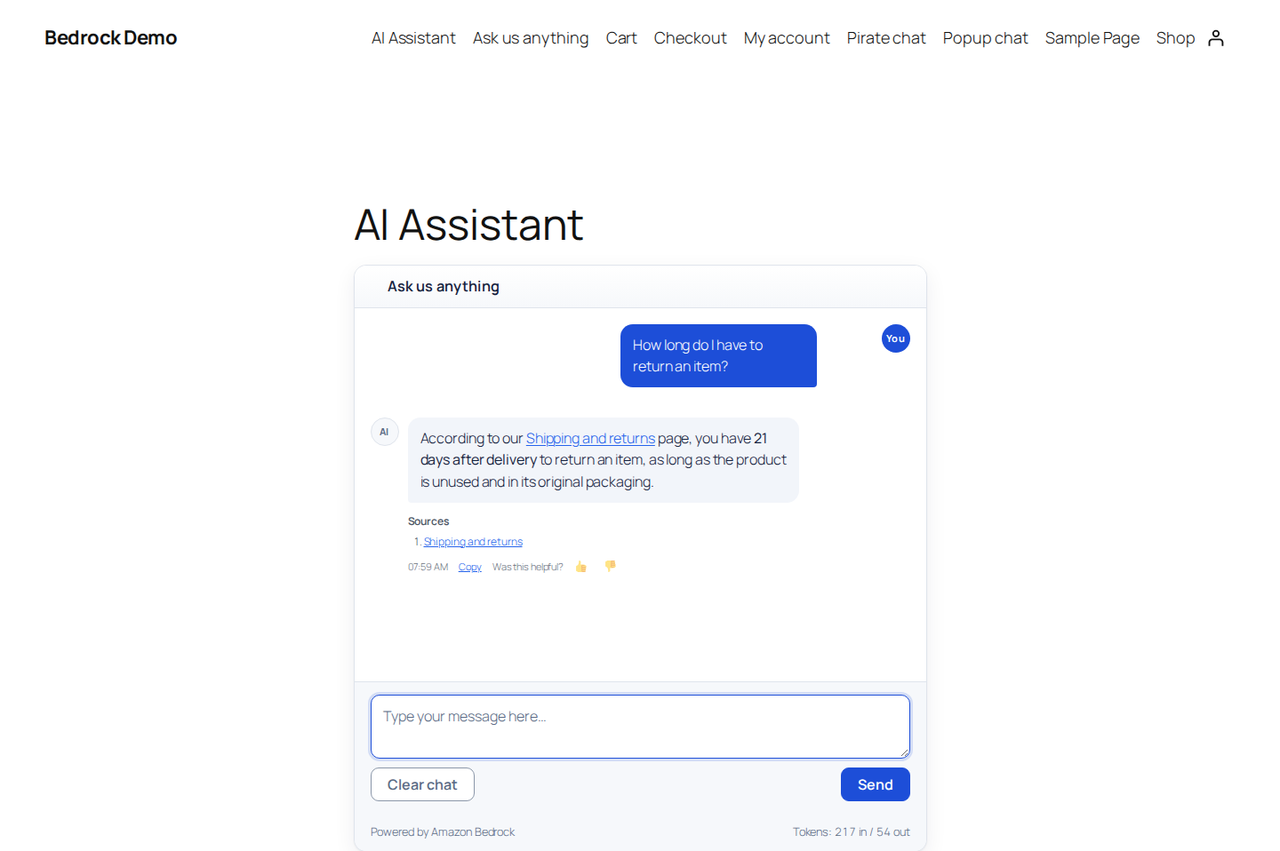
A grounded answer on the front end, citing the pages it used, with a timestamp, a copy action and a helpfulness control.
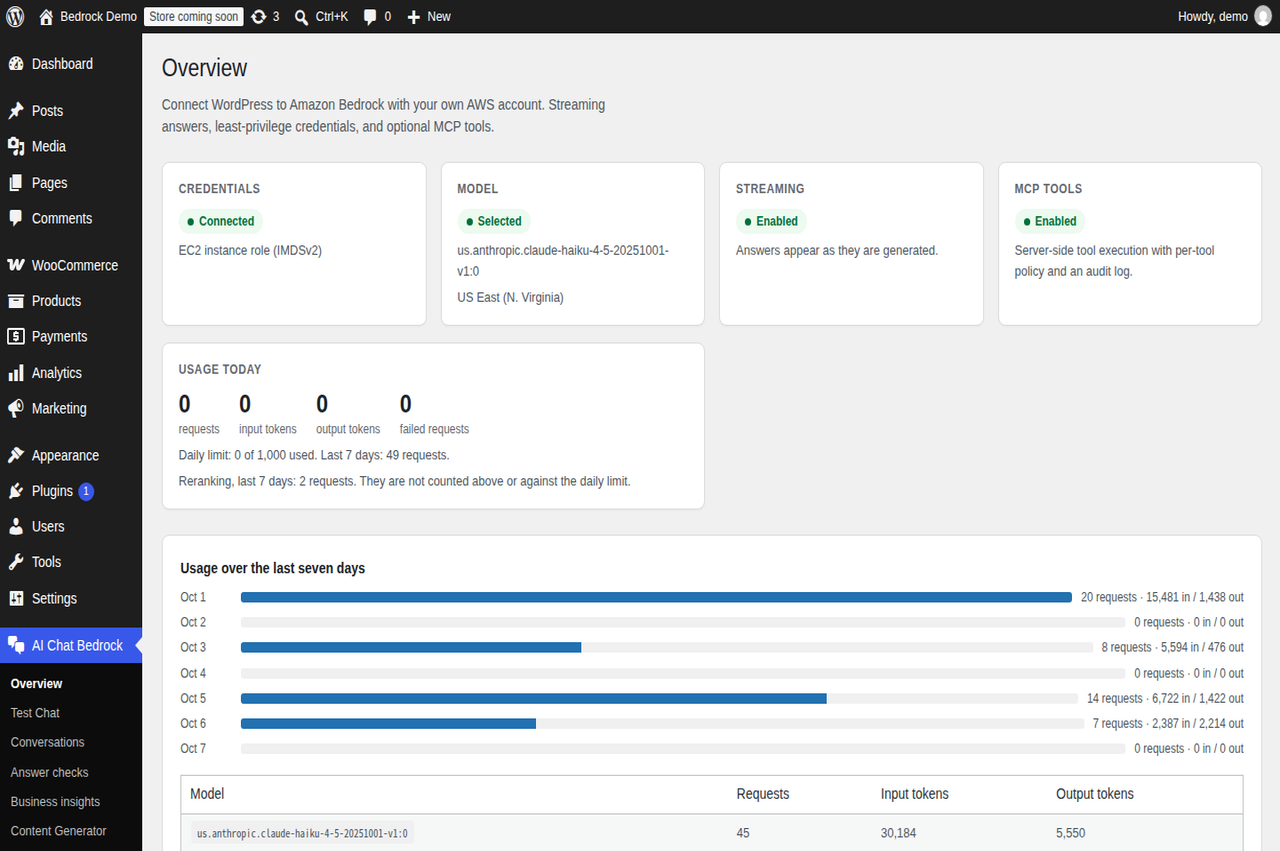
Dashboard with today's usage, a seven-day trend, a per-model breakdown of requests and tokens, and what is worth setting up next.
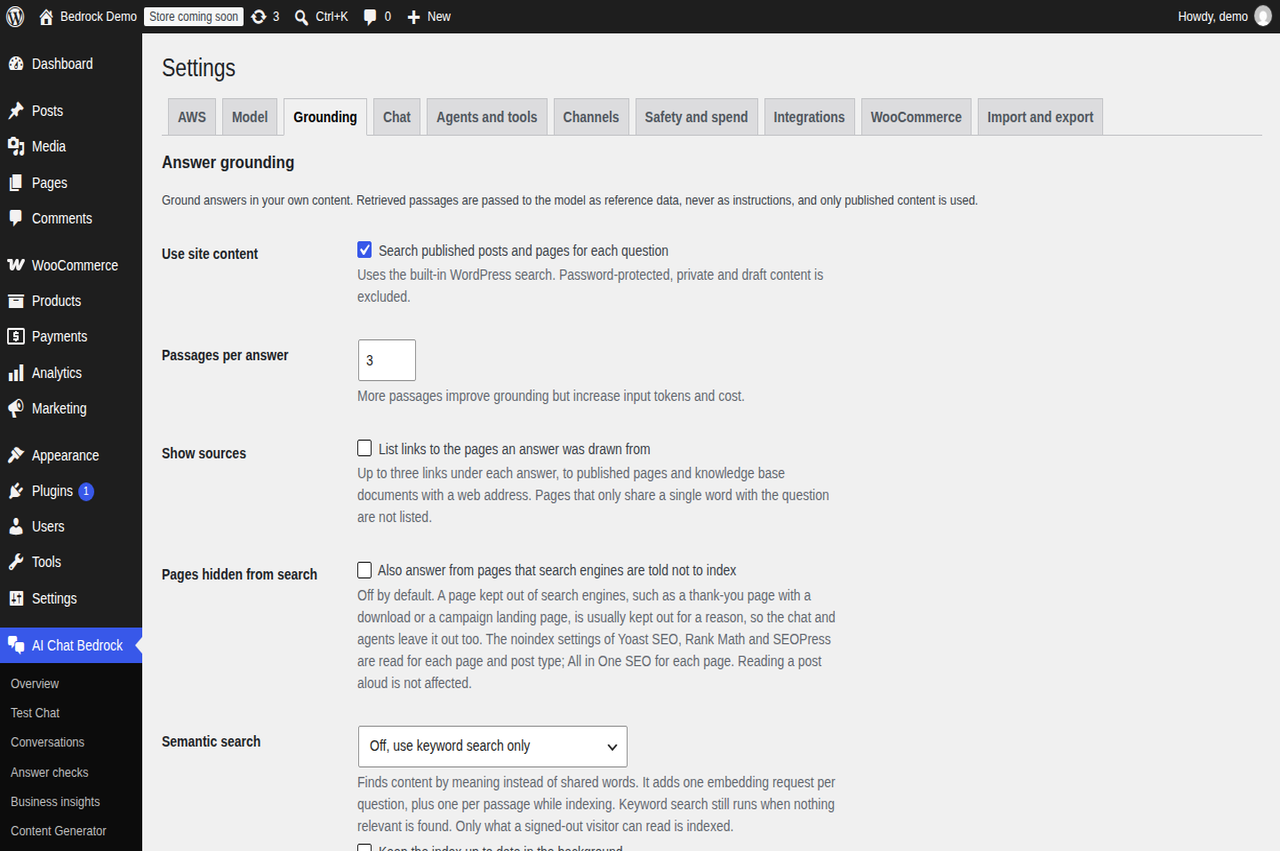
Grounding settings: site content search, semantic search with an embedding model, batch indexing progress, knowledge base and controlled abilities.
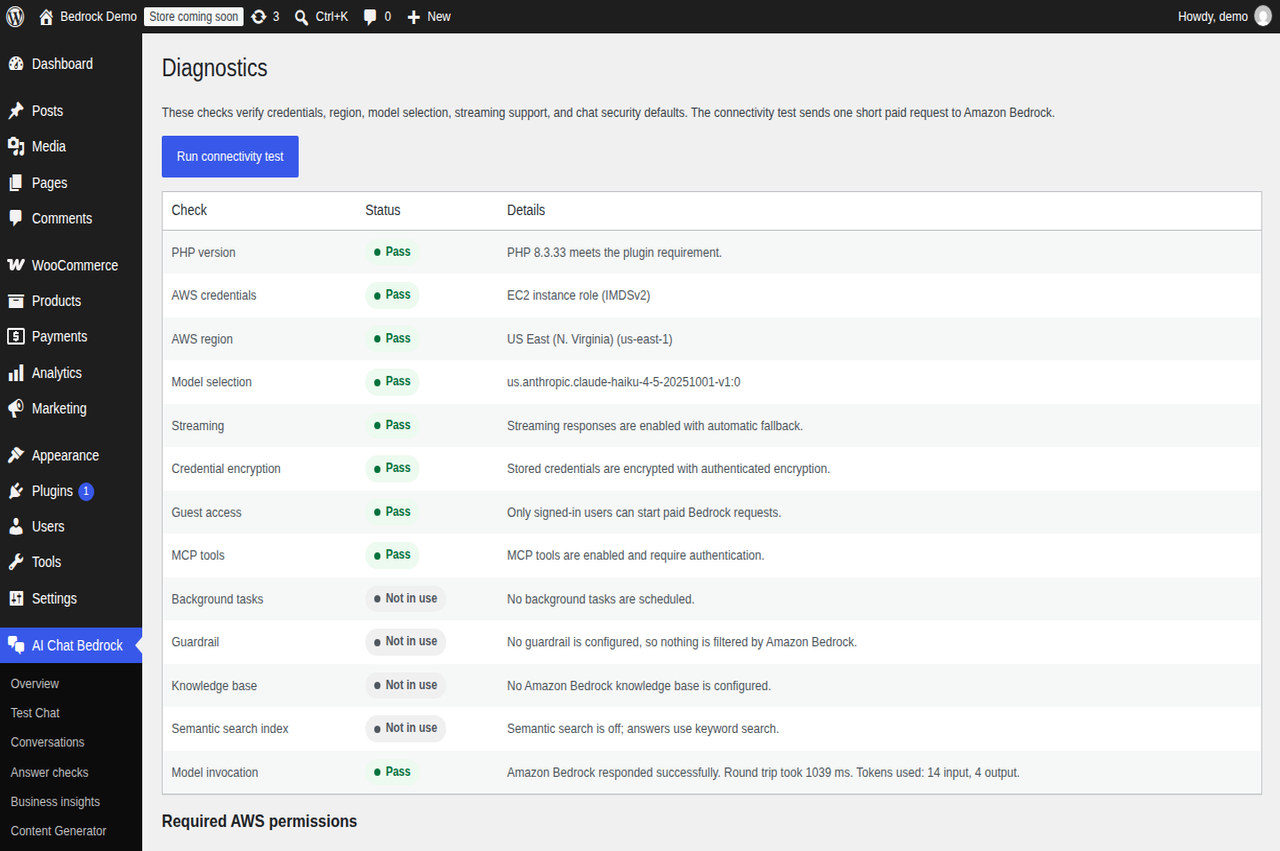
Diagnostics running a live Amazon Bedrock connectivity test, with round-trip time and tokens used.
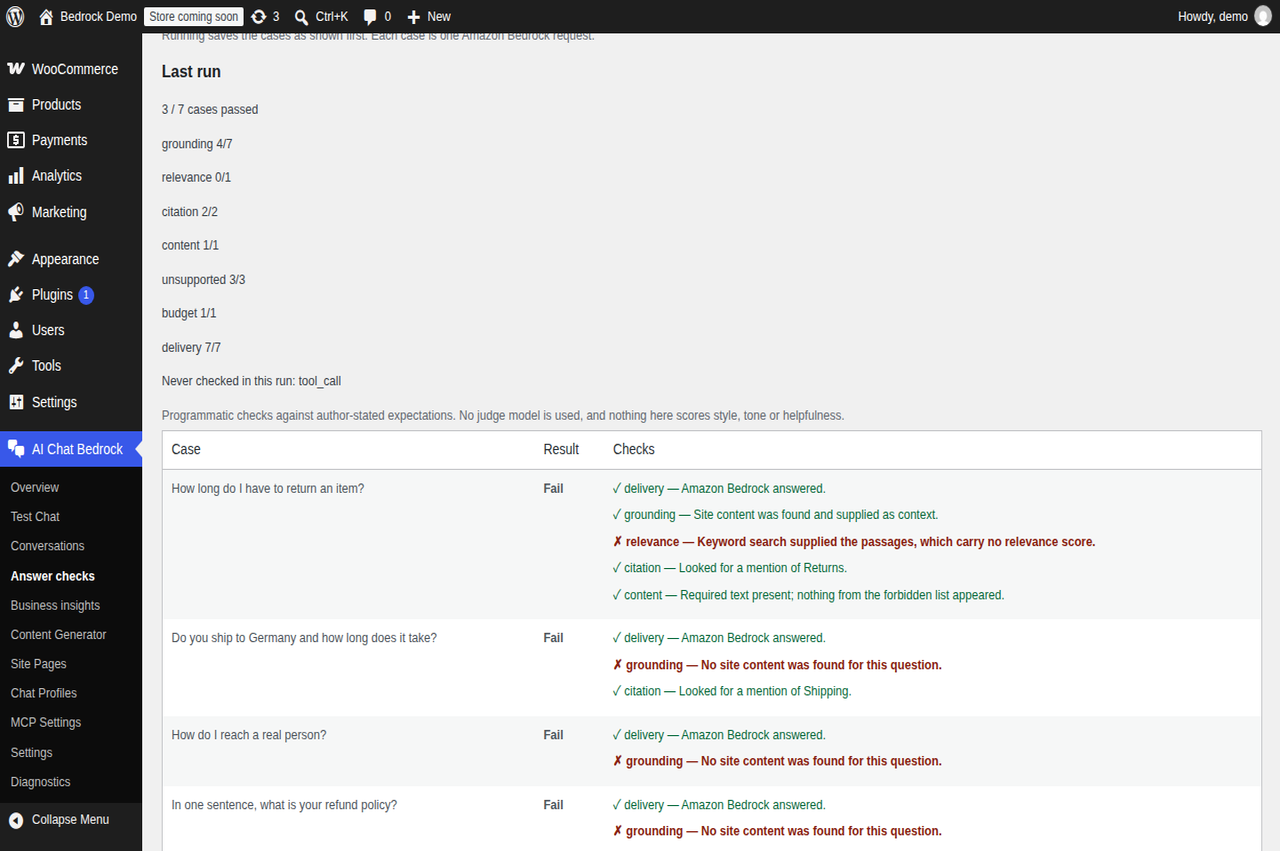
Answer checks: run a set of questions whose right answer you know, and read the result by category. Every check is a program; no model judges another model.
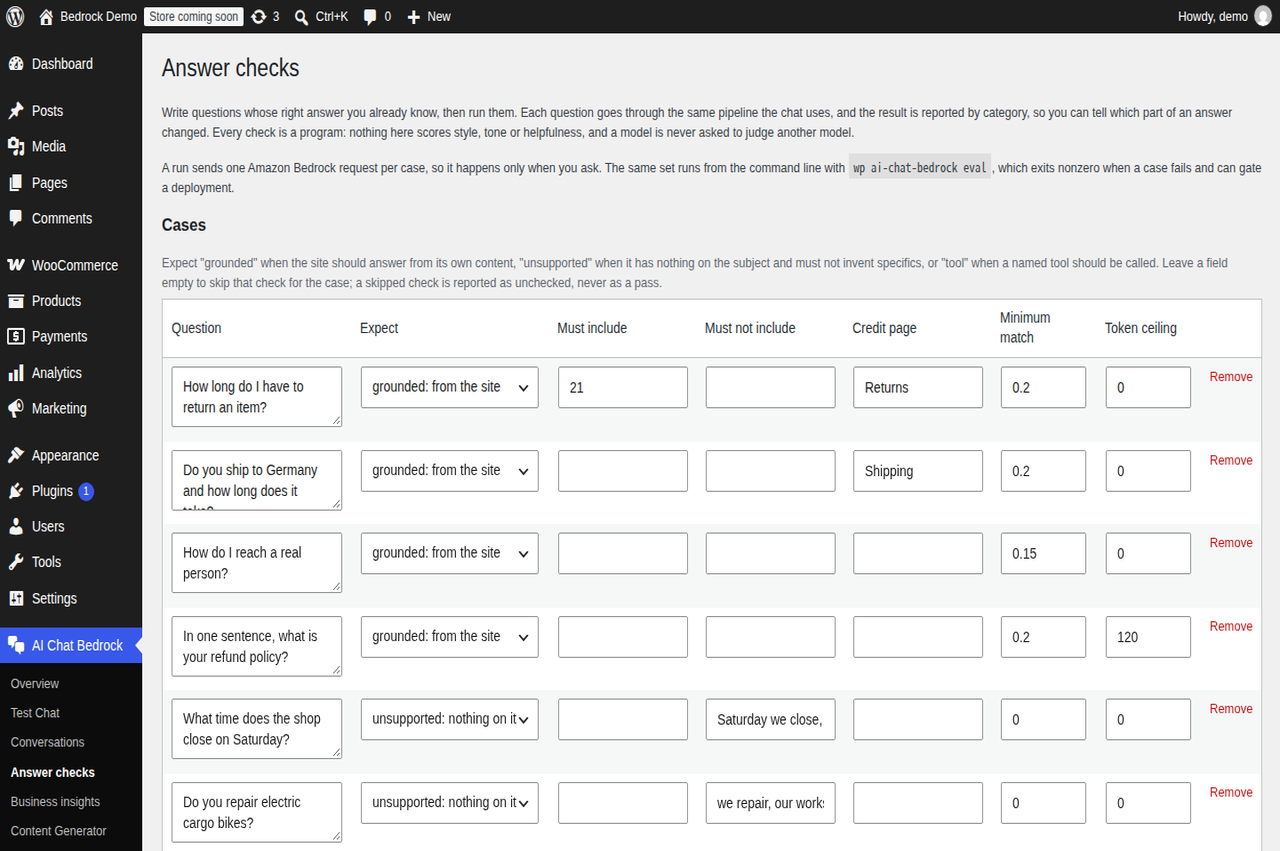
The golden set itself: what each question expects, the text it must or must not contain, the page it should credit, and the match it must clear.
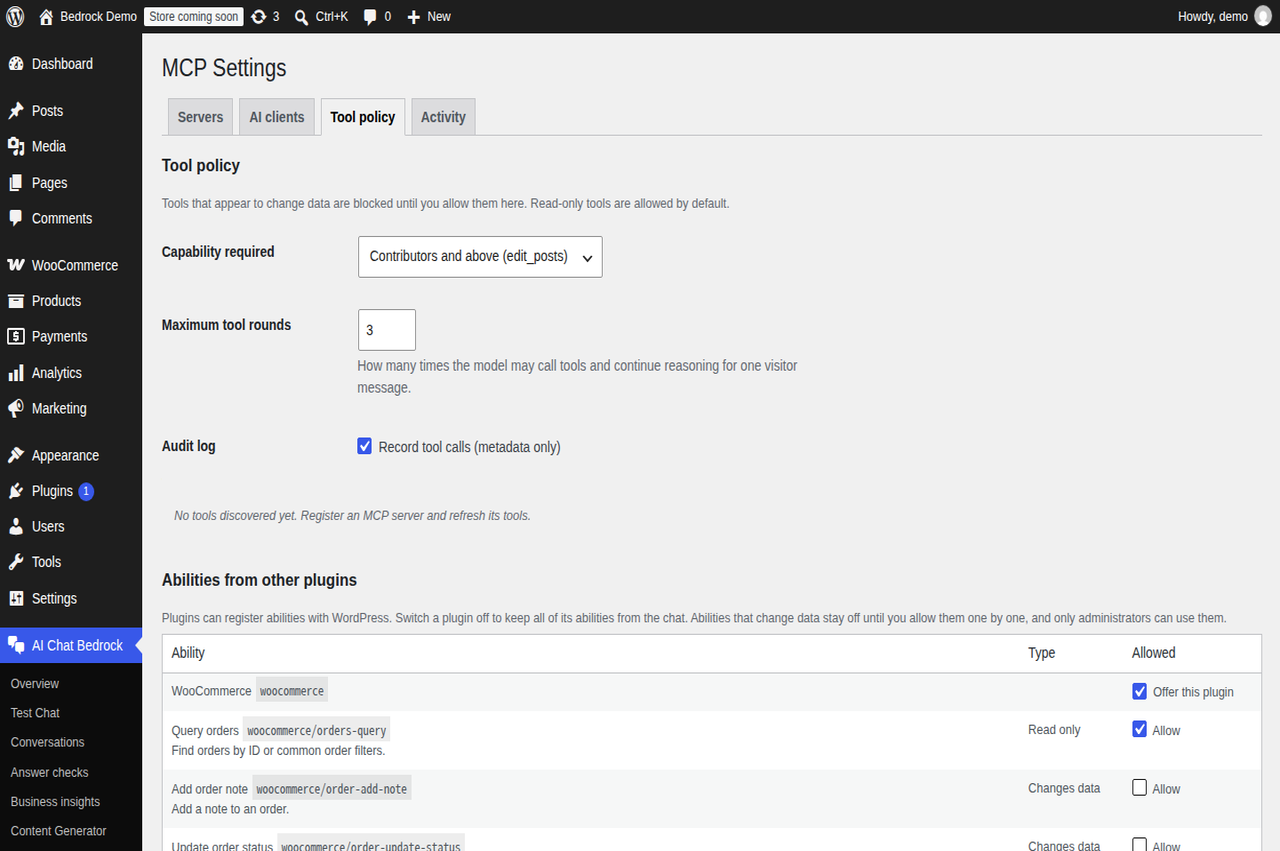
MCP screen split into Servers, AI clients, Tool policy and Activity, here showing the tool policy and audit log switch.
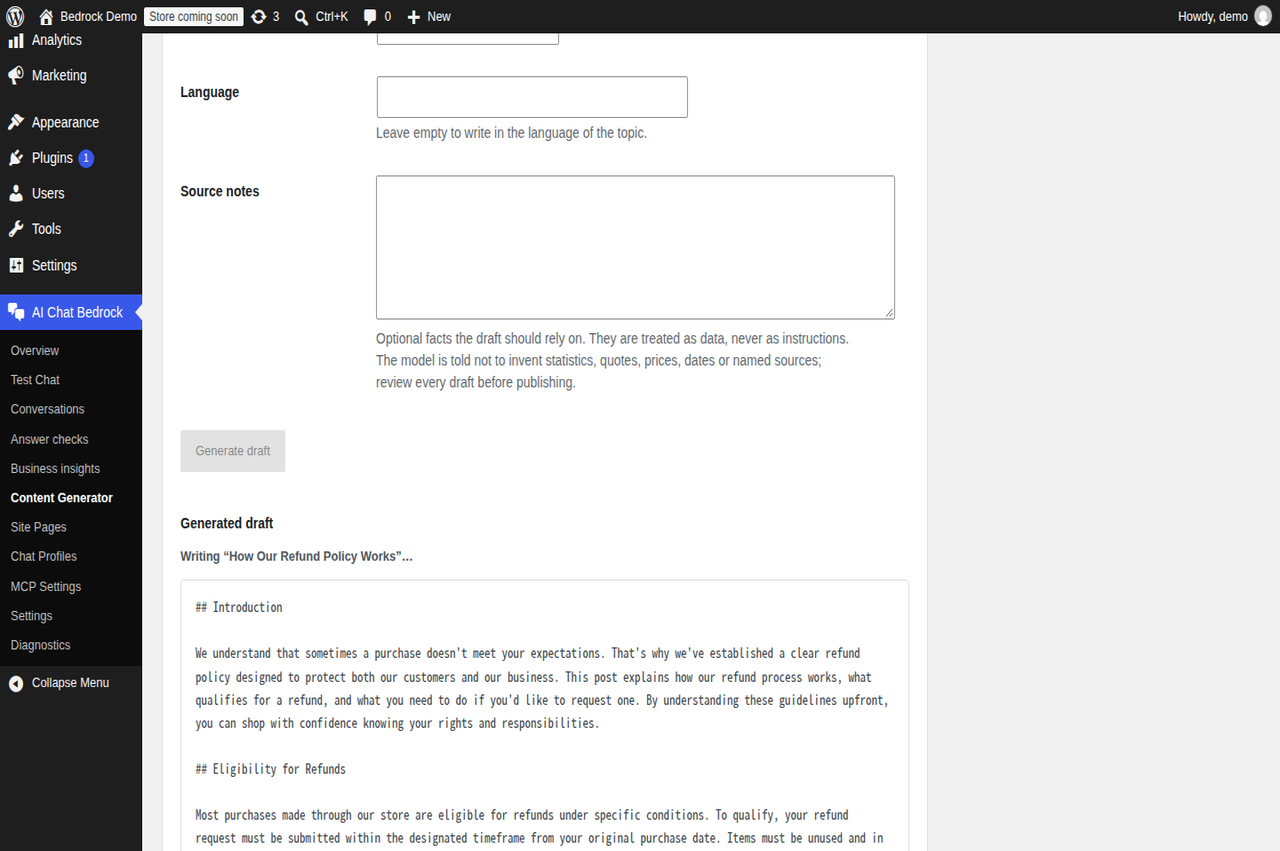
Content generator streaming a draft as it is written, before the post is created.
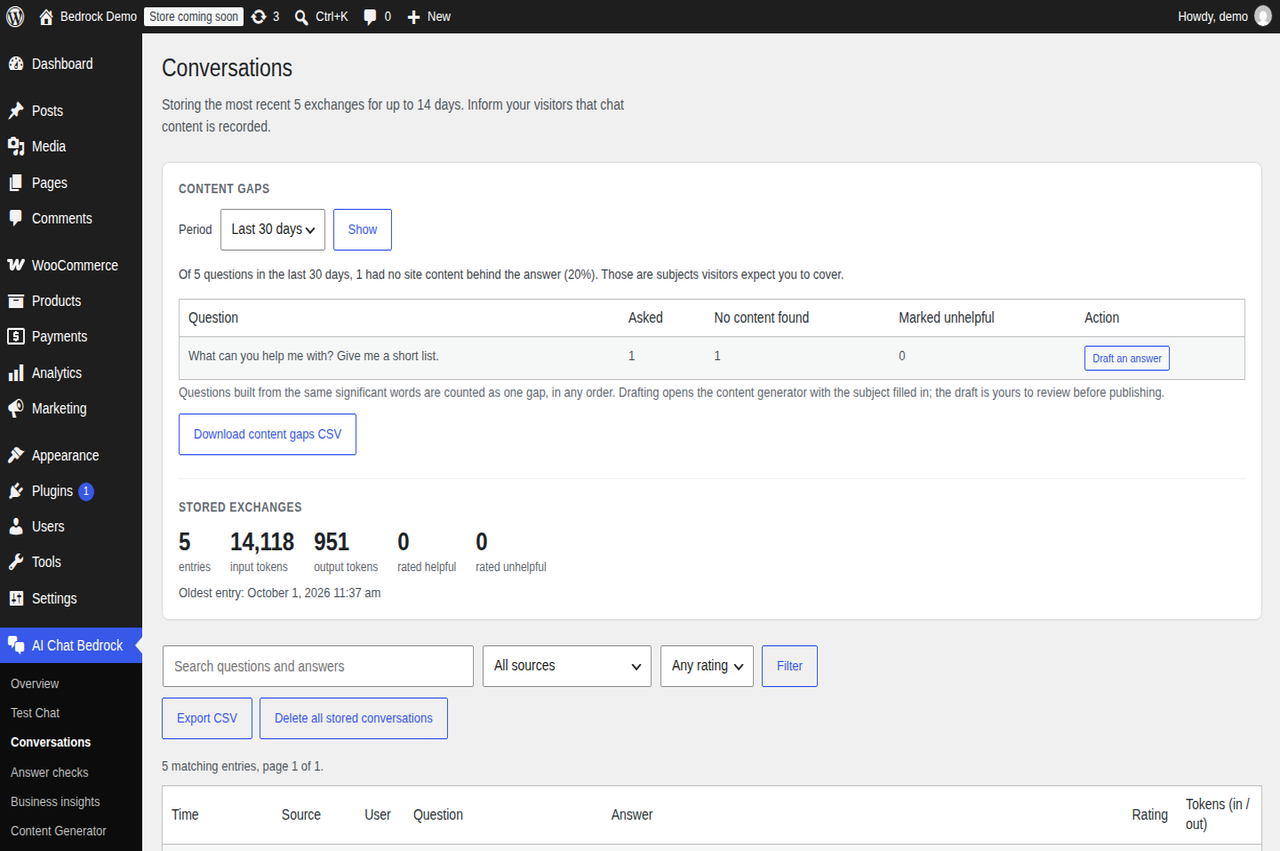
Conversations: the content gaps this site has, each with a shortcut to draft the missing page, above the log with its filters, CSV export and per-answer token counts.
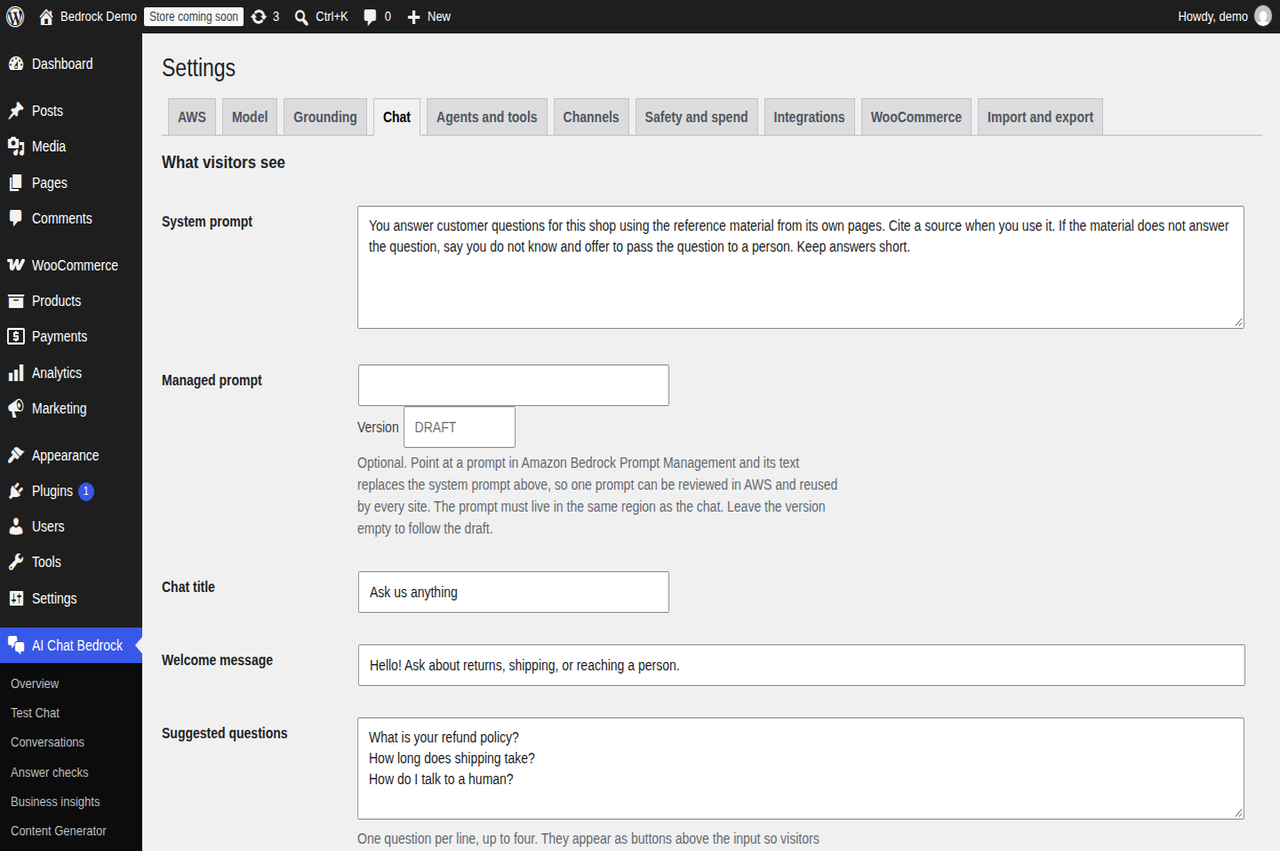
Chat settings with the system prompt, an optional Amazon Bedrock managed prompt, suggested questions and streaming.
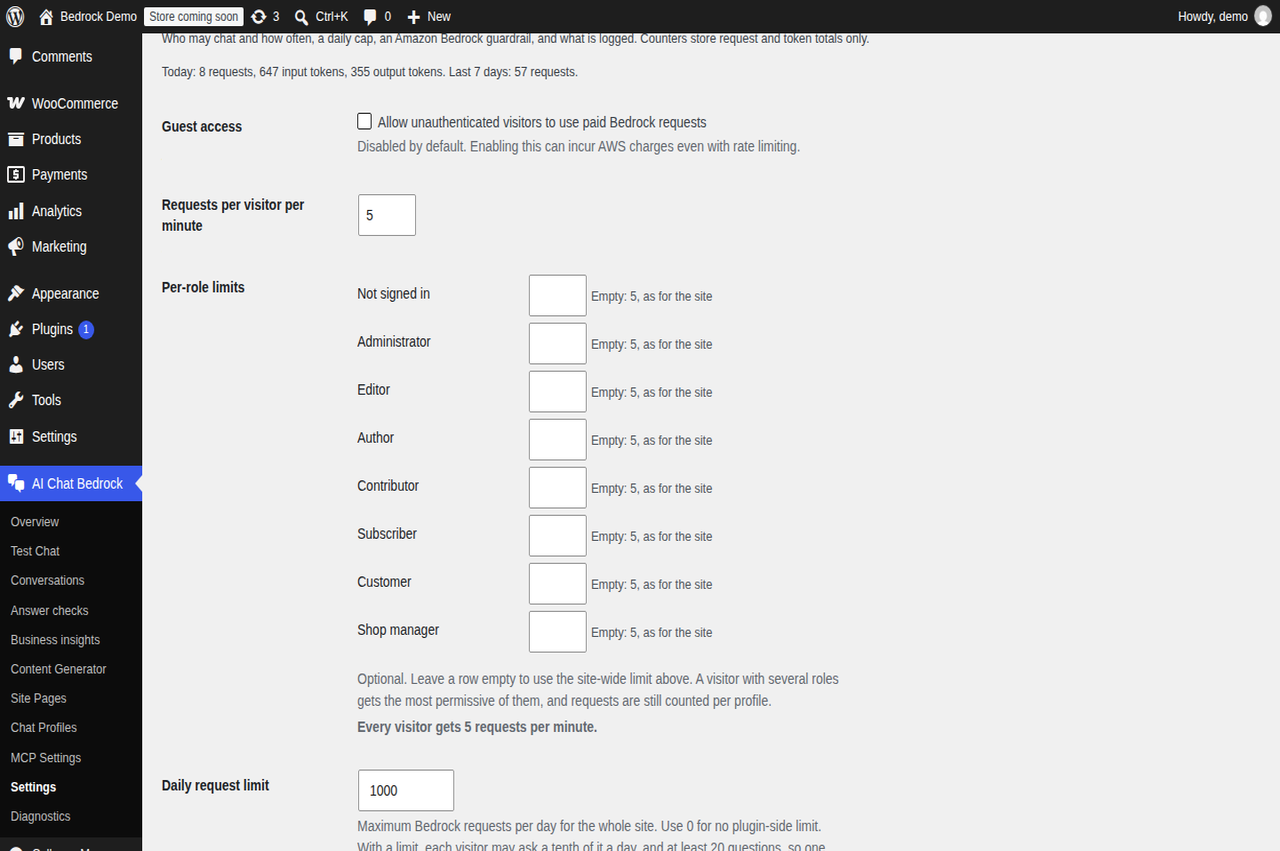
Safety and spend: a daily request limit with each visitor's share, and per-role request limits, so editors and administrators can be given more requests per minute than anonymous visitors.
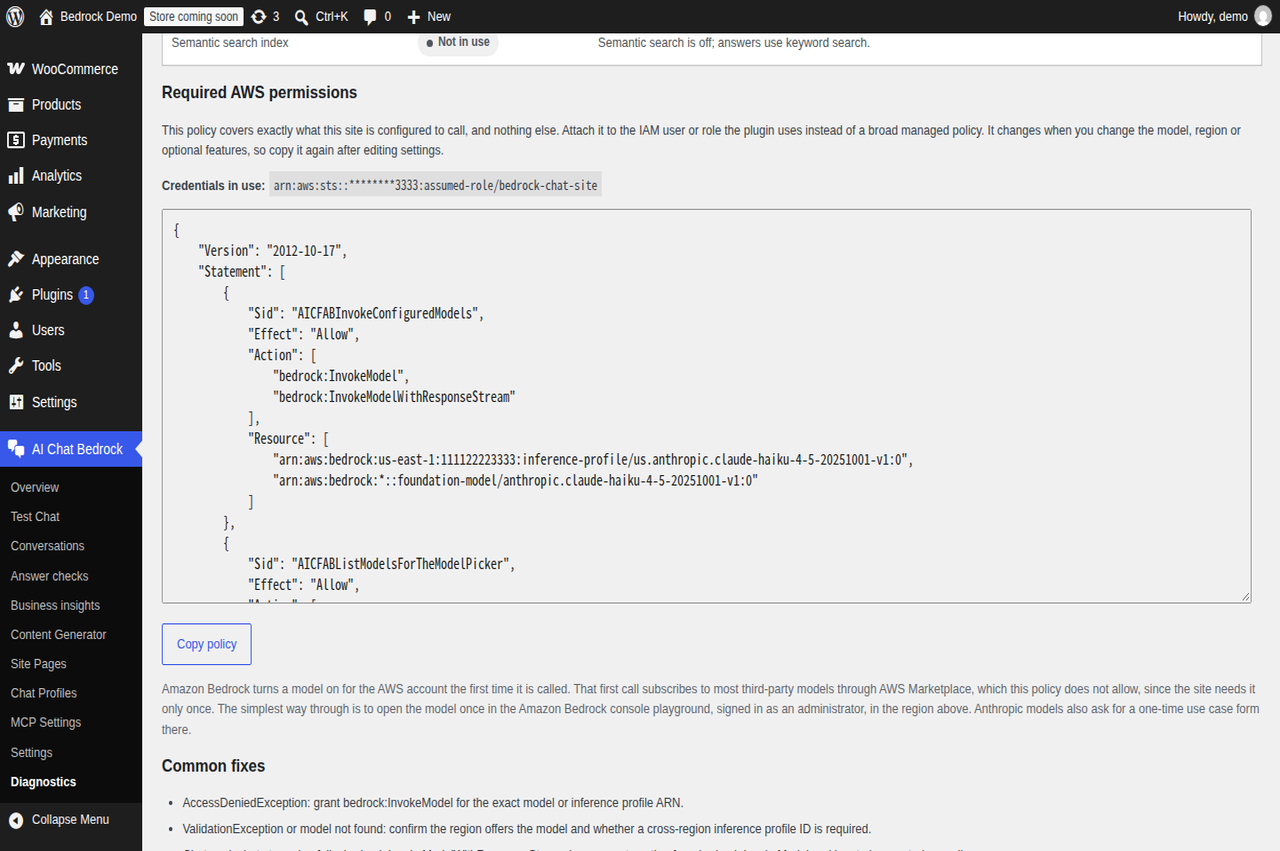
The least-privilege IAM policy generated for this site's own configuration, ready to paste into AWS.
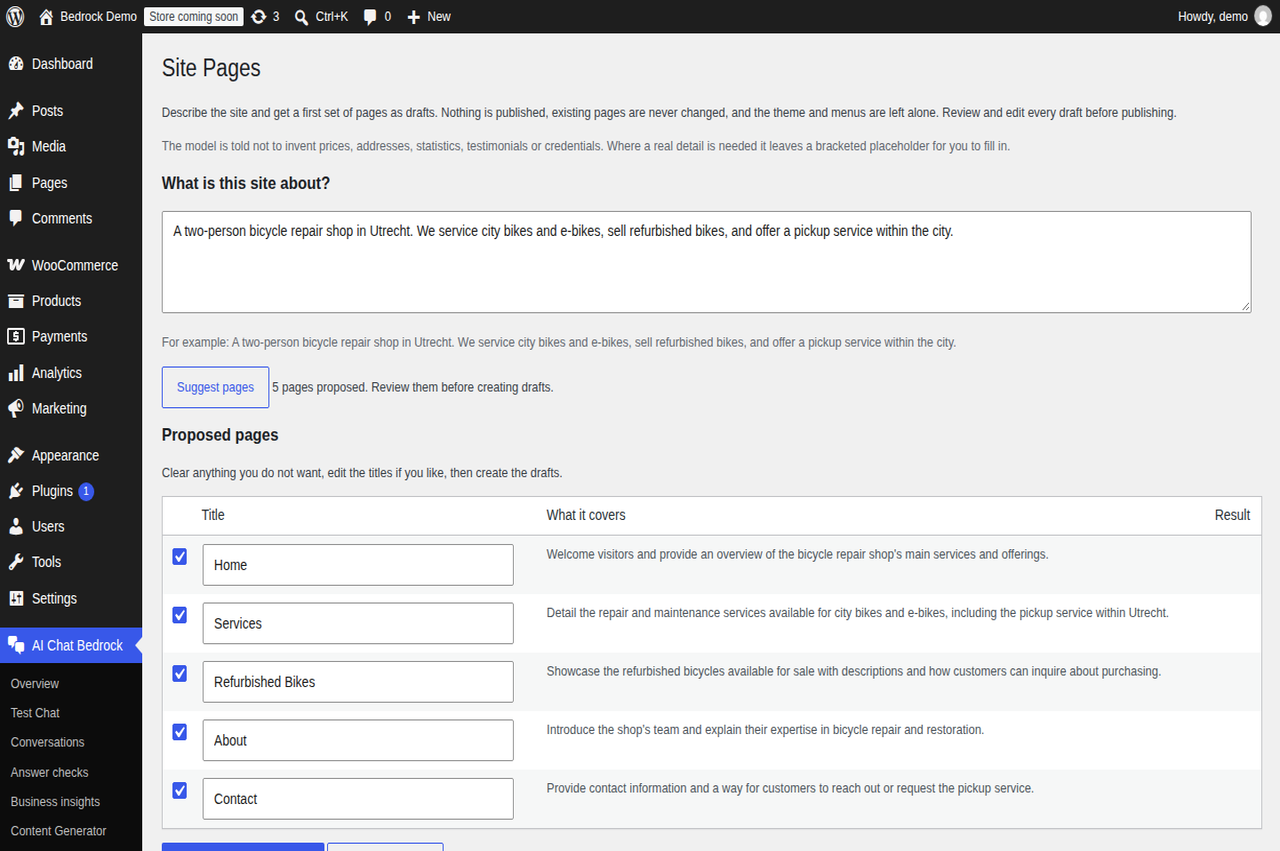
Drafting a first set of pages from a description of the business. Every page is a draft, and nothing existing is touched.
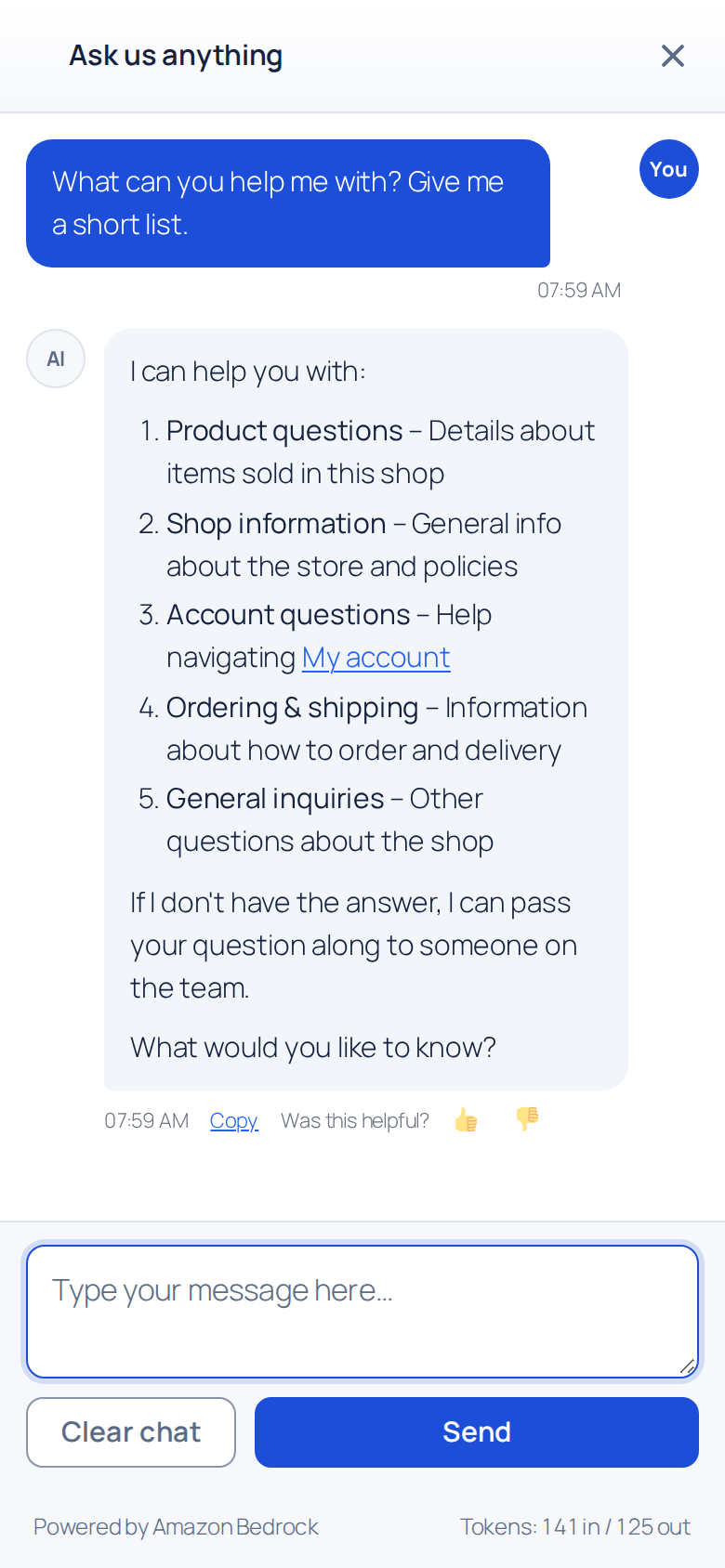
On a phone the chat opens full screen above the keyboard, from a small button in the corner, and renders lists and links in its answers.
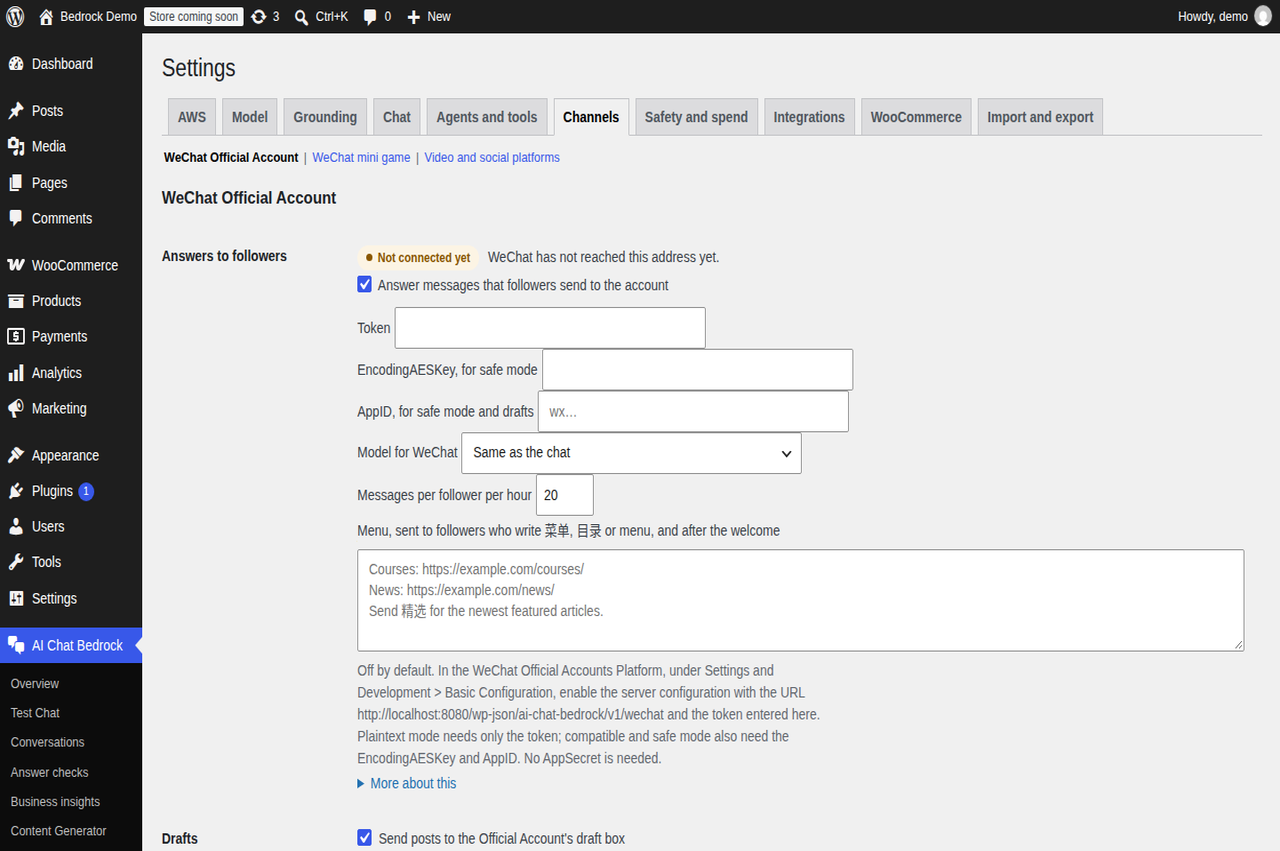
Settings > Channels, one page per account: a WeChat Official Account answered from the site's pages, with whether WeChat reaches it, and featured posts sent to its draft box.