
AI Featured Image Generator creates AI-powered featured images right from the WordPress editor. Click “Generate Featured Image” on any post and the plugin builds a unique image from your post title, chosen style, and optional custom prompt, using OpenAI, Stability AI, or Grok/xAI on the free plan, or Google Gemini and Meta Muse on Pro.
Every image gets alt text automatically and an SEO-friendly filename based on your post title. Generate one at a time in the editor, in bulk, straight from the Posts list, inline in your content with the AI Image Generator block, or by asking an AI assistant such as Claude Desktop or Cursor through MCP. Everything is managed from one settings hub.
Video Walkthrough
Free Features
- 3 free AI providers: OpenAI, Stability AI, and Grok/xAI (Google Gemini and Meta Muse available on Pro)
- OpenAI models: GPT Image 2 (default): excels at text rendering in multiple languages, visual reasoning, multi-object scenes, transparent backgrounds, mask-based editing, and up to 4K output
- Stability AI: Stable Image Core with 16 native style presets (Photographic, Cinematic, Anime, Digital Art, Comic Book, Fantasy Art, and more)
- Grok/xAI: Grok Imagine Image: fast and affordable at $0.02 per image
- 21 style presets: Common (None, Realistic, Artistic, Cartoon, Minimalist), Creative (Sketch, Watercolor, 3D Render, Pixel Art, Cyberpunk, Fantasy, Anime, Technicolor), and Trending (Toy Figure, Miniature World, Claymation, Cinematic, Lo-Fi Cozy, Vintage Instant Photo, Magazine Collage, Paper Cut)
- Custom prompts: plus one-click Generate Prompt from Content, which crafts an AI-optimized prompt from your post title and body (OpenAI and Grok free; Gemini on Pro)
- 7 image sizes with GPT Image 2 and 2.5: square, portrait, landscape, widescreen 16:9, vertical 9:16, ultra-wide 3:1, and tall banner 1:3
- All aspect ratios: 9 for Stability AI and 9 for Grok, plus 2K resolution on Grok
- Output control (OpenAI): WebP/PNG/JPEG format, compression slider (1–100), and Low/Medium/High generation quality (Extra High and Max on GPT Image 2.5, Pro)
- Text control: allow or block text, captions, and words in generated images
- Auto alt text: from the post title, the prompt, or a custom template with
{title},{prompt},{style}, and{site_name}placeholders. with an option to preserve manual edits on regeneration - Bulk Generate: unlimited images for Posts and Pages that have no featured image yet, as many at once as you like
- Generate from Post List: an “AI Featured Image” column on the Posts/Pages list with a one-click Generate/Regenerate link, so there is no need to open the editor
- Inline images: the AI Image Generator block adds AI images anywhere in your Gutenberg content, with its own settings tab
- AI assistants (MCP): connect Claude Desktop, Cursor, Claude Code or VS Code and ask them in plain words, starting with “On ,” to make featured images, make any image for the Media Library, find posts and images, audit your images (missing alt text, size, format, blur, cut-off edges) and fix alt text, titles and captions. A 3-step setup on the AI Assistants tab, 20 assistant images on the free plan
- Multisite compatible
Pro Features 🚀
- Google Gemini: Nano Banana 2.1 (Google’s newest, fast and about half the price of Nano Banana 2), Nano Banana Pro (Gemini 3 Pro) and Nano Banana 2 (Gemini 3.1 Flash, deprecated by Google but still available): up to 4K resolution and 10 aspect ratios
- Meta Muse (beta): Muse Image 1.0, Meta’s reasoning image model at $0.01 per image, with 9 aspect ratios and native WebP, PNG or JPEG output
- Unlimited AI assistant images (MCP): plus Pro tools for assistants: set a featured image from the Media Library, insert an image into a post, upscale, remove background, rename images, convert JPG or PNG to WebP, and manage the Brand Kit (read it, change colours, tone and logo placement, preview it, stamp the logo onto existing featured images and undo that, or set it up from what the site already says about itself)
- GPT Image 2.5 (OpenAI): GPT Image 2.5 Flare (fast, recommended) and GPT Image 2.5 Sunburst (best detail), with Extra High and Max generation quality and a one-click “Retry with Sunburst” button in the post editor
- Image upscaling (Stability AI): Conservative (faithful 4x), Creative (AI-enhanced 4K), or Fast (quick 4x), right from the post editor
- Background removal (Stability AI): one click isolates the subject and saves a transparent PNG as your featured image
- Advanced Stability AI models: Stable Image Ultra, SD 3.5 Large / Large Turbo / Medium / Flash, SD 3 Large / Large Turbo / Medium, and SDXL 1.0
- Negative prompts (Stability AI): exclude unwanted elements, e.g. “blurry, watermark, text, low quality”
- Grok Imagine Image 2.0: higher quality at $0.04 per image
- More output formats: PNG/JPEG/WebP for Stability AI, and automatic WebP conversion for Gemini and Grok images
- More Bulk Generate: any post type, filters for date range and thumbnail status, overwrite existing images, and the Brand Kit
- Custom post types: enable generation for any public post type
- Custom styles: create named styles with your own prompt descriptions, available in every style dropdown
- Brand Kit: save your brand colors, a style description, tone, and avoid-rules, plus an optional reference image (used by Google Gemini) and a logo watermark (corners or centre, with size, opacity, margin and offset controls plus a live preview), applied automatically to every image you generate, with a per-image “Use Brand Kit” toggle to skip it
Want to unlock Google Gemini, Meta Muse, image upscaling, background removal, the Brand Kit, unlimited AI assistant images and more? Upgrade to Pro here.
Requirements
- WordPress 5.8 or higher
- PHP 7.4 or higher
- An API key for at least one provider:
- OpenAI (free plan)
- Stability AI (free plan)
- Grok/xAI (free plan)
- Google Gemini (Pro only)
- Meta Muse (Pro only)
- For AI assistants (MCP): WordPress 6.9 or higher and the free MCP Adapter plugin, installed in one click from the AI Assistants tab
External Services
This plugin connects to your chosen AI provider’s API to generate images. For every provider:
- Your post title and content (or your custom prompt, and for Stability AI any negative prompt) are sent to the provider’s API when you generate an image
- Your API key for that provider authenticates each request
- Requests are only sent when you trigger generation: from the post editor, the Posts list, Bulk Generate, or the AI Image Generator block
- “Generate Prompt from Content” sends your post title and body to the provider’s text API: gpt-6-luna (OpenAI), grok-4.3 (Grok), Gemini 3.6 Flash (Gemini, Pro), or Muse Spark 1.3 (Meta Muse, Pro)
OpenAI (Free & Pro): image generation and prompt generation.
Terms of Service | Privacy Policy | API Documentation
Stability AI (Free & Pro): image generation; for Pro users, upscaling and background removal also send your existing featured image file to Stability AI for processing.
Terms of Service | Privacy Policy | API Documentation
Grok / xAI (Free & Pro): image generation and prompt generation.
Terms of Service | Privacy Policy | API Documentation
Google Gemini (Pro only): image generation and prompt generation.
Terms of Service | Privacy Policy | API Documentation
Meta Muse (Pro only): image generation (Muse Image 1.0) and prompt generation (Muse Spark 1.3) through the Meta Model API.
Terms of Service | Acceptable Use Policy | Data Handling | API Documentation
AI assistants (MCP): no new third party. Your own assistant app (Claude Desktop, Cursor, Claude Code, VS Code) connects to your site with a WordPress Application Password and calls the same providers above with your keys. Images are only generated when you ask the assistant.
Data usage: generated images are stored in your WordPress media library. No personal data is stored by the providers beyond what’s necessary for API processing. You are responsible for ensuring your content complies with the selected provider’s usage policies.
Screenshots

General tab: pick your AI provider and model, see the price per image, and test your API key.
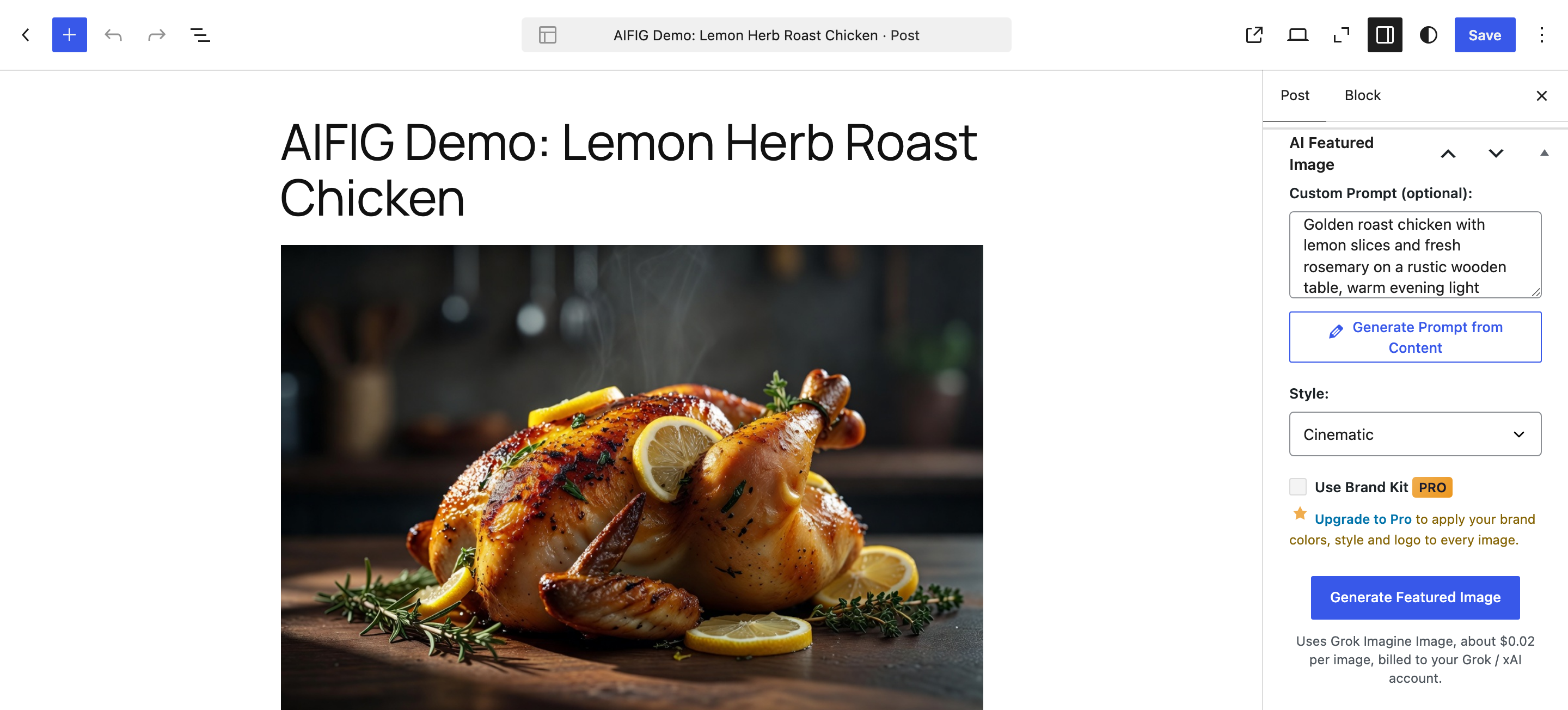
The AI Featured Image panel in the block editor: custom prompt, style, and the cost shown before you generate.

AI Assistants (MCP): connect Claude Desktop, Cursor, Claude Code or VS Code in three steps, then ask in plain words.
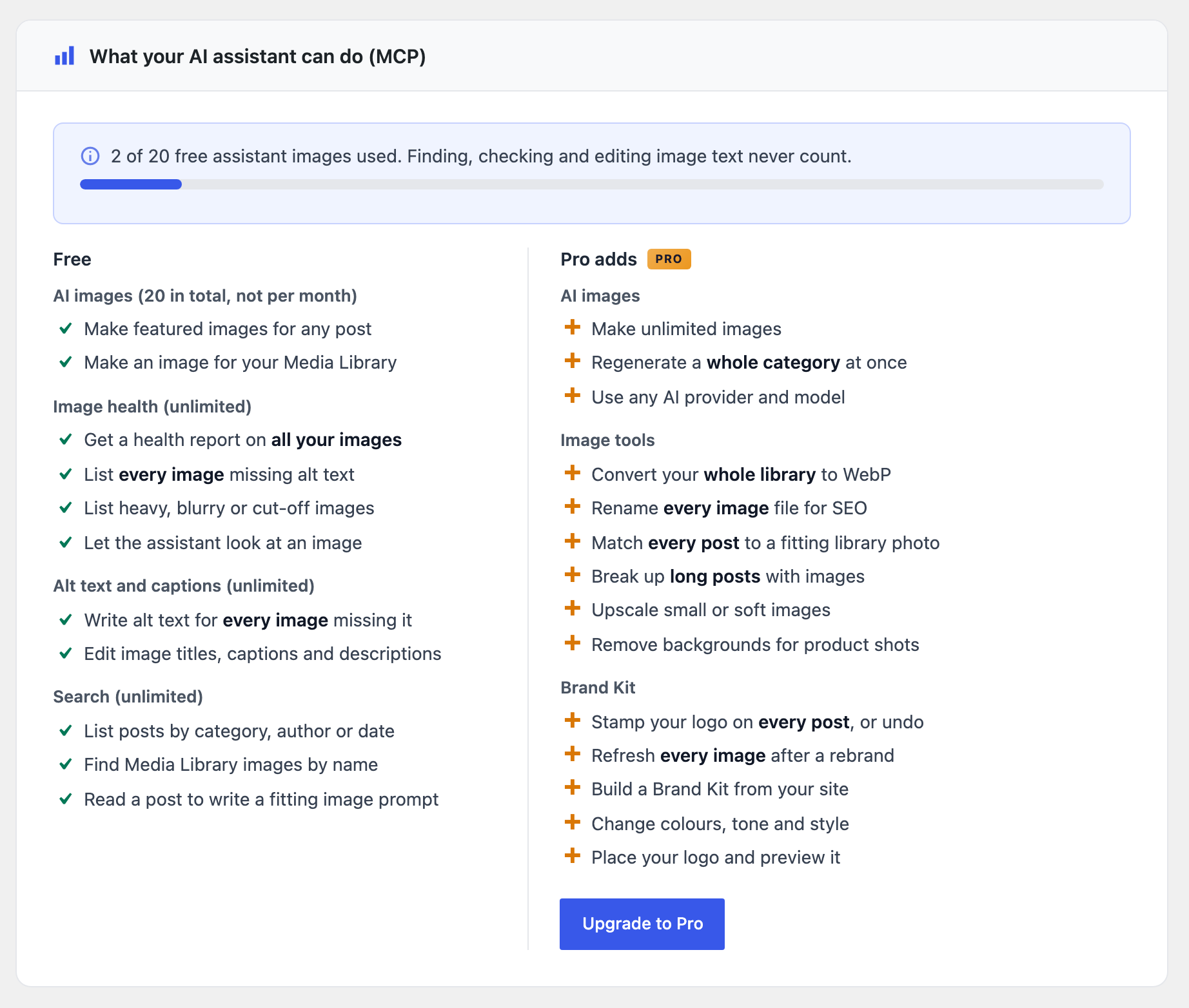
What your AI assistant can do (MCP): a usage meter for the free images and the Free and Pro lists.
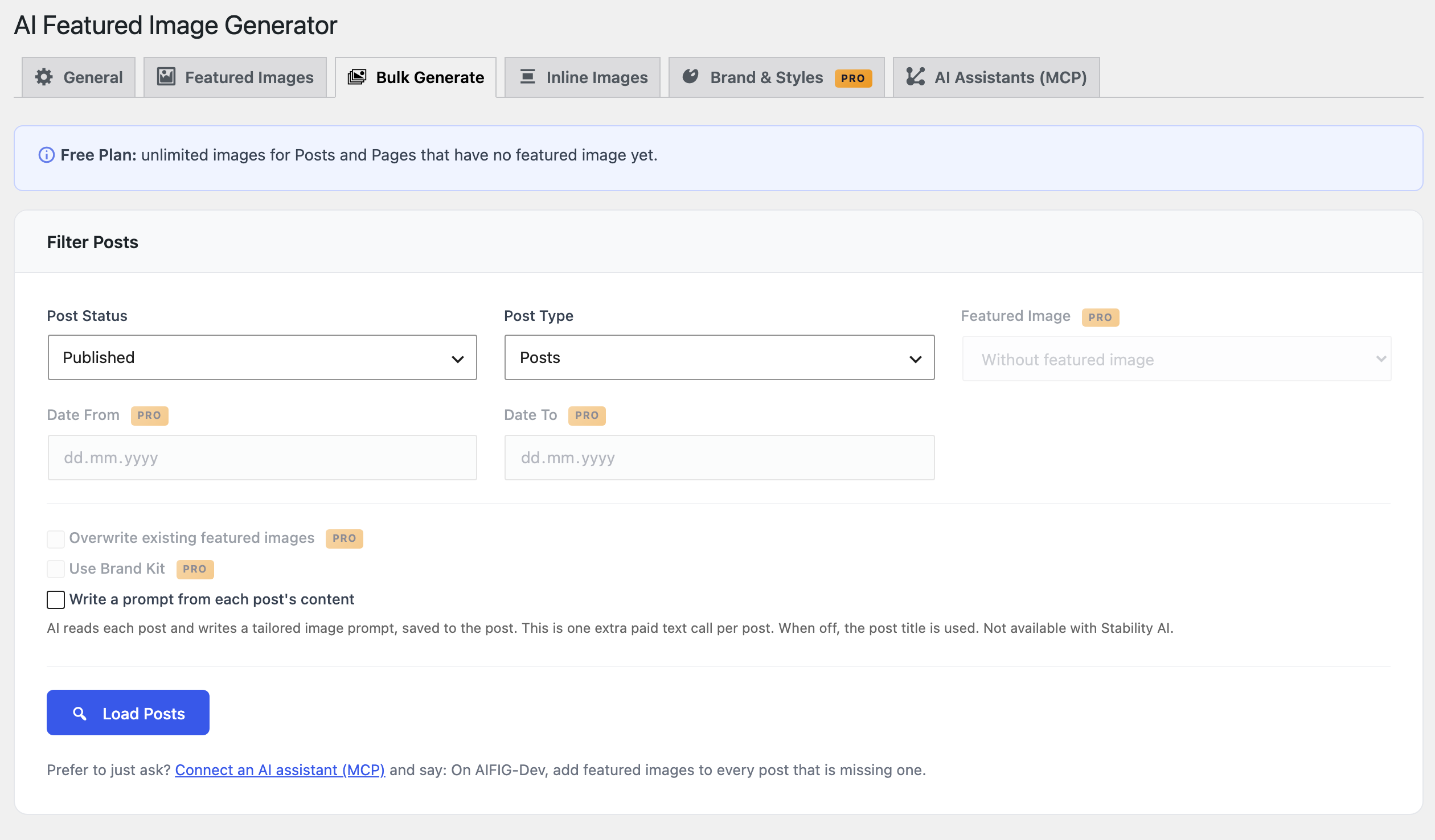
Bulk Generate: filter and load posts, with the Pro filters shown as locked.
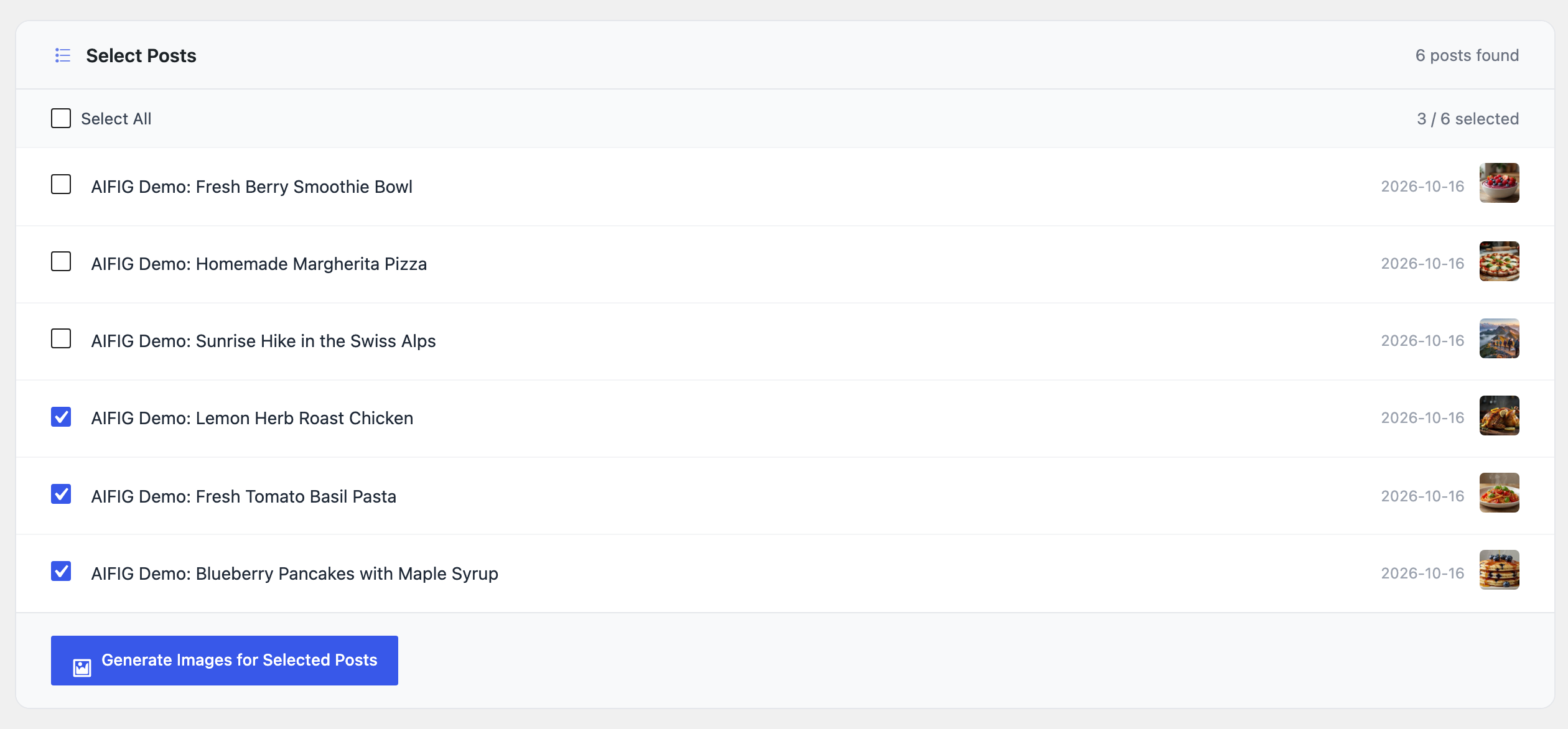
Bulk Generate: select posts and make images for all of them at once.
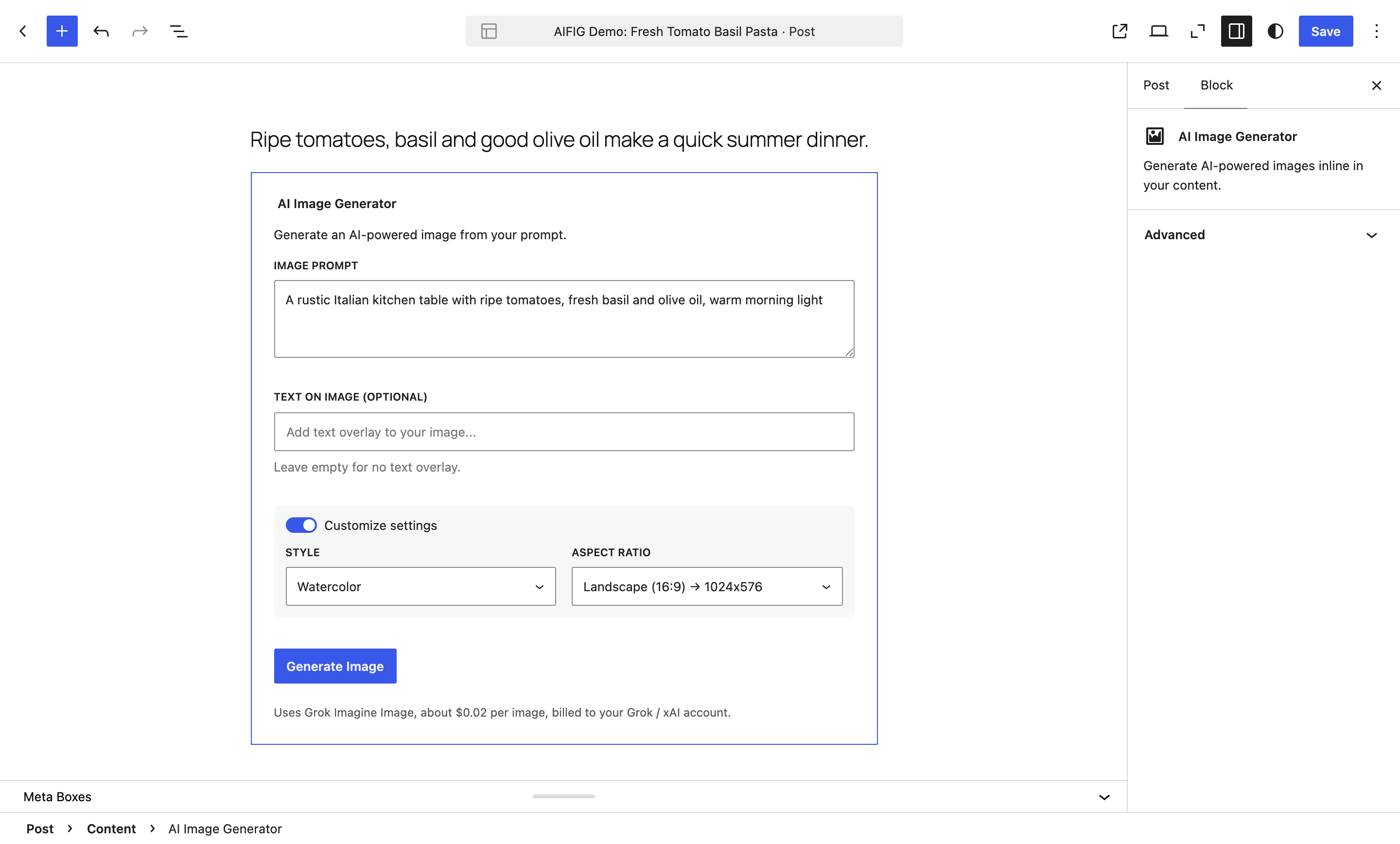
AI Image Generator block: type a prompt, pick a style and shape, and see the cost before generating.

Featured Images tab: default shape, resolution, format, style and text options.
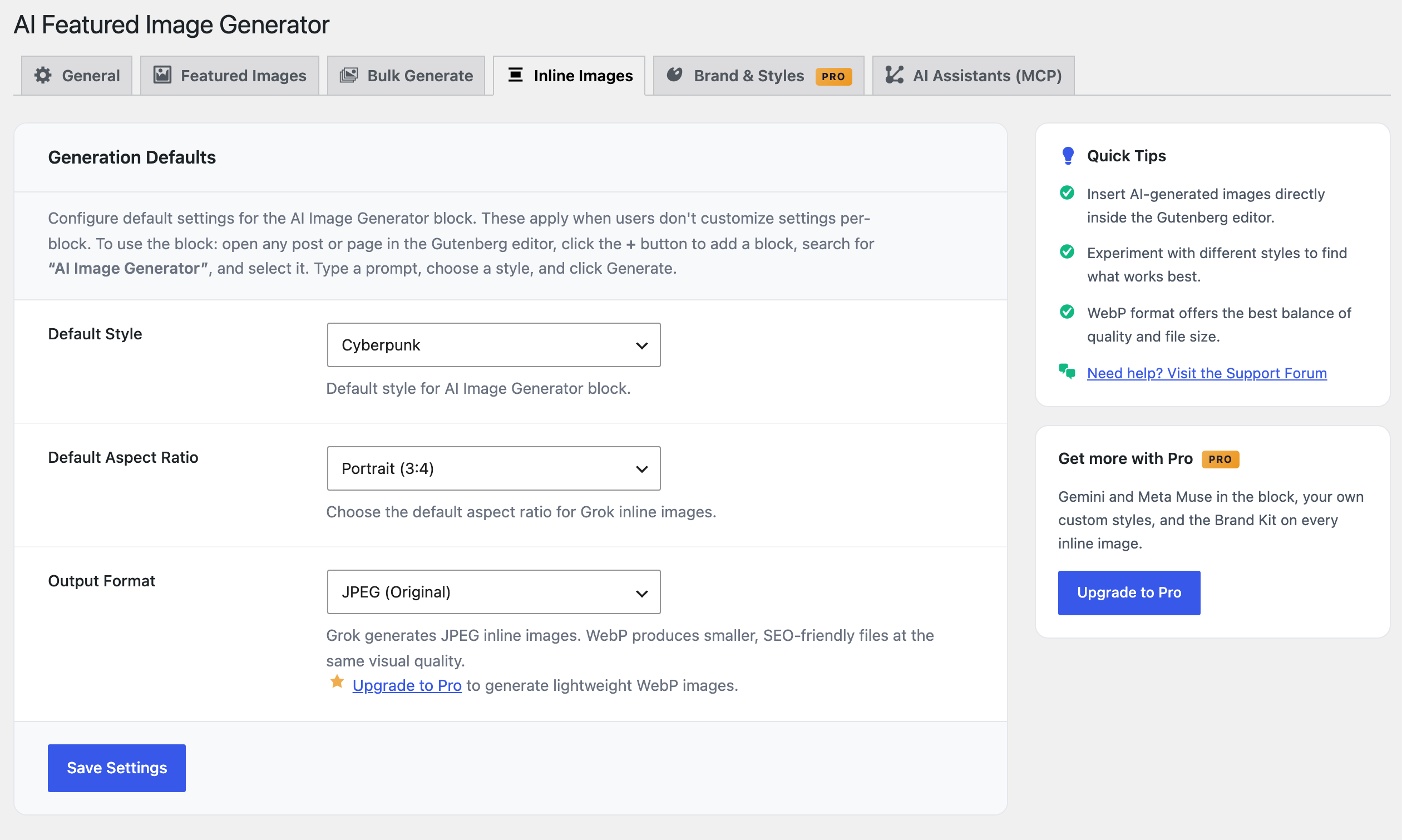
Inline Images tab: default style, shape and format for the AI Image Generator block.
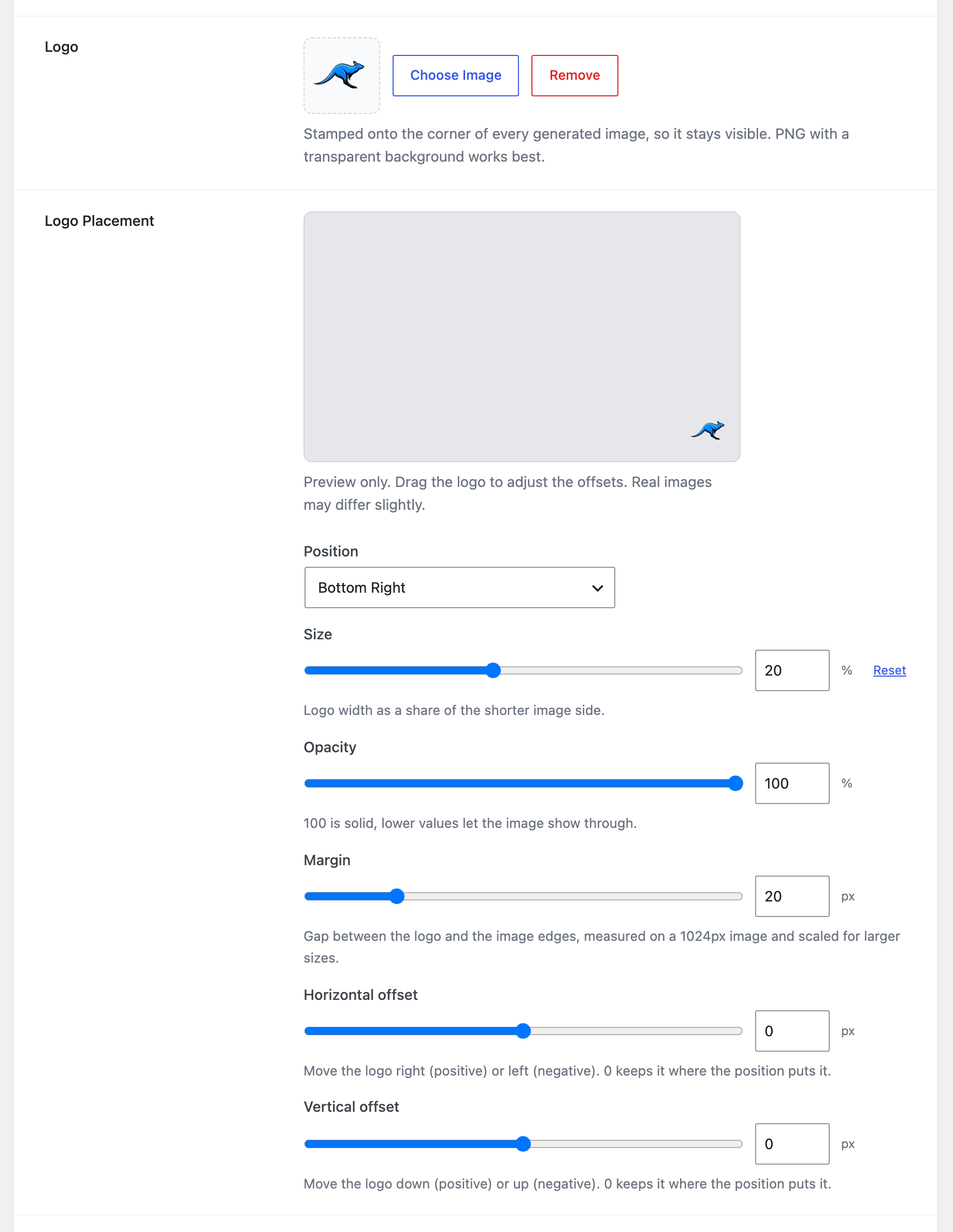
Brand Kit (Pro): upload your logo and set its position, size, opacity, margin and offsets with a live preview.
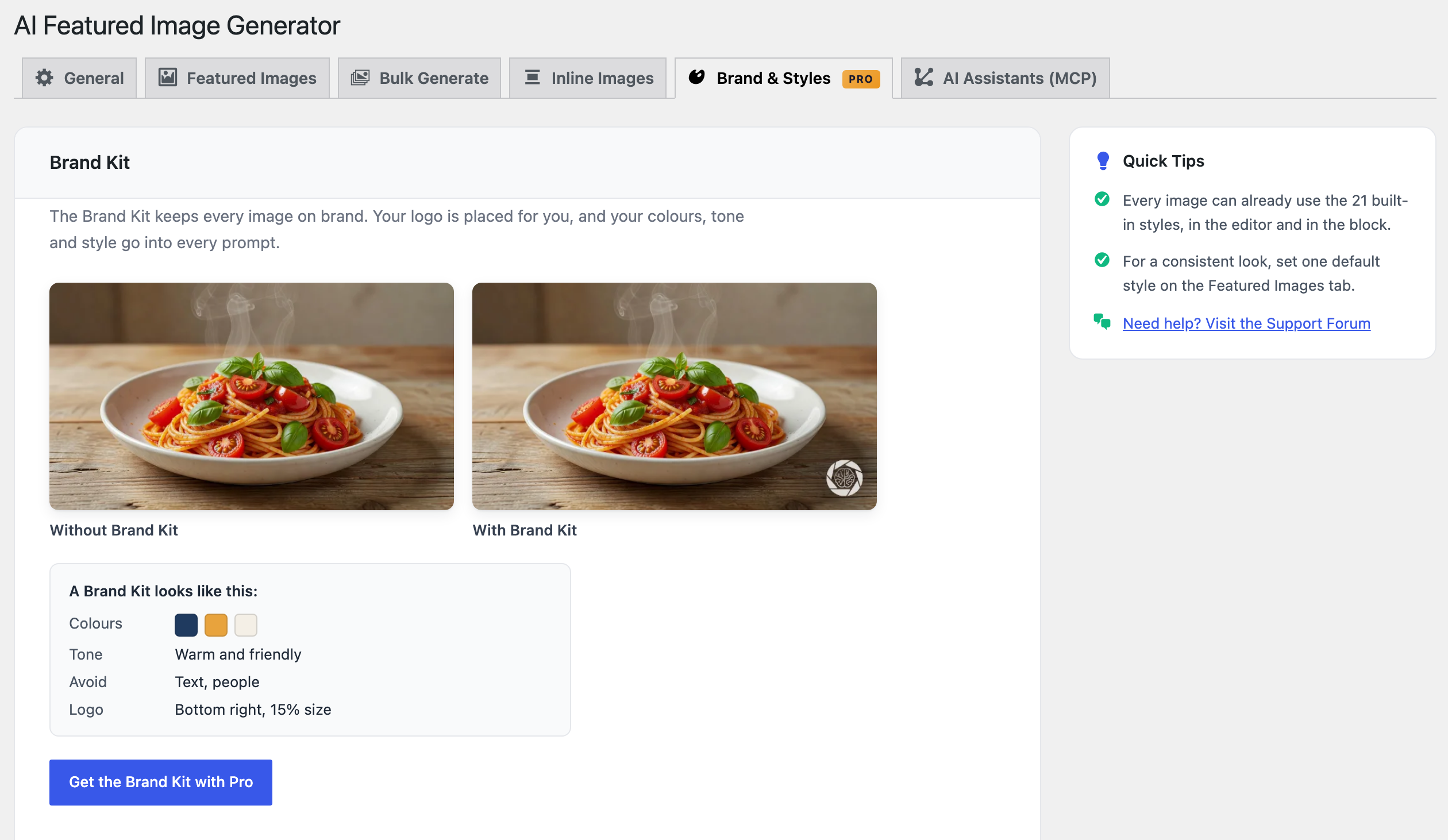
Brand Kit preview in the free version: the same image without and with your Brand Kit.

The AI Featured Image column in the Posts list, with thumbnails and one-click Regenerate.