
AI Provider for ChatGPT connects the AI features in WordPress to your own ChatGPT plan. You sign in with Sign in with ChatGPT, OpenAI’s official sign-in for apps that use a ChatGPT plan, and AI requests from your site are billed to that ChatGPT Plus, Pro or Go plan. You do not need an OpenAI API key or a separate API account.
Any plugin or theme that uses the WordPress AI Client can call ChatGPT models the same way it calls other providers.
Connecting takes about a minute and the settings screen walks you through every step. Your ChatGPT account stays private: the plugin runs only on your website, and the plugin developer never receives your sign-in, your tokens or anything you send.
Features:
- Text generation with the models your ChatGPT plan offers, listed from your account
- Multi-turn chat history
- Function calling and tool use
- Structured output via JSON schema
- Image input
- A guided settings screen: step-by-step instructions, Paste from clipboard, and a button to reopen the ChatGPT sign-in page
- Refresh, disconnect and switch to a different ChatGPT account from the settings screen, with connection diagnostics
- Clear messages when your ChatGPT session ends or your plan’s usage limit is reached, with a link to manage usage in ChatGPT
Requirements:
- PHP 7.4 or higher, with the
sodiumandopensslextensions - A ChatGPT Plus, Pro or Go account. Free accounts are not eligible for plan usage.
- WordPress 7.0+ (AI Client is bundled in core), or WordPress 6.9 with the WordPress/php-ai-client package installed
Privacy:
Prompts and content you send through the AI Client are sent to OpenAI for processing. Requests are sent with store set to false, so OpenAI does not keep them for later retrieval. OpenAI’s privacy policy covers how your content is handled. Your tokens are stored encrypted in your site’s database and are sent only to OpenAI. See the External services section for what is sent and when.
External services
This plugin connects to services operated by OpenAI, L.L.C. so the WordPress AI Client can use your ChatGPT plan. Nothing is sent to OpenAI until an administrator starts a sign-in. The plugin contacts two OpenAI domains, auth.openai.com and api.openai.com, and no other third-party service.
https://auth.openai.com/api/accounts/authorizeis opened in the administrator’s browser when they click Continue with ChatGPT. The address carries the client id, a stable id for this site, the requested permissions, a one-time state and nonce, and a PKCE challenge. On the first sign-in it also carries the agent name “AI Provider for ChatGPT” (not when theCHATGPT_OAUTH_CLIENT_IDconstant is set). On a new sign-in for an existing connection it carries the connected account’s email and ID token as hints.POST https://auth.openai.com/api/accounts/oauth/tokenis called from your server when the administrator pastes the sign-in address (sends the client id, the one-time code, the PKCE verifier, the redirect address and the API resource), and when the access token is due for renewal, including a weekly scheduled refresh (sends the client id, the refresh token and the API resource). No prompt or user content is sent.GET https://auth.openai.com/.well-known/jwks.jsonis called from your server to fetch OpenAI’s public keys and verify the ID token at sign-in. Nothing about your site or account is sent. The keys are cached for 24 hours.POST https://auth.openai.com/api/accounts/oauth/revokeis called when the administrator clicks Disconnect or Use a different ChatGPT account, and once when the plugin is deleted while still connected (sends the client id and the refresh token). On deletion the call is best effort: if it fails, the plugin’s data is removed anyway.GET https://api.openai.com/v1/modelsis called with the access token to list the models your plan offers, usually at most once an hour (the list is cached on your site and fetched again after a sign-in, a disconnect or Clear cached model list) and from the diagnostics probe. No prompt or user content is sent.POST https://api.openai.com/v1/responsesis called whenever a plugin or theme on your site uses the AI Client with a ChatGPT model. The request carries the access token and what the calling code supplies: the prompt and conversation, system instructions, tool definitions, JSON schema, and any attached images or files.
These services are provided by OpenAI. By connecting an account and using this provider you agree to OpenAI’s terms:
- Terms of Use: https://openai.com/policies/terms-of-use/
- Privacy Policy: https://openai.com/policies/privacy-policy/
- Sign in with ChatGPT: https://developers.openai.com/siwc/token-sharing-open-source
Screenshots
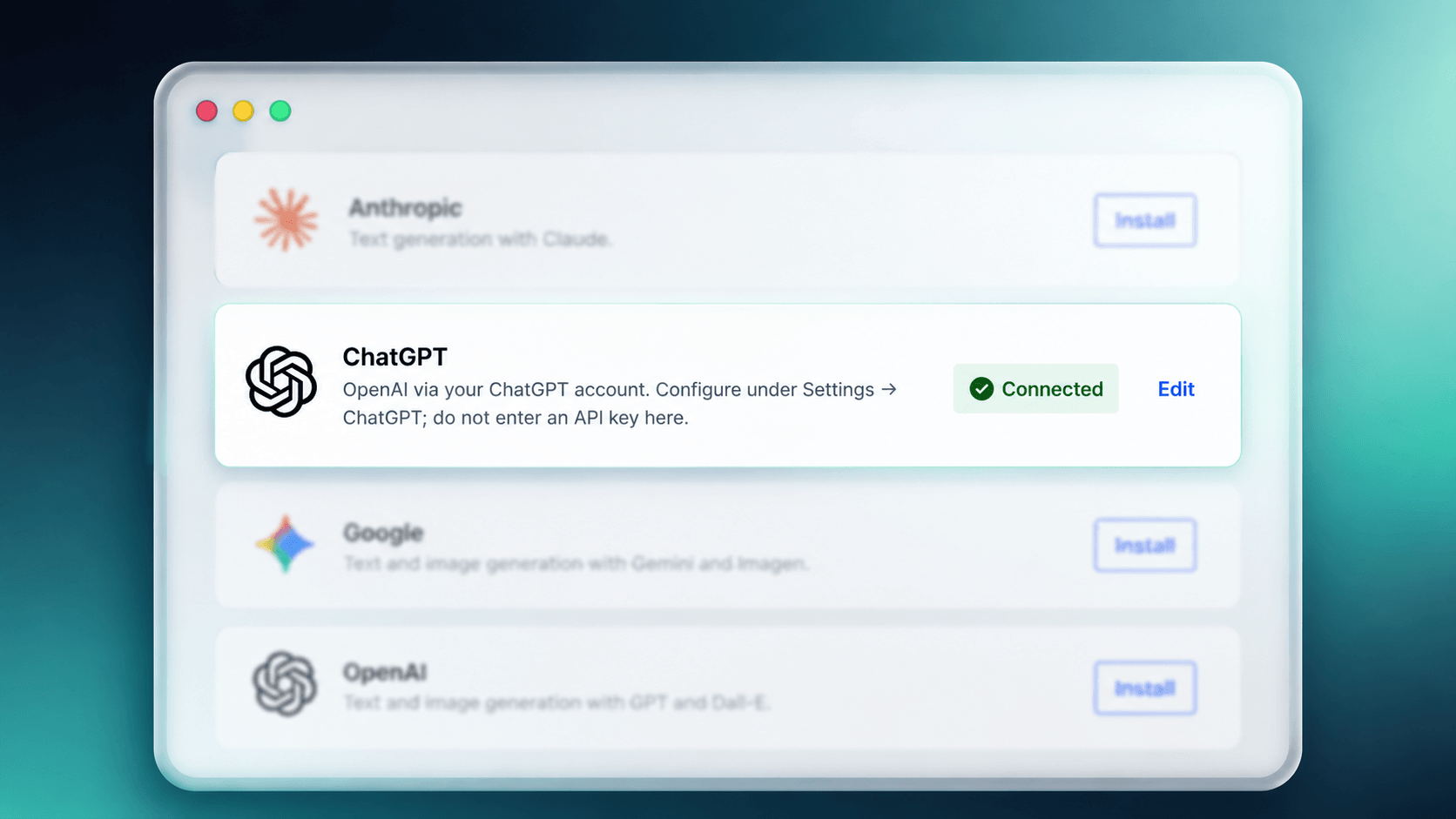
ChatGPT registers as a connector and appears in the WordPress AI connectors list, alongside the other providers.
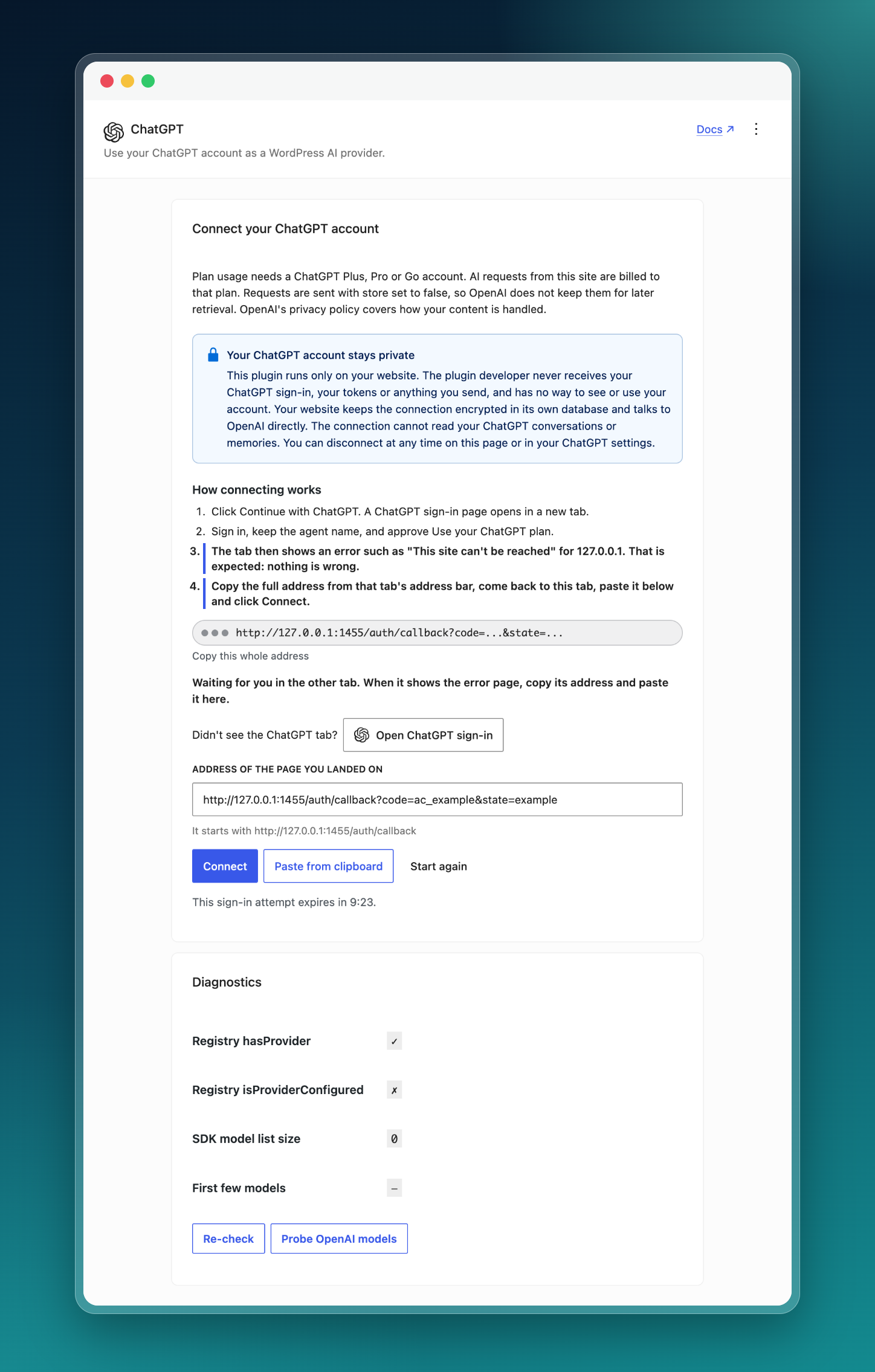
The ChatGPT settings screen: sign in with ChatGPT, paste the address you landed on, then check the connection and its models in diagnostics.