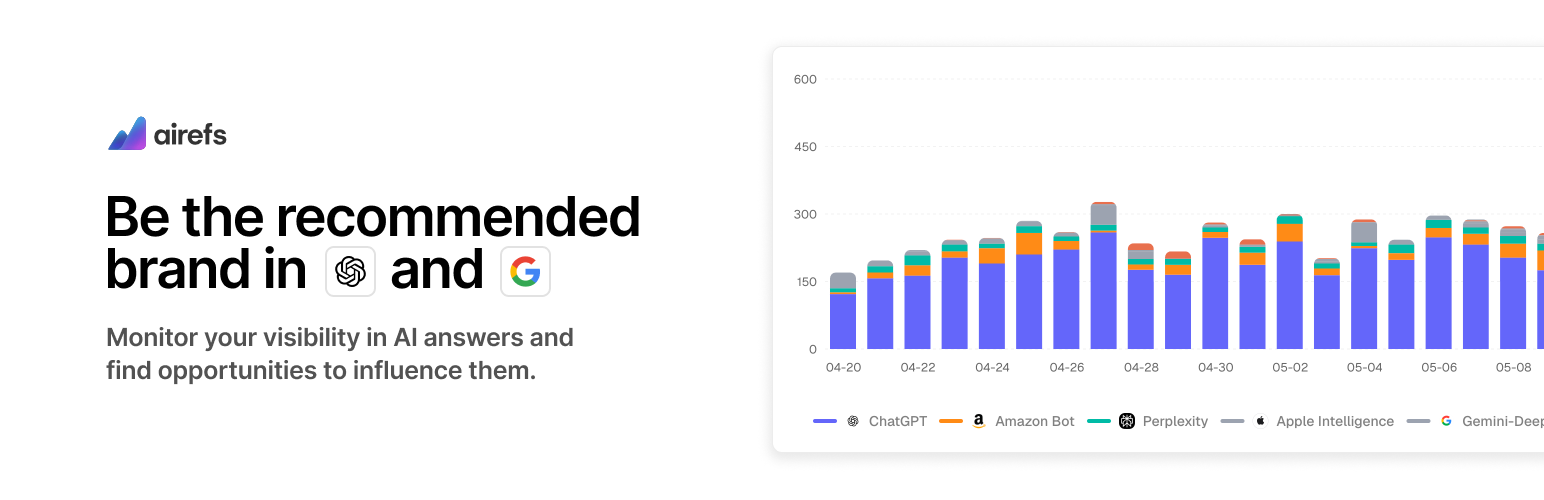
Track AI search impressions and clicks from ChatGPT, Perplexity, Claude & other LLMs and improve your website’s visibility across all AI search results.
Airefs connects your WordPress site to AI search analytics so you can track crawler activity and visits referred by AI answers.
Impressions: See Which AI Crawlers Visit Your Site
AI models crawl the web to answer user queries and gather training data. The Airefs Impressions feature tracks these server-side visits so you know:
- Which AI systems are crawling your site (ChatGPT, Perplexity, Claude, Amazon Bot, and more)
- Which pages are being crawled and how often
- When crawls happen, with timestamps and HTTP status captured from requests handled by PHP
- Trends over time — identify which content AI considers most relevant
The dashboard groups crawler visits by AI system and page, with individual logs showing bot identity, IP address, and page path.
Filter for “user searches only” to distinguish user-triggered crawler activity from background crawls.
Clicks: Measure Real Traffic from AI Search Results
Impressions tell you when AI crawls your content. Clicks tell you when real users follow a link from an AI-generated answer to your site. The Airefs Clicks feature tracks visits from users who discovered your brand in an AI answer and clicked through.
- Attributed by AI source: ChatGPT, Perplexity, Claude, Google Gemini, Copilot, Meta AI
- Bar charts breaking down clicks by AI platform over time
- Referrers table ranking AI sources by total click volume
- Pages table showing which of your pages receive the most AI-referred traffic
- Time windows of 7, 30, 90, and 180 days for trend analysis
Each individual click is counted, giving you a complete picture of AI-driven traffic that tools like Google Analytics may miss.
Getting Started
- Install and activate this plugin.
- Create a free account at https://app.getairefs.com.
- Copy your Access Token from the Airefs Settings page.
- Enter the token in Settings Airefs Tracking in your WordPress dashboard.
Data typically appears within 1–2 days. Impressions tracking runs on requests that reach WordPress. Clicks tracking uses a browser script loaded in your site’s footer. Both paths save events locally for confirmed background delivery through WP-Cron and a protected background runner.
Privacy
- Deployed on Cloudflare for secure, performant delivery.
- User sign‑up flows run on Convex.
- Analytics data is processed in Tinybird and stored on AWS servers within the EU.