AJAX Loading makes moving around your site smoother. When a visitor clicks a link, the plugin loads the next page in the background and swaps in only the part that changes, usually the main content area. The header, menus and footer stay in place, so there is no white flash between pages.
Every page is still a normal WordPress page with its own address. Visitors who open a link in a new tab, search engines and browsers without JavaScript get exactly the same server-rendered page as before. Whenever the plugin is not sure it can show a page correctly, it lets the browser load that page the normal way.
Version 2.0 is a complete rewrite. It no longer needs jQuery, it replaces only the content area instead of the whole page, and scripts on the new page now run properly. If you are upgrading from 1.x, your settings are migrated automatically (see the Upgrade Notice).
Navigation engine
- Replaces only the content area. Automatic detection works with most themes; you can also enter your own CSS selectors or replace the whole page body.
- Keep the header and footer (default) or replace them on every navigation.
- Back and forward buttons work and return visitors to where they were on the page.
- Links to a
#sectionscroll to that section, on the same page and on other pages. - Redirects end on the right address, and “not found” (404) pages can be shown without a reload.
- WordPress search forms, and other GET forms you choose (such as product filters), are submitted without a reload. POST forms are never touched.
- Scripts inside the new content run like on a normal page load. Stylesheets and scripts that the next page needs are loaded before it is shown.
- Sites with a nonce-based Content Security Policy stay protected: a script of the loaded page only runs when that page’s own policy allows it.
- Ctrl/Cmd-click, middle-click, links that open in a new tab, download links and links to files (PDF, images, archives) keep their normal behaviour.
Loading indicators and page transitions
- Seven indicators: progress bar, spinner, overlay, text, your logo, skeleton placeholder, or none, with a separate choice for mobile.
- Colours, size, position, speed and stacking order. The indicator only appears when a page takes longer than a delay you choose, so fast pages do not flicker.
- Nine leave and enter animations (fade, fade through, slide left/right/up/down, scale, smooth, none) with adjustable duration and easing, and an optional simpler animation on mobile.
- A live preview in the dashboard that uses your unsaved settings and the same code that runs on your site.
- Animations are skipped for visitors who ask their device to reduce motion.
Performance (opt-in)
- Optional link prefetching when a link is hovered, focused with the keyboard, touched or scrolled into view. It respects data saver and very slow connections and is never used for logged-in visitors or personalised pages.
- Optional in-browser cache of recently visited pages, with limits for the number of pages, their lifetime and memory use.
- Prefetching and the cache are both off by default.
- WordPress 6.8+ speculative loading is turned off on pages where AJAX navigation runs, so pages are not downloaded twice (you can change this).
- One script and one small stylesheet, loaded deferred in the footer and only on pages where AJAX navigation runs: about 169 KB minified (about 58 KB gzipped) plus 8 KB of CSS (2 KB gzipped). jQuery is not required.
SEO
- The page title is always updated.
- Meta description, robots, Open Graph, Twitter cards, canonical URL, previous/next links and hreflang alternates in the
<head>, and JSON-LD structured data in the<head>or printed directly in the page body (such as WooCommerce product schema), are kept in sync (each group can be switched off). - The
<html lang>attribute, body classes and the “current page” highlighting of your menus are updated too. - Search engines get the same real URLs and server-rendered pages as before. The plugin does not treat crawlers differently.
Accessibility
- After each navigation, keyboard focus moves to the main heading, to the content area, or stays where it is (your choice).
- Screen readers hear “Navigated to” followed by the new page title.
- The content area is marked busy while loading, and menu
aria-currentstates stay correct. - Reduced-motion preferences are respected by default.
Compatibility
Built-in integrations re-initialise popular plugins after each navigation. Each one can be set to Auto (built-in handling), Exclude (pages that contain it load normally) or Off (no special handling) on the SEO & Integrations tab.
- WooCommerce: shop, category and product pages load with AJAX; product galleries, variation forms, tabs and sorting are re-initialised and cart fragments refreshed. With the default “Protect WooCommerce pages” option, cart, checkout, My Account and order pages load normally, and add-to-cart, remove-from-cart, coupon and logout links are never intercepted.
- Page builders: Elementor (including Pro popups), Divi 4, Beaver Builder and Bricks are re-initialised. Pages built with Divi 5 load normally.
- Forms: Contact Form 7, Gravity Forms, WPForms, Fluent Forms and Formidable Forms are re-initialised. Pages with Ninja Forms or ACF front-end forms load normally, because those cannot be started again after a page has loaded.
- Multilingual (WPML, Polylang, TranslatePress and others): switching language always uses a normal page load.
- Also handled: X (Twitter), Instagram, Facebook and WordPress post embeds, lazysizes and vanilla-lazyload, threaded comment replies, and the jQuery
post-loadevent many plugins listen to. - Membership and login pages of WordPress, Paid Memberships Pro, Ultimate Member, MemberPress and BuddyPress load normally (default “Protect login and membership pages” option).
- WordPress interactive blocks (Interactivity API) make their pages load normally by default.
- Multisite: links to another site of the same network always use a normal page load.
- AJAX navigation never runs in the Customizer preview, page builder editors, AMP pages, feeds, embeds or the admin area.
Safety and troubleshooting
- Test mode: only administrators get AJAX navigation while you try it on your live site.
- Pause for 1 or 24 hours, and safe mode for conservative behaviour while you investigate a problem.
- Automatic fallback: if navigation keeps failing for a visitor, that visitor gets normal page loads for a while.
- Compatibility check: tests a navigation between two pages of your site and shows which content area, header and footer are detected on sample pages.
- Environment report, optional error log, and settings export, import and reset.
For developers
- JavaScript events on
document(mirrored to jQuery when it is loaded):wp_ajax_load_ready,wp_ajax_load_before,wp_ajax_load_start,wp_ajax_load_before_replace,wp_ajax_load_replaced,wp_ajax_load_complete,wp_ajax_load_error,wp_ajax_load_cancelandwp_ajax_load_popstate. - A small JavaScript API,
window.AjaxLoading(navigate, prefetch, reload, clear the cache, enable, disable). - PHP filters and actions to change exclusions, content selectors, head tags, integrations and the browser configuration.
- The 1.x callback
wp_ajax_load_complete = function () { … }still works.
Full documentation (user guide, troubleshooting, migration from 1.x and the developer guide) is included in the plugin’s docs folder.
Privacy
- No telemetry, no tracking and no external services. Neither your server nor your visitors’ browsers contact any third-party server because of this plugin. (The About tab in your dashboard shows the author’s Gravatar and plugin icons from wordpress.org, which your browser loads when you open that tab.)
- No cookies are set. The browser tab keeps a few small values in session storage (scroll positions, the automatic-fallback counter and, only if you enable it, values typed into forms, never passwords).
- Analytics are optional and only feed tools that are already on your site (
gtag, the Google Tag ManagerdataLayer, or your own function). The plugin never loads tracking scripts and can require statistics consent through the WP Consent API. - Error recording is off by default. When you turn it on, it stores the error code, page path (without query string), HTTP status, a short message and the navigation type. No IP address, user agent or cookie is stored. The log keeps the last 50 entries and is deleted when you uninstall the plugin.
Screenshots
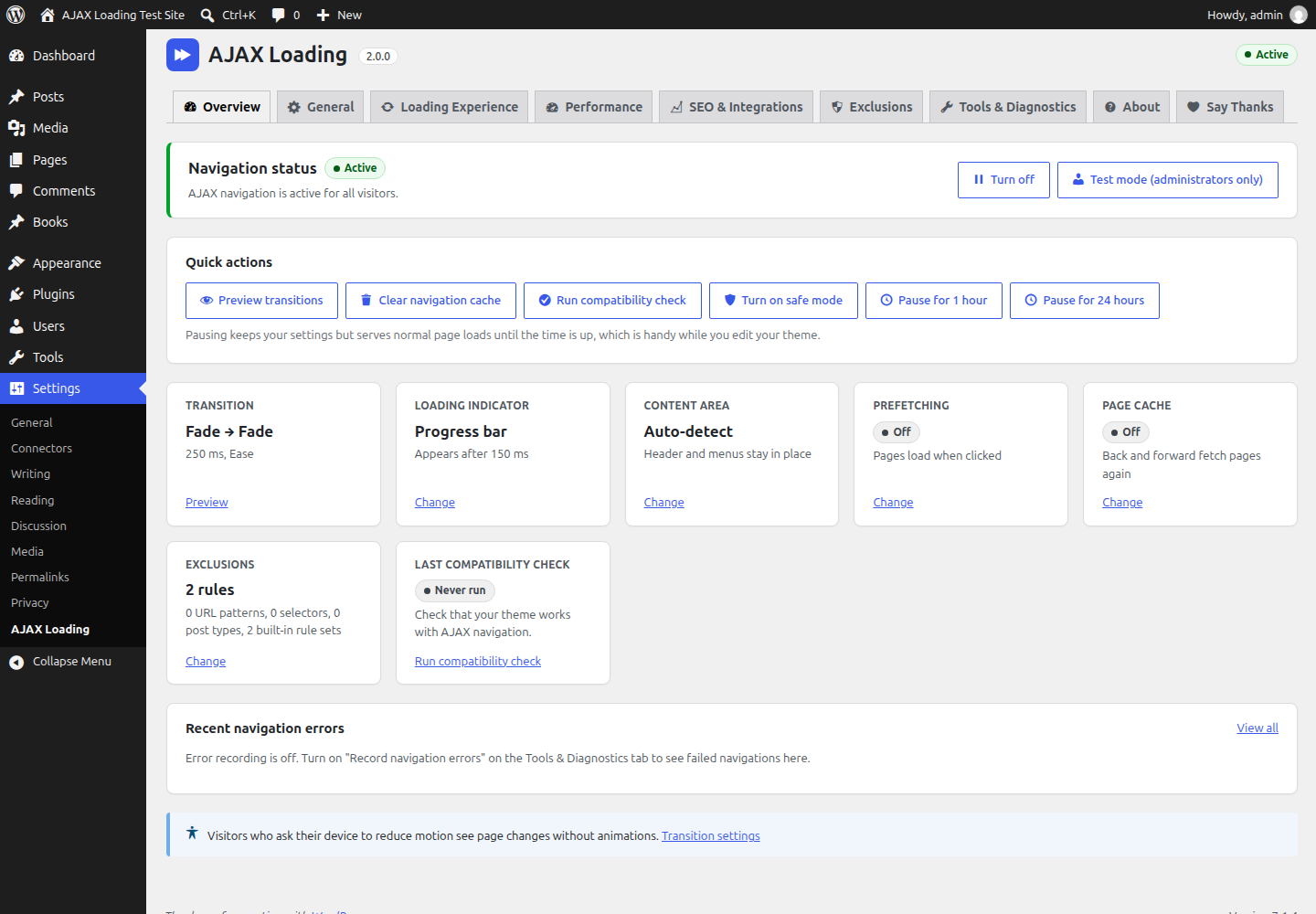
Overview: navigation status, quick actions (turn on or off, test mode, pause, safe mode, clear the navigation cache) and a summary of your settings and recent errors.
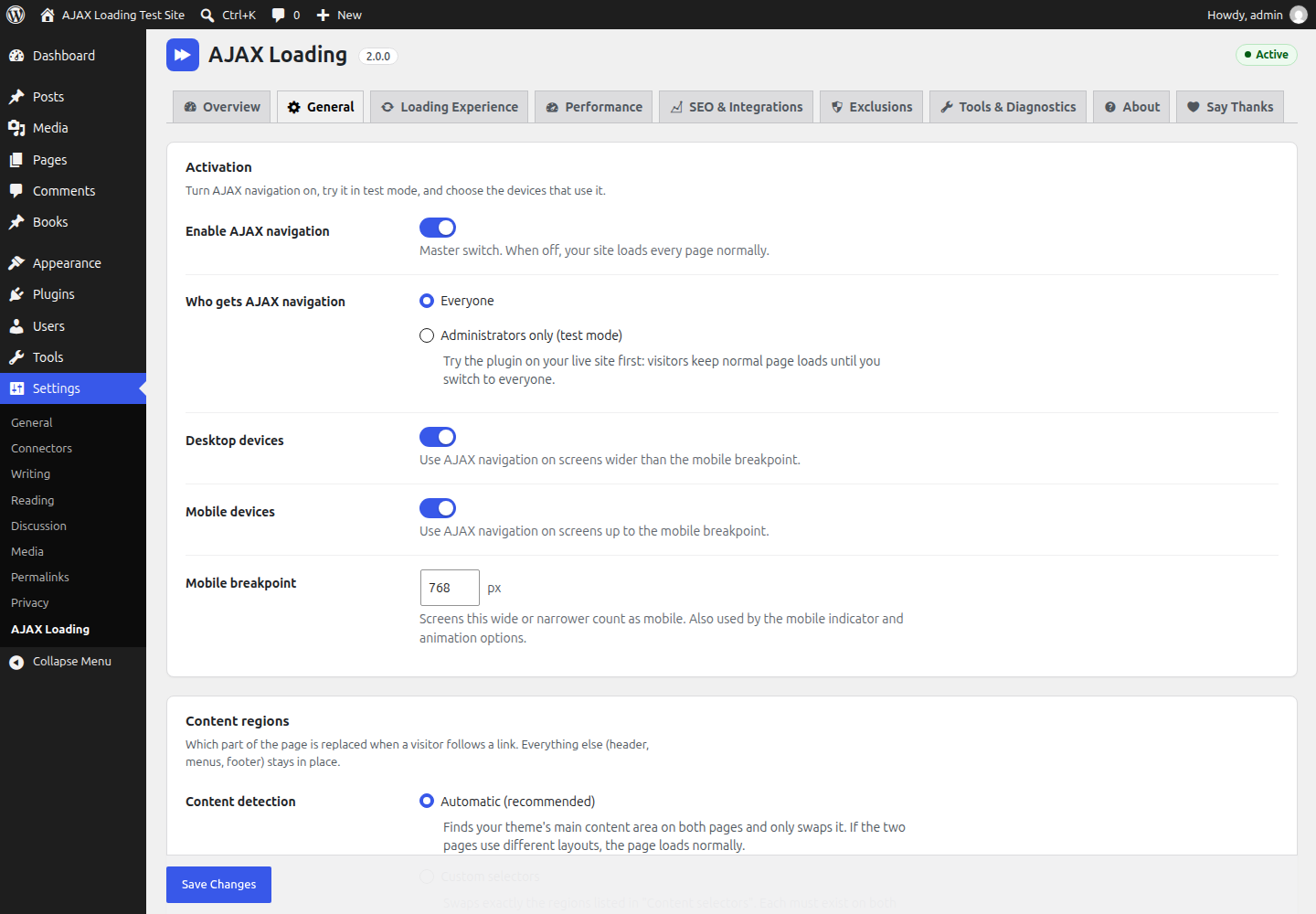
General: activation, test mode, desktop and mobile, content detection (automatic, custom selectors or whole body), header and footer behaviour, and forms.
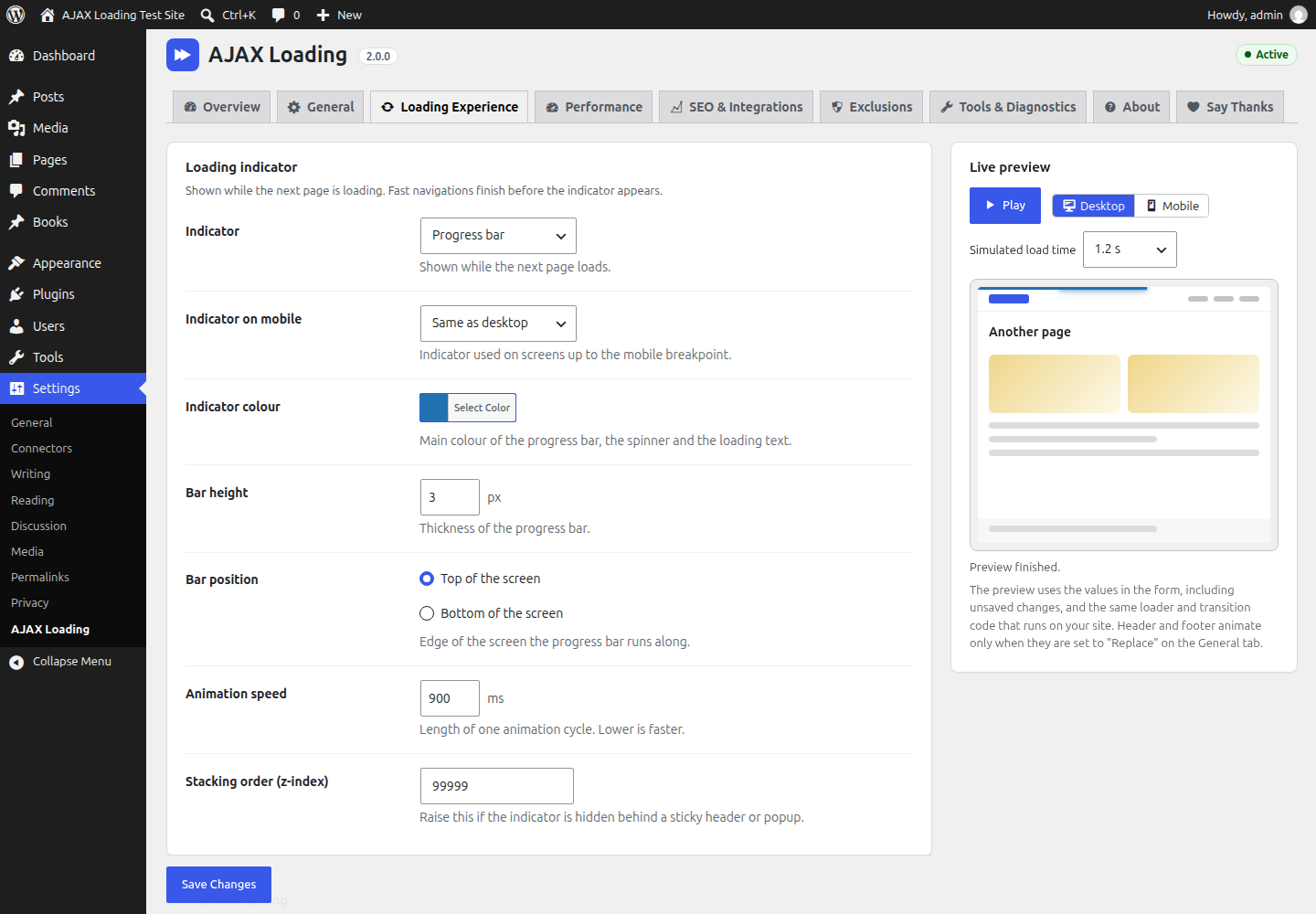
Loading Experience: loading indicator and page transition settings with the live preview.

Exclusions: your URL patterns, link selectors and post types, protected areas, pattern syntax help and the rules that are always applied.
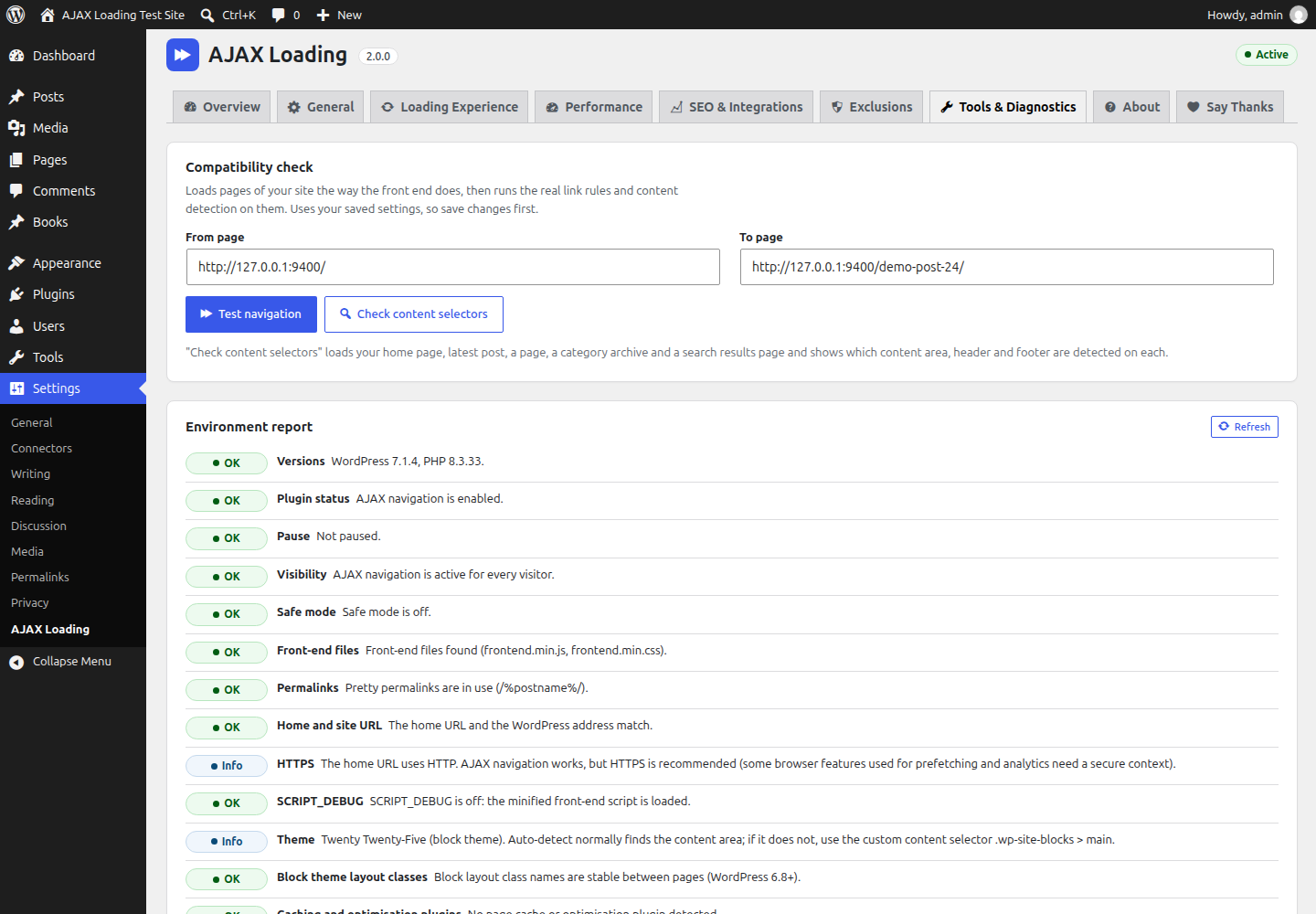
Tools & Diagnostics: compatibility check, environment report, recent navigation errors, safety and debugging options, and export, import and restore defaults.