All in one Minifier makes your pages smaller and, with its optional page cache, faster to serve — without breaking them. Every transformation is designed so that browsers see exactly the same page, and every number it shows you is measured on your own server.
What it does
- HTML minification with a real HTML tokenizer (not search-and-replace). Whitespace runs are collapsed, never removed between inline elements, and nothing inside
pre,textarea,code,script,style, SVG text or attribute values is changed. Conditional comments and framework markers (Vue, React, Knockout, Lit, Livewire, ESI) are kept. If a result fails validation, the original page is served. - CSS minification for stylesheets loaded through WordPress: comments and whitespace only, with relative
url()references rewritten so fonts and images keep working. Custom properties are left exactly as written. - JavaScript minification using a bundled JavaScript parser (Peast): scripts are parsed into a syntax tree and printed back without whitespace and comments, so the program is unchanged. Scripts that cannot be parsed are served untouched. No Node.js or shell access needed.
- Versioned file cache: each file is minified once and served from
wp-content/cache/aiom/. File names include a hash of the source path, modification time and relevant settings, so edited themes and plugins are picked up automatically and browsers never get stale files. - Optional page cache for anonymous visitors (off by default) — the feature that actually lowers server response time. It never serves logged-in users, carts, checkouts, accounts, POST requests, searches, previews or pages that set cookies, and it is purged when content changes.
- Optional loading improvements, each off by default and marked “Test first”: dependency-aware
deferthrough the WordPress script API, delaying chosen scripts (analytics, chat) until user interaction, asynchronous stylesheets with your critical CSS,font-display, preconnect and preload hints. - Measured reports: request a page as a visitor with and without optimisation and see the exact HTML, CSS and JavaScript sizes, which files were minified or skipped and why, render-blocking resources, and server response time (TTFB). No Lighthouse scores or Core Web Vitals are invented.
- Per-page controls in the editor, exclusion rules for files, URLs and post types, and a WooCommerce safe mode for cart, checkout and account pages.
- Safety tools: test mode (only administrators see optimised pages), safe mode and pause (switch everything off without losing settings), the
AIOM_DISABLEconstant, settings export/import, diagnostics and a log.
What it deliberately does not do
- Combine files. With HTTP/2, combining rarely helps and changes cascade order and caching. Each file is minified separately.
- Generate critical CSS automatically. That needs a headless browser. Paste critical CSS from a dedicated tool, site-wide or per page.
- Add
asyncto scripts, which can change execution order.deferis applied through WordPress so dependencies stay in order. - Claim speed it has not measured. Smaller files do not translate one-to-one into faster pages. Use the Reports screen to see what changed on your site.
How to check the results
- Turn on Test mode (Settings General) and browse your site while logged in as an administrator: you see the optimised pages, visitors do not.
- Open Reports and measure your key pages. The report shows bytes before/after (with a gzip estimate), each file’s result and server response time.
- When everything works, turn test mode off.
Good to know
- With server compression (gzip/brotli), HTML minification saves only a little on the wire. To minify, the page is held until it is complete, so on servers that stream the start of a page early the first byte arrives later (total response time stays about the same). Reports show both effects. The page cache is what reduces server time.
- Most WordPress core and WooCommerce files are already minified; they are detected and served as they are.
- Works alongside other caching plugins. If WP Rocket, LiteSpeed Cache, W3 Total Cache, Autoptimize and others already minify or defer, the matching feature here stands aside, and their caches are purged when you clear this plugin’s cache. This page cache stays off while another page cache is active.
Privacy
The plugin makes no external requests and sends no data anywhere. Reports request your own pages from your own server. The optional “Test with PageSpeed Insights” link opens Google’s site in your browser only when you click it.
For developers
- Filters:
aiom_cache_dir,aiom_cache_url(cache location; the page cache reads them before most plugins load, so set them in a must-use plugin),aiom_loopback_url(URL used for report requests). - Action:
aiom_purge_all— fires after the cache is cleared, for purging CDNs or proxies. - Constants:
AIOM_DISABLEturns everything off;DONOTMINIFYskips a request;DONOTCACHEPAGEprevents page caching. - Add
data-aiom-nodelayto a script tag to keep it from ever being delayed.
Screenshots
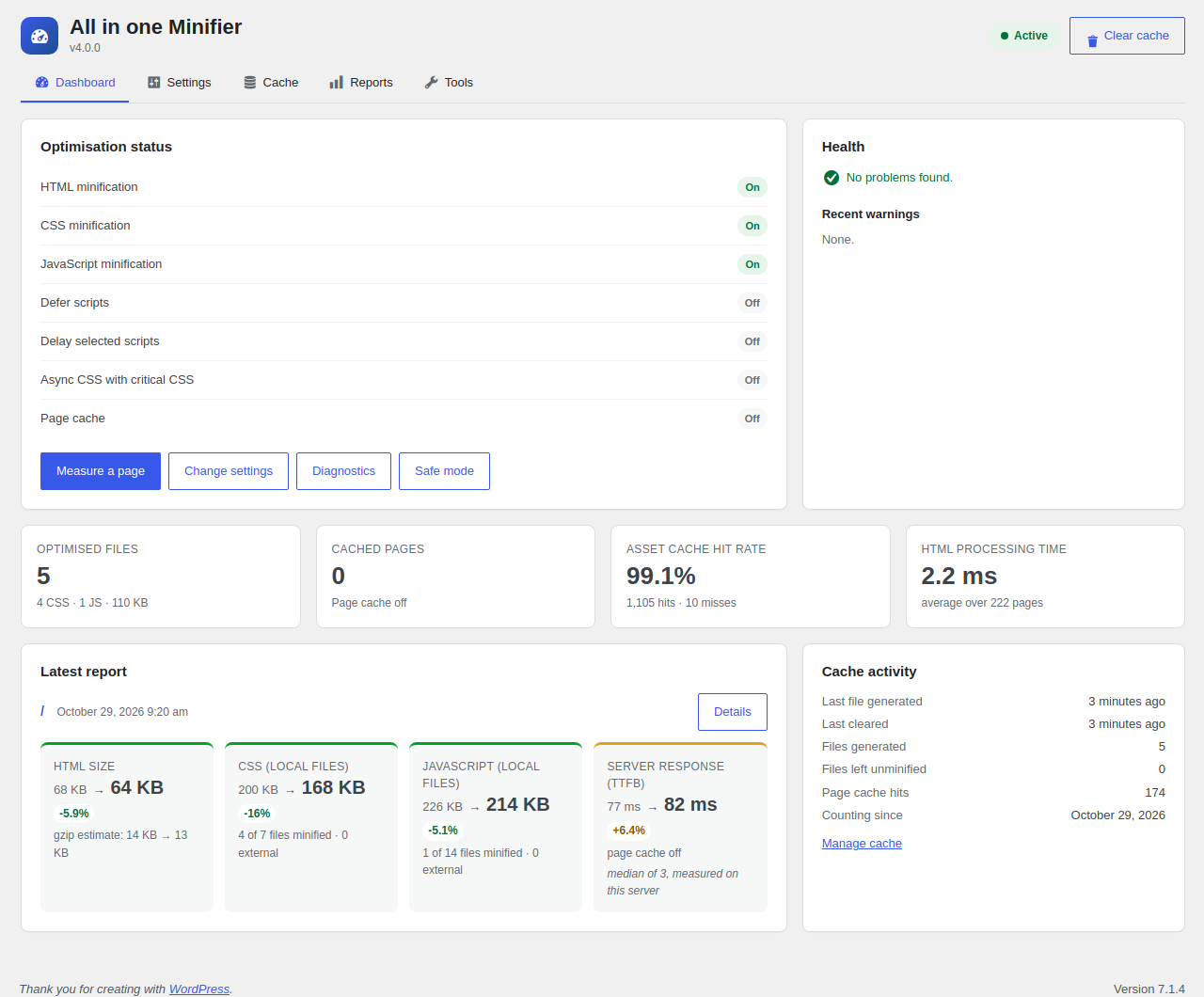
Dashboard: status of each optimisation, cache statistics and the latest measured report.
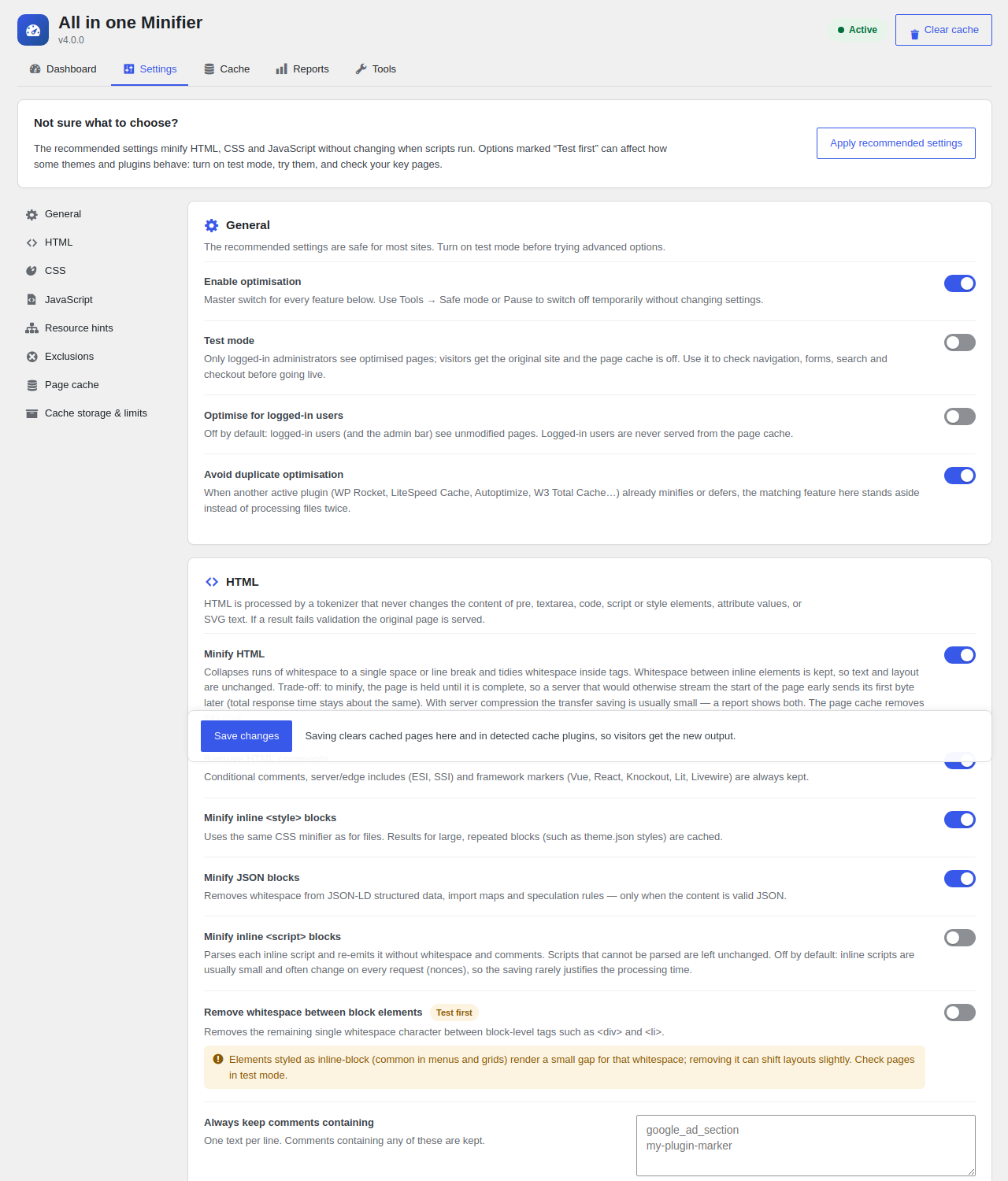
Settings with plain-language explanations; options that can affect behaviour are marked “Test first”.
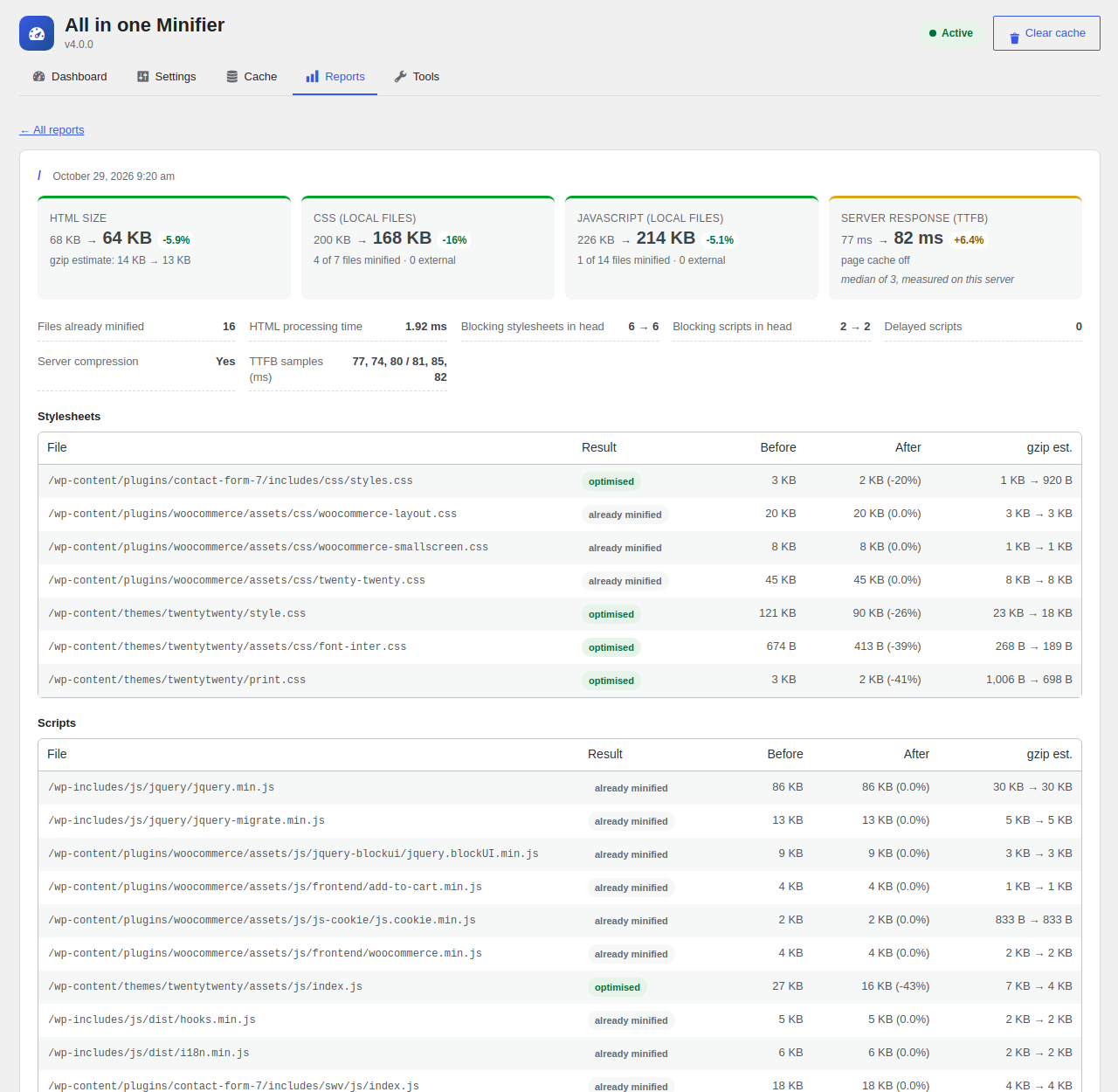
A report: sizes before and after, what happened to each file, and server response time.

Cache management: storage, statistics, preloading and files left unminified.