Alt Text Pro is an AI alt text generator for WordPress. It looks at each image, writes a short, specific description, and saves it as the image’s alt text in your media library. You review the draft, add details the AI cannot know (such as a product name), and decide what appears on your site.
Use it to fix missing alt text across an older media library, describe WooCommerce product and gallery images, or write alt text for new images as you upload them.
What Alt Text Pro does
- Generates alt text for one image in the media editor, so you can review it before saving
- Optionally writes alt text automatically when you upload new images
- Bulk fixes missing alt text across your media library, up to your newest 20,000 images per run
- Adds alt text from the Posts and Pages list, including empty alt attributes inside the post content, without replacing alt text you already wrote
- Uses optional page and site context for more relevant descriptions
- Works with WooCommerce product and gallery images, because they live in the media library
- Shows credit usage and generation history, with CSV export
- Connects to your Alt Text Pro account in one click and stores your API key encrypted
AI descriptions are a strong starting point, not a final answer. Check the images that matter most and edit where the page needs more context.
Bulk processing experience
Bulk processing is designed to keep credit usage and cancellation behavior predictable. The plugin processes one billable image at a time, starts the next image shortly after a successful result, and honors provider rate-limit retry windows when needed.
During a run, the live panel shows the current image state, overall progress, generated results, issues, remaining images, and recent activity. Choosing “Stop after current image” prevents the next image from starting while allowing an image already being generated to finish and be counted accurately.
If a run ends with an error, Alt Text Pro shows a compact, dismissible warning in the bottom-right corner and keeps the details in the activity list. A zero-error run does not show an attention warning.
Why better alt text matters
Alt text gives images a useful text alternative. Good alt text helps screen-reader users understand important visuals, gives search engines more context, and makes your media library easier to maintain.
Alt Text Pro is designed to speed up the repetitive work while still keeping you in control. The generated text is a strong starting point, and you can edit it whenever your page context needs a more specific description.
Useful for
- Bloggers and publishers with large image libraries
- WooCommerce stores with product images missing alt text
- Agencies preparing accessibility and SEO cleanups for client sites
- Site owners migrating old content into WordPress
- Editors who want a faster workflow for image descriptions
How setup works
- Install and activate the plugin.
- Open Alt Text Pro in your WordPress admin.
- Connect your Alt Text Pro account or paste your API key.
- Generate alt text for one image, a post, or a bulk media-library batch.
- Review the generated text and edit where needed.
Credits and plans
New accounts include 150 free signup credits plus 15 free credits every month. Each successful alt text generation uses 1 credit. Paid plans and credit packs are available from the Alt Text Pro dashboard.
Technical Requirements
- WordPress 5.0 or higher
- PHP 7.4 or higher
- Active internet connection for API calls
- Alt Text Pro account with available credits
Support
Need help with alt text generation? We’re here for you!
- Documentation: Visit our knowledge base
- Support: Contact us through the support form
- Feature Requests: We love hearing your ideas!
External services
This plugin needs an Alt Text Pro account and connects to the Alt Text Pro service at https://www.alt-text.pro to work.
- Generating alt text (single image, post, bulk, or automatic on upload): the image (downscaled when large), the optional context you enable (post title, related text, and your blog context setting), your API key, and the plugin version are sent to
https://www.alt-text.pro/.netlify/functions/generate-alt-text. Alt Text Pro sends the image and context to its AI provider (Google Gemini) to produce the description. - Showing your credits and plan, and validating a key: your API key and the plugin version are sent to
https://www.alt-text.pro/.netlify/functions/get-usageandhttps://www.alt-text.pro/.netlify/functions/auth-validatewhen you open the plugin’s pages, start a bulk run, or save a key. - Connecting your account: “Connect Account” opens
https://www.alt-text.pro/connectwith this site’s settings page address so the API key can be returned to WordPress after you sign in.
WordPress also sends its standard user agent, which includes your site address, with these requests. Nothing is sent until you connect an account.
Terms of Service: https://www.alt-text.pro/terms
Privacy Policy: https://www.alt-text.pro/privacy
Privacy Policy
Alt Text Pro uses encrypted HTTPS connections. Images and optional page context are sent to the configured AI provider to generate a description. Account, usage, and operational records are retained as described in the Privacy Policy. API keys saved by the WordPress plugin are encrypted on the WordPress installation.
Uninstalling the plugin removes its settings, temporary bulk-job records, and local generation-history table. Alt text already saved to WordPress attachments is retained as site content.
You can contact support to request access, correction, or deletion where applicable.
For full details, see our Privacy Policy.
About Alt Text Pro
Alt Text Pro helps WordPress site owners draft alt text for Media Library images, review the result, and save it into WordPress. It supports single-image generation, bulk runs for missing alt text, usage tracking, and optional page context.
AI output can be incomplete or incorrect, so review important descriptions before publishing.
Get started today: Sign up for free and try the workflow with included free credits.
Screenshots
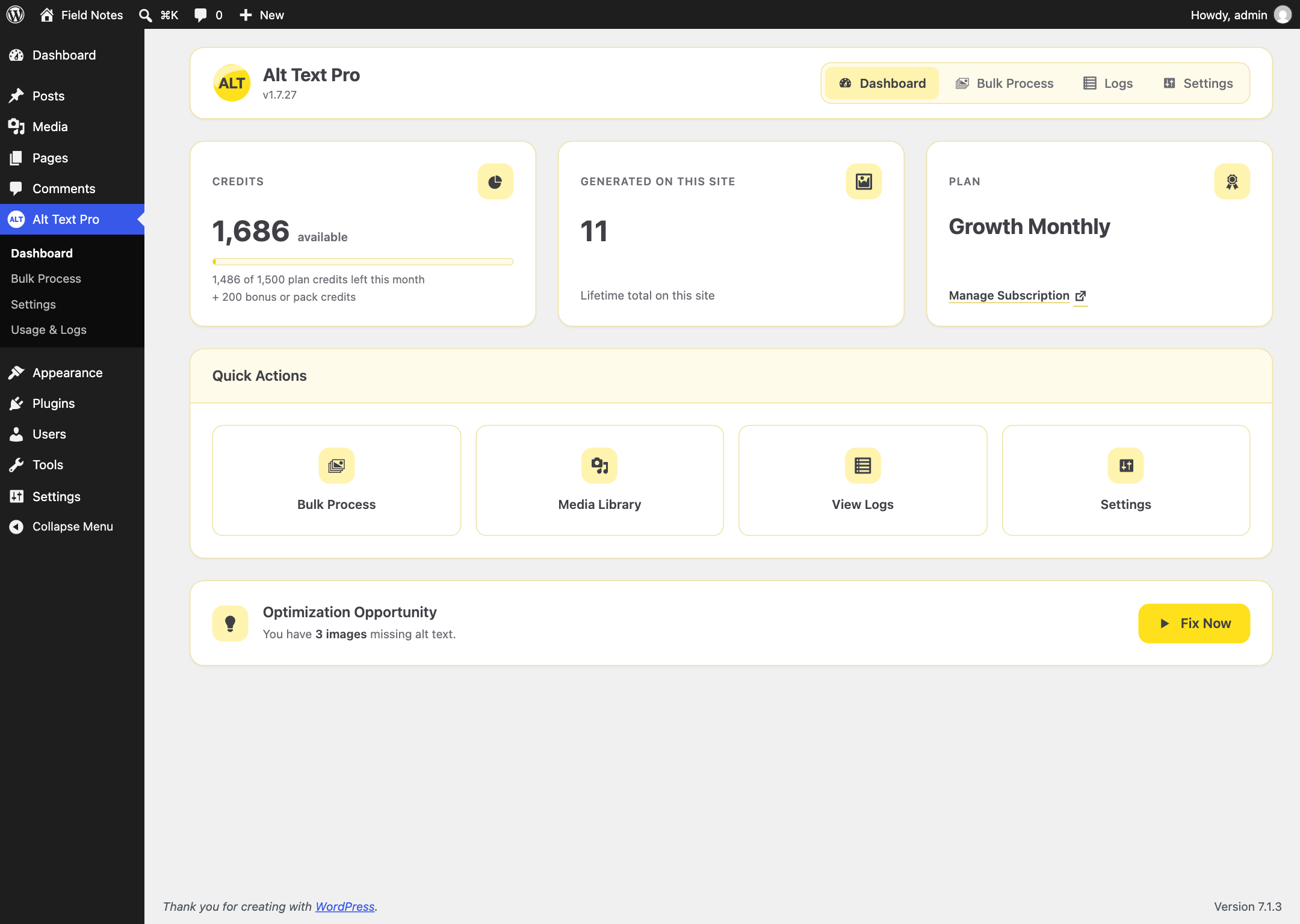
Alt Text Pro dashboard with credits, usage, and generation shortcuts.
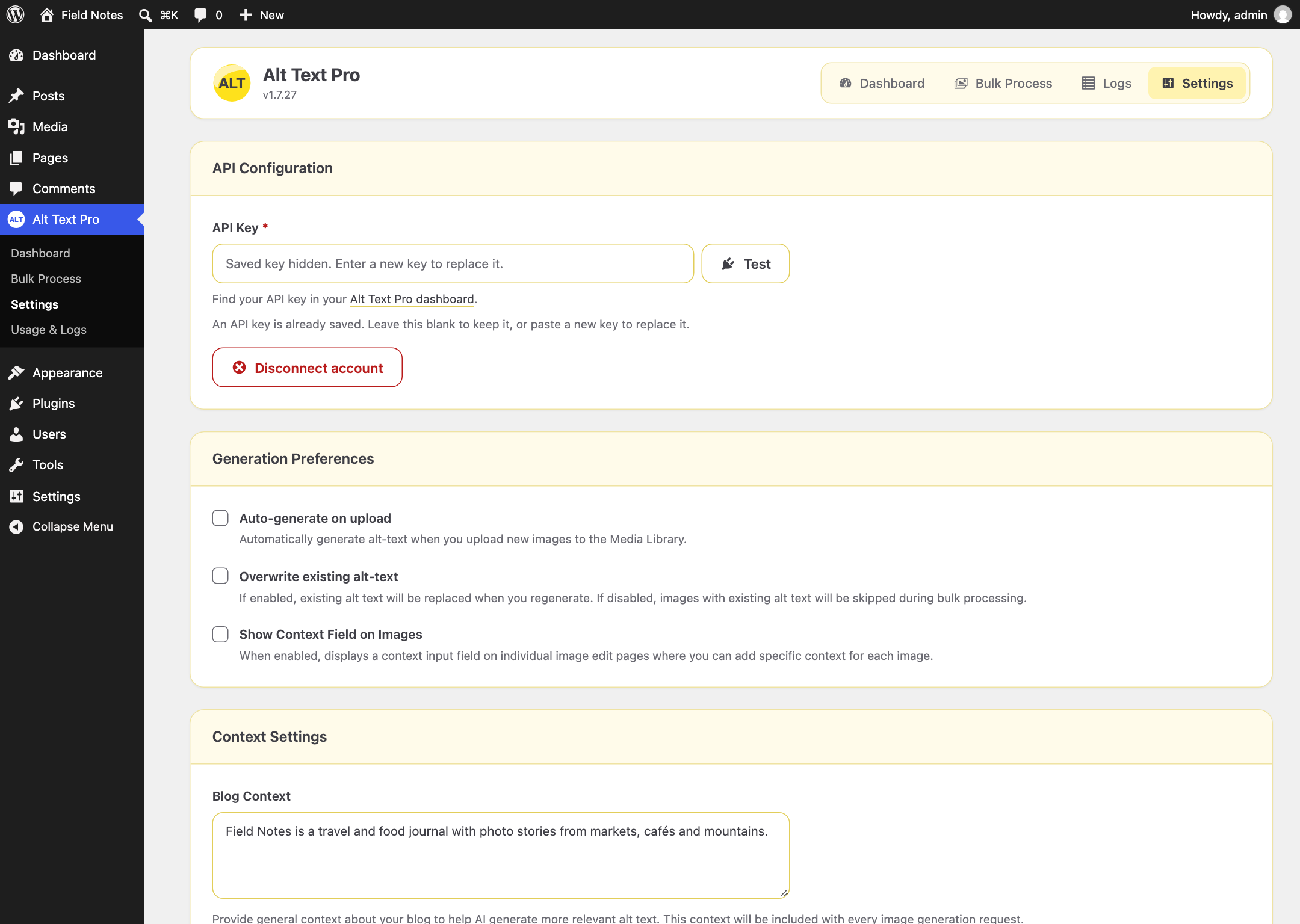
Settings screen for connecting your Alt Text Pro account and validating your API key.
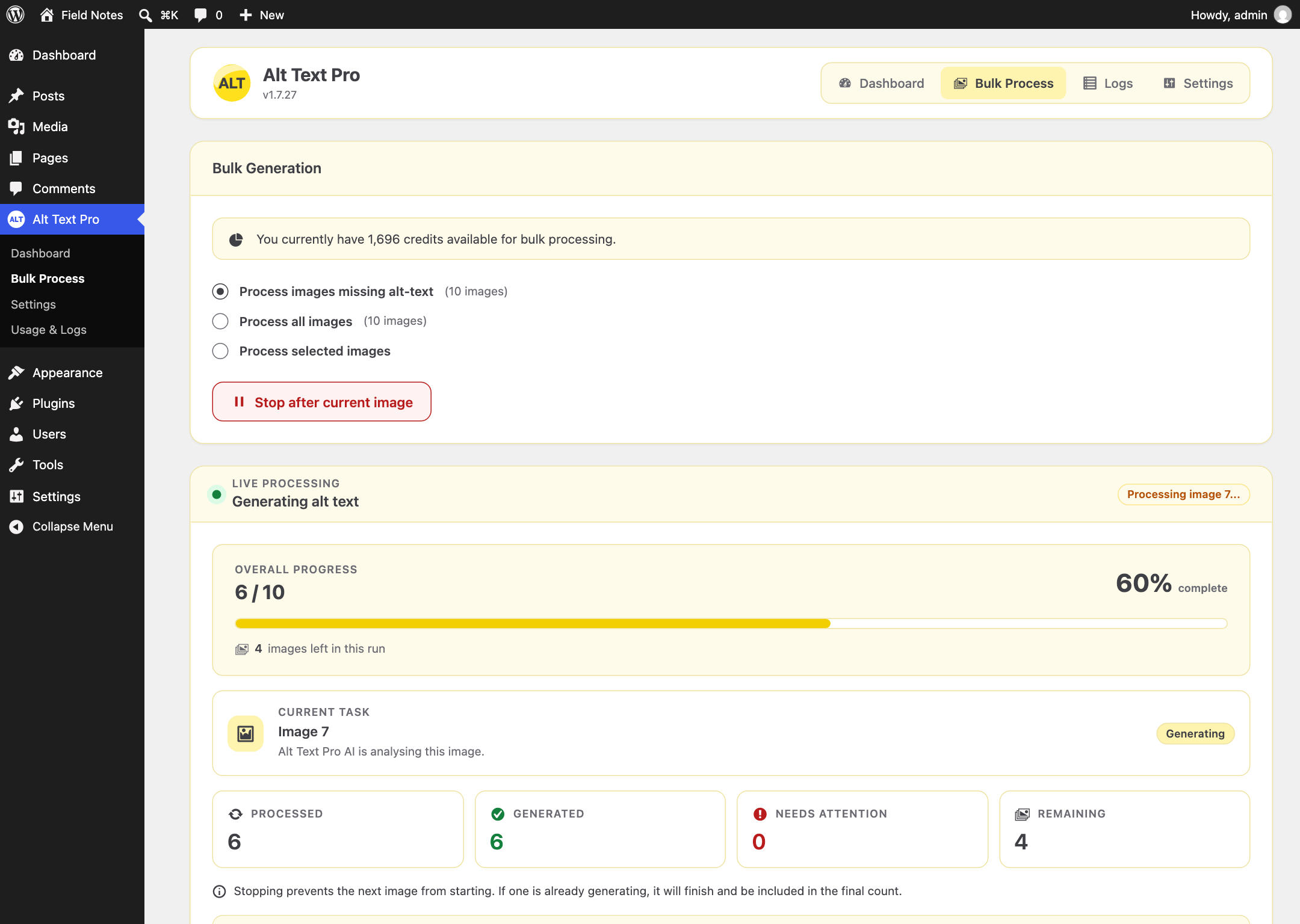
Bulk processor for generating alt text across missing media-library images.
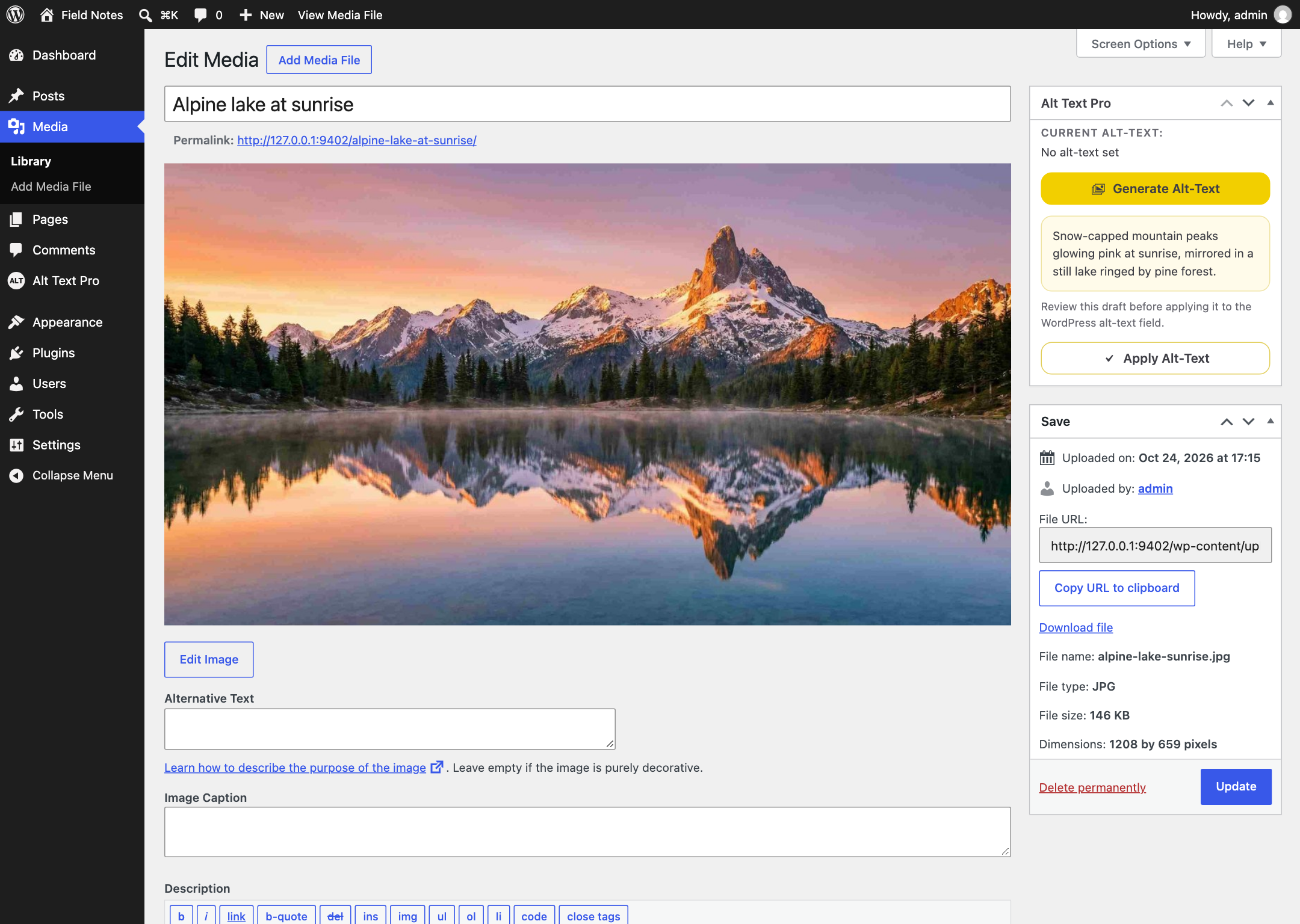
Media-library integration for generating alt text on individual images.
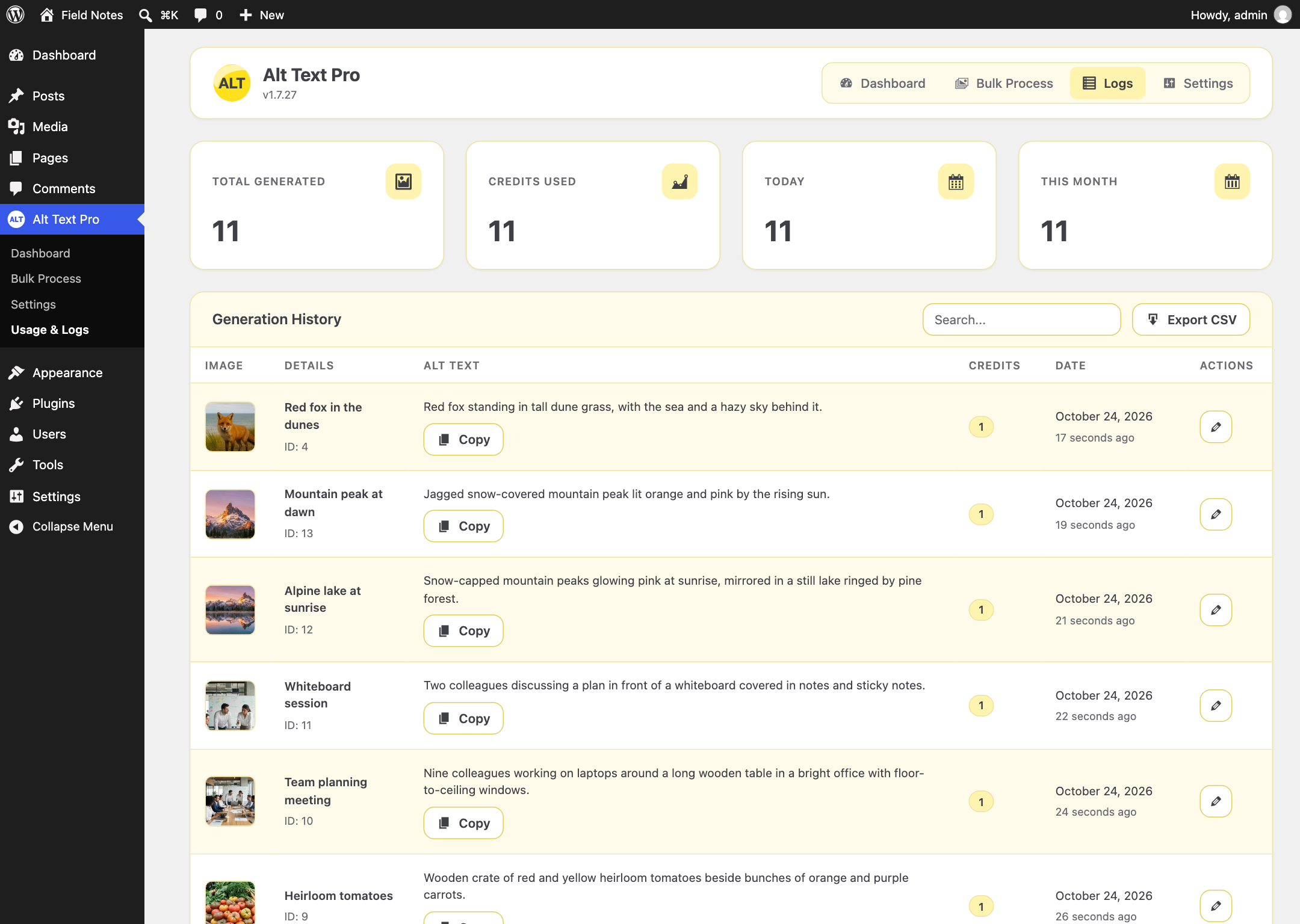
Generation history showing recent alt text activity and credit usage.
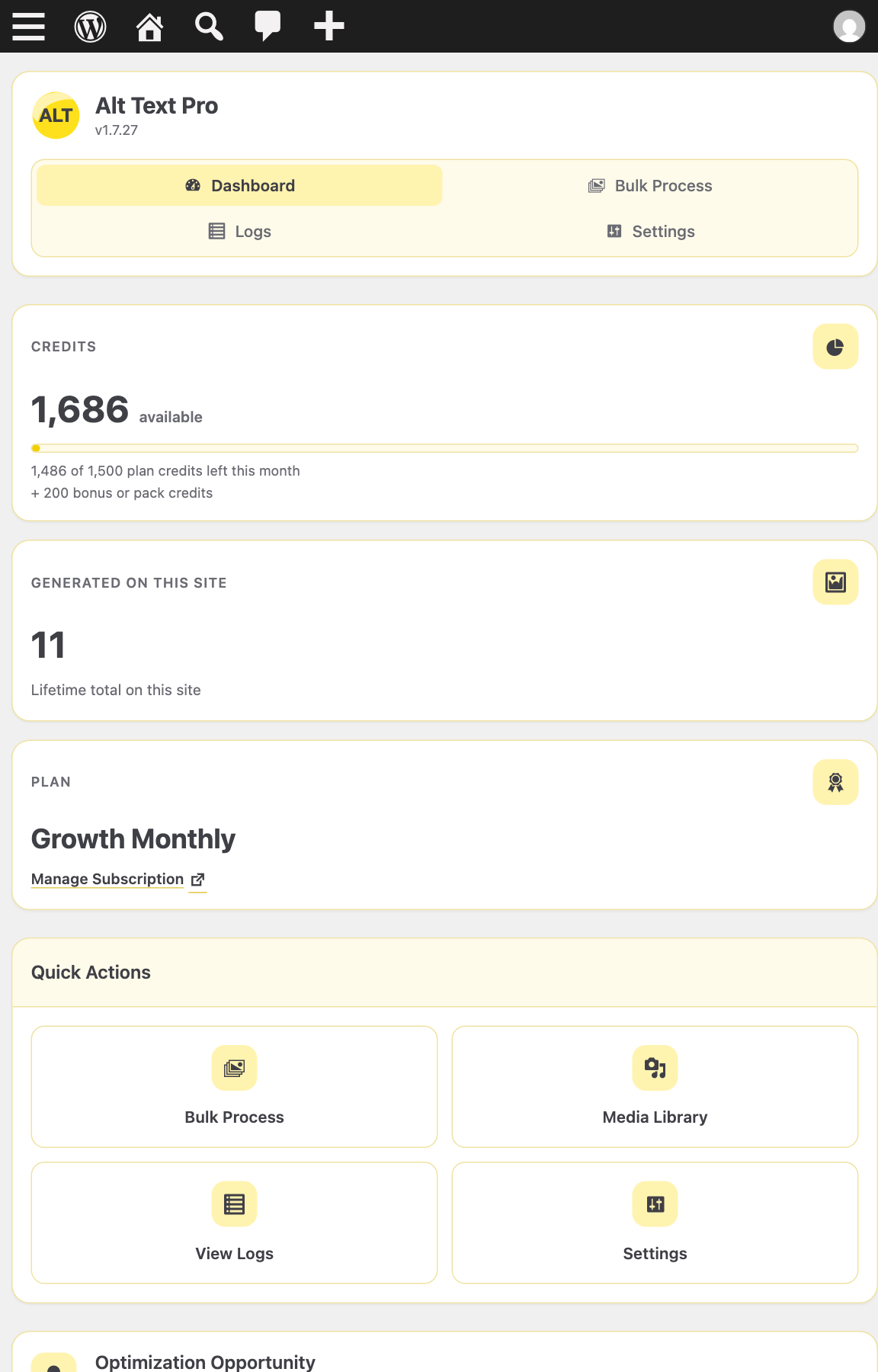
Responsive admin interface for managing alt text from different screen sizes.