
Images without alt text are invisible to screen reader users and to image search. AmazImg writes short, descriptive alt text for them with the vision model of the AI provider you connected in WordPress (OpenAI, Anthropic Claude or Google Gemini).
No credits, no middleman. Most alt text plugins sell credits and send your images through their own servers. AmazImg is built on the WordPress AI Client (WordPress 7.0+), so requests go straight from your site to your own provider, and you pay that provider’s normal rates with nothing added on top.
See it in action (~3 minutes):
What the free plugin does
- A “Generate alt text” button in the media modal, on the attachment edit screen and in the Media Library list view. The text is saved straight away and you can edit it like any alt text.
- An “Alt text” column in the Media Library list view, so you can see at a glance which images still need it, with a filter for images missing alt text.
- Ignore images that don’t need alt text (logos you describe elsewhere, test uploads): they leave the stats and the AI runs, and you can find and restore them any time.
- An overview page with your alt text coverage and the latest images without alt text, each with its own Generate button.
- Context-aware: uses the file name, the image title and the page the image was uploaded to, so the description fits where the image is used.
- Writes in your site language or any language you choose, with a length limit you set.
- Lightweight: no external scripts, no tracking, nothing on the front end.
Good alt text helps you meet WCAG and the European Accessibility Act, but AI is a first draft: review the text for images where the details matter.
AmazImg Pro
The free plugin does one image at a time. AmazImg Pro is for whole libraries and busy sites:
- Bulk generation for every image without alt text, with pause and resume.
- Automatic alt text for new uploads.
- A review queue with one-click undo.
- Fixes alt text inside existing posts and pages, not just in the Media Library.
- Usage tracking and spending caps.
- WPML and Polylang: alt text in every language.
- Uses WooCommerce product data and your SEO plugin’s focus keyword as context.
- Custom prompts, plus titles, captions and long descriptions.
- A block editor panel, WP-CLI, REST API and scheduled background runs.
External services
This plugin does not contact any AI service itself. It uses the WordPress AI Client (built into WordPress 7.0+), which sends requests to the AI provider the site owner connected in Settings → Connectors. Nothing is sent until a provider is connected and you generate alt text, either by clicking a “Generate” button or through a Pro automation you turn on.
For each generation the image (a resized copy when available), a text prompt and short context (file name, image title, title of the page the image is attached to) are sent to the connected provider, for example:
- OpenAI (api.openai.com): Terms of use, Privacy policy
- Anthropic (api.anthropic.com): Commercial terms, Privacy policy
- Google Gemini (generativelanguage.googleapis.com): Gemini API terms, Privacy policy
AmazImg news (optional, off by default). If an administrator turns on “News and tips” in Media AI Alt Text Settings, the plugin downloads a short list of messages from https://amazimg.pro/wp-json/amazimg/v1/notices at most about twice a day, when that screen is opened. The request sends only the plugin version; like any web request, it also reveals the site’s IP address to the server. Nothing is requested while the option is off. Terms of service, Privacy policy
Screenshots
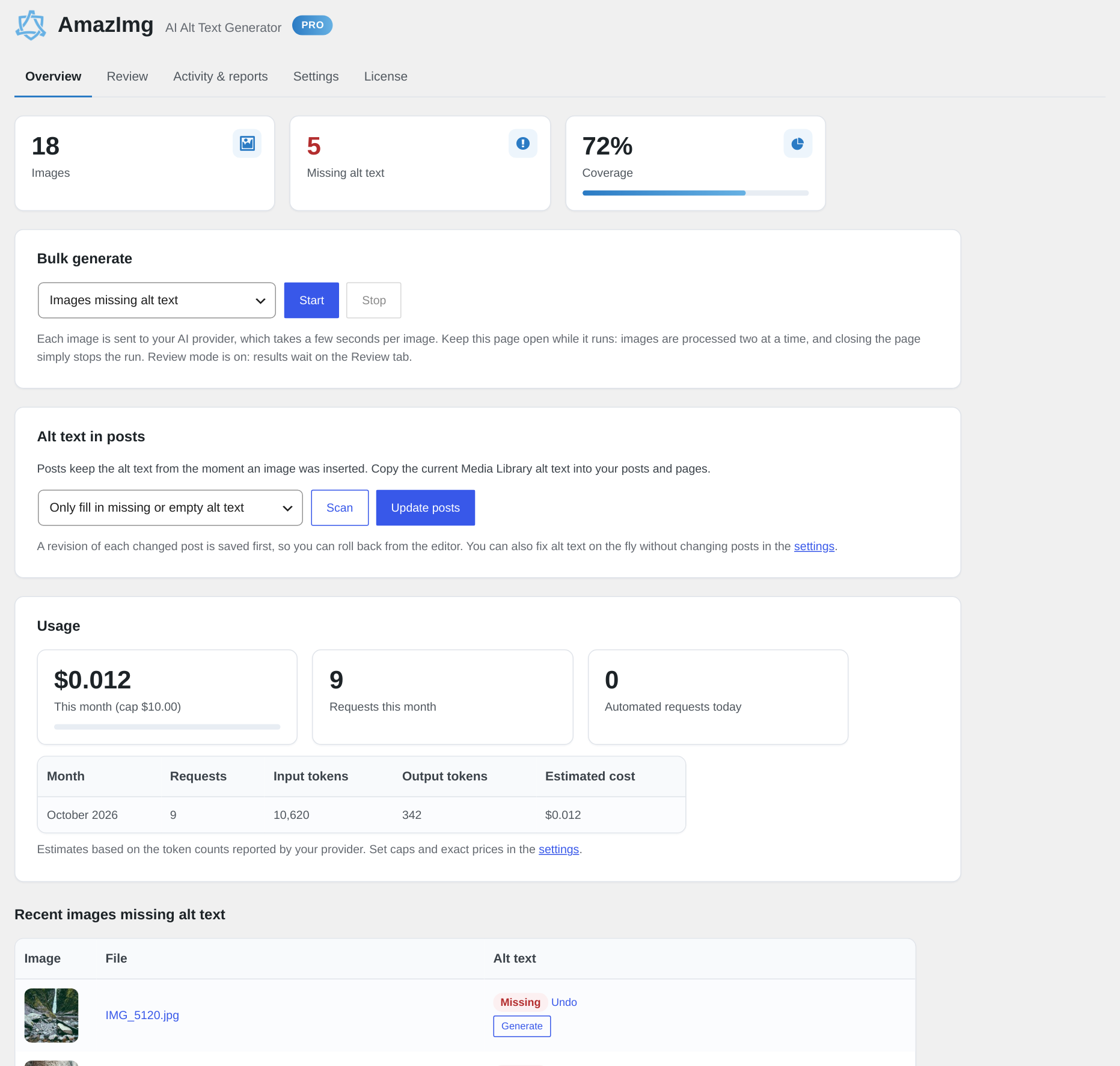
Plugin overview
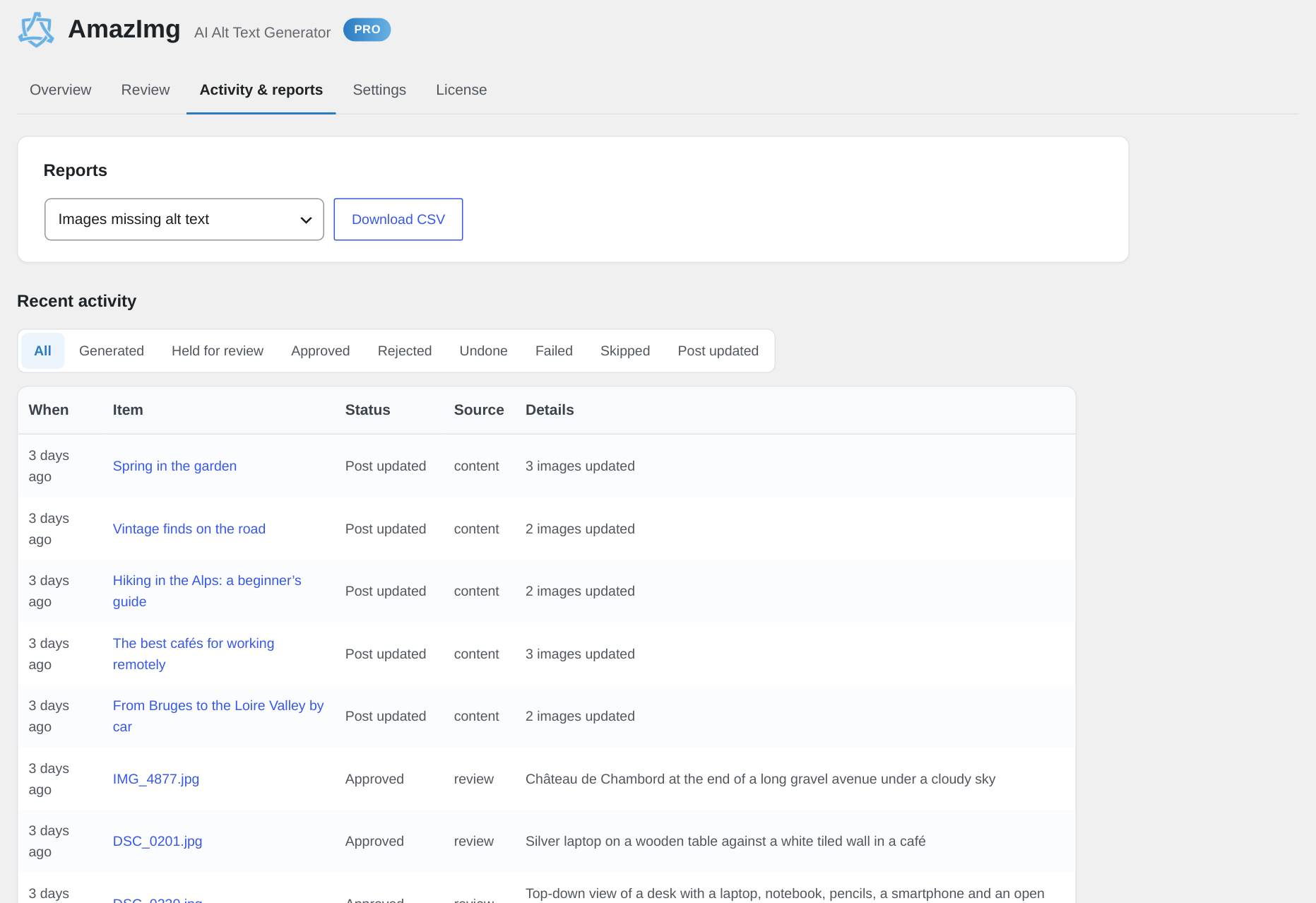
Activity & Reports
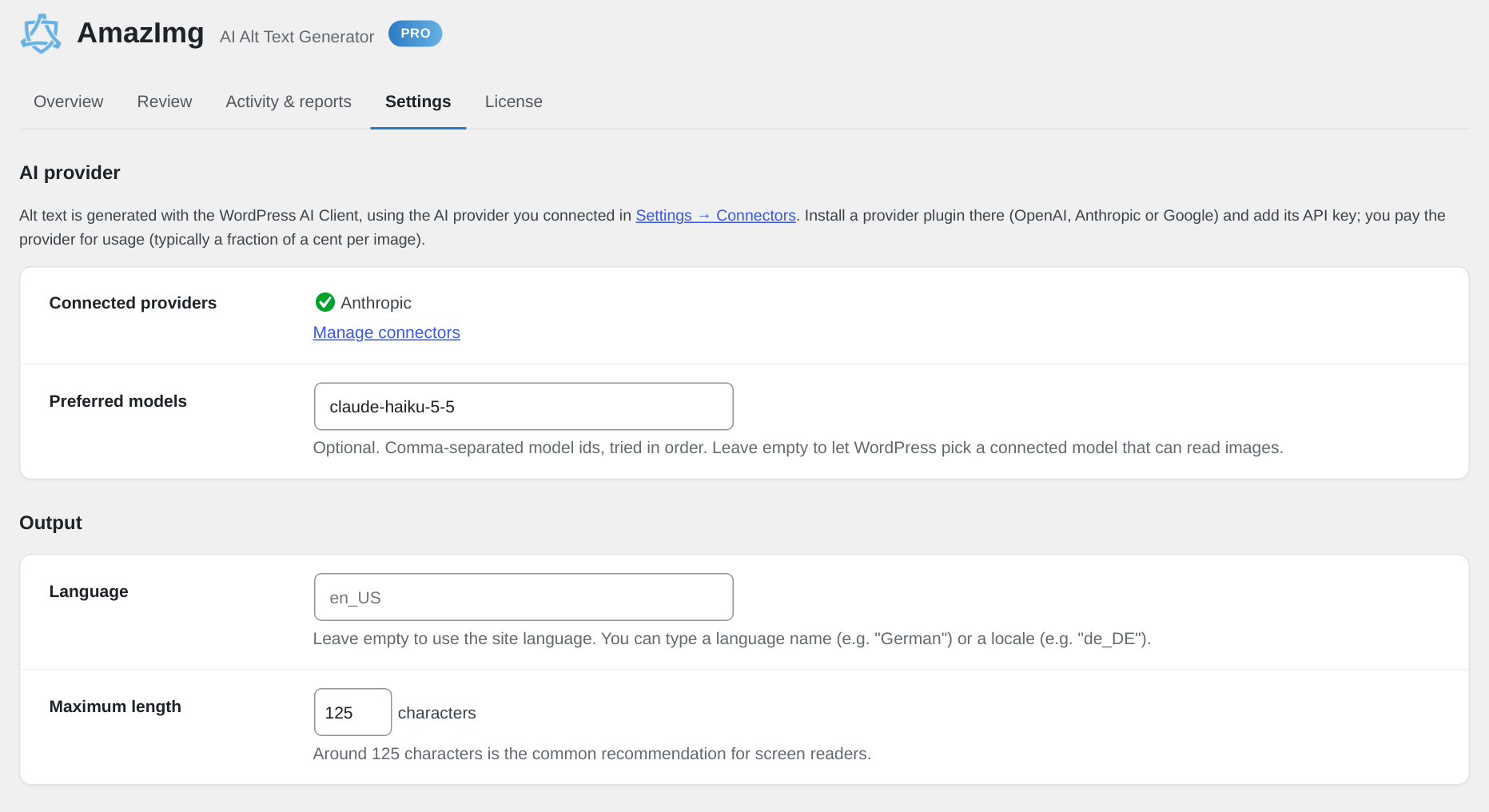
Settings for the free version
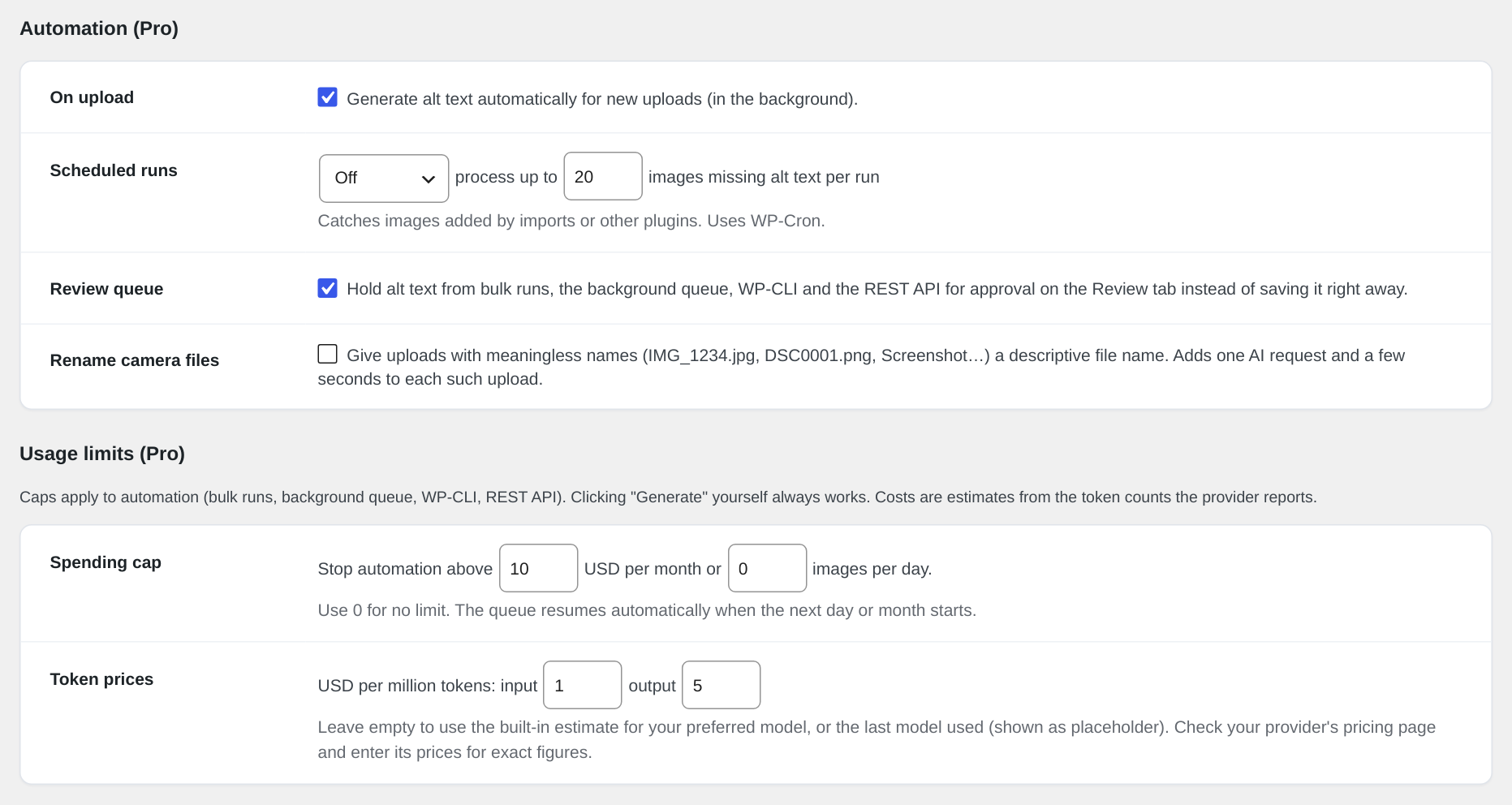
Automation & Usage limits settings
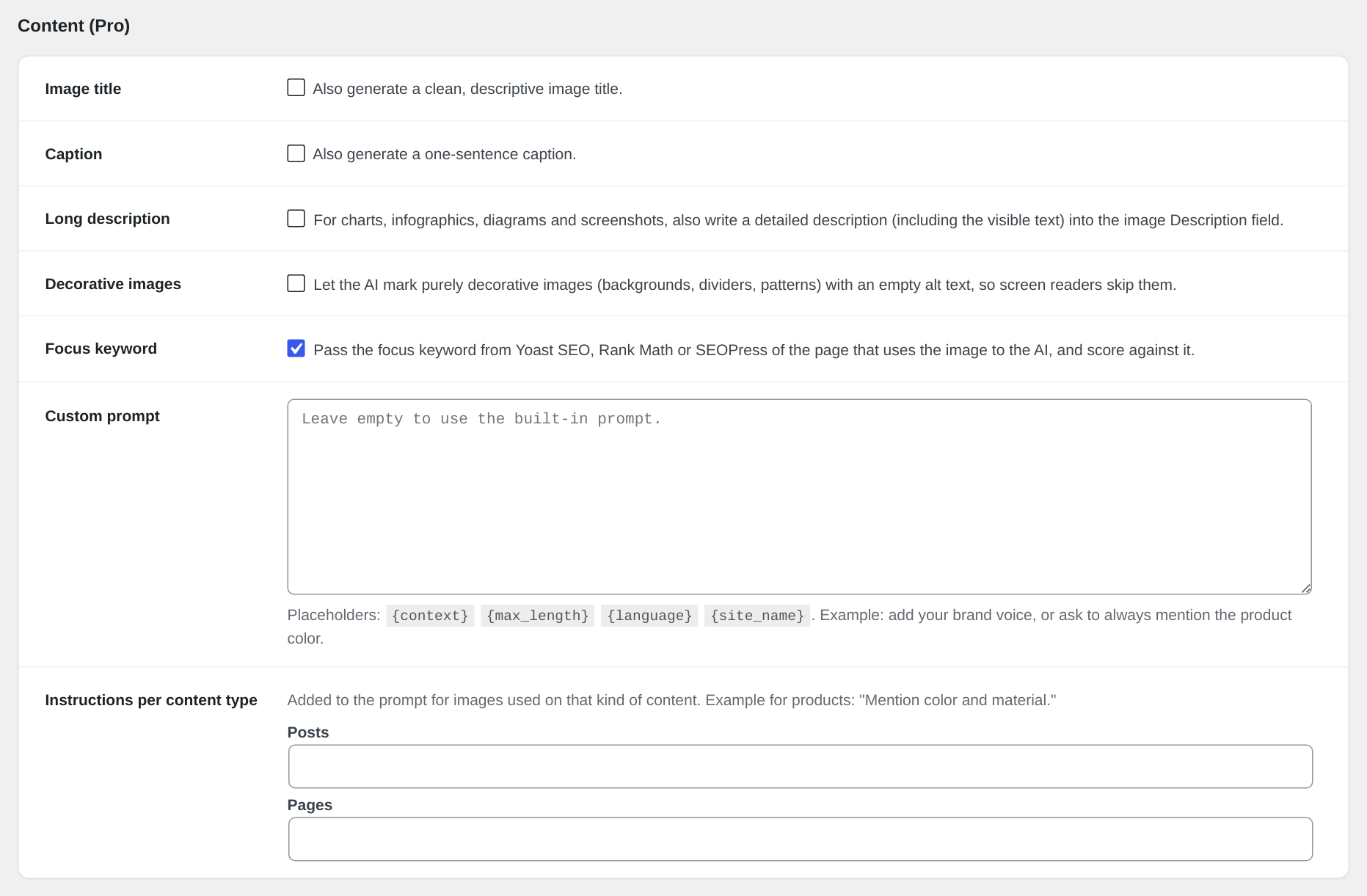
Content settings
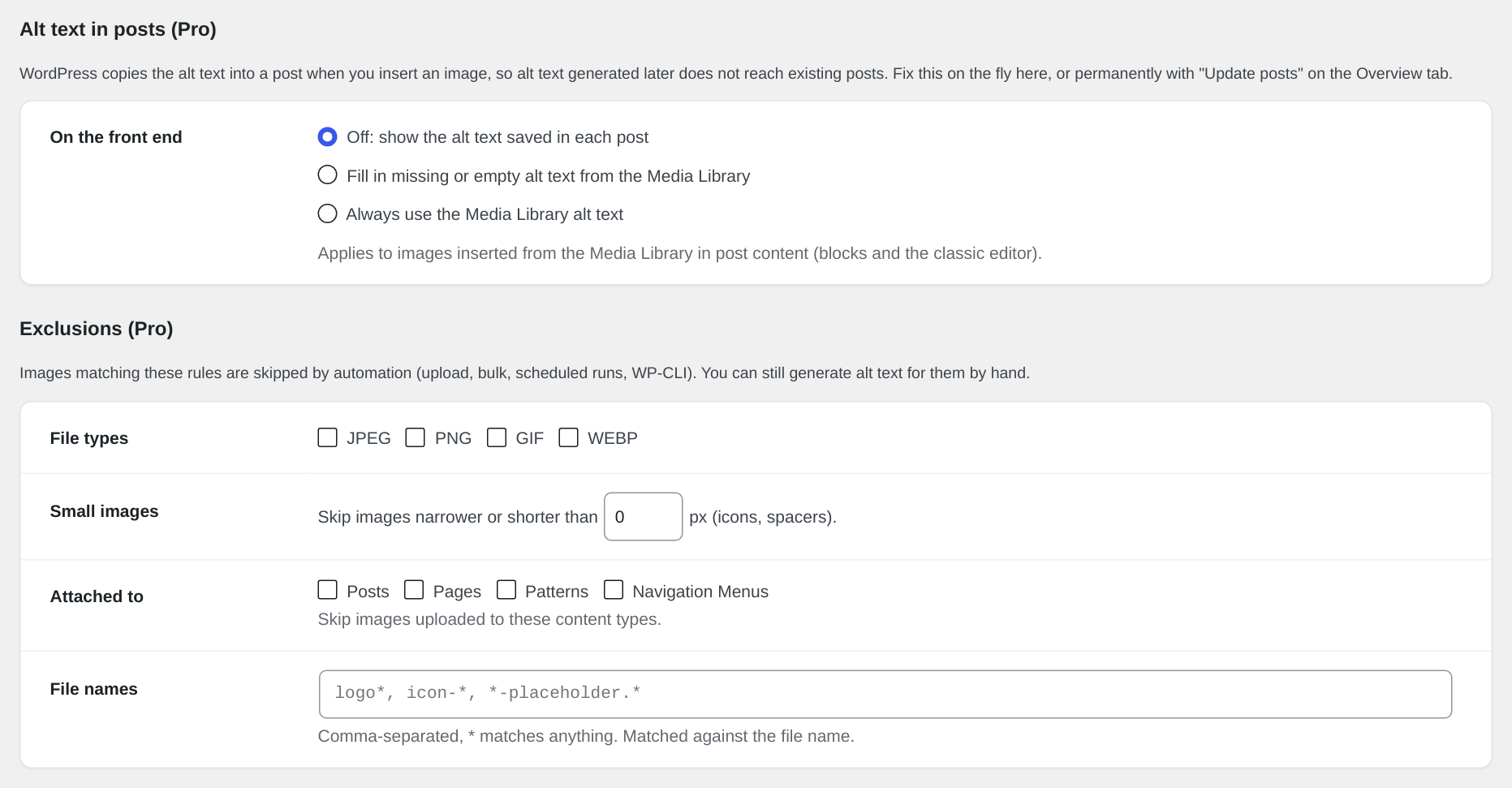
Alt text in posts & Exclusions settings
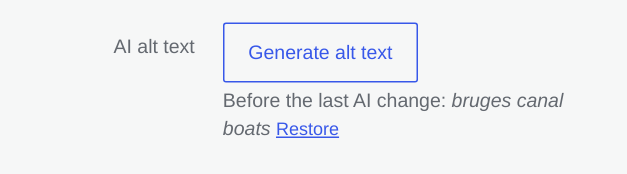
Generate alt text button in the media modal