BACK TO DIRECTORY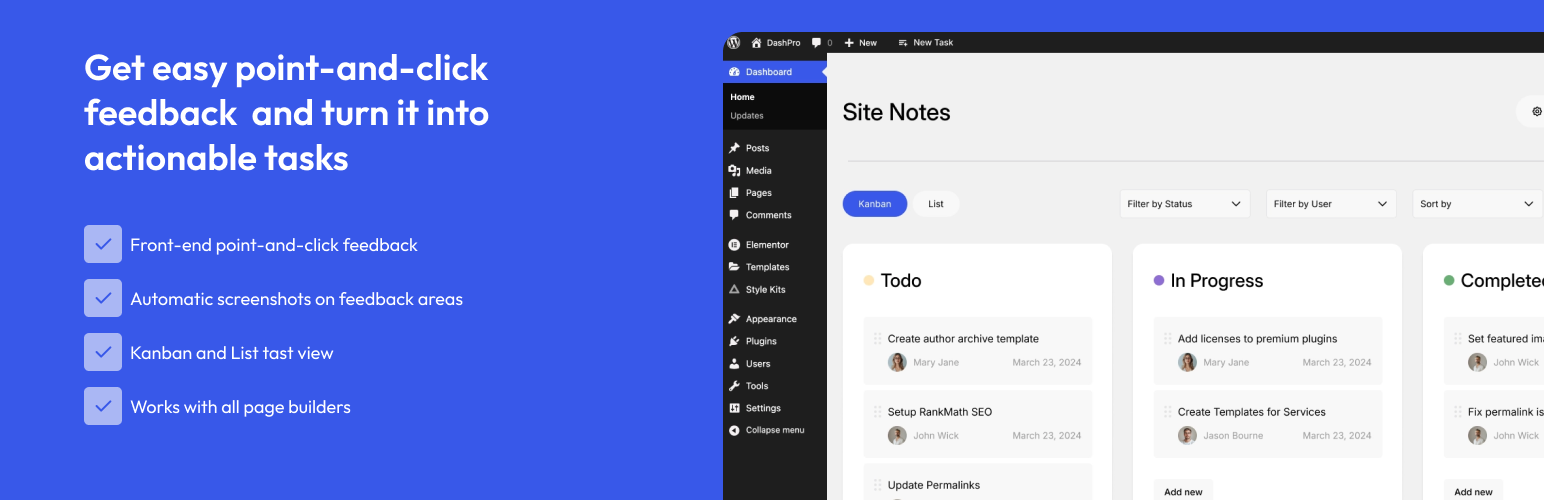


Site Notes streamlines the process of handing over websites from agencies to clients. It provides a visual commenting system that allows teams to annotate web pages with feedback, manage notes, and collaborate effectively during the transition period.
Key Features
- Visual Commenting System – Click on any element to add comments with screenshots
- Note Management – Create, assign, and track notes with priority levels
- Status Tracking – Monitor progress with open, in-progress, and resolved statuses
- Screenshot Capture – Automatic screenshot generation for visual context
- Responsive Design – Works seamlessly on desktop and mobile devices
- User Permissions – Proper role-based access control
- Admin Dashboard – Comprehensive overview of all comments and notes
- Translation Ready – Full internationalization support
Perfect For
- Web agencies streamlining client feedback collection
- Freelance developers managing client collaboration
- Website maintenance teams handling ongoing communication
- Design reviews with visual feedback on layouts
- Bug reporting with clear visual documentation
How It Works
- Add Comments – Click on any page element to add a visual comment
- Capture Context – Screenshots are automatically generated for clarity
- Set Priorities – Organize feedback with High, Medium, and Low priorities
- Track Progress – Monitor status from Open to In Progress to Resolved
- Collaborate – Add replies and updates to comments
- Manage – Use the admin dashboard for overview and bulk actions
From the team at AnalogWP – creators of Style Kits for Elementor, trusted by thousands of designers worldwide.
Support
For support, feature requests, or bug reports:
We’re committed to providing excellent support and regular updates.
Screenshots
Visual commenting interface on the frontend
Comment details sidebar with screenshot
Admin dashboard with Note management interface
Comment/note details page inside Admin dashboard
Admin settings page
Plugin Details
Active Installs
20Total Downloads
1,164Version
1.5.0Requires WP
6.5Requires PHP
7.4Tested Up To
7.0.8Added
2025-11-26Last Updated
2026-07-20 11:37am GMTRatings
5
4
4
0
3
0
2
0
1
0