
Add cool CSS3 animations to your content.
Demo | Documentation | Class Generator
Some of the Key features Include:
- Allowing user to apply CSS3 animations on Post, Widget and Pages.
- 50+ Entry, Exit and Attention Seeker Animations.
- Capability to apply animation on Scroll.
- Capability to add different scroll offset on individual animation blocks.
- Capability to apply animation on Click.
- Capability to apply animation on Hover.
- Providing delay feature in animation to create a nice animation sequence.
- Providing feature to control the duration for a more precise animation.
- Providing a button in the editor to easily add an animation block in the article or post.
- Allow user to add animation on WordPress widgets. Use Class Generator to generate the required animation classes.
- Allow user to apply animation infinitely or any fixed number of times.
- Option to add custom CSS classes to individual animation block.
- Options to enable or disable animations on Smartphones and Tablets.
- Spanish and German language support. Thanks to Santiago Marrone, Christian Herrmann
- Custom Animate It! block to apply animations on other Gutenberg blocks.
All the CSS3 animations are from Animate.css and Animo.js
Screenshots
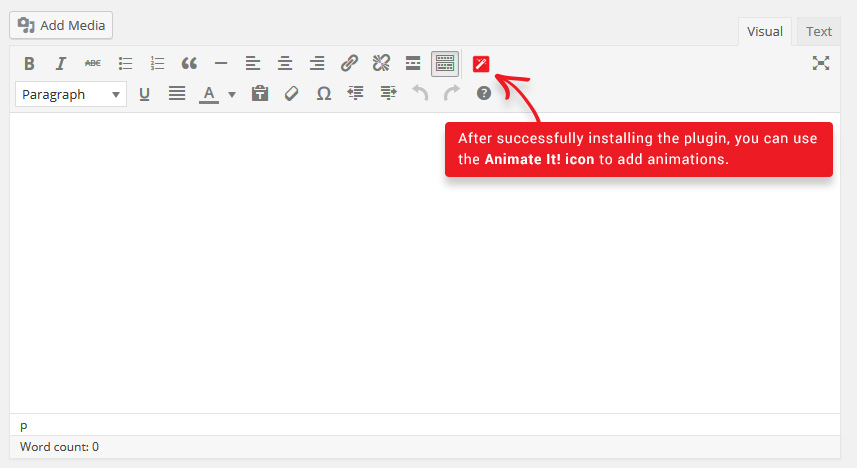
Animate Button - Add animation blocks in WordPress Post and Pages using the Animate It! button.
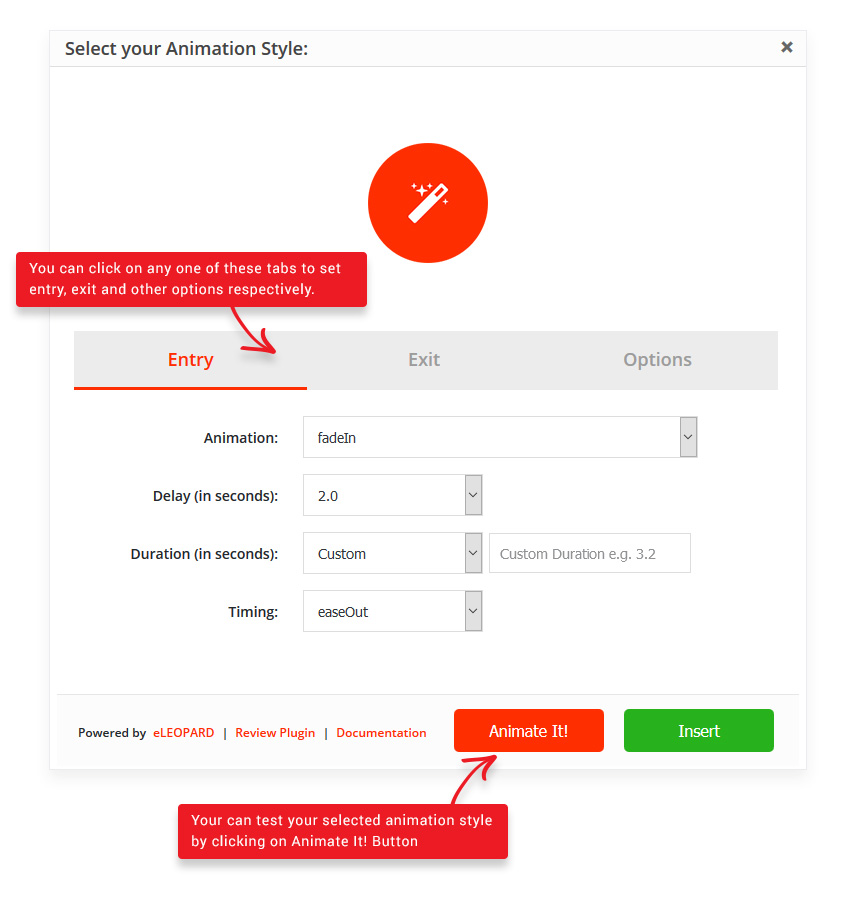
Select Animation - After clicking Animate It! button you will get a screen to choose animation.
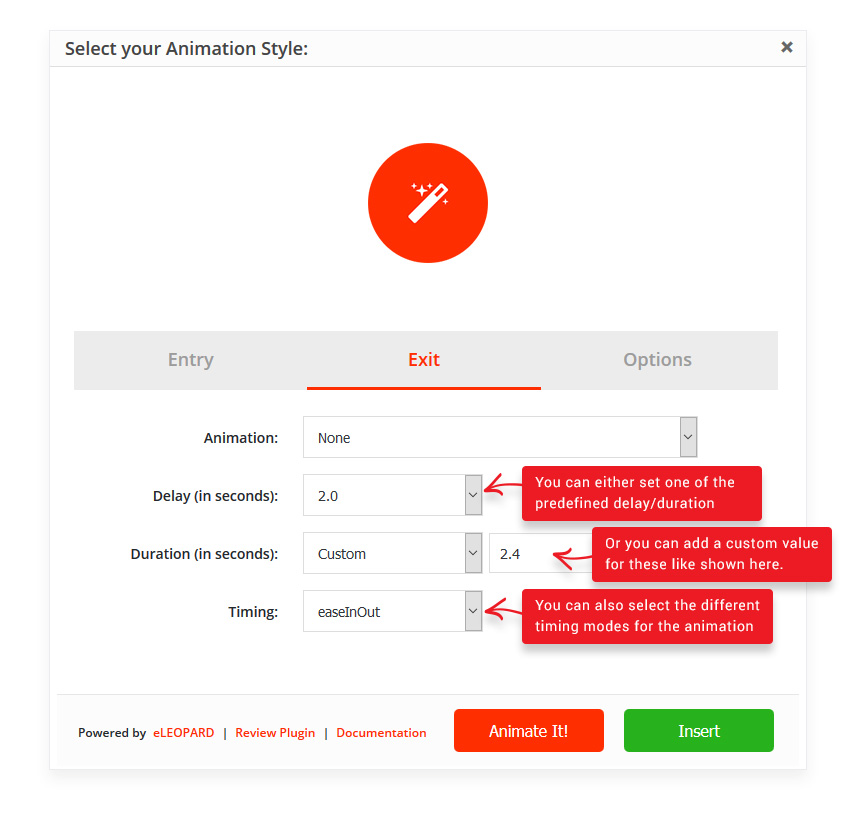
Entry Exit Animation - Select and configure the entry and exit animations.
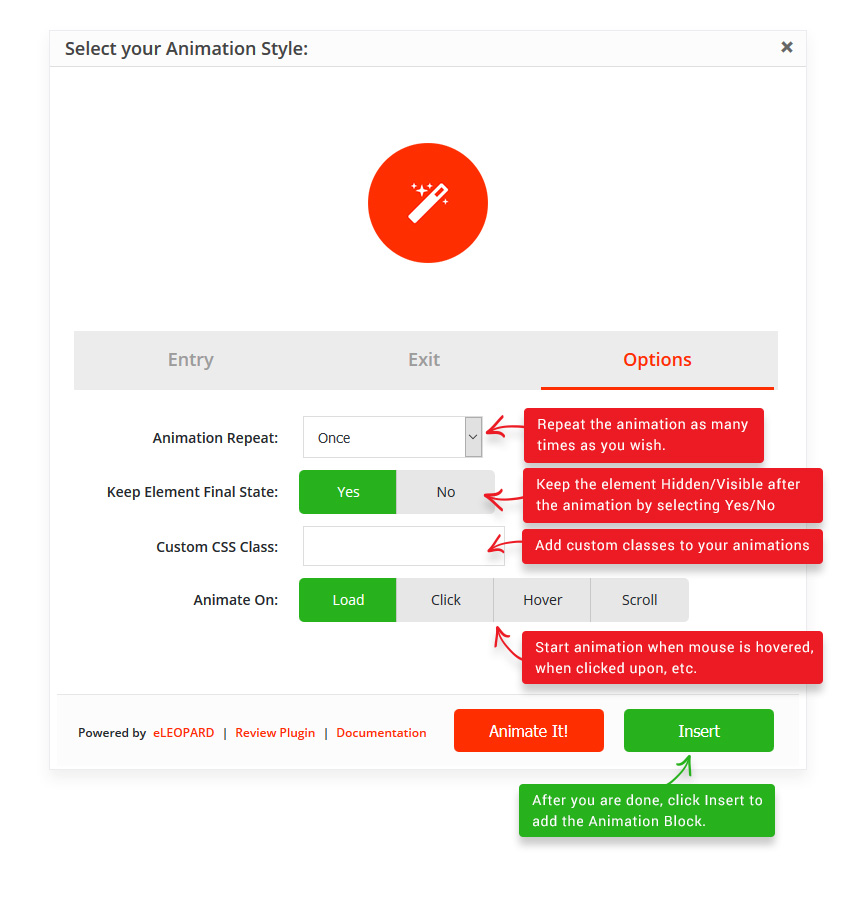
Other Options - Select other options like iteration count etc.
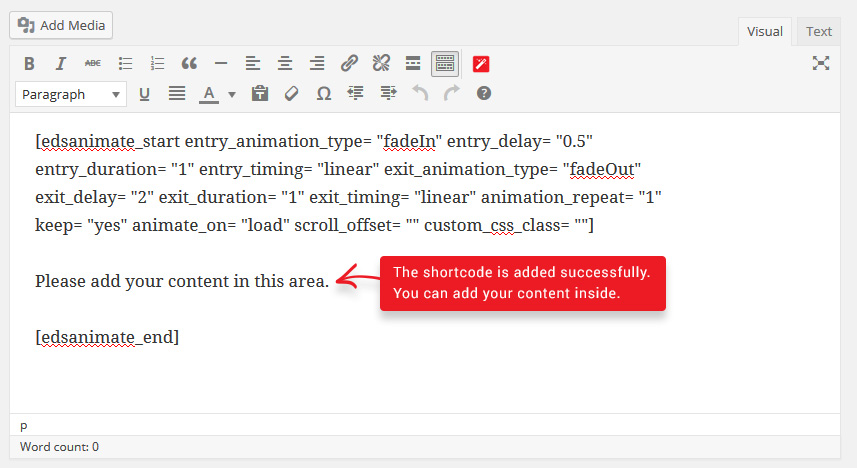
Update Dummy Content - Update the content of the block as per your requirement. You can copy and paste the same in Text Widget also.
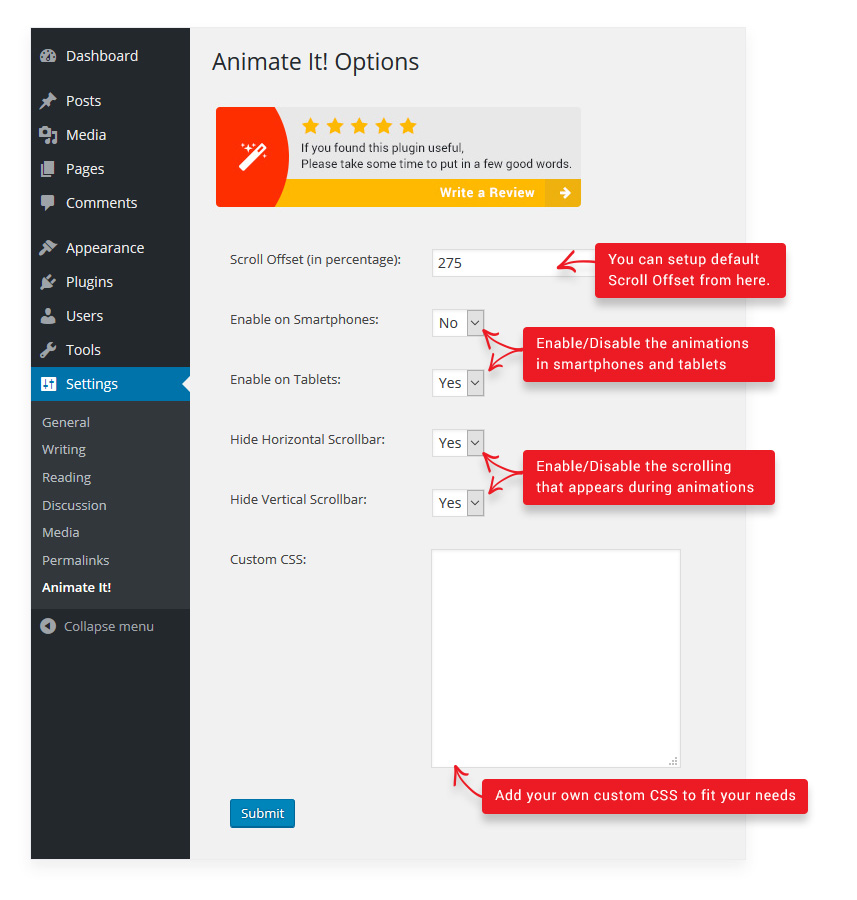
Settings - Options for Animate It! under Settings-> Animate It! menu in the admin area.
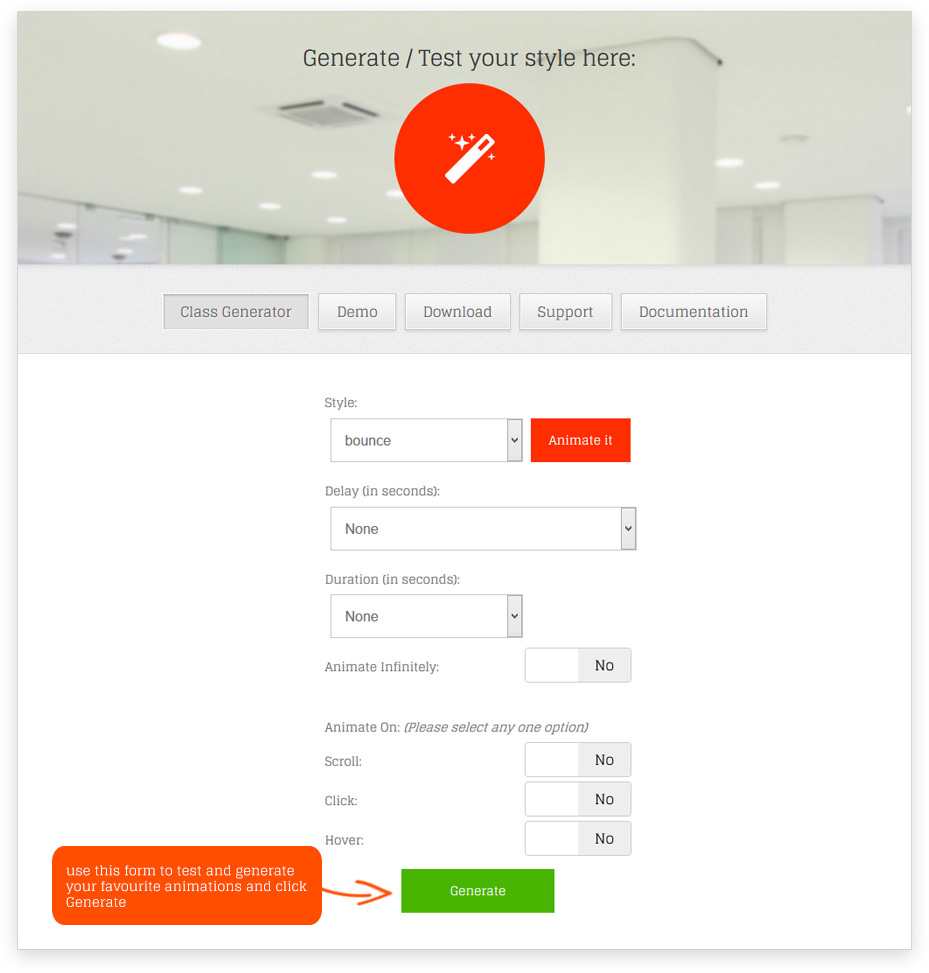
Class Generator - Class Generator to generate required Animation Classes for Widgets.
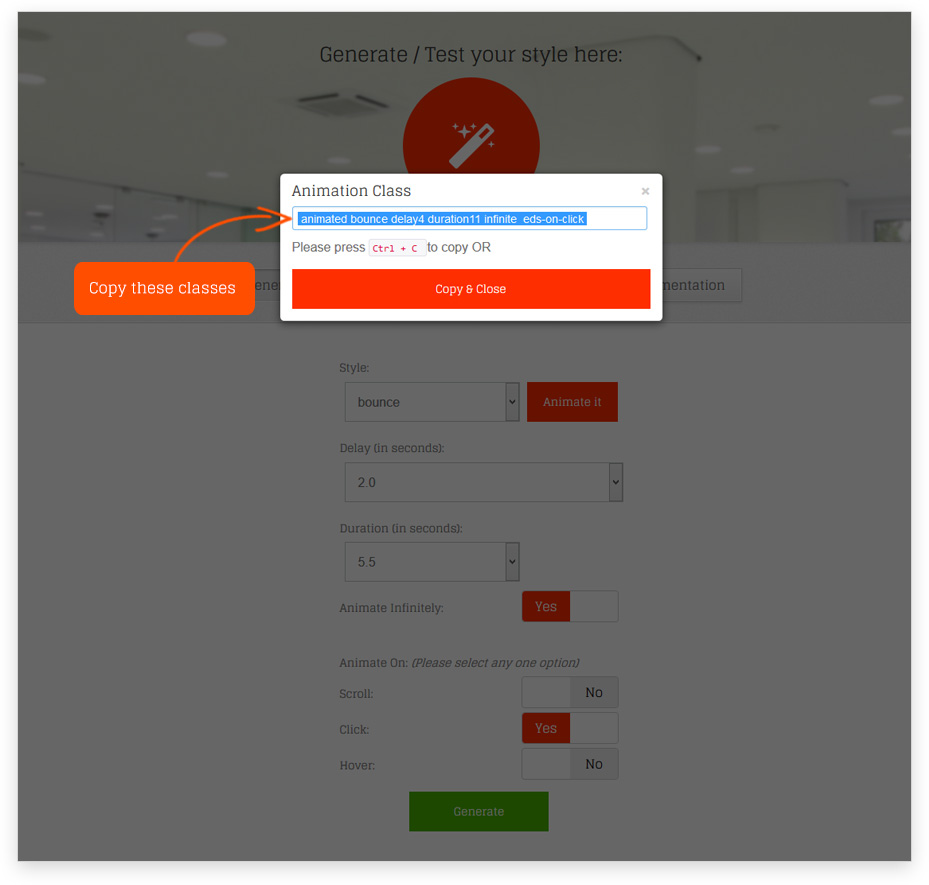
Copy Generated Classes - Copy the generated classes.

Apply on Widgets - Apply the copied classes by pasting it in the 'Animate It! Classes' text box under the widget settings.