
Archivist AI adds an AI search chatbot to your WordPress site that answers readers’ questions using only your own published articles. Readers ask in plain language — “What’s been written about food retail trends since January?” — and get a short answer with numbered citations and links back to the source articles.
It’s built for publishers, magazines, news sites, trade publications and content-heavy blogs: years of articles become searchable by meaning, not just keywords. No hallucinated facts — if your archive doesn’t cover a question, the chatbot says so.
For your readers:
- Anonymous — no account, no login, no signup wall
- Multi-turn chat with follow-up questions
- Every answer cites the original articles
For you:
- Five-minute setup: paste one OpenAI API key, click Index, done
- Embeddings stored in your own WordPress database — no external vector database, no extra services
- Cost estimate shown before indexing starts
- Daily spending cap and per-visitor rate limiting built in
- You pay OpenAI directly at list price — no markup, no middleman
- Only published, public posts are ever indexed
- Works with posts, pages and custom post types
- Floating chat bubble, or place the chat inline with a block or the
[archivist_ai]shortcode - Date-aware search: “last month”, “in 2024” and “since January” become real date filters
- Answers stream in word by word
Free and Pro
The free version is complete: it indexes your entire archive with no limit on the number of articles, includes the full cost and usage dashboard, the daily spending cap, rate limiting, and all placements.
Pro adds features for publishers who want more:
- Reader questions report — the most-asked questions, and the ones your archive could not answer (ideas for what to write next), with CSV export
- Custom fields and taxonomies in search — make ACF fields, custom fields, categories and tags searchable, e.g. a product’s price or an event’s venue and date
- Answer instructions — your own tone, language and house rules for every answer
- Full styling — background color, font and corner style
- Answer caching and subscriber-only mode
External services
This plugin connects to the OpenAI API (api.openai.com) to provide its core functionality. It is not usable without it.
What is sent and when:
- When you index your content (manually from the admin, or automatically when a post is published/updated), the text of your published, public posts is sent to OpenAI to generate embeddings.
- When a visitor asks a question in the chat, the question text (and the recent turns of that conversation) is sent to OpenAI to interpret the question and generate an answer based on your indexed articles.
- No personal data about visitors (names, emails, IP addresses, accounts) is sent to OpenAI. Drafts, private posts, and password-protected posts are never sent.
The site owner provides their own OpenAI API key and is billed by OpenAI directly. This service is provided by OpenAI: Terms of Use, Privacy Policy, API data usage policy.
This plugin also uses the Freemius SDK for licensing and (strictly opt-in) usage tracking. No data is sent to Freemius unless the site administrator explicitly opts in: Freemius Privacy Policy, Terms.
Screenshots
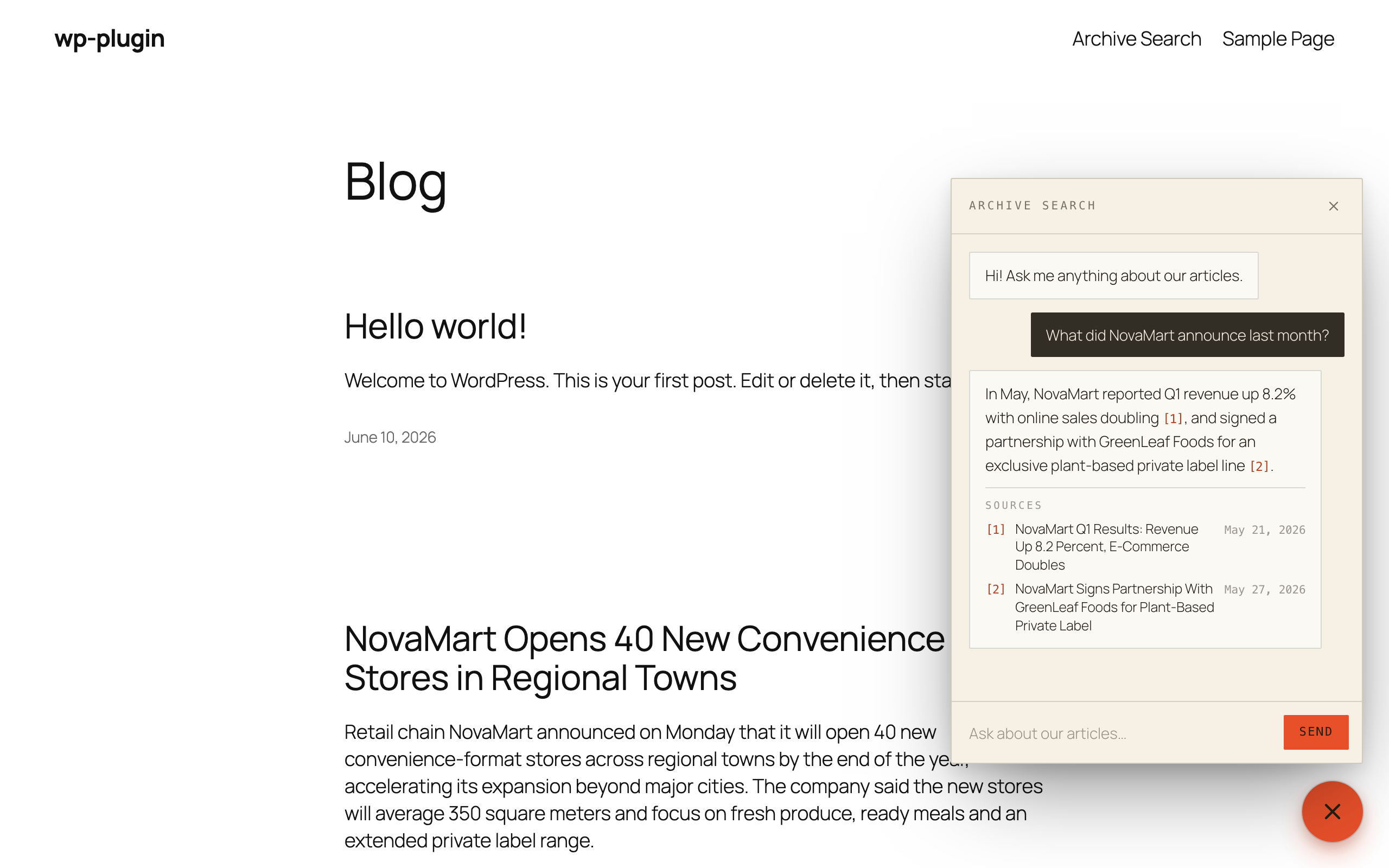
Readers ask in plain language and get an answer drawn only from your articles, with numbered citations and links to the sources.
![Place the chat inline on any page with the Archivist AI block or the [archivist_ai] shortcode.](https://ps.w.org/archivist-ai/assets/screenshot-2.png?rev=3748265)
Place the chat inline on any page with the Archivist AI block or the [archivist_ai] shortcode.
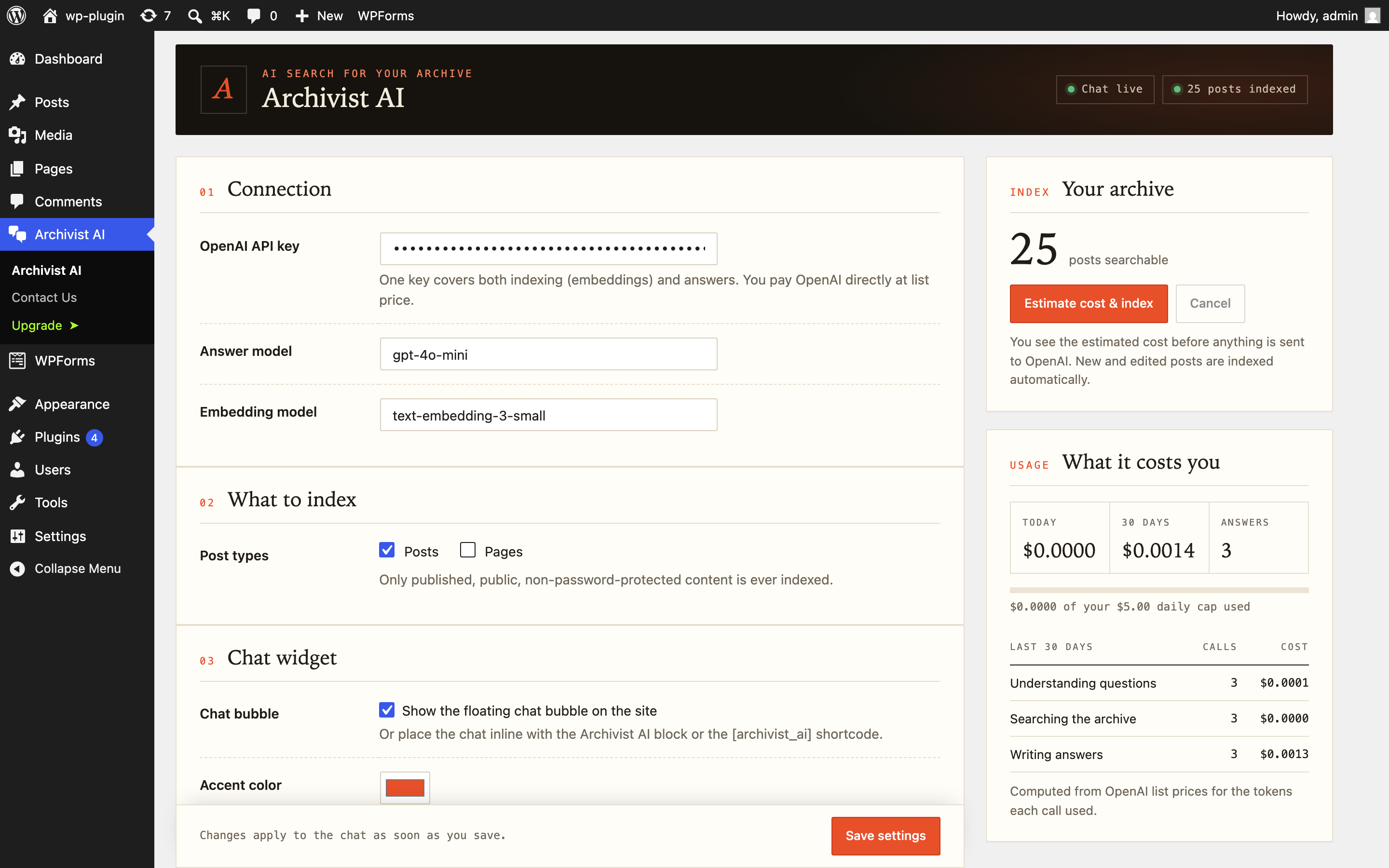
Settings, indexing status and a clear summary of what the AI costs you, computed from OpenAI list prices.
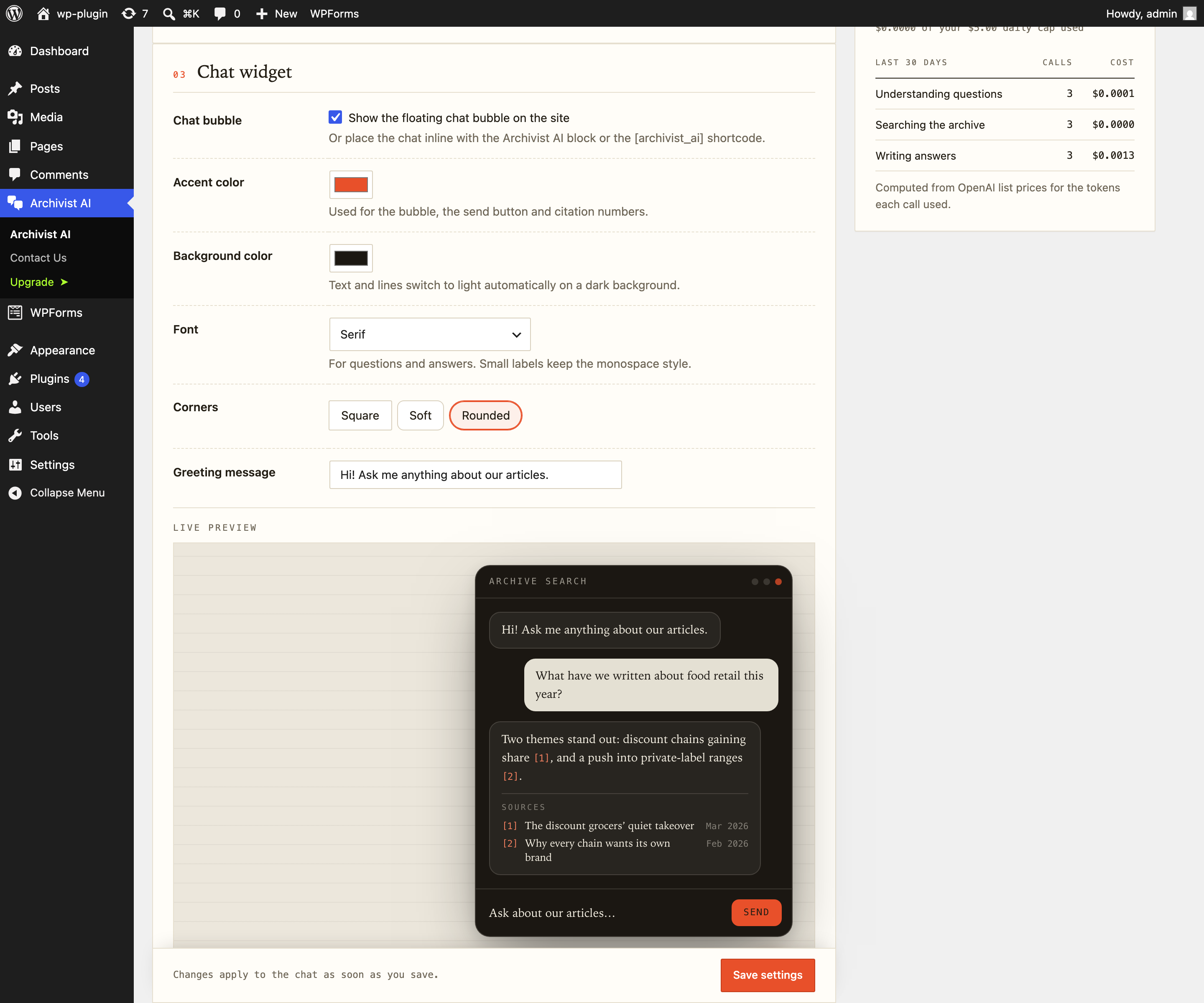
Make the chat match your site: accent and background colors, font and corner style, with a live preview.