
Ariadne keeps readers on your site longer by showing them the right post to read next. It matches posts by what they really share (tags, categories, title words and the text itself), not just by sitting in the same category.
The free version works on its own, on your own server. There’s no API key, no account and nothing to set up. Activate it, and related posts with thumbnails appear under your articles.
Why site owners use it
- More pages per visit, longer sessions. Readers who finish an article get a short list of related articles to read next, and Up next offers one more before they leave. Both help lower your bounce rate.
- Automatic internal links. Each suggestion is a normal link, so older articles keep getting found by readers and search engines.
- Fast on any host. Lists are worked out in the background when you save a post, never while a page loads. It works with full-page caching and busy sites.
- Clear about what it does. Each post’s edit screen shows its related list and the score behind each match.
Free features
- Auto-insert under your post content, with featured-image thumbnails.
- Or place the list yourself with the block, the
[ariadne_related]shortcode or a widget. Change the heading or count for one spot. - Smart matching on shared tags, shared categories, title words and full-text similarity. Change how much each one counts.
- Up next: a link to one more article that appears once a reader is about 60% through a post. It’s a slim bar on phones and a small card on desktop. Choose its size, colors (including a frosted glass style) and the details it shows. It gives readers one more post to read before they leave. It is a real link that search engines can follow, and it never shifts the page.
- A Dashboard, a Settings screen and a Post Status screen, with light and dark modes.
- Choose which user role can view the reports.
- Works with any theme. Turn off the plugin’s own styles if you want to style it yourself with WordPress’s Additional CSS.
How matching works
Each post gets a score against every other post from four local signals:
- Shared tags: a capped, diminishing-returns overlap score.
- Shared categories: the same capped-overlap formula, separate from tags.
- Title overlap: Jaccard similarity of title words, with common words removed.
- Text similarity: BM25 scoring of each post’s body text, computed and cached on your own server.
Background jobs keep every list up to date in small batches. They carry on by themselves without waiting for site traffic, so a large site finishes its first pass promptly even when it’s quiet.
Pro & Pro+
Pro adds AI matching with Voyage AI embeddings, which understands what a post is about rather than only the words it shares. It’s blended with the free text signal using Reciprocal Rank Fusion. Pro also adds related products for WooCommerce and other post types, full style control with a card style picker, manual pin and exclude, Cornerstone Posts, choosing the exact paragraph the block appears after, and a live preview that scores an unsaved draft.
Pro+ adds related-post boxes placed naturally inside the article body, settings export and import, and WP-CLI. See the in-plugin pricing page for the full list.
Docs and support
- Plugin homepage: uwawp.com/ariadne
- Docs and guides: uwawp.com/docs
External services
This plugin’s own scoring and matching (tags, categories, title overlap, local BM25 text matching) runs entirely locally — no data leaves your site for that. It uses the Freemius SDK for licensing, and two optional pieces load an external resource, under the conditions below:
Freemius (licensing) — this plugin uses the Freemius SDK to manage plugin updates and Pro/Pro+ license activation. It contacts the Freemius API (api.freemius.com) to check your license status and deliver updates; on activation, Freemius shows its own opt-in screen asking permission before any anonymous, non-personal diagnostic data (e.g. site URL, plugin/WordPress/PHP versions) is shared — this is optional and declining it does not affect the plugin’s functionality. See Freemius’s Privacy Policy: https://freemius.com/privacy/ and Terms of Service: https://freemius.com/terms/
Google Fonts (Pro/Pro+ only) — this plugin’s own Dashboard, Settings, and Post Status admin screens use your system’s font — nothing is requested from Google for those. Separately, if a Pro/Pro+ license is active and a site owner selects one of the curated Google Fonts for the related-posts card styling (Customizer), that one font family is requested from Google’s font CDN (fonts.googleapis.com) on your site’s frontend. No data beyond the standard browser request (e.g. IP address, user agent) is sent to Google. See Google’s Privacy Policy: https://policies.google.com/privacy and Google Fonts’ own privacy FAQ: https://developers.google.com/fonts/faq/privacy
Voyage AI (Pro/Pro+ only) — if a Pro/Pro+ license is active and a site owner has entered their own Voyage AI API key, this plugin sends each post’s title and body text to the Voyage AI API (https://voyageai.com) once, when that post is saved and its content has changed, to compute a semantic-embedding vector used for the AI-matching signal. This is entirely opt-in (no key = no calls) and uses the site owner’s own account and key, not a shared or plugin-provided one. See Voyage AI’s Terms of Service: https://www.voyageai.com/tos and Privacy Policy: https://www.voyageai.com/privacy
Screenshots
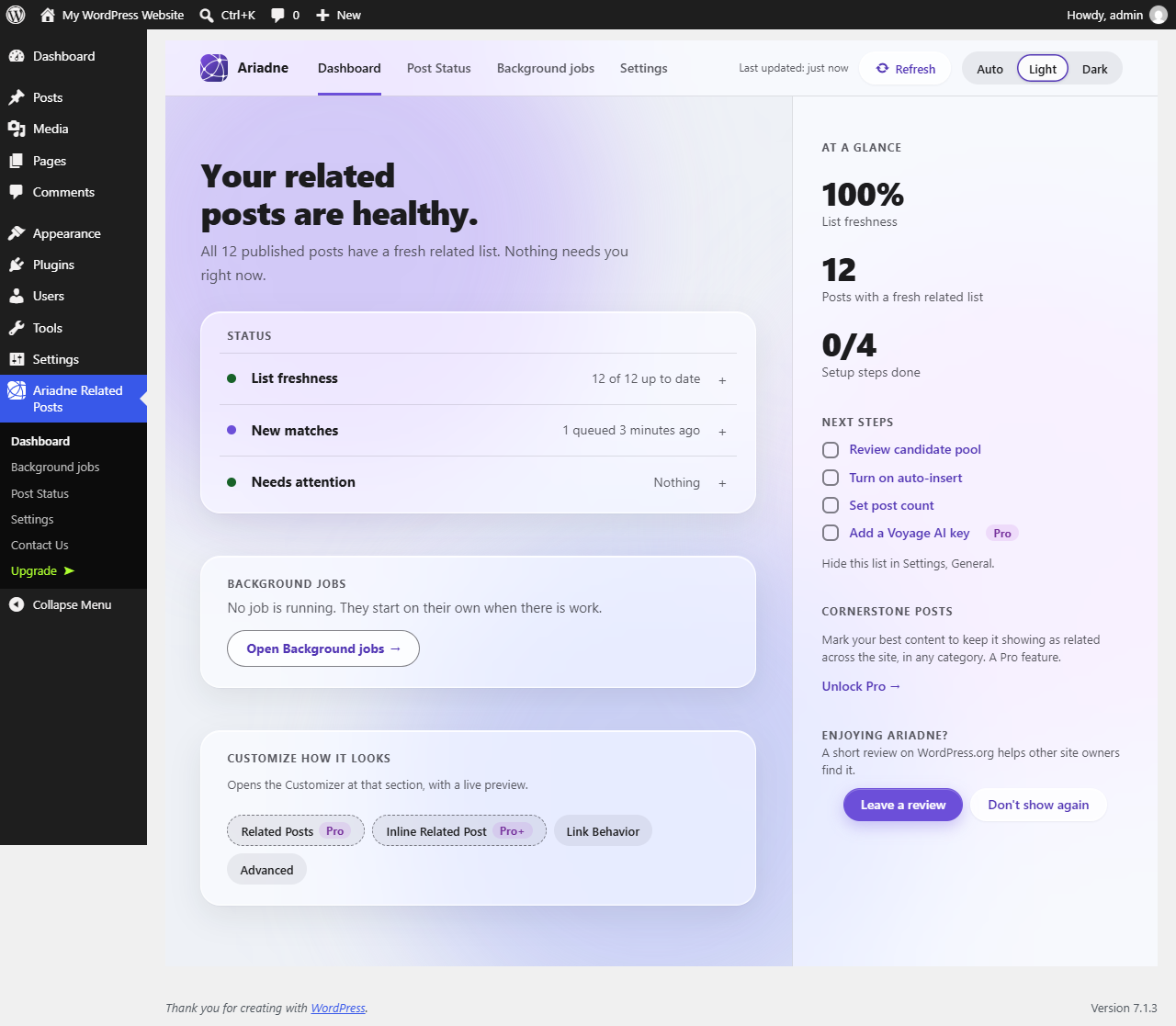
Dashboard: getting-started steps, system health and background job progress at a glance.
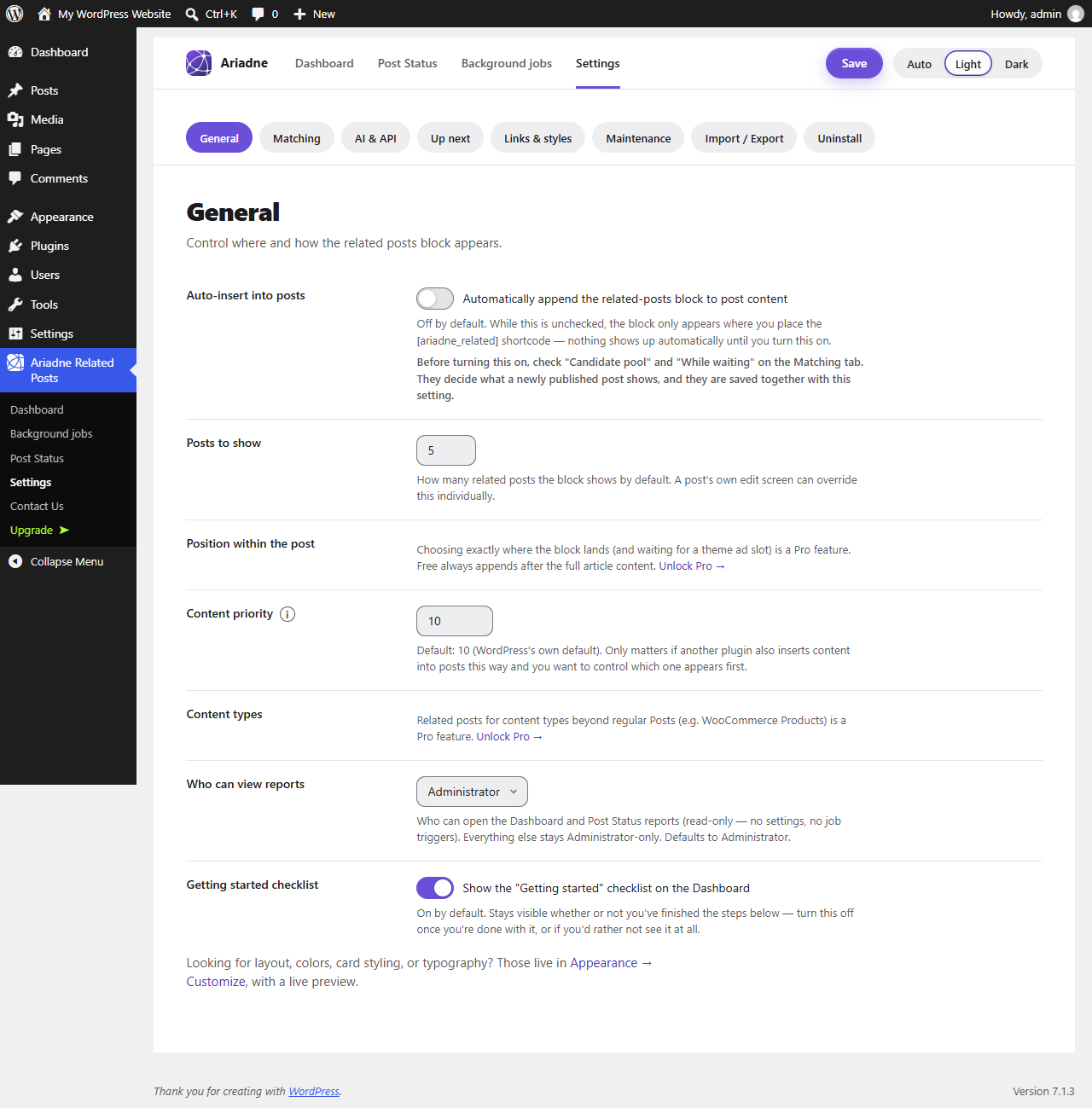
Settings, General tab: auto-insert, how many posts to show, and reporting access.
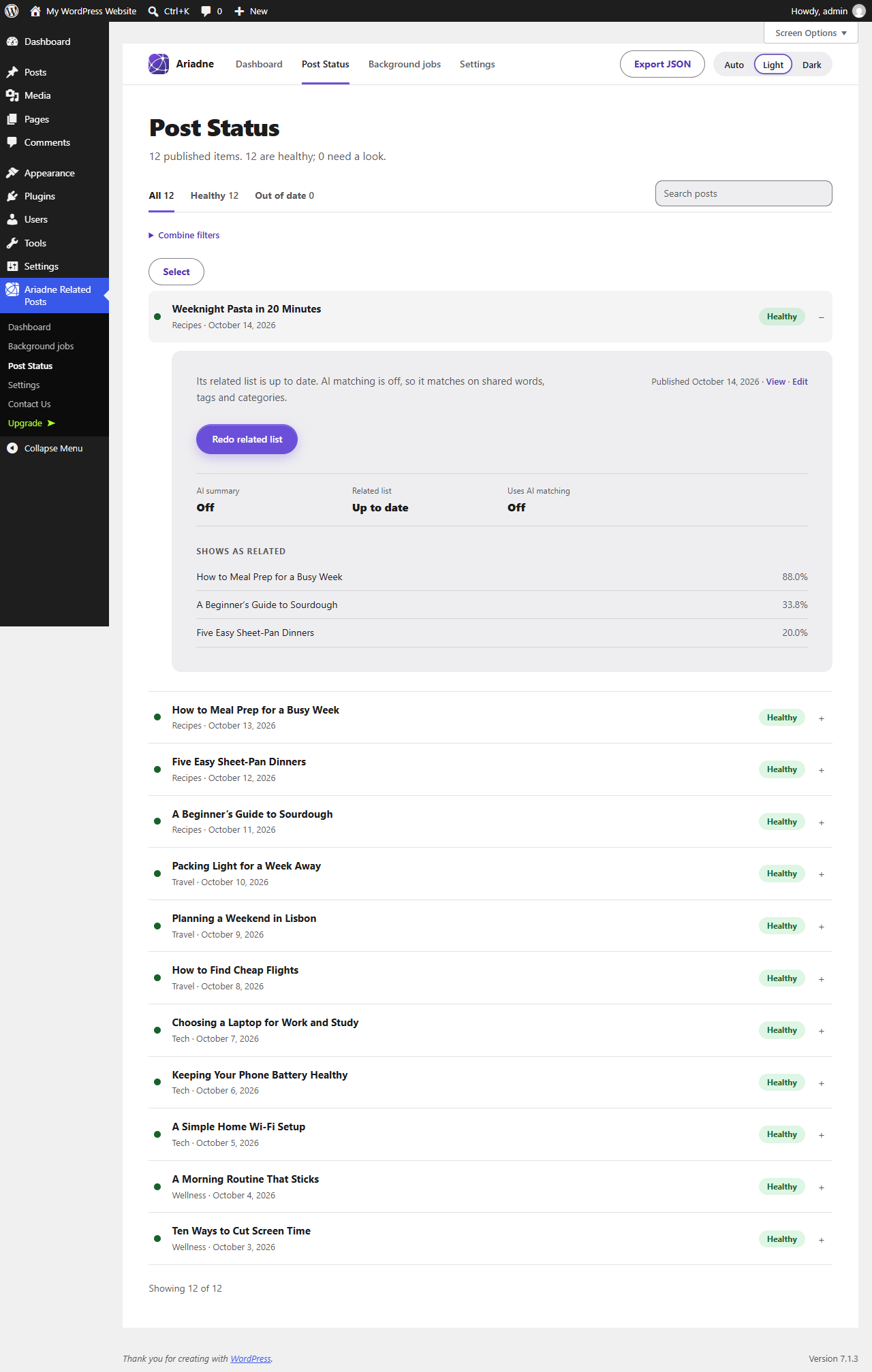
Post Status: the matching status of every published post, with quick filters.

The list on the front end, with thumbnails, added under the article content automatically.