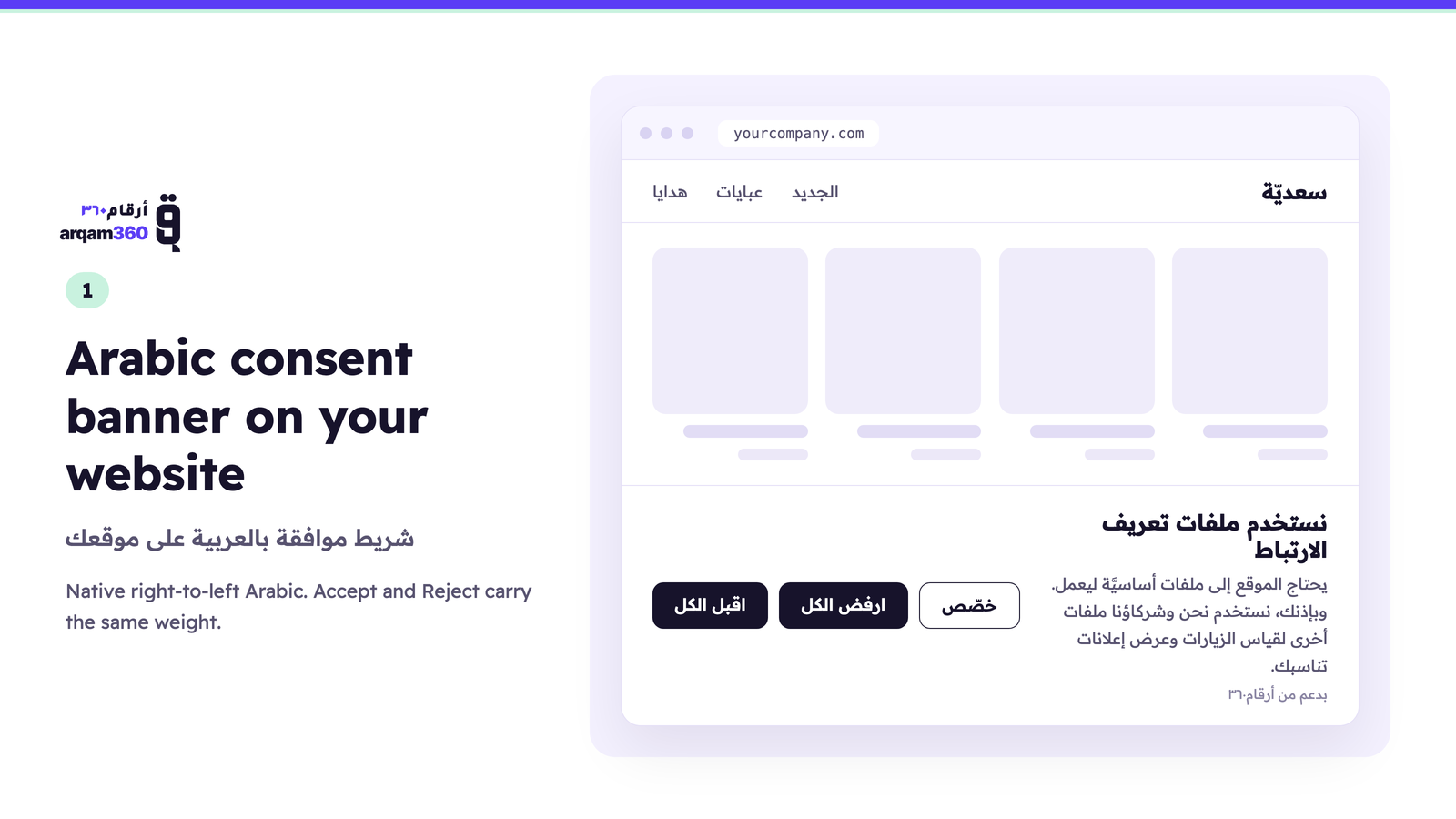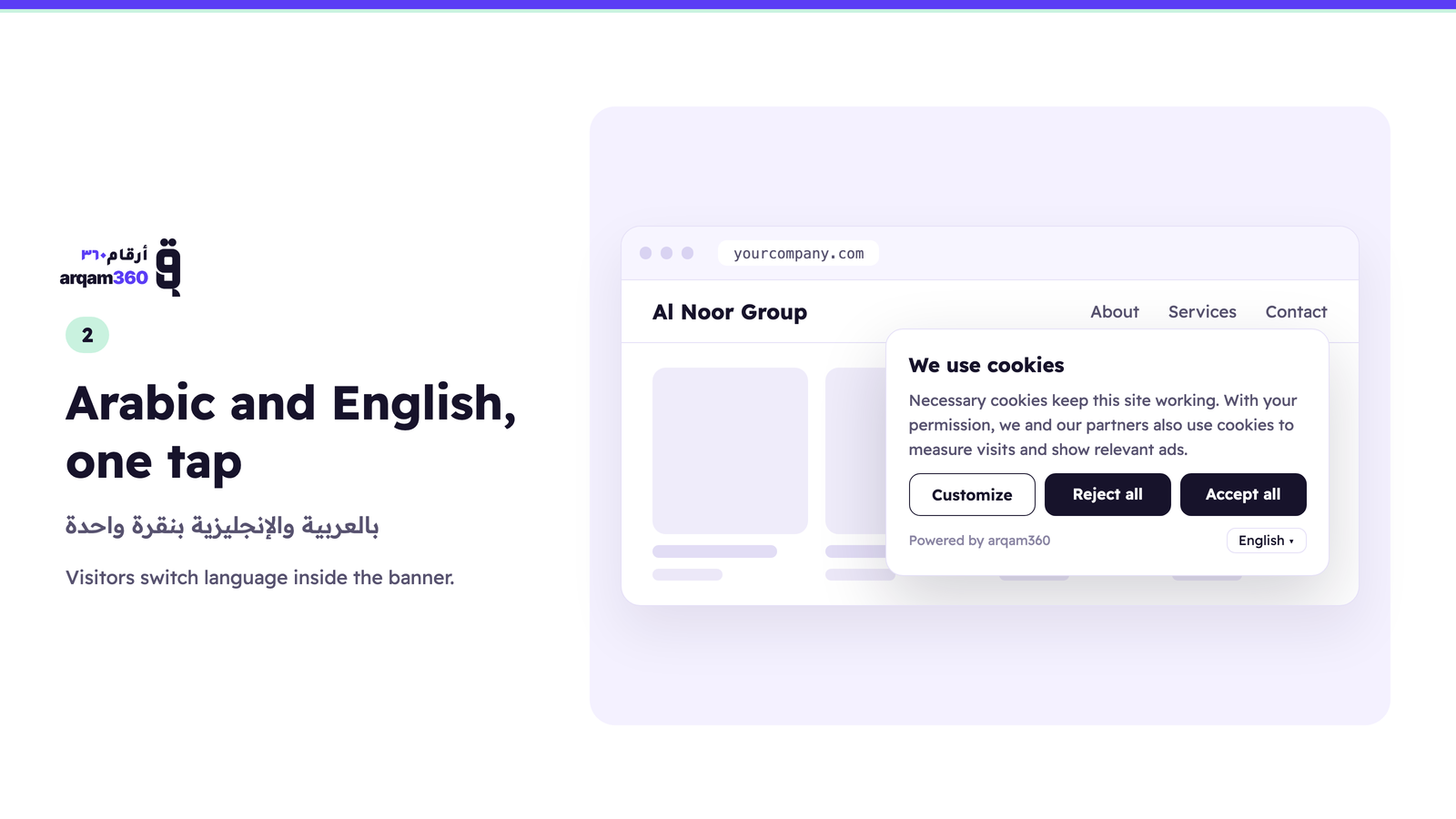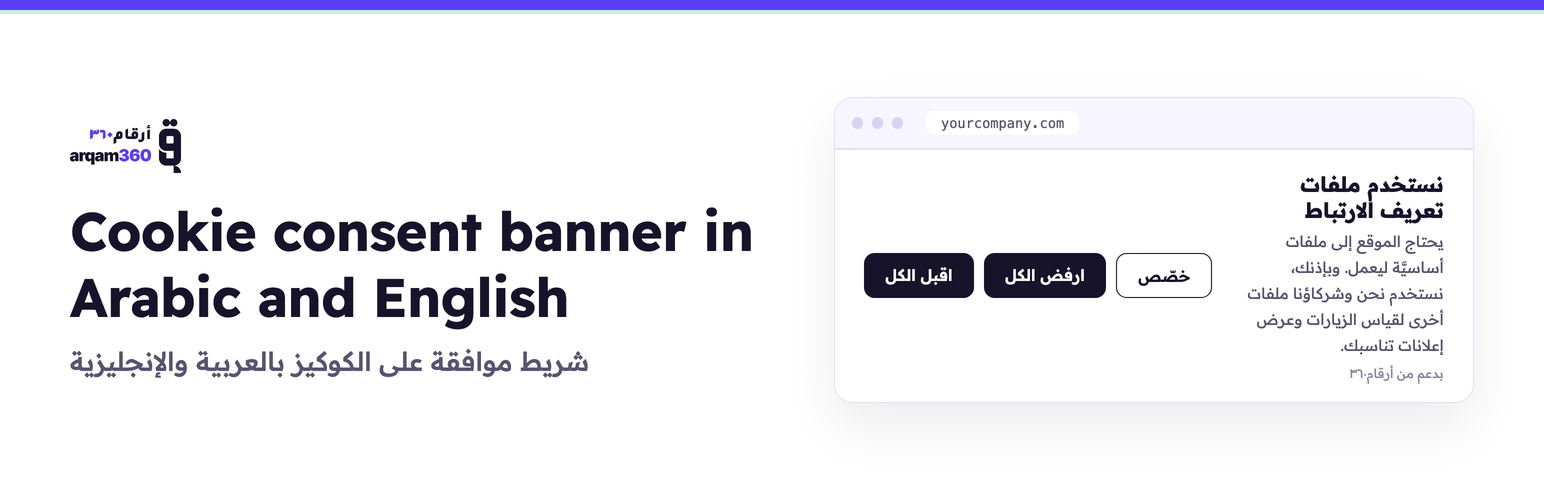
Arqam360 adds a cookie consent banner to your WordPress site in native Arabic, right to left, and in English. Visitors choose which cookies to allow before analytics and advertising cookies are used, and every choice is saved with its date and time, so you can show it whenever you are asked. Built for company websites in Saudi Arabia, the UAE and Morocco, and for WooCommerce stores too.
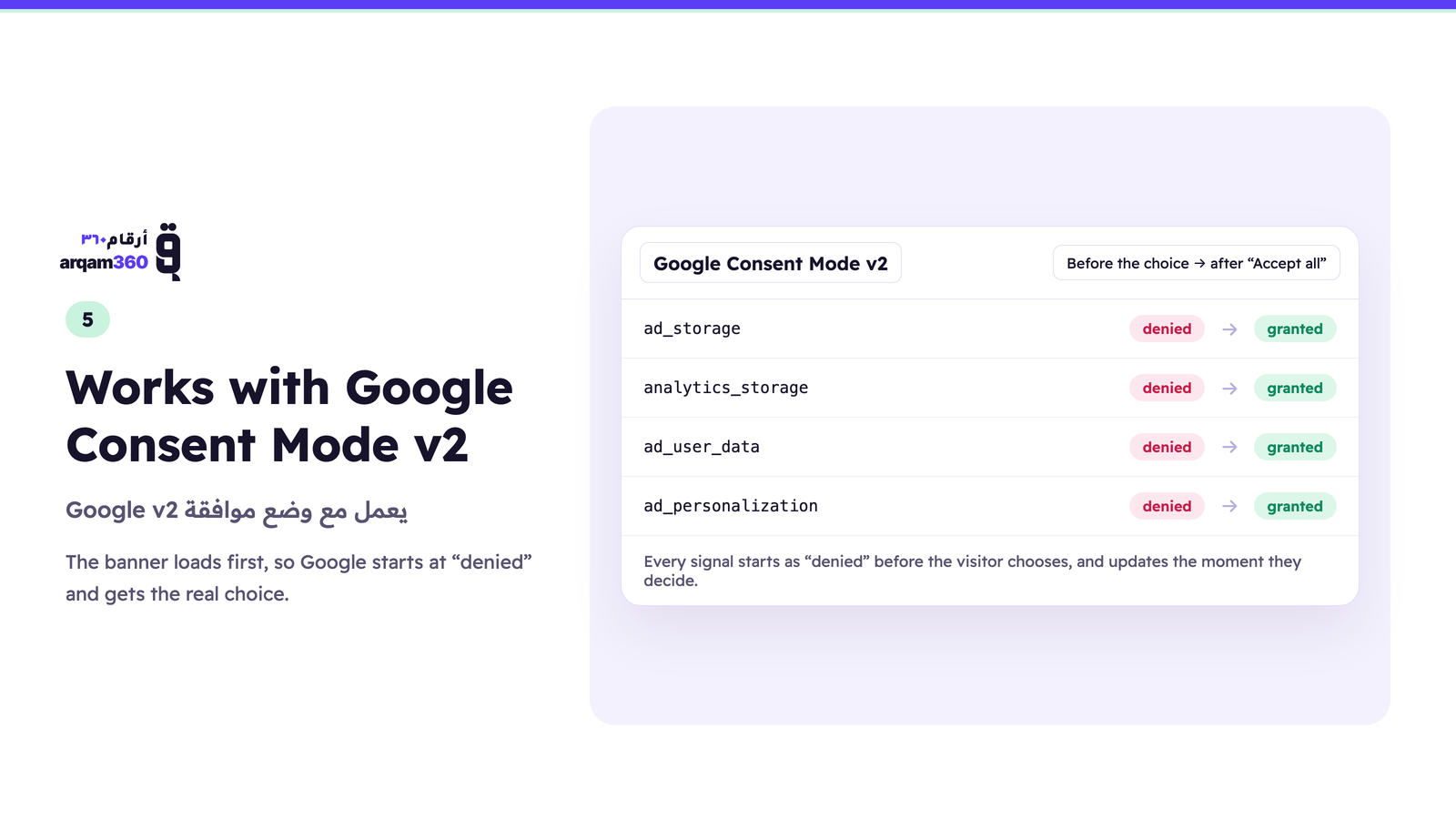
The banner loads first in the page <head>, so Google Consent Mode v2 starts as “denied” and Google receives the visitor’s real choice the moment they decide. The settings stay one click away, so consent can be withdrawn at any time.
بالعربية: يضيف أرقام٣٦٠ إلى موقعك على ووردبريس شريط موافقة على ملفات تعريف الارتباط (الكوكيز) بالعربية من اليمين إلى اليسار وبالإنجليزية. يختار الزائر قبل استخدام ملفات التحليلات والإعلانات، ويُحفظ كل اختيار بتاريخه ووقته. مكتوب وفق نظام حماية البيانات الشخصية السعودي، وقانون حماية البيانات الإماراتي، وGDPR، ويعمل مع وضع موافقة Google v2. الباقة المجانية بلا بطاقة ائتمان وبلا مدة محددة.
The free plan covers one domain and 10,000 page views a month, with no time limit and no credit card: the Arabic and English banner, Saudi PDPL, UAE PDPA and GDPR rules, Google Consent Mode v2, Global Privacy Control, a bilingual cookie declaration and a consent log you can export.
Pro ($29.99/month) adds the full cookie scanner, a data-request portal, blocking of scripts that ignore Consent Mode until the visitor agrees, and server-side forwarding of consented events to Meta Conversions API, GA4, server-side Google Tag Manager, TikTok, Snap, LinkedIn and others.
Managed is for businesses that want it done for them: our team installs the banner, sets up Consent Mode, checks that your Google and Meta setup respects the visitor’s choice, and looks after it every month, for $299 one-off plus $99.99/month per domain.
Want a free 20-minute check of your site with our privacy expert? Book a free check.
Features
- Arabic and English — native right-to-left Arabic, pinned or following the visitor’s language
- Google Consent Mode v2 — denied by default in
<head>, updated on the visitor’s choice - Saudi PDPL, UAE PDPA and GDPR — with optional detection of the visitor’s regime by country
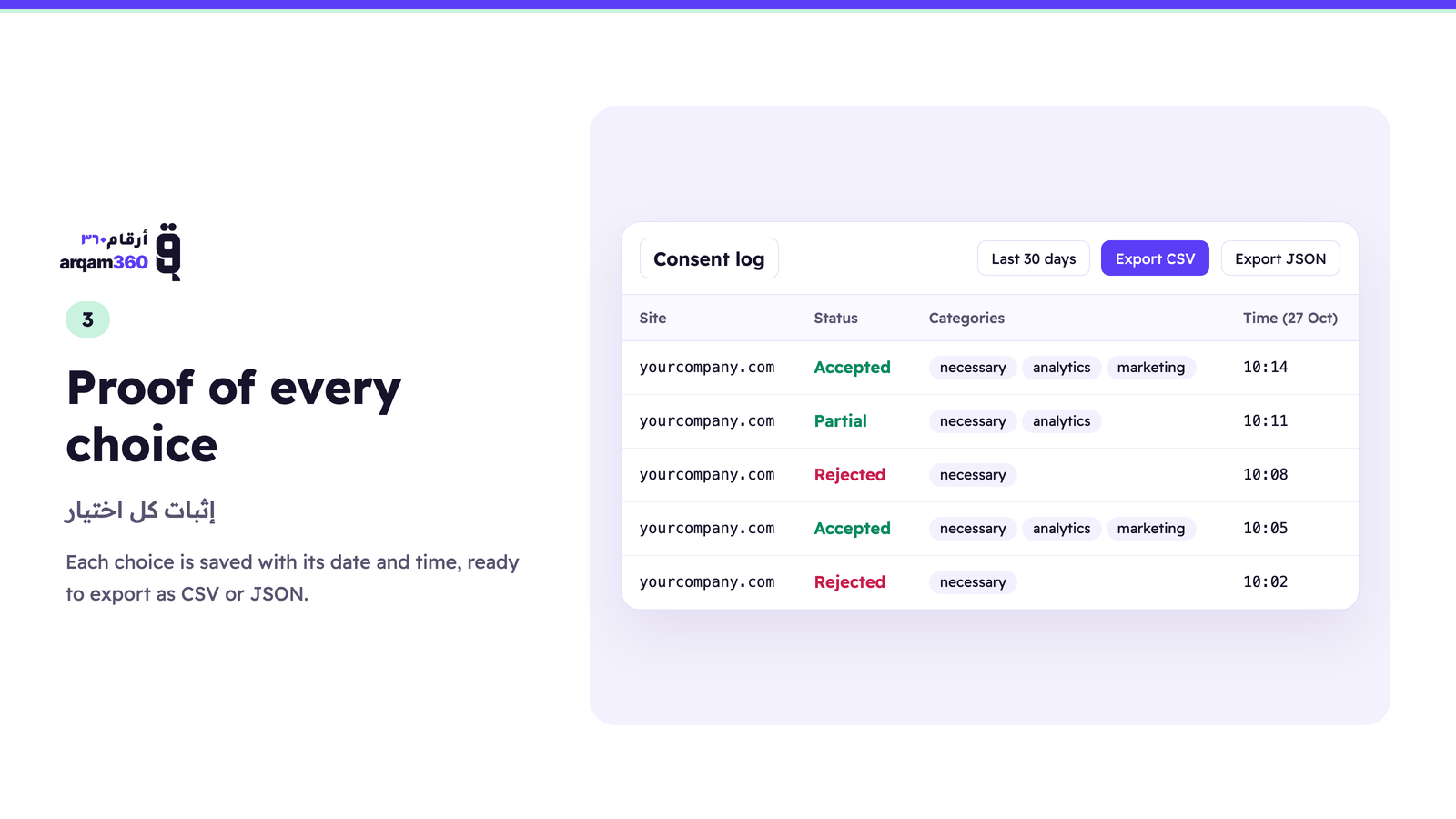
- Consent log — every decision stored with its date, time and categories, exportable as CSV
- Bilingual cookie declaration — every cookie described in English and Arabic
- 124-pattern cookie classifier — 37 of the patterns cover services common in this region, so the scanner can sort local cookies into the right category
- Script and request blocking — optional, holds scripts that ignore Consent Mode until the visitor agrees
- Global Privacy Control — honoured as an opt-out signal
- WP Consent API — passes the visitor’s choice to plugins that read it, such as Google Site Kit’s Consent Mode, WooCommerce and WP Statistics
- Cookie scanner, data-request portal and server-side events — on Pro
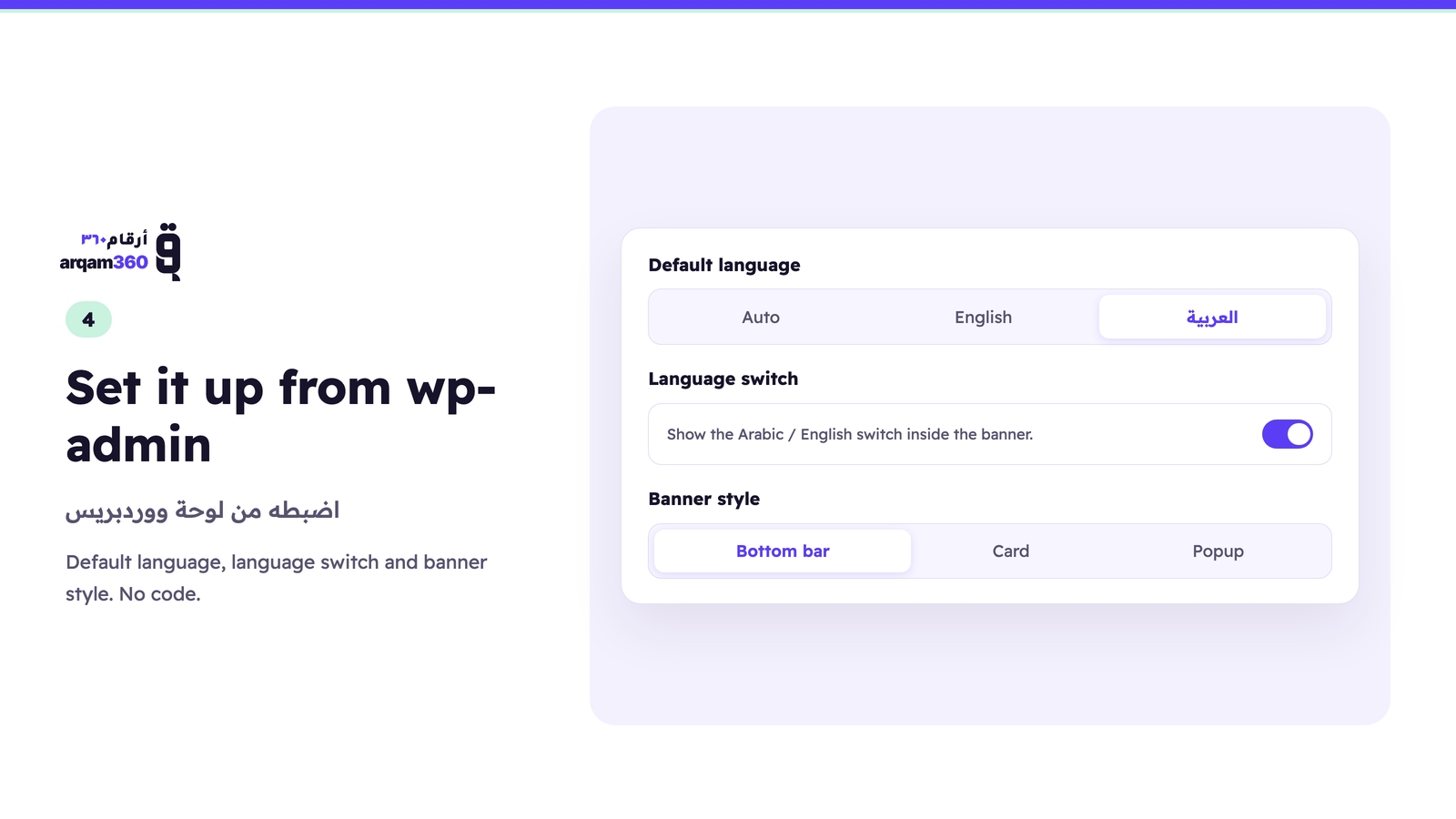
- Dashboard inside wp-admin — opens your Arqam360 dashboard without leaving WordPress
Works on any WordPress site, with or without WooCommerce.
Tag manager placement
The plugin loads its script in the document <head>, before any other script
WordPress prints, so the Google Consent Mode v2 “denied” default is set before
your tags read it.
There is one case it cannot control. If your Google Tag Manager or GA4 snippet
is pasted directly into your theme’s header.php above the wp_head()
call, that snippet runs before anything WordPress outputs, including this
plugin — and it will read no consent state.
Two ways to be sure:
- Move the GTM snippet below
wp_head()in your theme, or - Install GTM through this plugin’s container guidance instead of hardcoding it.
If you manage tags entirely inside a GTM container loaded via a plugin or
wp_head, no action is needed.
Content Security Policy
Most sites have no CSP and need nothing here. If yours sends one — directly, or
through a security plugin — the widget needs three allowances, and it fails
silently without them: the browser blocks the script and no banner appears,
which looks like the plugin is broken rather than like a policy is doing its job.
script-src https://cdn.arqam360.com— the banner script itself.connect-src https://api.arqam360.com— fetching your widget configuration
and recording consent decisions.style-src 'unsafe-inline'— the banner builds its stylesheet at runtime so
it can carry your colours and position. If your policy cannot allow inline
styles, tell us and we will work through the alternatives with you rather
than have you weaken the policy site-wide.
The widget contacts no other host. It loads no external fonts and no
third-party resources.
If you embed the Arqam360 dashboard inside wp-admin, that page additionally
needs frame-src https://app.arqam360.com. That applies only to the wp-admin
screen, never to your public pages.
Credentials
The plugin uses two credentials from your Arqam360 dashboard, in the same way
Stripe uses a publishable key and a secret key:
- Widget Key (
ciq_live_...) — public. It appears in your page source and
loads the consent banner. This is by design; it authorizes the banner and
nothing else. - Site Token (
ciq_sk_live_...) — secret. It opens your Arqam360 dashboard
inside wp-admin and is never written to your pages. It is shown once, when
you create it.
The two are not interchangeable and the settings page will refuse a credential
pasted into the wrong field.
External Services
This plugin connects to the Arqam360 service to function:
-
Arqam360 CDN (cdn.arqam360.com) — The consent banner JavaScript is loaded from Arqam360’s CDN. This script renders the cookie consent banner on your site and handles consent collection. No personal visitor data is sent to the CDN; it only serves the static JavaScript file.
-
Arqam360 API (api.arqam360.com) — When a Widget Key is configured, the plugin fetches your widget configuration (colors, text, position, compliance settings) from the Arqam360 API. Consent records are also sent to this API for storage and analytics. Your Widget Key authenticates these requests. If a Site Token is also configured, it is used only to open the dashboard inside wp-admin, and is sent from your server to api.arqam360.com over HTTPS — never to a visitor’s browser.
A free Arqam360 account is required (free forever for the consent banner, no credit card). Sign up at arqam360.com.
For agencies and developers
If you build WordPress or WooCommerce sites for clients, Arqam360 runs a partner
programme. Your client subscribes to Arqam360 directly and you earn 20% of what
they actually pay, for 12 months from their first paid invoice.
You install nothing extra and support nothing — we handle the consent side. A
client who stays on the free plan earns you nothing, so this is worth it where
you are already recommending a paid tool.
Terms, including how referrals are attributed and how payouts work:
https://arqam360.com/partners
Screenshots