Let WooCommerce customers cancel eligible orders and change their shipping address before fulfilment starts, within an editing window you control. Choose instant cancellation or require store approval. Address changes apply immediately only when the shipping zone and tax rates stay the same; other destinations can be sent to the store as a request.
In instant mode, when a customer cancels, the order is cancelled immediately and the plugin asks the payment gateway for a full refund when that gateway supports WooCommerce refunds. If an automatic refund is unavailable or fails, the cancellation still completes safely, the customer sees an honest message, and the merchant receives an actionable notice for manual reconciliation. In approval mode, submitting a cancellation creates a merchant request and leaves the order unchanged until the store approves it.
What customers can do
- Cancel an eligible order from My Account or a signed guest link.
- Change the shipping address and phone when the new destination keeps the same shipping zone and tax rates.
- Send a request instead when an address would cross a shipping zone or change tax rates.
- Update the order note and merchant-approved personalisation fields.
- See exactly when the editing window closes.
What merchants control
- Set the editing-window duration.
- Choose instant, approval-required, or off separately for cancellation, address changes, and notes.
- Let guests change their order from a secure email link, or keep that off.
- Decide whether downloads and admin editing remain available during the window.
- Review an audit note for every customer action.
Privacy and security
The plugin contains zero telemetry and makes no external requests of its own. Refunds use the payment gateway already configured in WooCommerce. Customer actions require a nonce and ownership check; merchant actions require WooCommerce capabilities. Guest links are signed, rate-limited, and expire with the editing window.
Shipping compatibility
The editing window keeps orders out of Processing until it closes. That gates shipping integrations that trigger on Processing or use a configurable status filter, while integrations that pull every order through the REST API need merchant-side verification.
- WooCommerce Shipping: verified by code and controlled integration. The label screen warns while the window is open; a successful label purchase closes it.
- ShipStation: verified by code and controlled integration. Orders stay out of the default XML and REST exports until the window closes. Do not add the custom editing-window status to ShipStation’s export statuses.
- Packlink PRO: verified by code and controlled integration. Its shipment draft starts when the order reaches Processing after the window closes.
- Sendcloud: not guaranteed and not verified. Verify in the Sendcloud panel which order statuses it imports.
- Shipmondo: not guaranteed and not verified. Verify in the Shipmondo panel which order statuses it imports.
Compatibility
- WordPress 6.9 or newer.
- WooCommerce 10.8 or newer.
- HPOS and both block and classic checkout.
- Translation-ready: translations arrive as language packs from translate.wordpress.org.
Product changes and contextual upsells are part of the Pro edition’s scope. Free covers the actions described here.
On the web
Source code
The uncompiled source of the scripts in assets/build/ ships with the plugin in frontend/src/; to build them again, run npm ci and npm run build in the plugin folder with Node.js 20 or newer.
Screenshots

An order in My Account on a phone: the customer sees until when it can be edited and can cancel it.
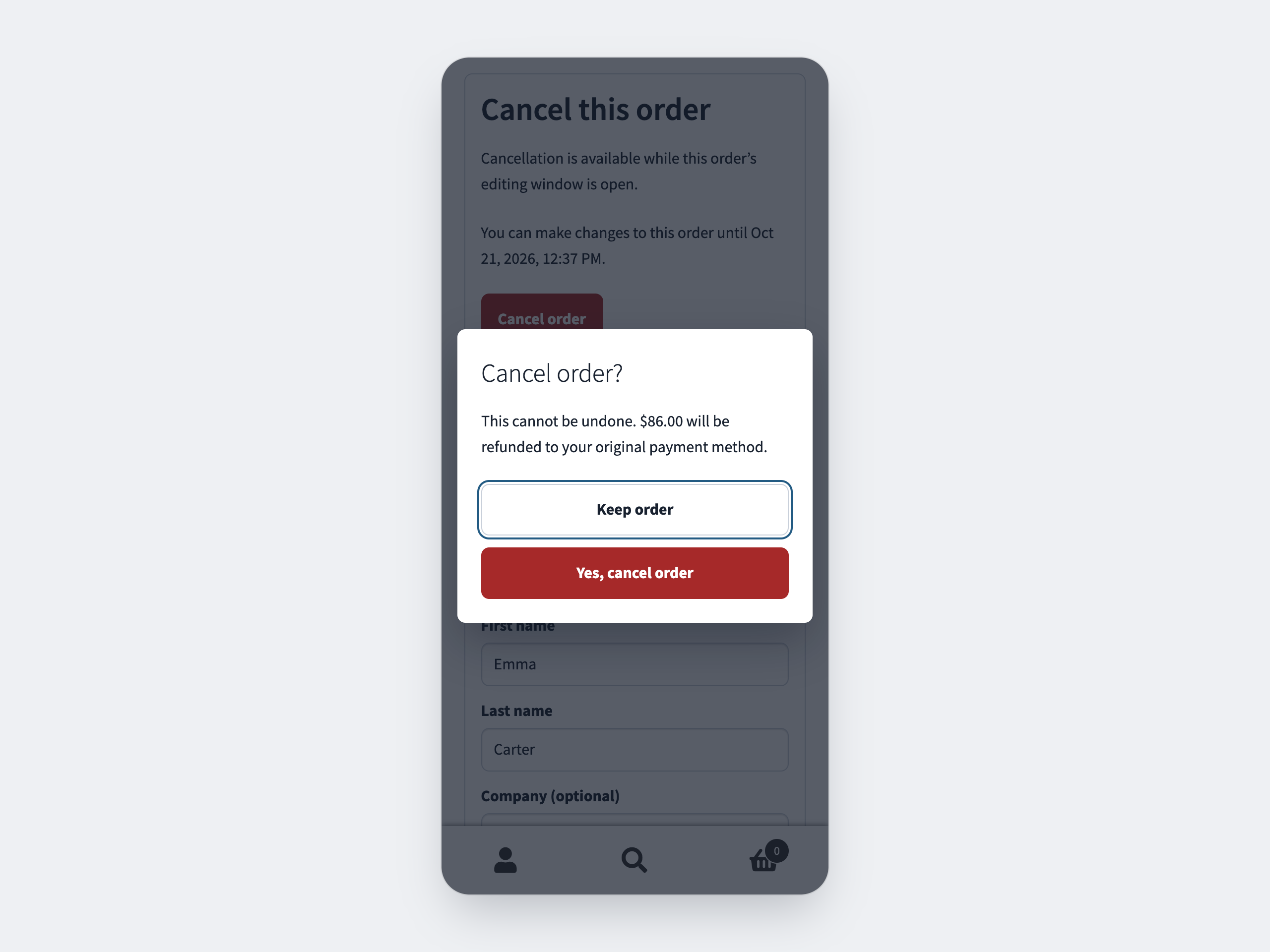
Cancellation confirmation: the customer confirms before the order is cancelled.

Automatic refund: the order is cancelled and its payment refunded, with no action from the merchant.
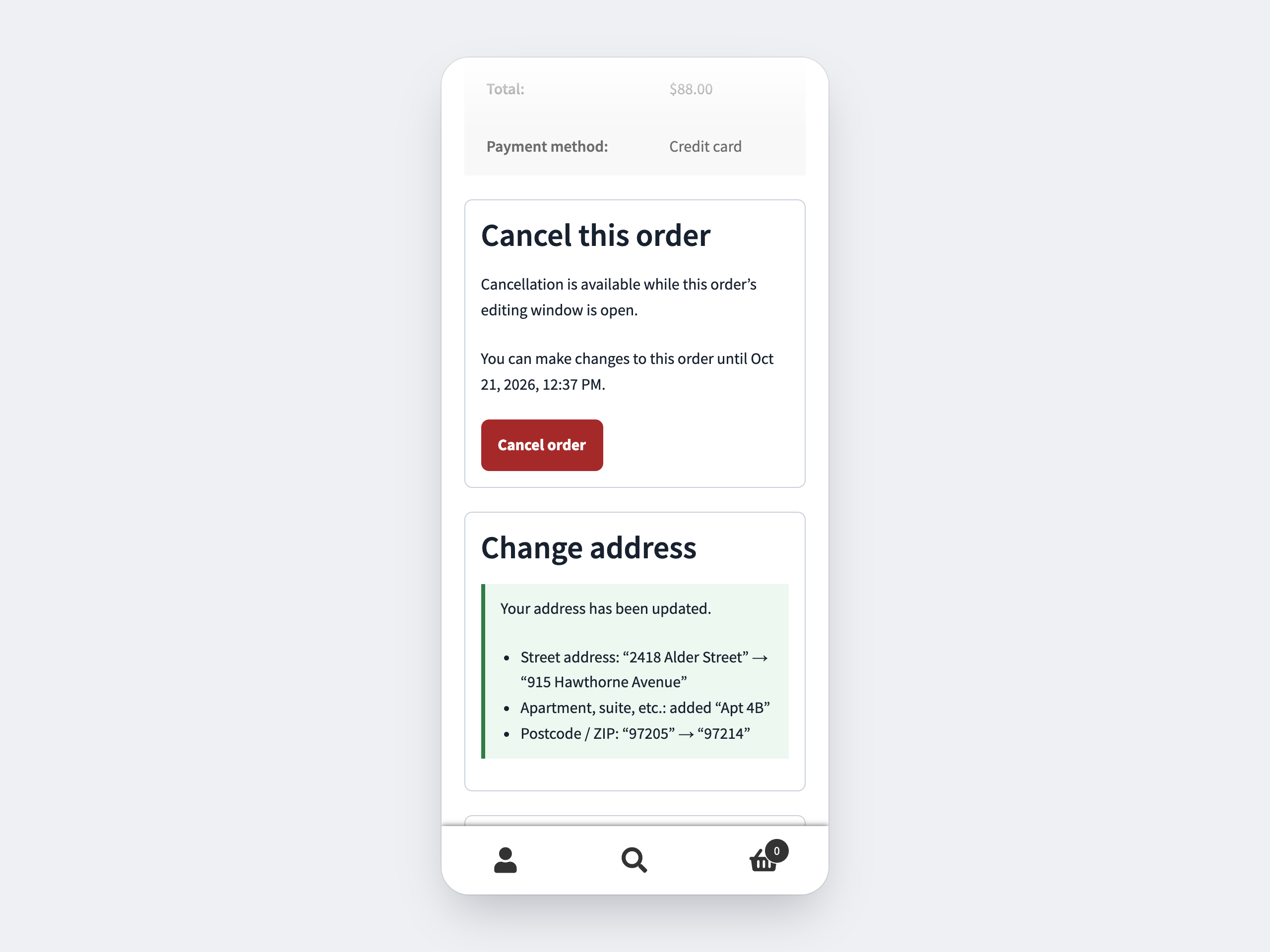
Address change: a new address in the same shipping zone is applied instantly and listed field by field.

Guest access: the signed link from the order email opens the same actions without an account.

Customer email: a summary of the changes with the final shipping address.
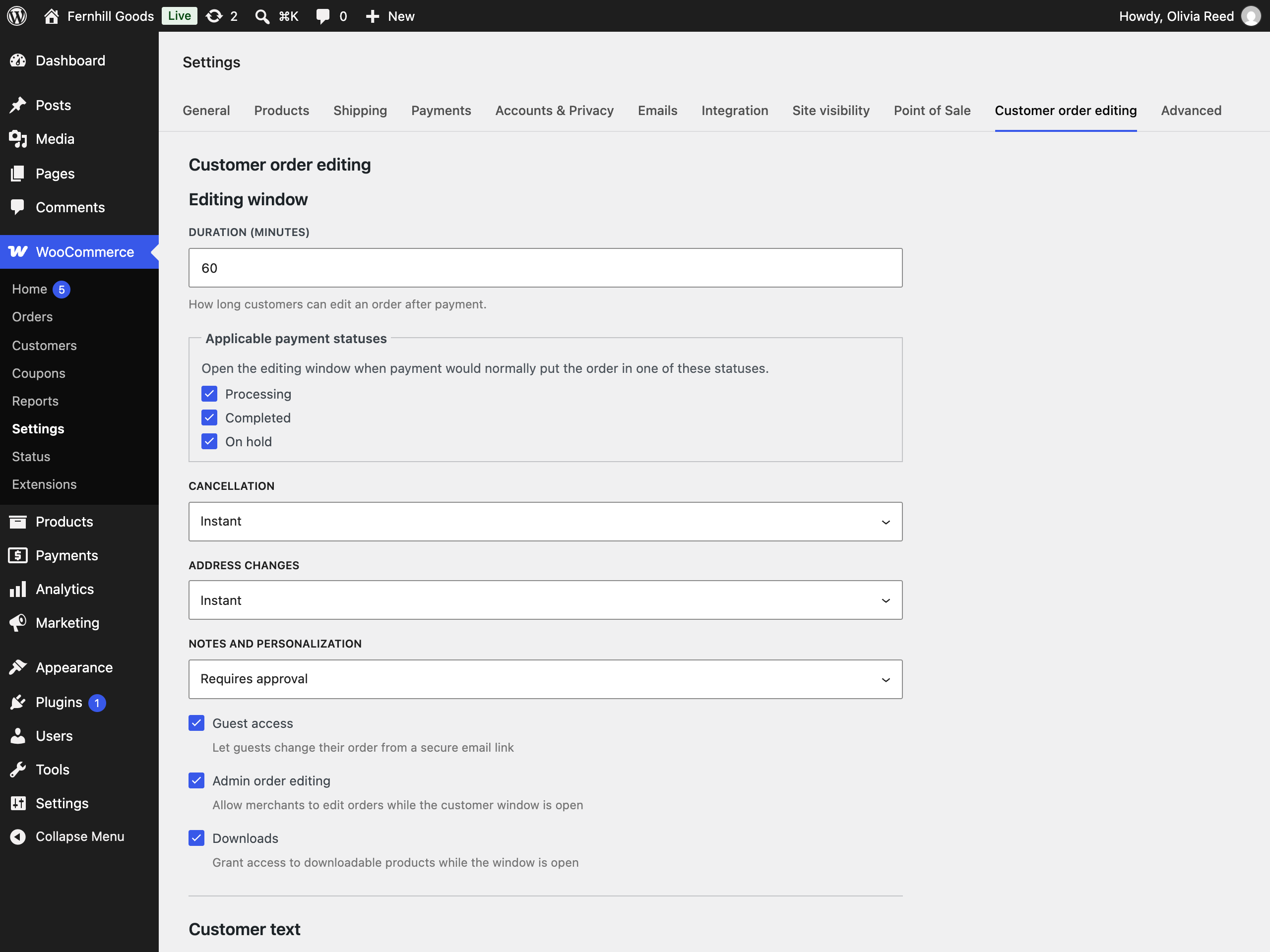
Merchant settings: the editing-window duration and a separate mode for cancellation, address changes, and notes.
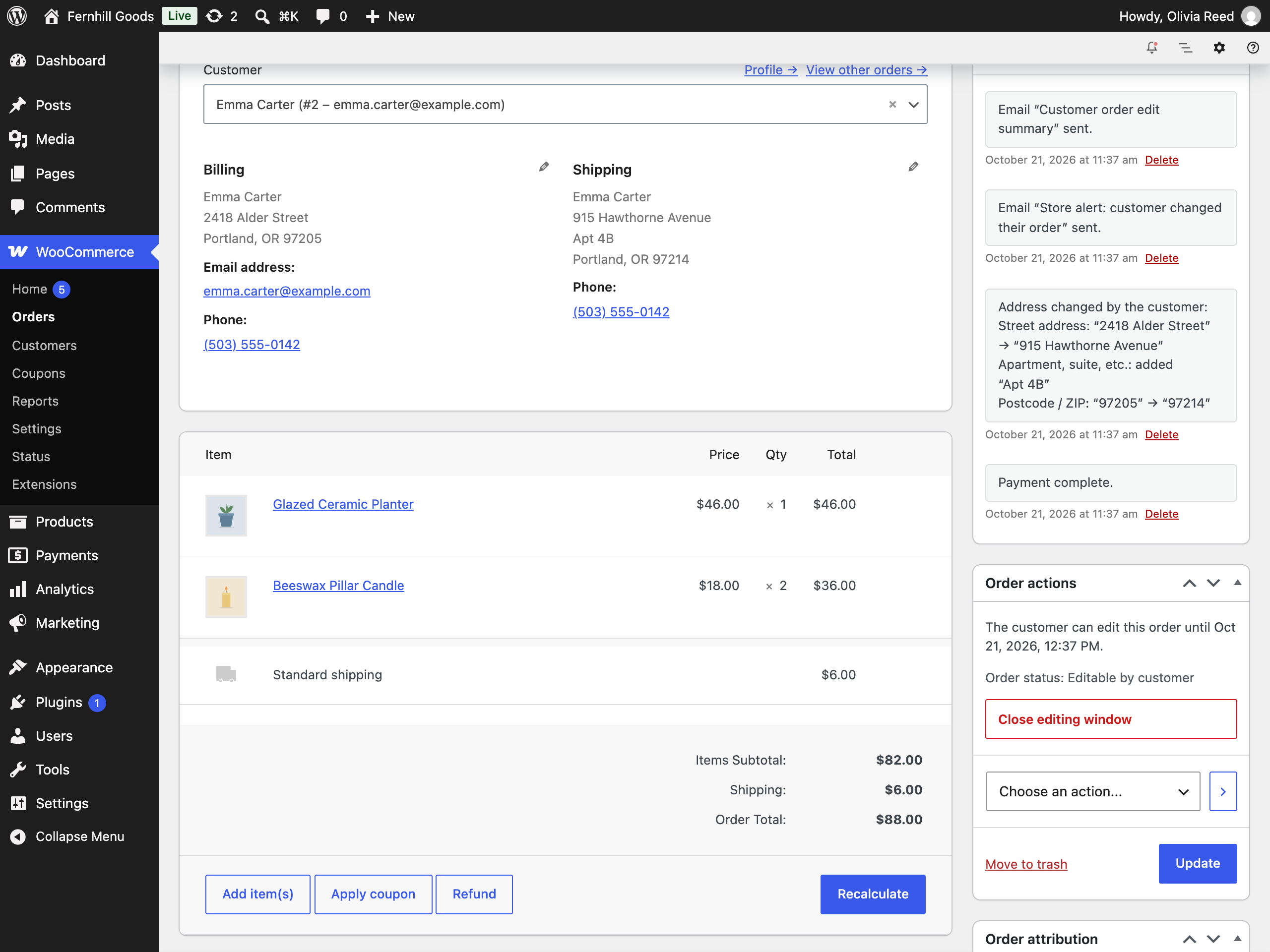
Order screen: the editing-window panel next to the notes that record what the customer changed.