
WordPress revisions are all or nothing. If someone deleted a paragraph last week and the post has been edited ten times since, “Restore This Revision” brings the paragraph back but throws away the ten edits. The usual workaround is copying text out of the revisions screen by hand, which loses the block’s formatting and settings.
Axle Block Restore works inside the block editor and restores single blocks, with all their settings.
Restore one block to an earlier version
- Select the block and open its menu (⋮).
- Choose Restore from a revision…
- Pick a revision. You see the versions of that block in it, best match first.
- Click Replace current block, or Insert below it to compare them side by side.
Bring back a deleted block
- Open the editor’s main menu (⋮ at the top right).
- Choose Restore blocks from a revision.
- Pick a revision. Its blocks are labelled Not in the post now, Changed since or Same as now.
- Click Restore it here to put a deleted block back where it was.
Find text you deleted
Can’t remember which revision had the sentence you need? Type a few words into “Find text in old revisions”. Every block that contained them is listed, with how many revisions it appears in. Click one to jump to it.
Every restore is a normal edit: press Ctrl+Z (⌘Z on a Mac) to undo it, and nothing is saved until you update the post.
- “Show changes” highlights the words that differ between the block now and its old version.
- Previews show each block as it looked in that revision.
- Each revision shows who saved it and how many blocks differ from now. Autosaves are labelled, and the window opens on the newest revision that actually differs.
- Works with any block, including blocks from other plugins, and with every post type that has revisions.
- Revisions are loaded without rendering them on the server, so posts with many revisions open quickly.
No settings and nothing stored in the database.
Free and open source under the GPL. No pro version, no upsells, no ads in wp-admin, no tracking. And it stays that way.
Part of Axle by AryanX, a family of plugins for running WordPress sites safely.
Try it before you install. try.axlewp.com/axle-block-restore opens a private WordPress in your browser with this plugin and some demo content.
Part of Axle, a family of free plugins for running WordPress sites safely.
Screenshots
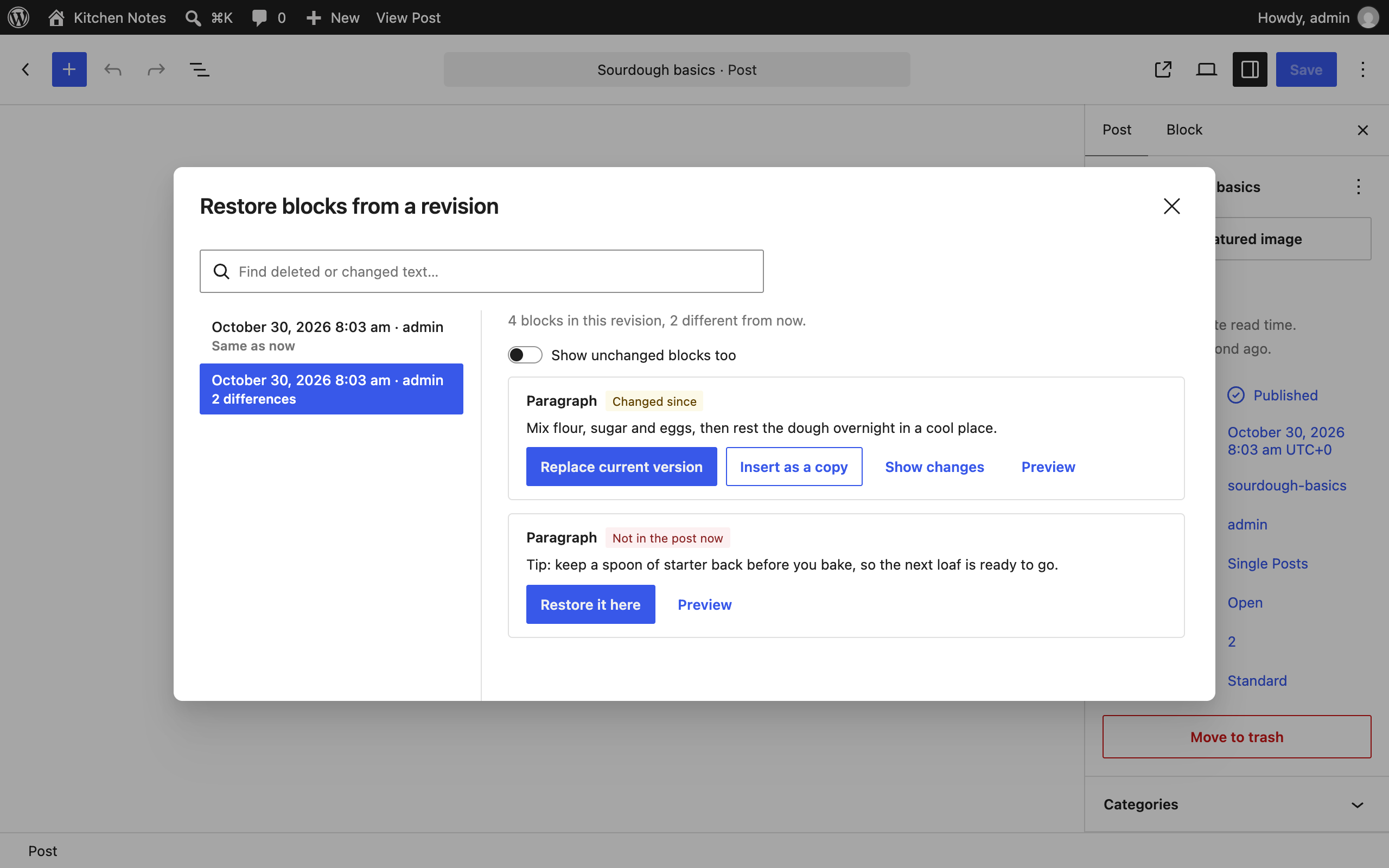
Restoring a deleted paragraph from a revision.

Picking an earlier version of one block, with its changes highlighted.
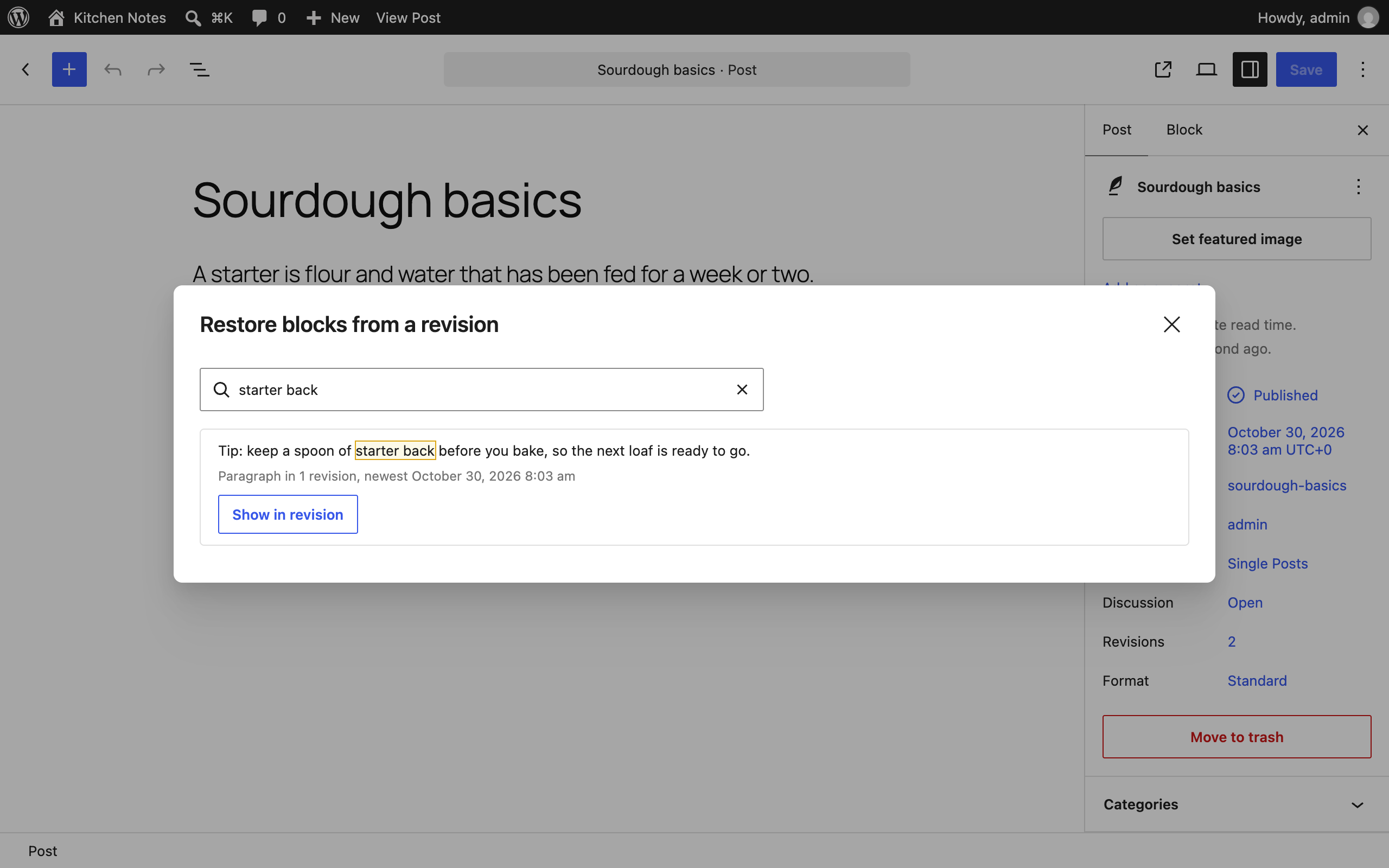
Finding deleted text across revisions.