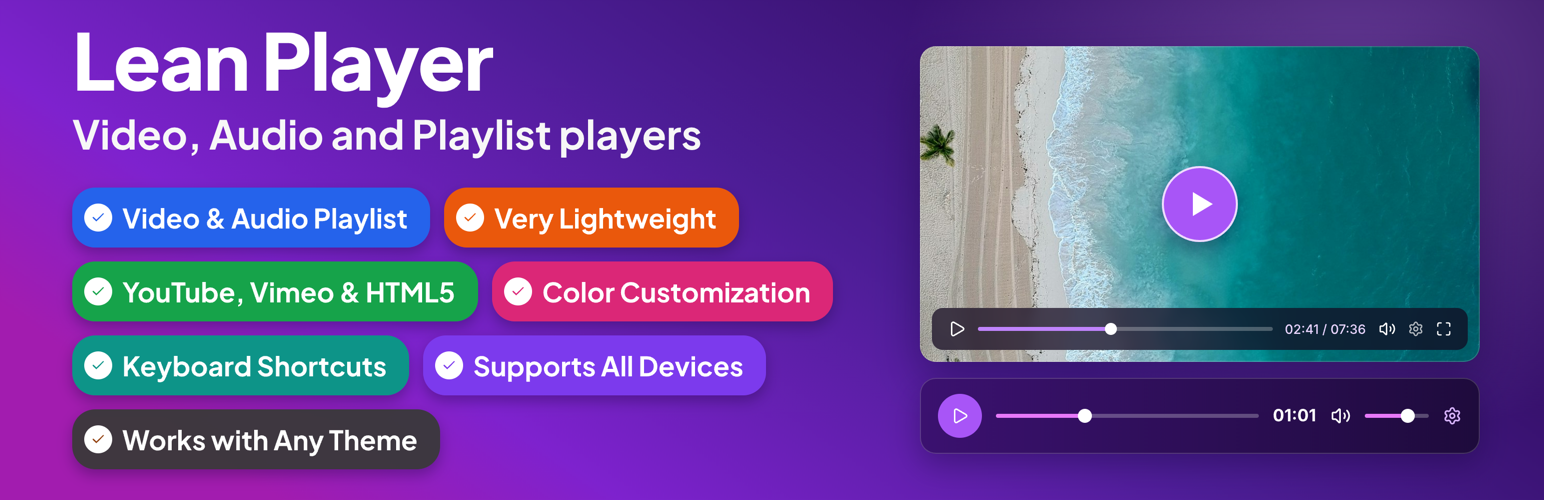
Lean Player – Video and Audio Player with Playlist for WordPress, Elementor and Gutenberg
by LeanPlugins
Lean Player handles it all, in one lightweight plugin:
- YouTube Video
- YouTube Shorts Video
- Vertical video – fits the screen automatically, no stretching or distortion (YouTube Shorts or HTML5 upload)
- Vimeo
- HTML5 video – MP4, WebM, OGG
- Audio – MP3, OGG, WAV, M4A, AAC, FLAC
- Audio – Live Stream (Icecast, Shoutcast and other radio streams)
- Video playlist
- Audio playlist
- Bunny Storage & Stream (Pro)
- Brand color matching so the player looks like part of your site, not a plugin
- Members-only videos and podcasts [PRO] – lock any player, playlist or single episode to logged-in users, roles, Paid Memberships Pro or MemberPress levels, or a password. Works with any membership plugin that uses roles.
- Never slows your site down
- Works with any theme
- Embed anywhere – shortcode or the Elementor widget
🎬 See Players in Action
🎵 See Playlist Demo
🌐 Visit Official Website
⚡ Upgrade to Pro
Lean Player is a lightweight video and audio player for WordPress with full playlist support. A redesigned admin experience with instant live preview makes setup effortless. Embed players and playlists anywhere in 3 steps:
- Create a player or playlist from the admin
- Copy the shortcode
- Paste it anywhere — or use the Elementor widget, Block Editor, or Classic Editor
Works with YouTube, Vimeo, MP4 video (upload or direct URL/CDN), and audio files (MP3, AAC, OGG, WAV, M4A, FLAC — upload or direct URL/CDN). Plays nicely with Elementor, Block Editor, and Classic Editor on any theme, without slowing your site down.
Players Demo | Playlist Demo | Pro | Support
Lean Player also helps keep media-heavy pages fast. With Media Preload, you choose whether video and audio should load only basic info, wait until the visitor clicks play, or start loading immediately. This is useful for pages with multiple players or playlists.
Link directly to a moment in a video or podcast with Timestamp Links. Drop [lean_timestamp time="1:30"]Jump to intro[/lean_timestamp] anywhere in your post content, and clicking it seeks the player to that time and starts playback, no page reload. Great for podcast show notes, course sections, and video reviews.
Rename the player’s buttons and messages in Settings > Labels & Messages. Change Play, Mute, Settings, Fullscreen and the playlist “Now Playing” label to your own words, no translation plugin needed.
Sell or gate your content with Lean Player Pro. Choose who can watch each player or playlist: everyone, logged-in users (optionally only certain roles), logged-out users, members of a Paid Memberships Pro or MemberPress level, or anyone with a password. Inside a playlist you can keep the first episode free and lock the rest. Visitors without access see a locked message with a login or join button instead of the player, and the media link stays out of the page. Any other membership plugin that gives members a WordPress role works through logged-in users and roles.
Features
Player Management:
* Global Player Settings – Set default behavior once for all players
* Player Manager – Create and manage players through admin interface
* Per-Player Configuration – Override global settings for individual players
* Admin Columns – View all players at a glance with Player Type, Source Type, Source, Autoplay status, and copy-ready Shortcode
* Preview Player – Preview your player before publishing directly from the players list or from the player edit page
* Live Preview – See your changes reflected instantly on the edit screen as you configure a player or playlist, no save needed
* Simple Shortcode – [lean_player id=”123″] to embed anywhere
* Timestamp Links – [lean_timestamp time=”1:30″]Jump to intro[/lean_timestamp] to jump a player to a specific moment from your post content
* Player Categories – Group and organize players using categories
* Labels & Messages – Reword the player’s button labels and tooltips and the playlist “Now Playing” label from Settings
* Locked Content Wording – Reword the locked message, button, login line, password form and popup message [PRO]
Access Control: [PRO]
* Who Can Watch – set per player and per playlist: Everyone, Logged-in users (with optional roles), Logged-out users, Members of a level, or Anyone with the password [PRO]
* Lock single episodes inside a playlist – locked episodes show a padlock and their media never reaches visitors without access [PRO]
* Paid Memberships Pro and MemberPress levels show up in the Access setting automatically, and any membership plugin that gives members a WordPress role works through Logged-in users [PRO]
* Locked message with a login or join button, shown in place of the player [PRO]
* Works with page caching – locked content loads after the page does [PRO]
Video Sources:
* YouTube video support
* YouTube Shorts support – vertical video fits the screen automatically, no stretching or distortion
* Vimeo video support
* HTML5 video (upload or URL/CDN)
Audio Sources:
* Supported formats: MP3, OGG, WAV, M4A, AAC, FLAC
* Live radio stream support (MP3, AAC), works with Icecast, Shoutcast and any other server that serves a direct stream URL
* Media library upload or direct URL/streaming URL
Playback Options:
* Autoplay
* Start Muted
* Initial Volume control (0-100%)
* Loop Playback
* HTML5 Media Preload – Keep pages lighter by controlling when video and audio files start loading
* Starting Playback Speed (0.5x to 4x)
* Pause Other Players – Automatically pause other players when one starts playing (works across standalone players and playlists) [PRO]
* Keyboard Shortcuts – Control playback when the player is focused, with optional global shortcuts for single-player pages
* Time Display Format – Countdown or elapsed time [PRO]
* Skip Forward/Back Amount – Set forward/back jump time (1-60 seconds) [PRO]
* Reset to Start When Finished
Player Controls:
* Fullscreen button
* Click to play/pause
* Picture-in-picture (PIP) mode
* Keyboard shortcuts
* Player Layout – Choose from 5 built-in layouts (Classic, Modern, Simple, Floating, Minimal), each with its own styling and control set
* Custom Preset Builder – Build, name, and save your own control-bar preset (free): show/hide and reorder controls (play-large, play, progress, current-time, mute, volume, captions, settings, pip, airplay, fullscreen, download); applying a preset to a player [PRO]
* Auto-Hide Controls – Hide controls during playback [PRO]
Design & Styling:
* Display your own preview thumbnail
* Primary Color customization – Match player with your brand colors [PRO]
* Compatible on all mobile & desktop devices
* Very lightweight – no major impact on website speed
* Works with all themes
Playlist:
* Works with YouTube, Vimeo, HTML5 video, and audio files
* Shortcode: [lean_playlist id=”123″]
* Search players and add them to a playlist from the admin
* Edit any playlist item’s full player settings in a new tab, right from the playlist’s item list
* Filter players by category and add all from a selected category at once
* Panel position: left, right, top, or bottom of the player
* Panel width, max width, and height (synced or fixed)
* List layout with thumbnails (16:9 or 1:1 shape), duration badge, duration next to title, item numbers, and subtitle/artist text
* Play icon: active item only or always visible
* Playlist header with title and item count
* Light and dark skin
* Solid panel background
* Auto-advance to the next track when one finishes
* Audio now-playing compact view
* Grid layout [PRO]
* Accent color customization [PRO]
* Custom gradient panel background [PRO]
* Play icon hidden variant [PRO]
* Audio now-playing large card [PRO]
* Start from a specific item number [PRO]
* Automatic Thumbnail – auto-fetch thumbnails from YouTube and Vimeo when no custom image is set [PRO]
* Automatic Duration – track lengths fill themselves for uploads, Vimeo, YouTube and direct file links, plus a one-click “Fill missing durations” [PRO]
* Members-only episodes – lock single episodes and keep the rest free [PRO]
Integration:
* Elementor widgets (video, audio & playlist)
* Block Editor (Gutenberg) support
* Classic Editor support
* Shortcode support everywhere
* Paid Memberships Pro and MemberPress (levels built in), plus any membership plugin that assigns roles [PRO]
* Popup shortcode – [lean_popup] adds a button (or your own image) that opens a player or playlist in a popup [PRO]
Video Player Elementor Widget
All player options are available directly in the Elementor panel – no shortcode needed. Widget-specific additions:
- Saved Player mode – pick an existing saved player by name; its settings apply automatically. An Edit Player button opens it in a new tab
- Source Override – keep a saved player’s look and settings but play another video: a YouTube, Vimeo, Bunny Stream (Pro) or video file link, or an ID. Works with dynamic tags, so one saved player can play each post’s own video
- Video link or ID – paste a full YouTube or Vimeo link, or just the ID. Works with Elementor Pro dynamic tags, so an ACF URL field can supply a different video for each post
- Player Accent Color – per-widget brand color override
- Controls Bar Color – per-widget icon and text color
- Per Element Style (Pro) – granular colors for play button, progress bar, volume slider, settings icon, tooltips, settings menu, and timer
- Layout (Pro) – icon size, button spacing, corner radius, progress track height
Audio Player Elementor Widget
All player options are available directly in the Elementor panel – no shortcode needed. Widget-specific additions:
- Saved Player mode – pick an existing saved player by name; its settings apply automatically. An Edit Player button opens it in a new tab
- Source Override – keep a saved player’s look and settings but play another audio file, with its own poster and track title. Works with dynamic tags
- Poster Card Style – background, text, border color, padding, radius, and thumbnail radius
- Player Accent Color – per-widget brand color override
- Controls Bar Color – per-widget icon and text color
- Per Element Style (Pro) – granular colors for play button, progress bar, volume slider, download button, tooltips, settings menu, and timer
- Layout (Pro) – icon size, button spacing, corner radius, progress track height
Playlist Elementor Widget
Embed any saved playlist on an Elementor page without a shortcode. All playlist settings (panel position, layout, colors, auto-advance) are configured in the Playlist Manager, not the widget.
- Select Playlist – pick from your saved playlists by name
- Edit Playlist – opens the picked playlist in a new tab
Screenshots
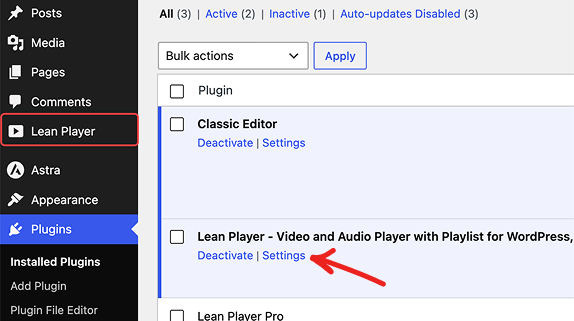
Activate Lean Player and open its settings
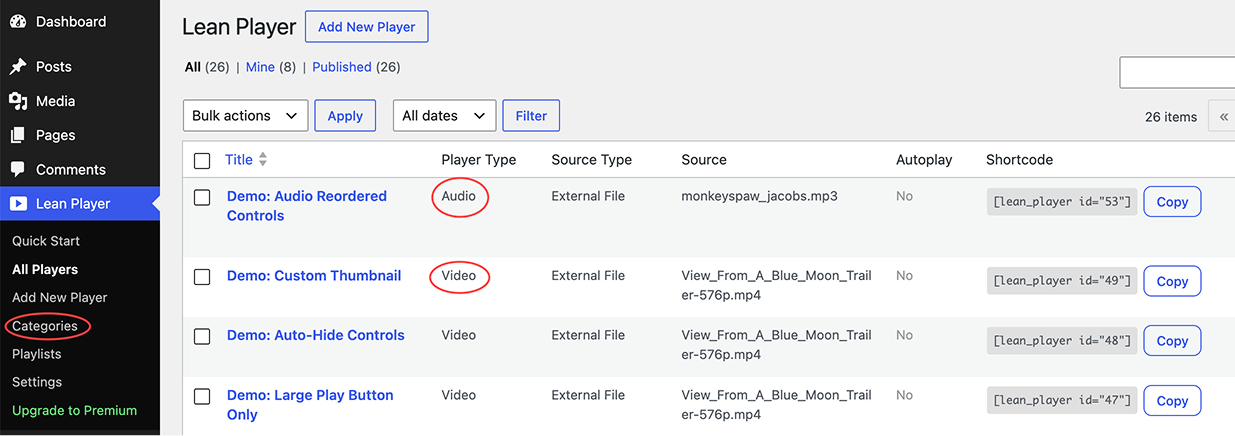
All Players list with player type, source, and shortcode
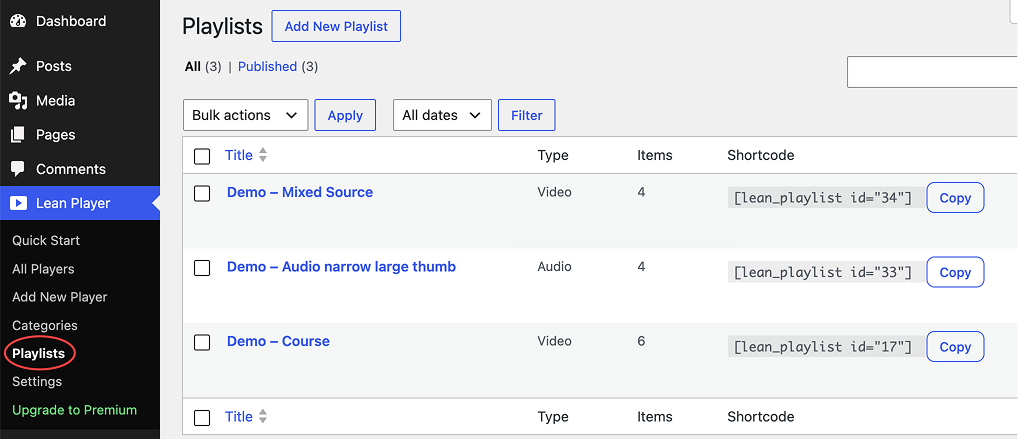
All Playlists list
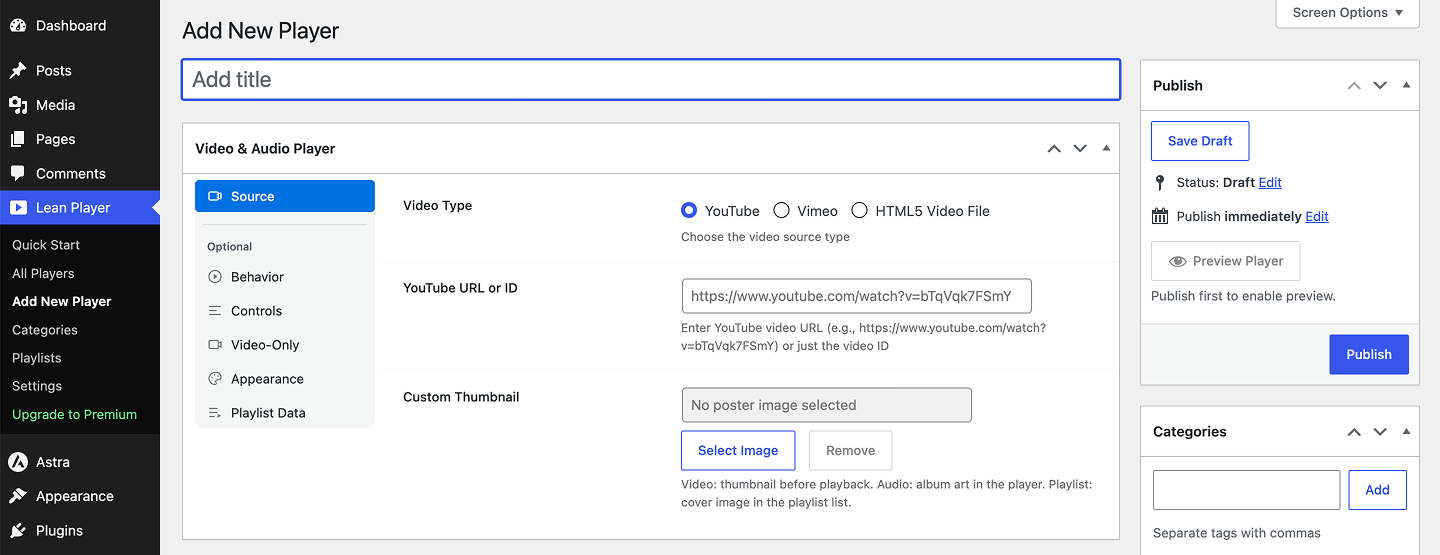
Add a new player, choose YouTube, Vimeo, or HTML5
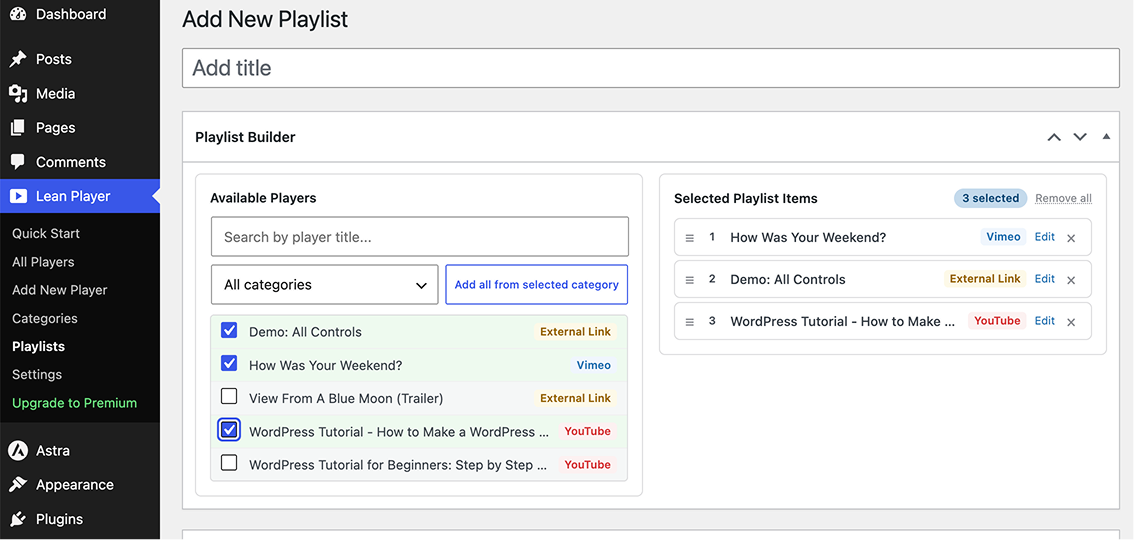
Build a playlist from your existing players
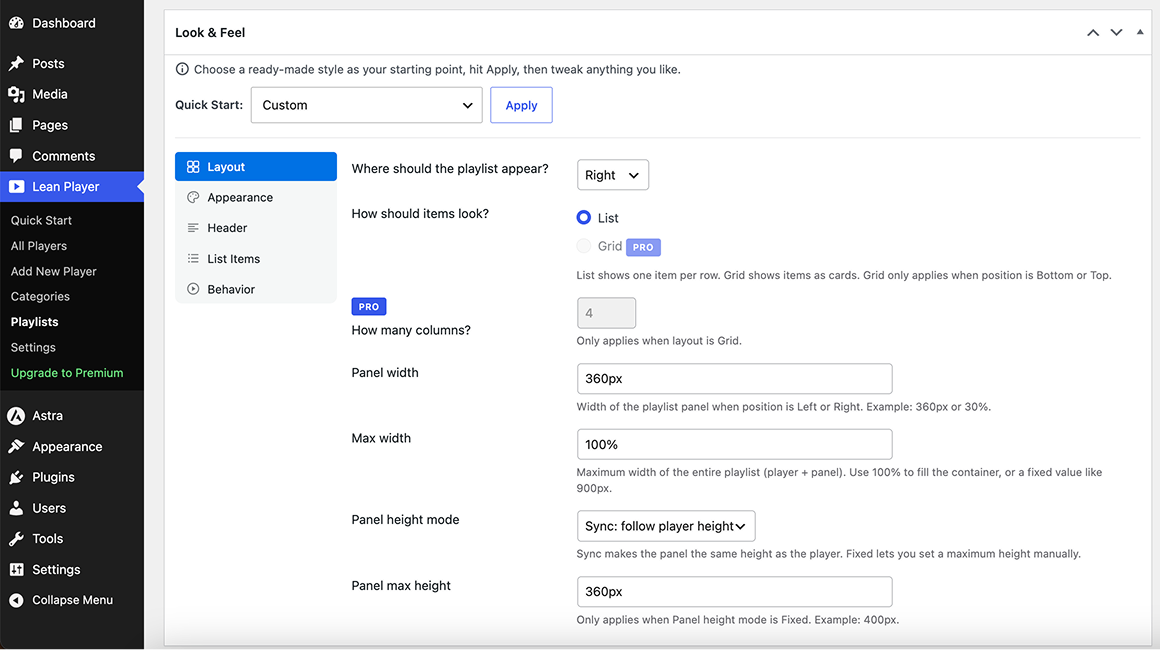
Customize the playlist look and feel
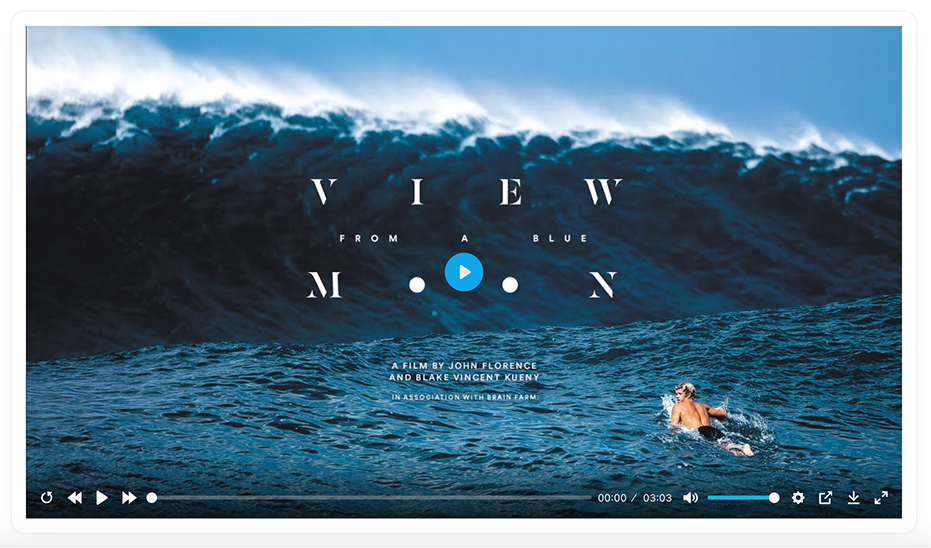
Video player
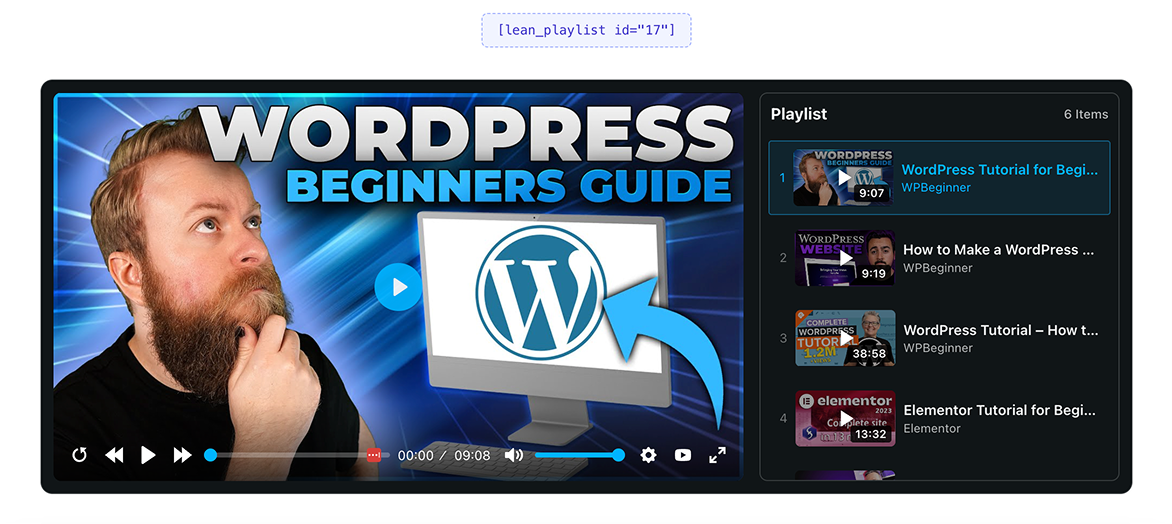
Video playlist with side panel
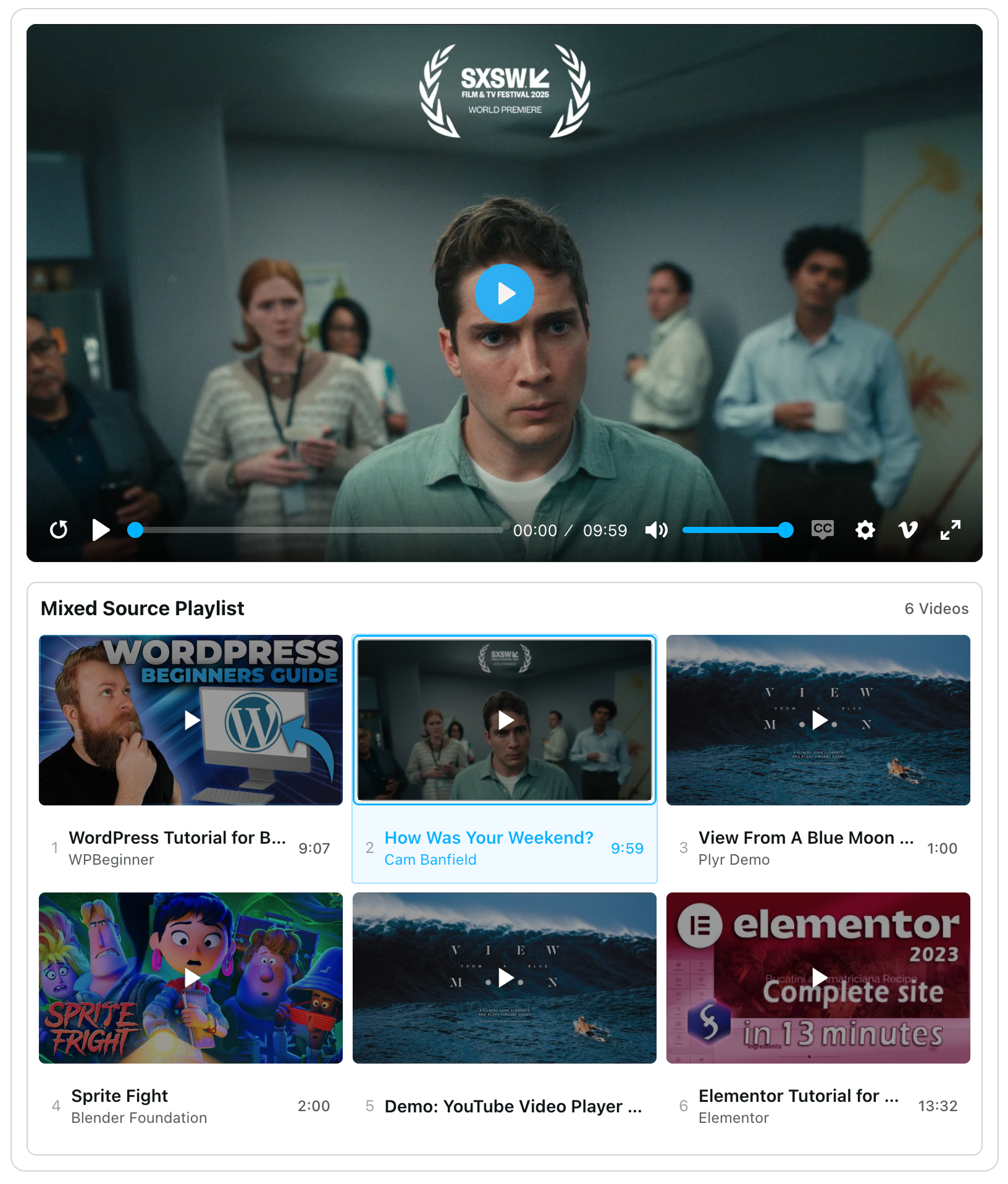
Video playlist with bottom thumbnail grid
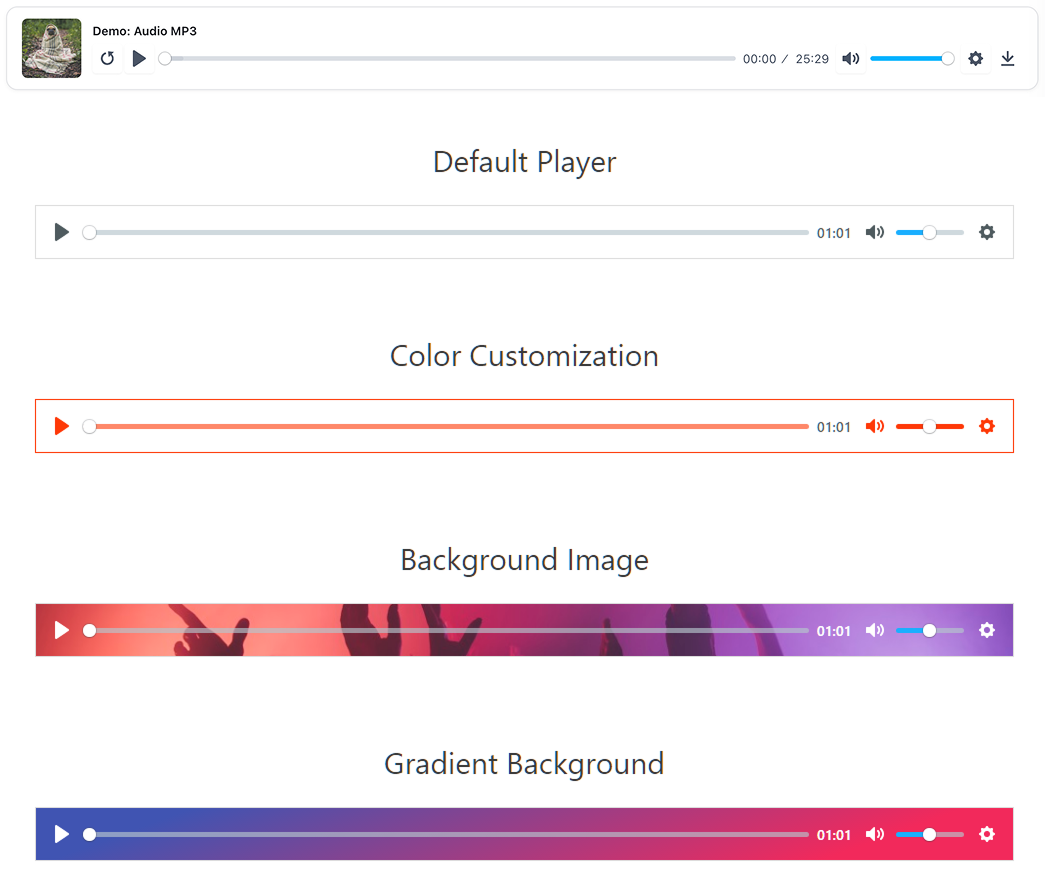
Audio players with color and background styling
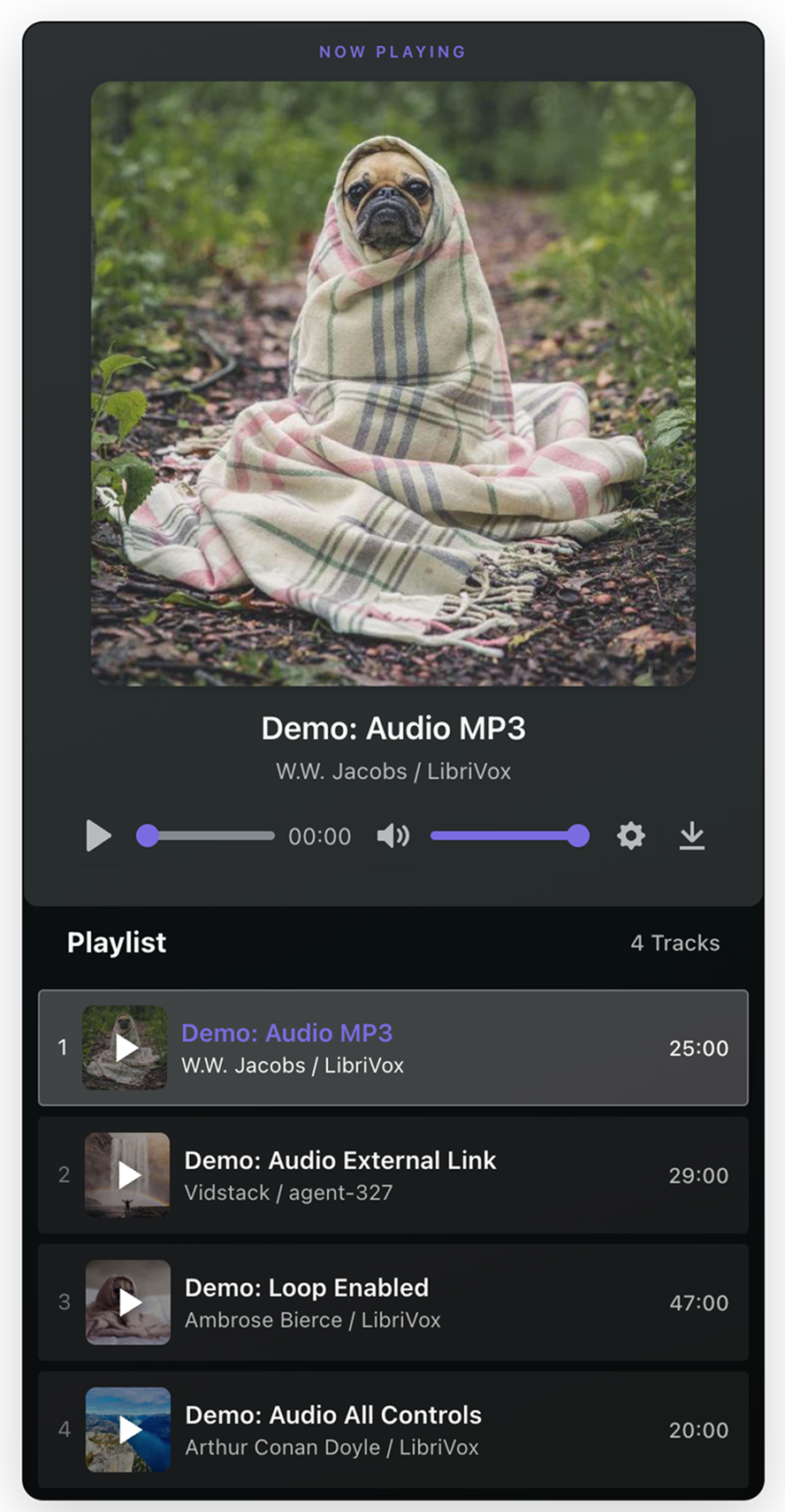
Audio playlist with now playing card
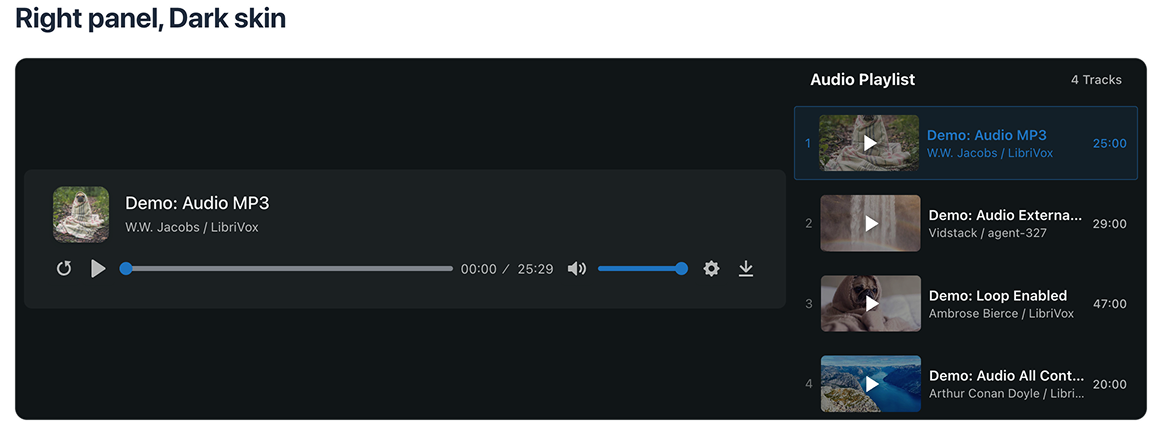
Audio playlist, right panel with dark skin
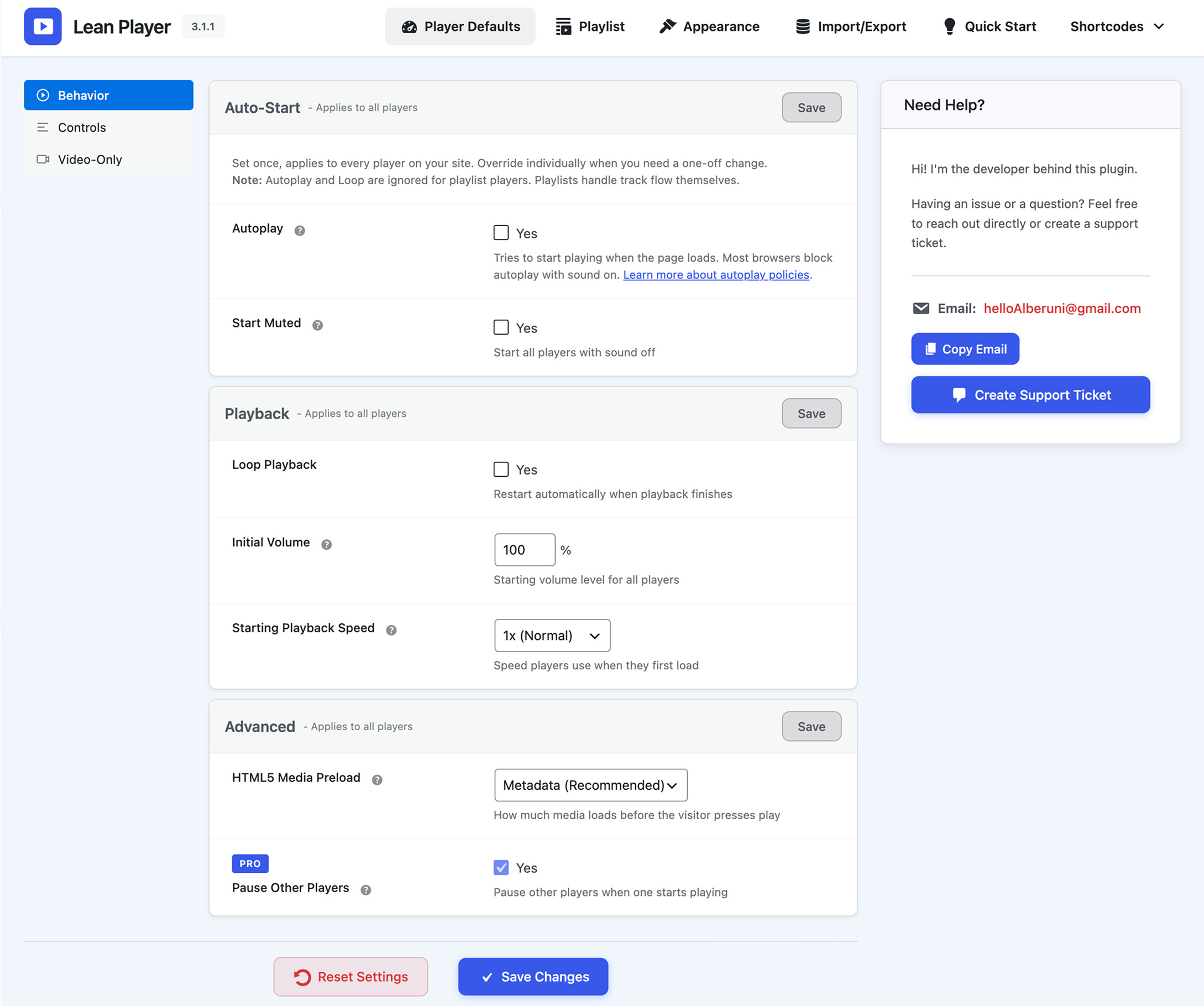
Player Defaults, Behavior settings
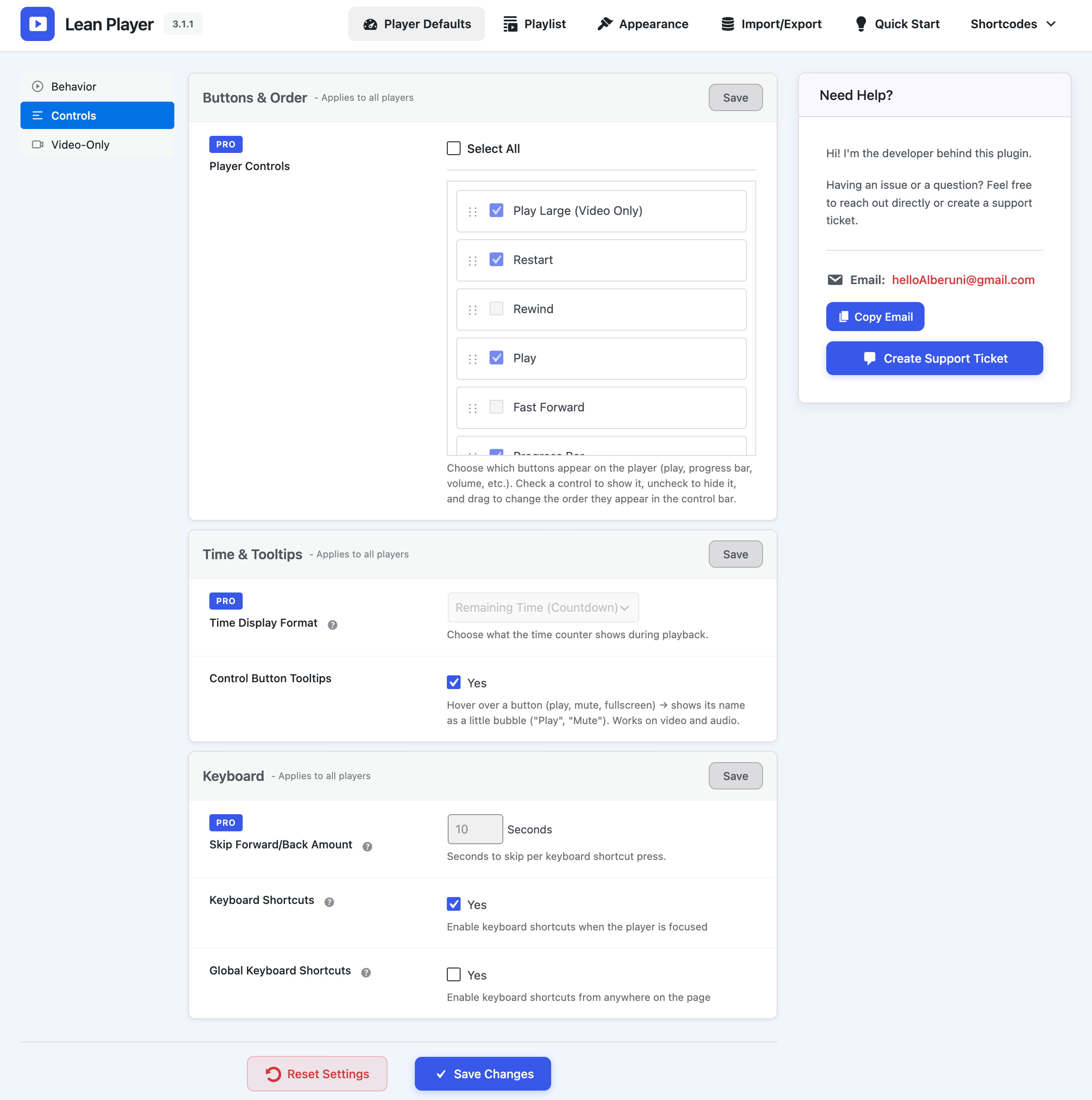
Player Defaults, Controls settings
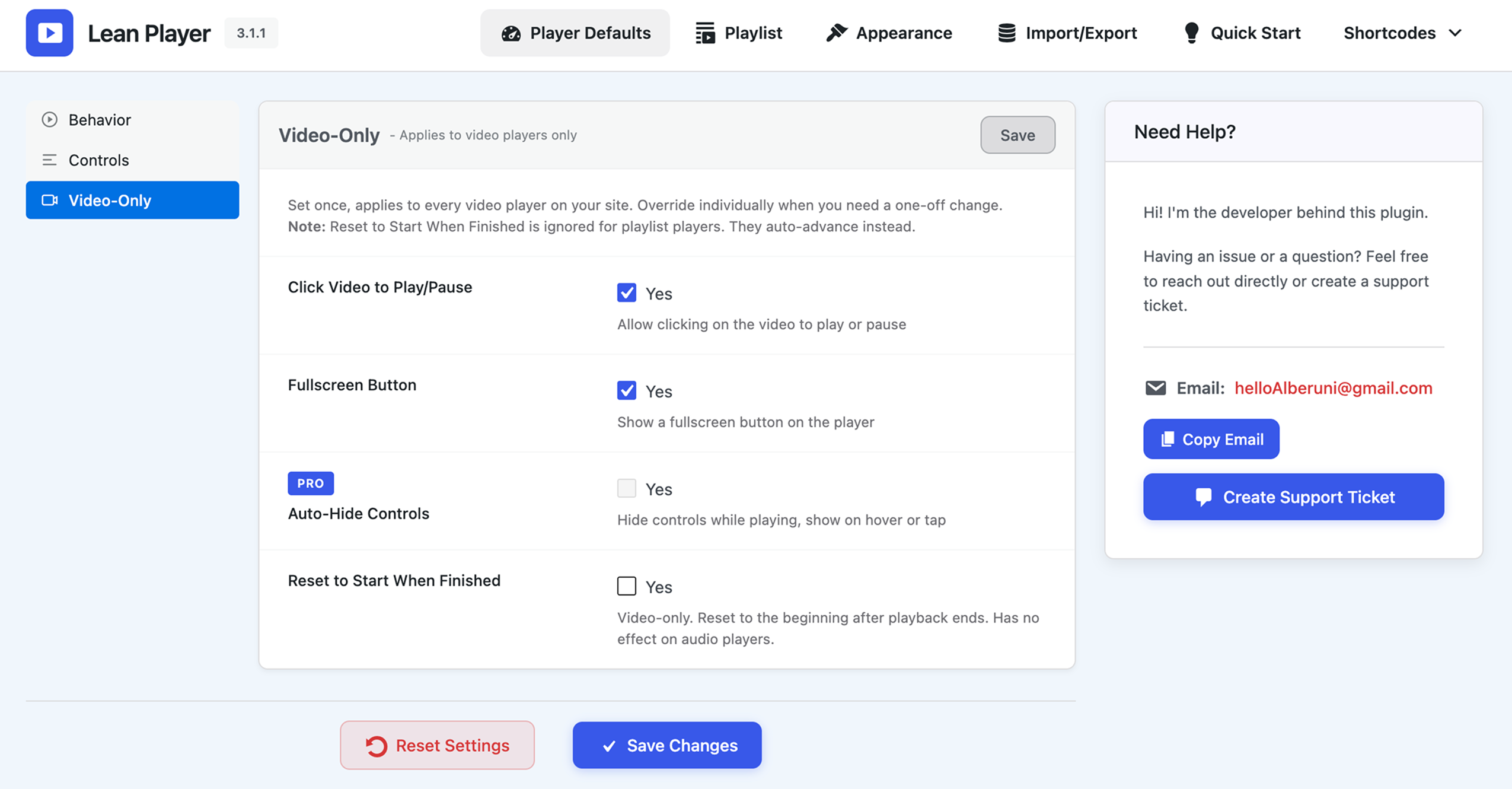
Player Defaults, Video-Only settings
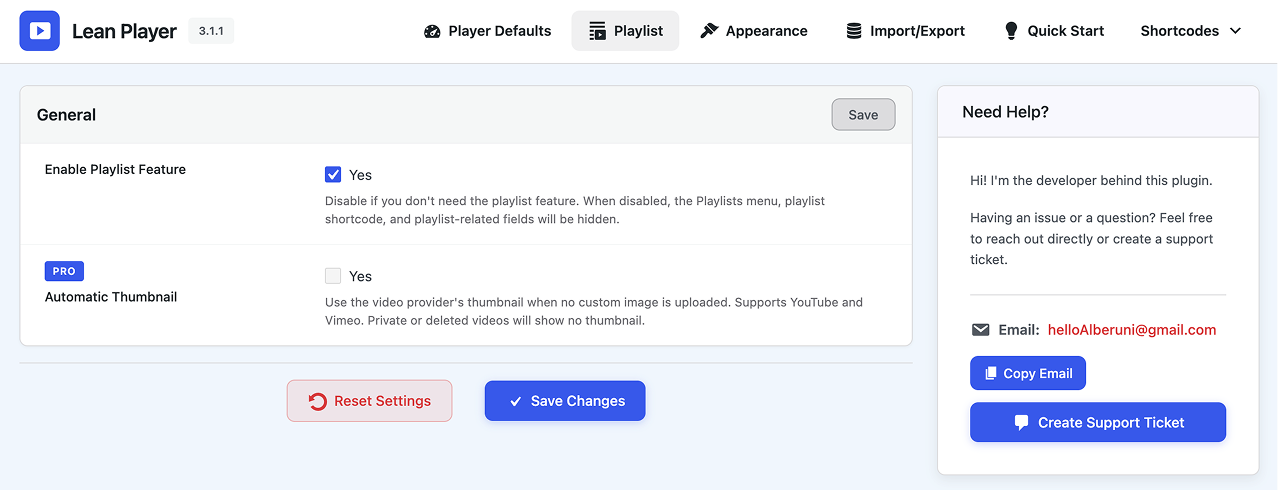
Playlist settings