BACK TO DIRECTORY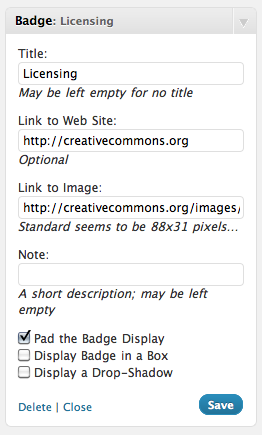

Display “Badges” in the side-panel which points to a web-site and an image which is then used to build the “badge”.
To access the configuration you have to go to Appearance > Widgets and edit the settings in the Panel.
Using the Widget you can choose whether to:
- (Optionally) display a Title
- Link to a site
- Required link to an image to mark that site (any size will work, but the “standard” seems to be 88 pixels wide by 31 pixels high)
- Pad the Badge (including centring the text); some people may prefer using their own CSS, so this is an optional configuration.
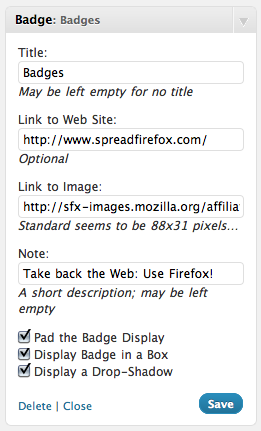
- Enable “Display Badge in a Box” (enabled by default)
- Enable the Displaying of a Drop-Shadow
If more control is needed, or more badges need to be displayed, the badges plugin on the WordPress site might be a better fit.
Screenshots
Create a "Licensing" badge that points to the Creative Commons website and uses a CC 88x31 banner
The result of the configuration in No 1
Boxing a Badge to SpreadFirefox with an added drop-shadow
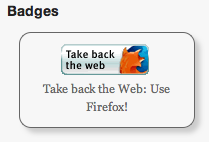
The resultant Badge
Plugin Details
Active Installs
70Total Downloads
8,946Version
1.6Requires WP
6.0Requires PHP
—Tested Up To
6.5.14Added
2011-02-13Last Updated
2024-05-03 11:33am GMTRatings
5
0
4
0
3
0
2
0
1
0