BACK TO DIRECTORY
Beplus Search Visibility lets you keep individual posts, pages, or whole post types out of your site’s search results — without unpublishing them or blocking search engines. Excluded content still displays normally everywhere else: the homepage, archives, RSS feeds, and direct links.
Key Features
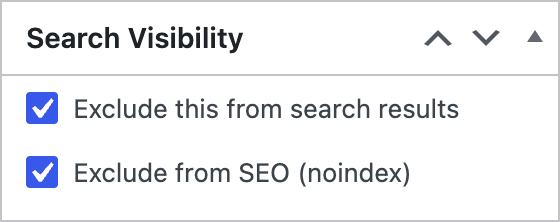
- Per-post exclude — a simple checkbox on the post/page edit screen, in a “Search Visibility” box.
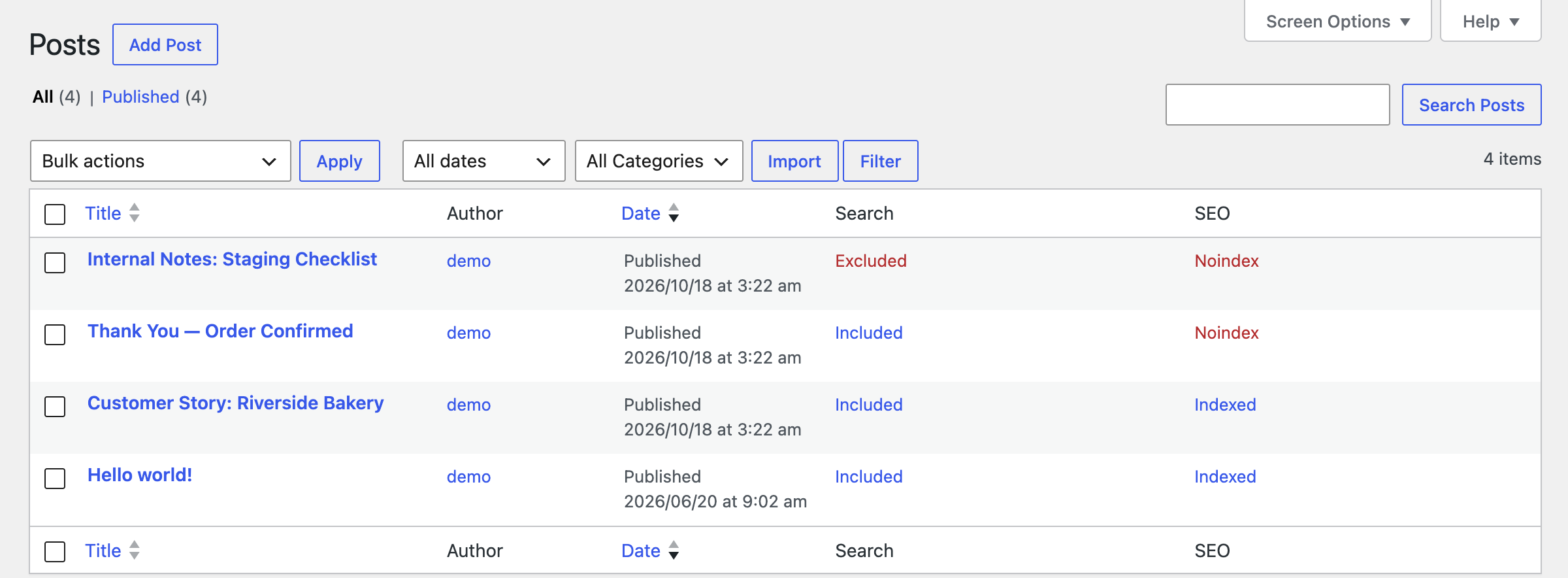
- Quick toggle column — a “Search” column on the post list screen lets you flip a post’s visibility with one click, no need to open it.
- Bulk actions — exclude or re-include many posts at once from the list screen.
- Whole post type exclude — remove an entire post type (e.g. a “Testimonials” custom post type) from search results with one setting, no per-post work needed.
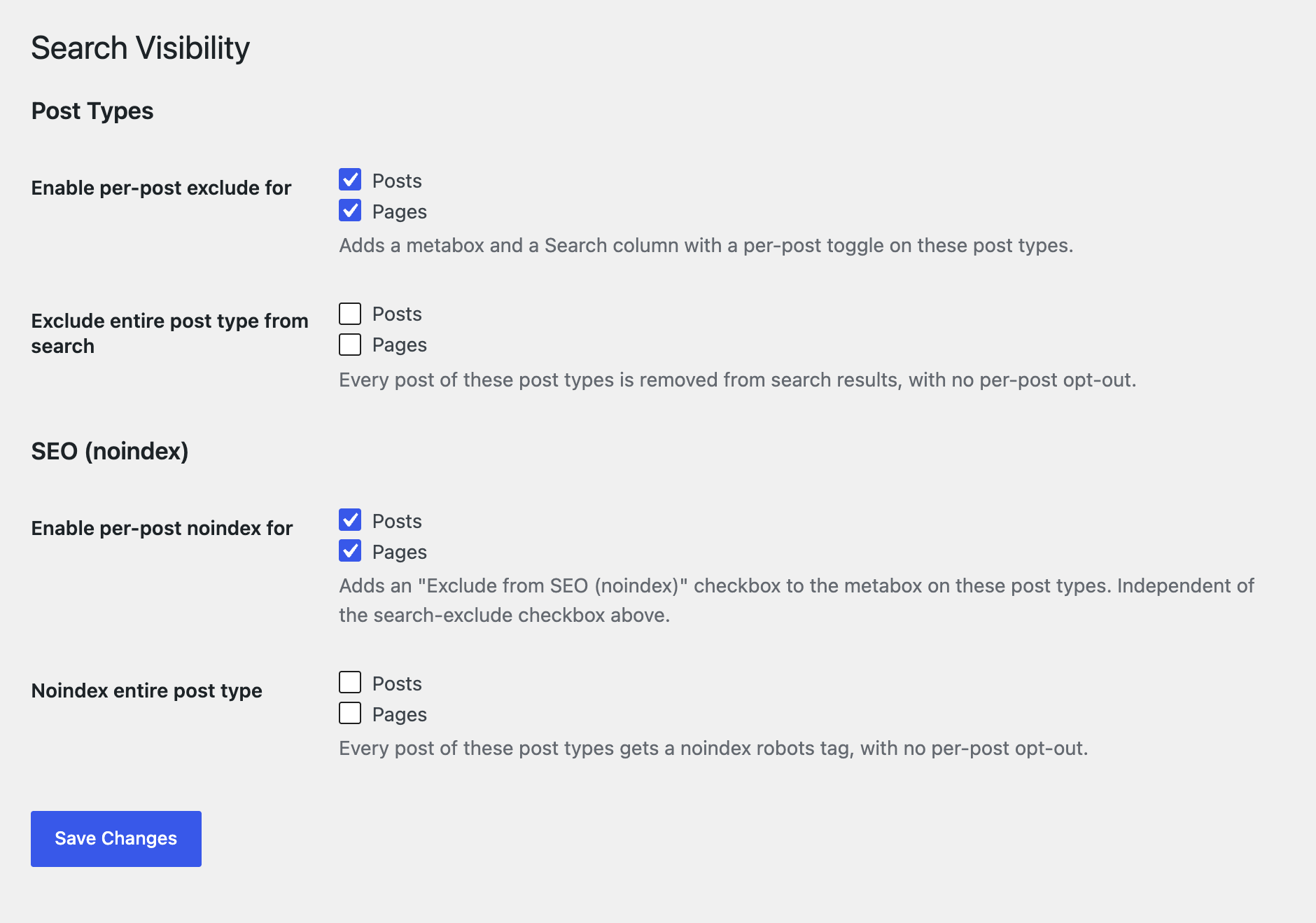
- Choose which post types get the feature — enable the per-post checkbox and column only where you need them.
- wp-admin search is never affected — editors can always find excluded content to manage it; only the public front-end search is filtered.
- Per-post SEO noindex — an independent “Exclude from SEO (noindex)” checkbox to keep a post out of search engines entirely, separate from the site-search checkbox above.
- Whole post type noindex — noindex an entire post type with one setting, no per-post work needed.
- SEO column on the post list — a one-click Indexed / Noindex toggle and bulk actions, just like the Search column.
- Noindexed content is removed from the WordPress XML sitemap — individual posts and whole post types — so Google Search Console doesn’t flag “Submitted URL marked noindex”.
- Noindexing a whole post type also noindexes its archive page.
- Noindex plays well with other SEO plugins — added through WordPress core’s own
wp_robotsfilter (5.7+), which merges every plugin’s robots directives into a single tag, instead of printing a competing<meta name="robots">of its own.
How It Works
- Enable the feature for one or more post types in Settings > Search Visibility.
- On any enabled post type, check “Exclude this from search results” and/or “Exclude from SEO (noindex)” in the Search Visibility box — the two are independent — or use the Search column’s toggle / the bulk action on the list screen for site-search exclusion.
- The plugin hooks into
pre_get_poststo remove excluded posts (and, optionally, entire excluded post types) from the public search query, and intowp_robotsto add noindex for posts or post types marked for it.
Known Limitations
- The REST API search endpoint (
/wp-json/wp/v2/search) is not filtered in this version — only the front-ends=search query is affected. - wp-admin’s own post list search is intentionally left unfiltered, so editors can always find excluded content to manage it.
About BePlus
This plugin is developed and maintained by BePlus, a WordPress and Shopify development studio with 10+ years of experience building themes and plugins for nonprofits and eCommerce brands.
Learn more at beplusthemes.com.
Screenshots
Search Visibility metabox on the post edit screen.
Search and SEO columns with one-click toggles on the post list screen.
Settings page for choosing which post types get the feature.
Plugin Details
Active Installs
0Total Downloads
361Version
1.2.0Requires WP
6.0Requires PHP
8.0Tested Up To
7.1.4Added
2026-08-11Last Updated
2026-10-18 3:24am GMTRatings
5
0
4
0
3
0
2
0
1
0