Makes WordPress sites in Persian and other right-to-left languages look right with popular themes.
- Bundled Vazirmatn font, a free Persian font by the late Saber Rastikerdar. One variable font file covers all weights, with no requests to external servers.
- Block themes (Twenty Twenty-Five, Twenty Twenty-Four, …): the theme’s font presets are switched to Vazirmatn, so font choices in the Site Editor keep working. Monospace fonts are left alone.
- Choose where the font is used: the site, the block editor, the dashboard and admin bar.
- RTL layout fixes for Hueman, Twenty Seventeen and Twenty Sixteen.
- Does nothing unless the current language is right-to-left.
Settings: Appearance RTL Settings.
Tested themes: Astra, Hueman, Twenty Twenty-Five, Twenty Twenty-Four, Twenty Twenty-Three, Twenty Twenty-Two, Twenty Twenty-One, Twenty Twenty, Twenty Nineteen, Twenty Seventeen, Twenty Sixteen. The plugin may also work well with other, untested themes.
Found a problem with your theme? Report it in the support forum. Development happens on GitHub: salar90/better-rtl-support.
Screenshots
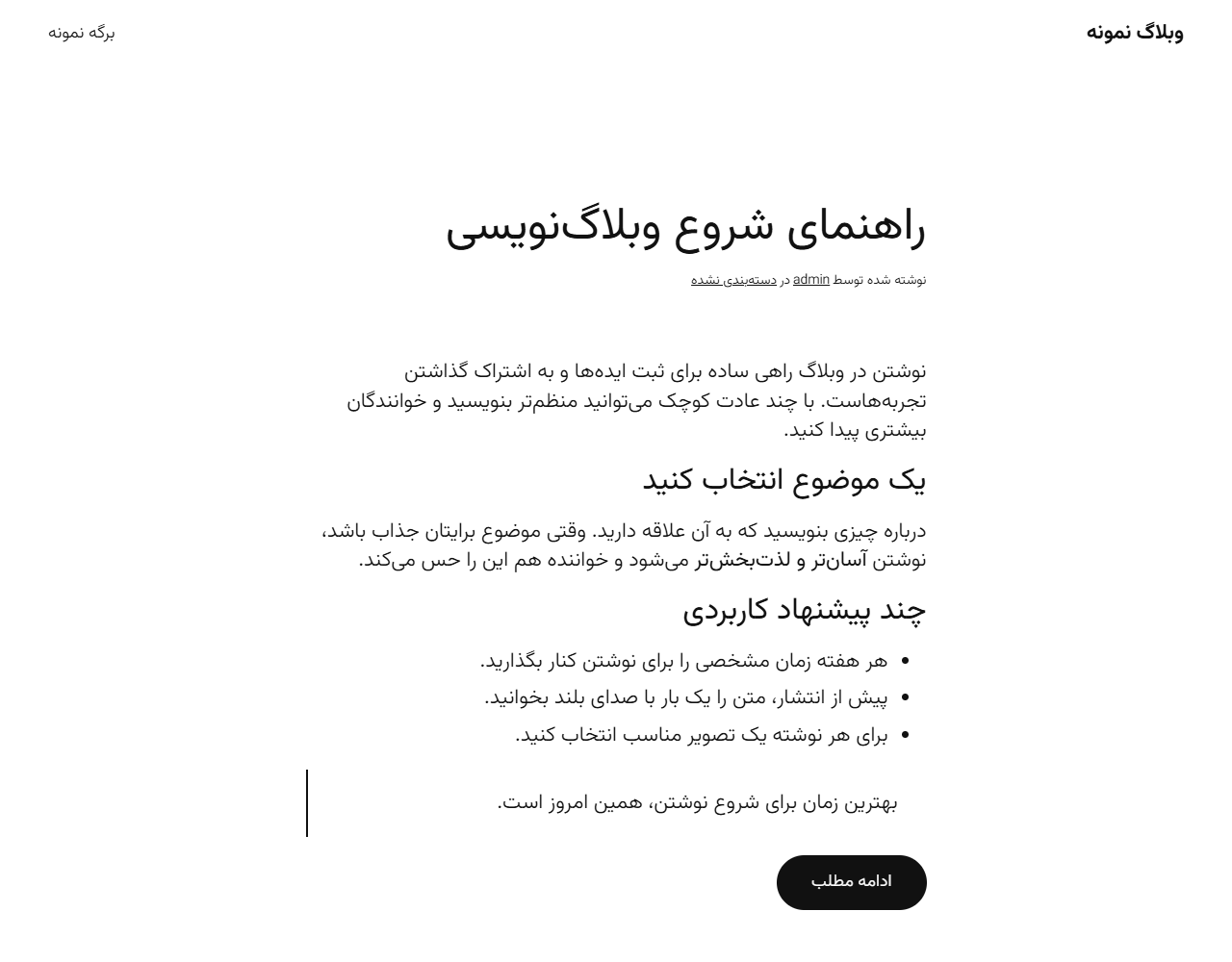
A Persian post in Twenty Twenty-Five (block theme) with the Vazirmatn font.
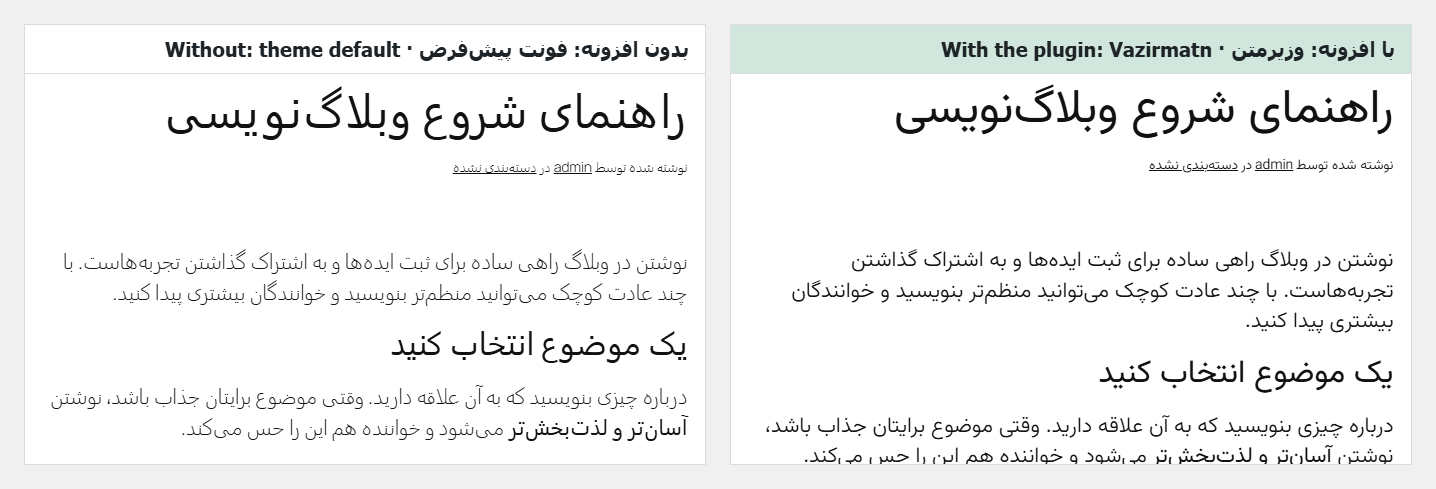
The same post with and without the plugin.
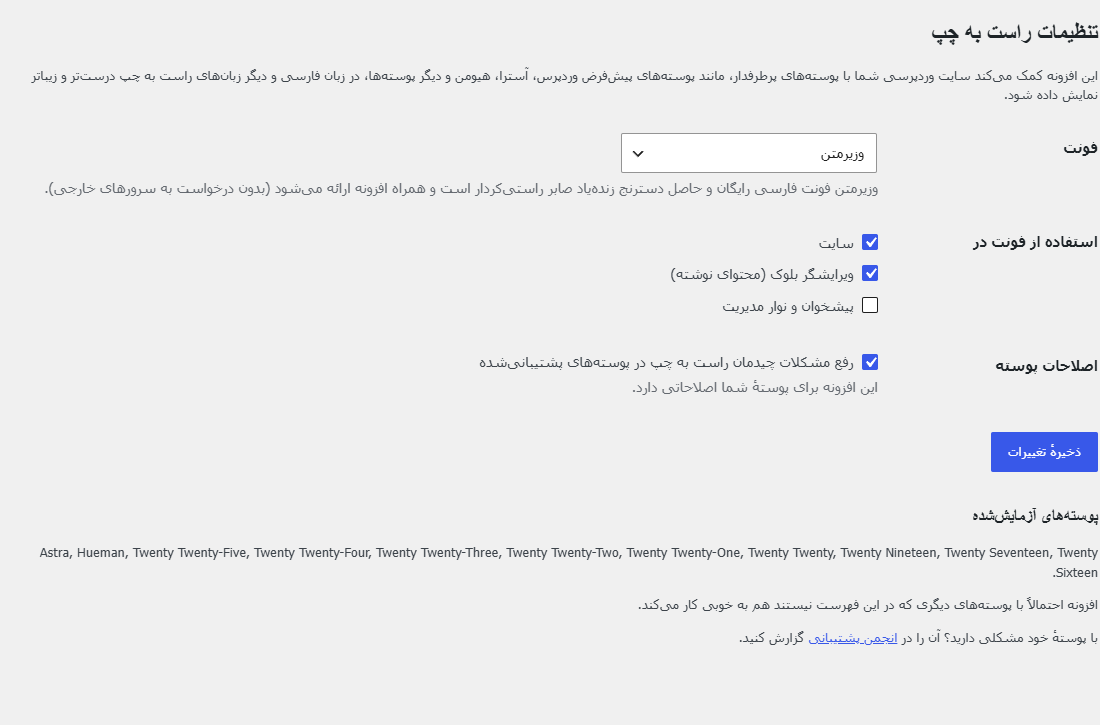
Settings: Appearance → RTL Settings.
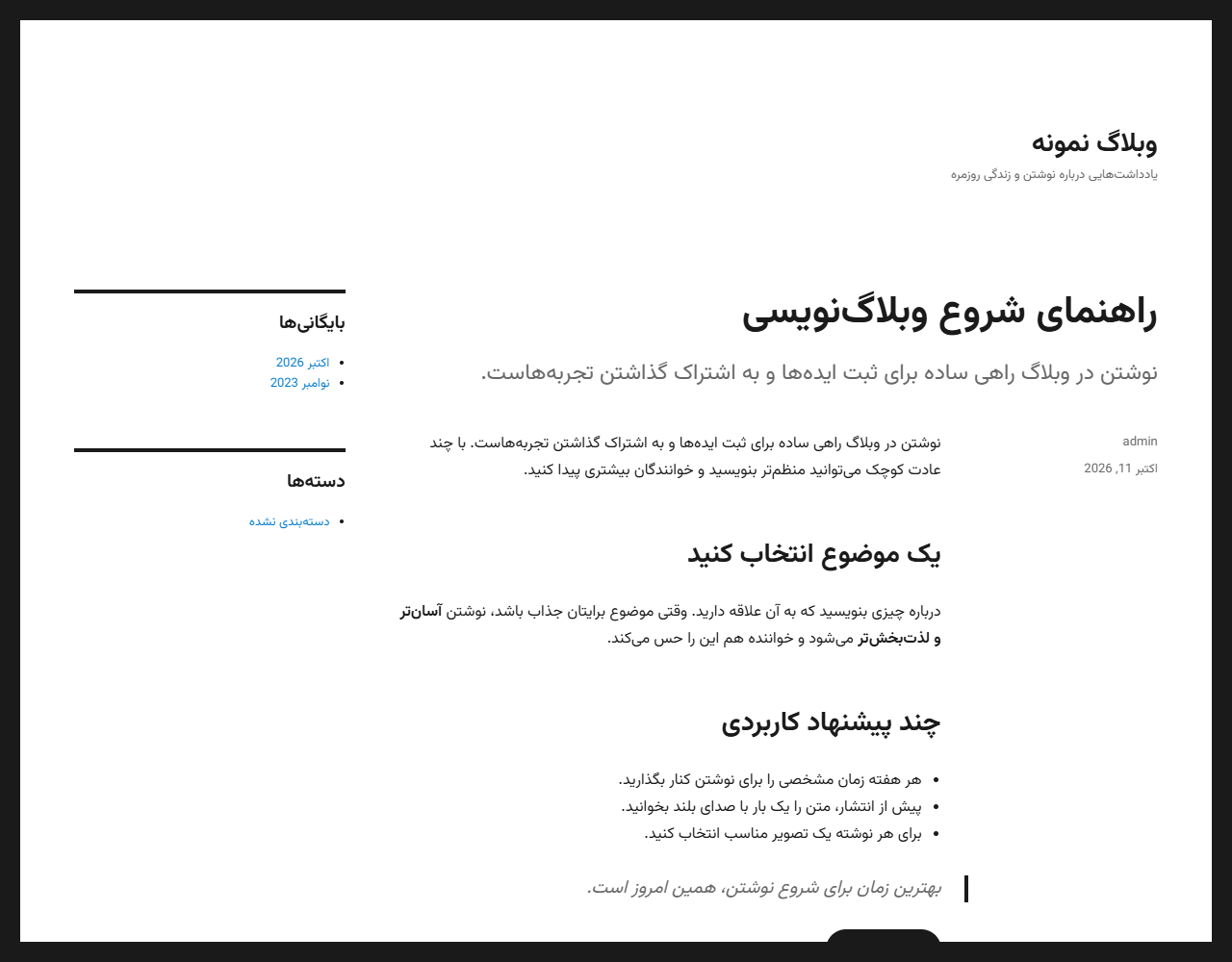
Twenty Sixteen (classic theme) with the font and its RTL list fix.
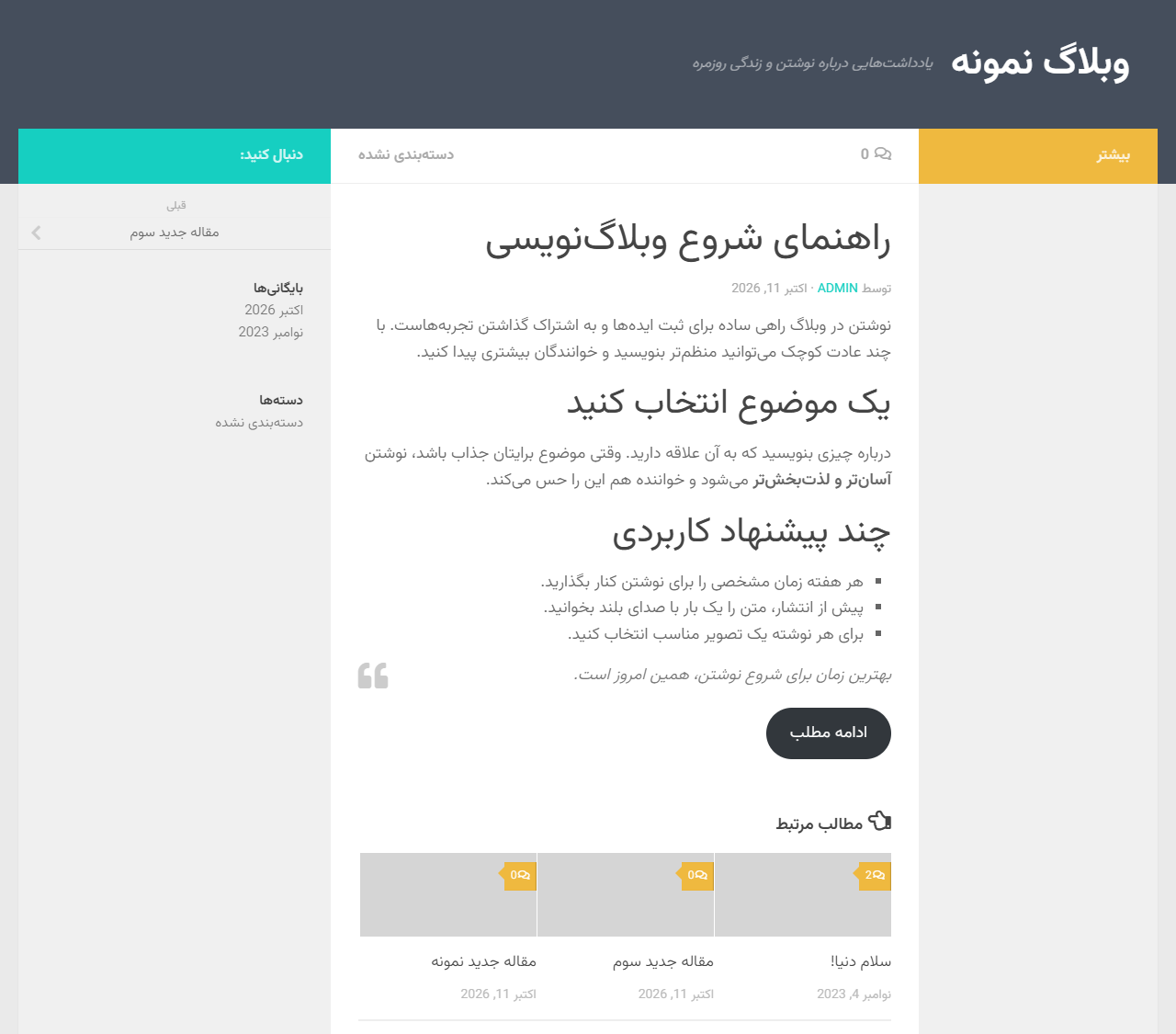
Hueman with the font and its RTL layout fixes (lists, related posts).