
Bizdesire Advanced Connector for Hostaway is developed and maintained by Bizdesire, an official Hostaway partner, to connect WordPress websites with Hostaway and display vacation rental listings, property search, availability, pricing, and booking functionality using the Hostaway API.
Automatically synchronize your listings, property details, amenities, images, and availability without manually updating your website.
Whether you manage a single vacation rental or hundreds of properties, Bizdesire Advanced Connector provides a reliable and user-friendly solution for building modern vacation rental websites powered by Hostaway.
Use the plugin’s shortcodes in the WordPress editor, Elementor pages, and other page builders that support WordPress shortcodes to display property listings, property search, and individual property details.
Bizdesire develops WordPress integrations that help vacation rental businesses showcase their properties, manage listing content, and build direct-booking experiences on their own websites.
Built by an Official Hostaway Partner
Connect your WordPress website with confidence using an integration developed and maintained by Bizdesire, an official Hostaway partner.
Why Choose a Hostaway Partner?
Choosing a WordPress integration developed by a Hostaway partner gives you added confidence that you are working with a provider recognized within the Hostaway ecosystem. Bizdesire combines WordPress development expertise with its official Hostaway partnership to help vacation rental businesses connect their websites with Hostaway.
As with any third-party integration, it is important to consider API compatibility, security practices, maintenance, and support when choosing a plugin for your business website. Bizdesire is committed to maintaining and improving its integration to help customers build reliable, Hostaway-powered WordPress websites.
Bizdesire is an official Hostaway partner. This plugin is developed and maintained by Bizdesire and is not a Hostaway-developed plugin. Hostaway is a trademark of its respective owner.
Features
- Direct Hostaway API integration.
- Automatic property synchronization.
- Responsive property listing grids.
- Property search with availability filters.
- Individual property detail pages.
- Property image galleries.
- Easy-to-use shortcodes.
- Elementor compatibility through the Elementor Shortcode widget.
- Compatible with WordPress pages and other page builders that support shortcodes.
- Responsive design.
- Translation ready.
- Lightweight and performance optimized.
- Built specifically for WordPress and Hostaway users.
- Developed and maintained by Bizdesire, an official Hostaway partner.
Upgrade to Advanced Connector Pro for Hostaway
Take your Hostaway-powered WordPress website further with Advanced Connector Pro for Hostaway. Developed by Bizdesire, an official Hostaway partner, the Pro version extends the free plugin with a complete direct booking workflow, built-in Stripe payments, additional payment gateways including Authorize.Net and Wompi, advanced property search and filtering, Google Maps and Google Reviews integration, Gutenberg blocks, WordPress Media Library image support, customizable email templates, enhanced synchronization tools, priority support, and more.
Use the Pro version’s shortcodes in Elementor pages and layouts to integrate advanced property search, listings, and direct booking functionality into your website.
Upgrade to Advanced Connector Pro for Hostaway
Pro Features
- Complete direct booking workflow.
- Built-in Stripe payment gateway.
- Support for additional payment gateways including Authorize.Net and Wompi.
- Advanced property search and filtering.
- Interactive Google Maps integration.
- Single property location map.
- Google Reviews integration.
- Gutenberg blocks.
- WordPress Media Library image support.
- Customizable email templates.
- Enhanced synchronization tools.
- Elementor compatibility through shortcodes.
- Integration with Elementor pages and layouts.
- Premium documentation and setup guides.
- Priority customer support.
- Continuous feature updates and improvements.
External Services
This plugin connects to third-party services operated by Hostaway. By using this plugin, data is sent to and received from these services.
Used to:
- Fetch property listings.
- Retrieve availability calendars.
- Calculate pricing.
- Submit booking reservations.
Connections to the Hostaway API are only made after valid API credentials have been configured within the plugin settings.
Used to serve property images through Hostaway’s content delivery network.
No personal user data is transmitted beyond what is required to display property information or complete a booking initiated by the visitor.
Payment card information is never collected or stored by this plugin. Guests complete payments securely through the configured payment gateway or the Hostaway booking workflow.
Hostaway API Endpoints
Base URL: Hostaway API v1
- POST /accessTokens — Authenticate using Client ID and Client Secret.
- GET /listings — Retrieve property listings.
- GET /listings/{listingId} — Retrieve a single property.
- GET /listings/{listingId}/calendar — Retrieve availability.
- POST /listings/{listingId}/calendar/priceDetails — Calculate booking prices.
- POST /reservations — Create booking reservations.
Shortcodes
Display Hostaway content anywhere on your WordPress website using built-in shortcodes.
Shortcodes can be added to the WordPress editor, Elementor pages using the Elementor Shortcode widget, and other page builders that support WordPress shortcodes.
Examples include:
- Property Listings.
- Featured Properties.
- Property Search.
- Single Property Display.
Elementor compatibility is provided through WordPress shortcodes. A separate Elementor widget is not required.
Screenshots
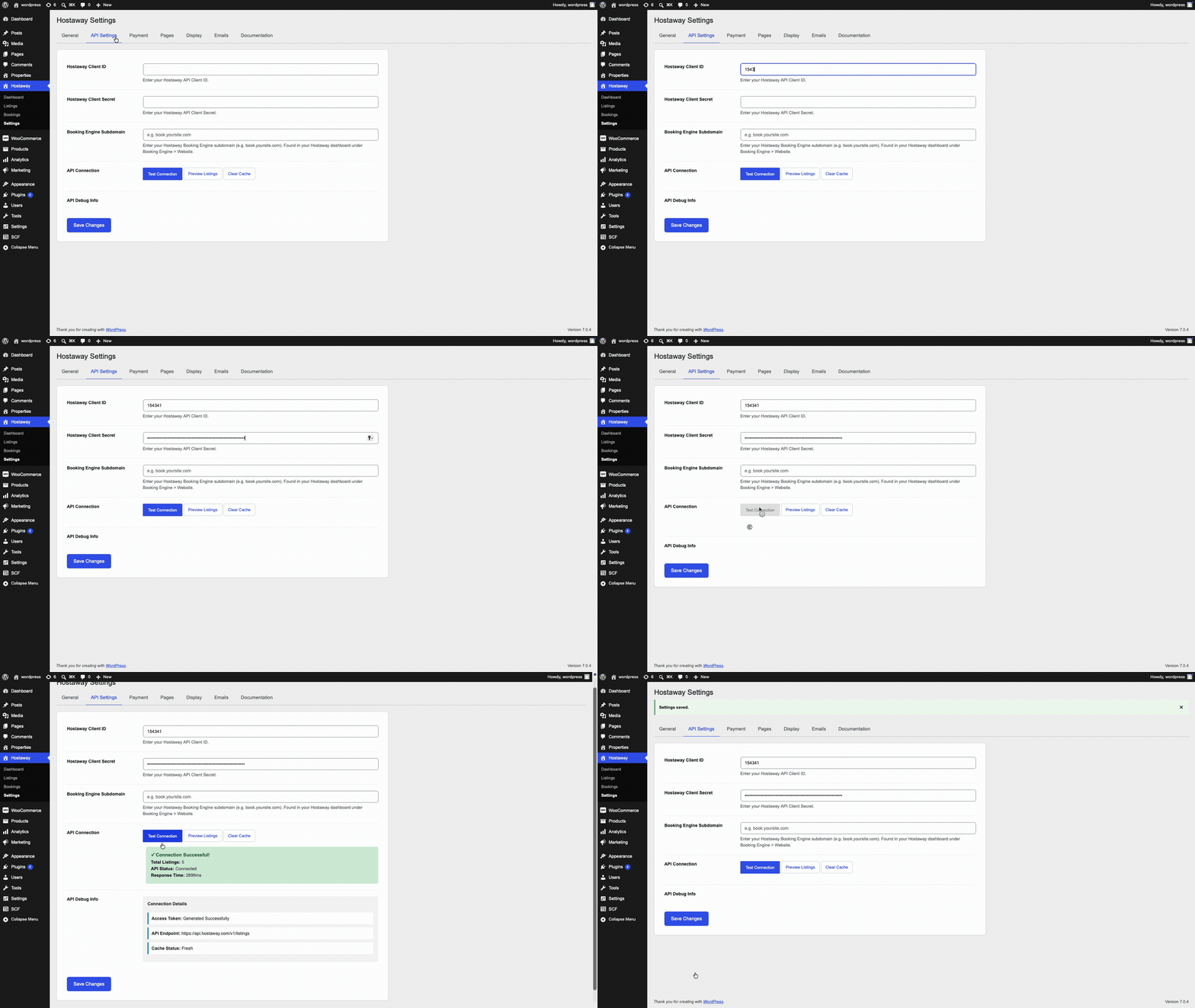
Configure your Hostaway Client ID and Client Secret in the plugin API settings to connect WordPress with your Hostaway account.
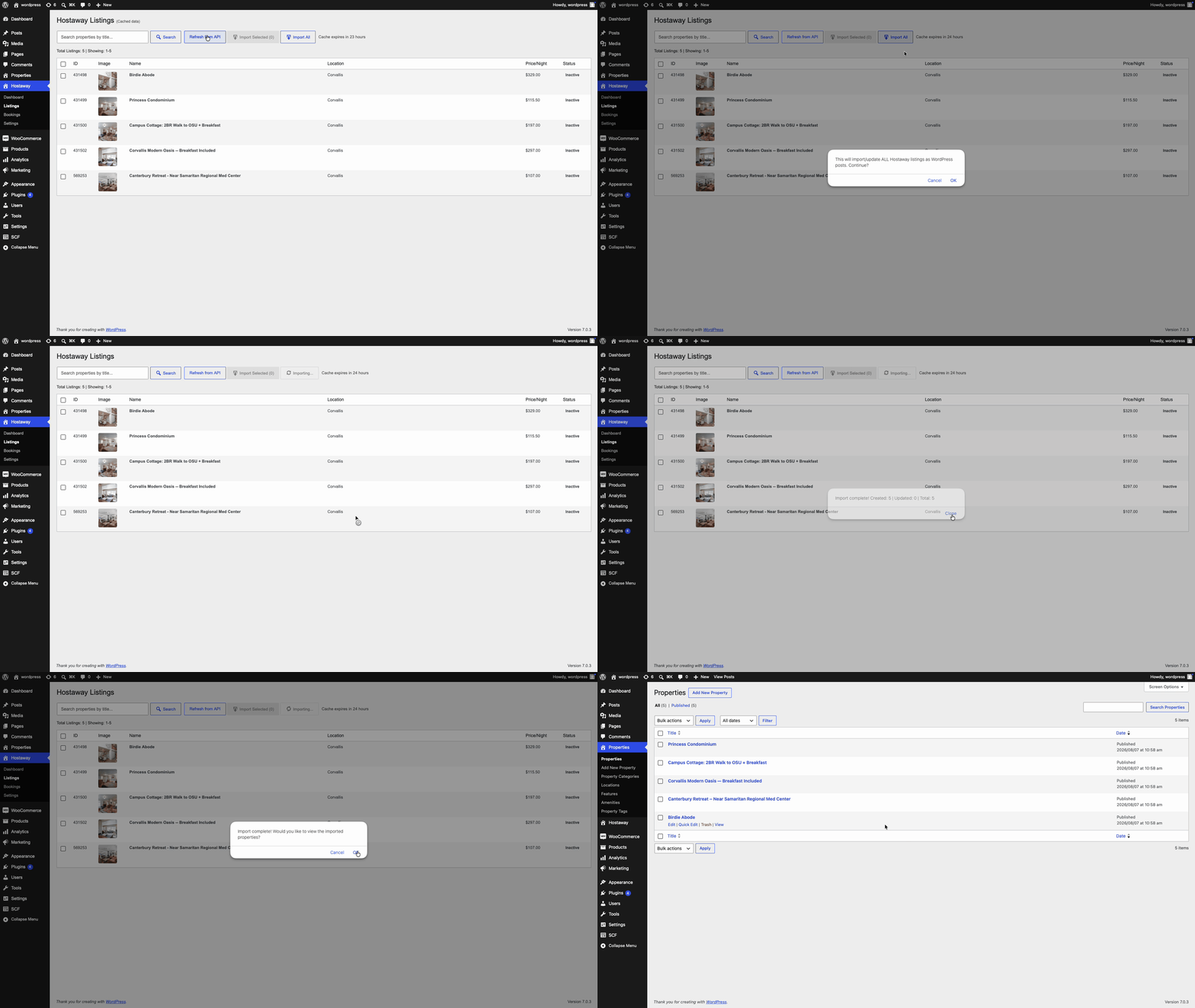
Import vacation rental listings from Hostaway into WordPress, including property details, amenities, and images.
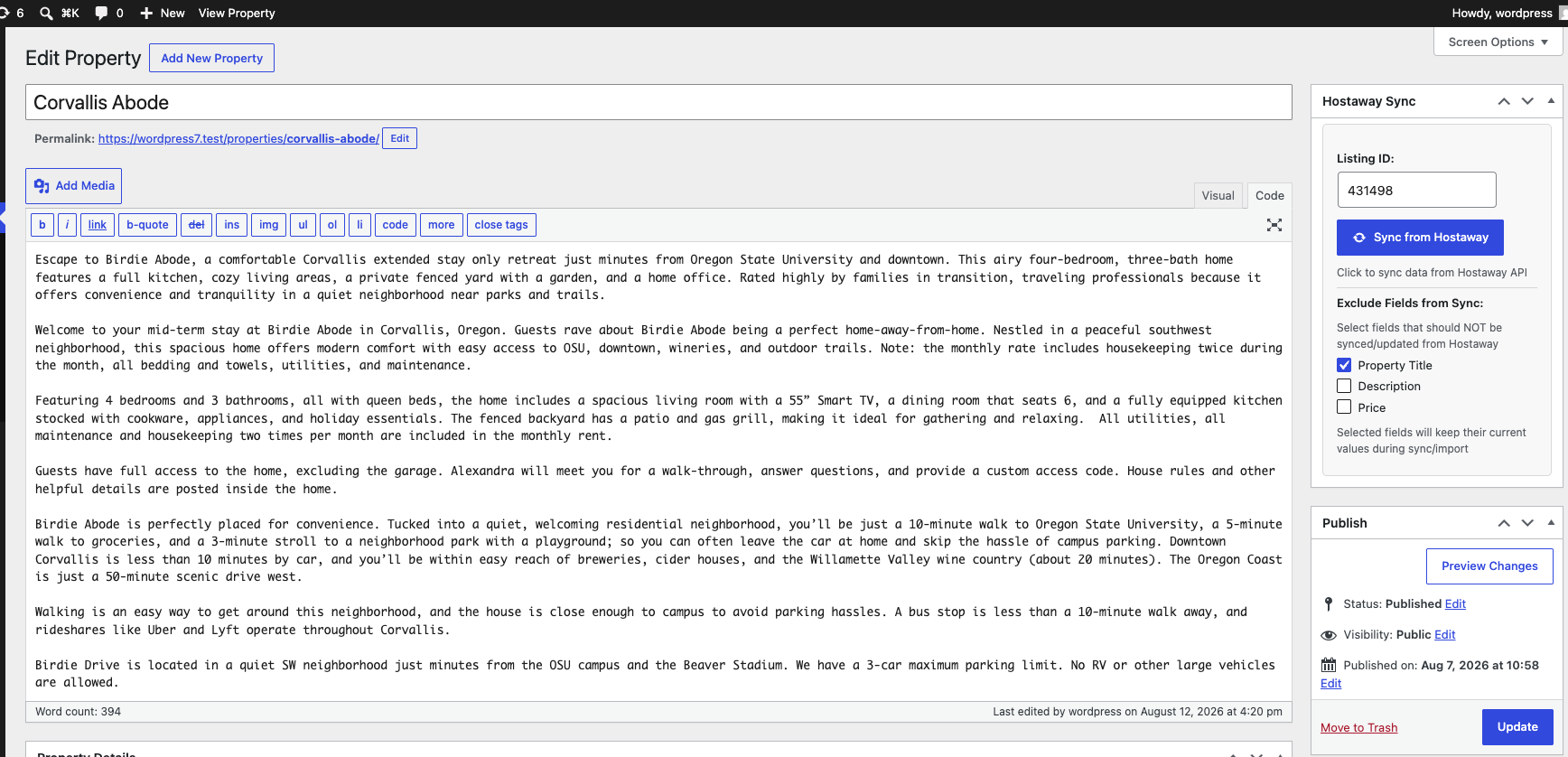
Synchronize property data from Hostaway to keep listings, availability, and pricing up to date. Use Exclude Fields from Sync to keep the current Property Title, Description, or Price instead of overwriting them.
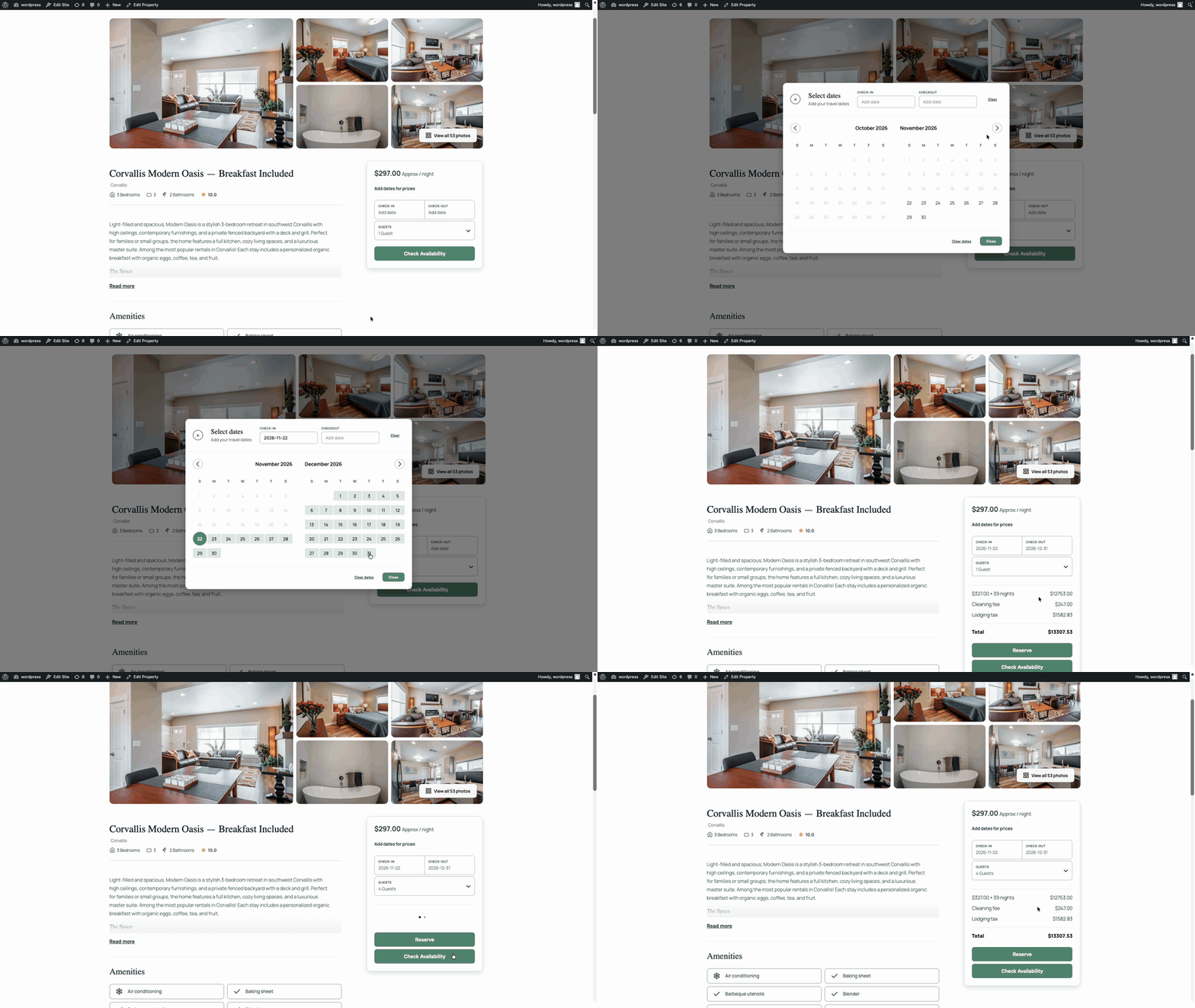
Check property availability with calendar dates and guest filters before starting a booking.
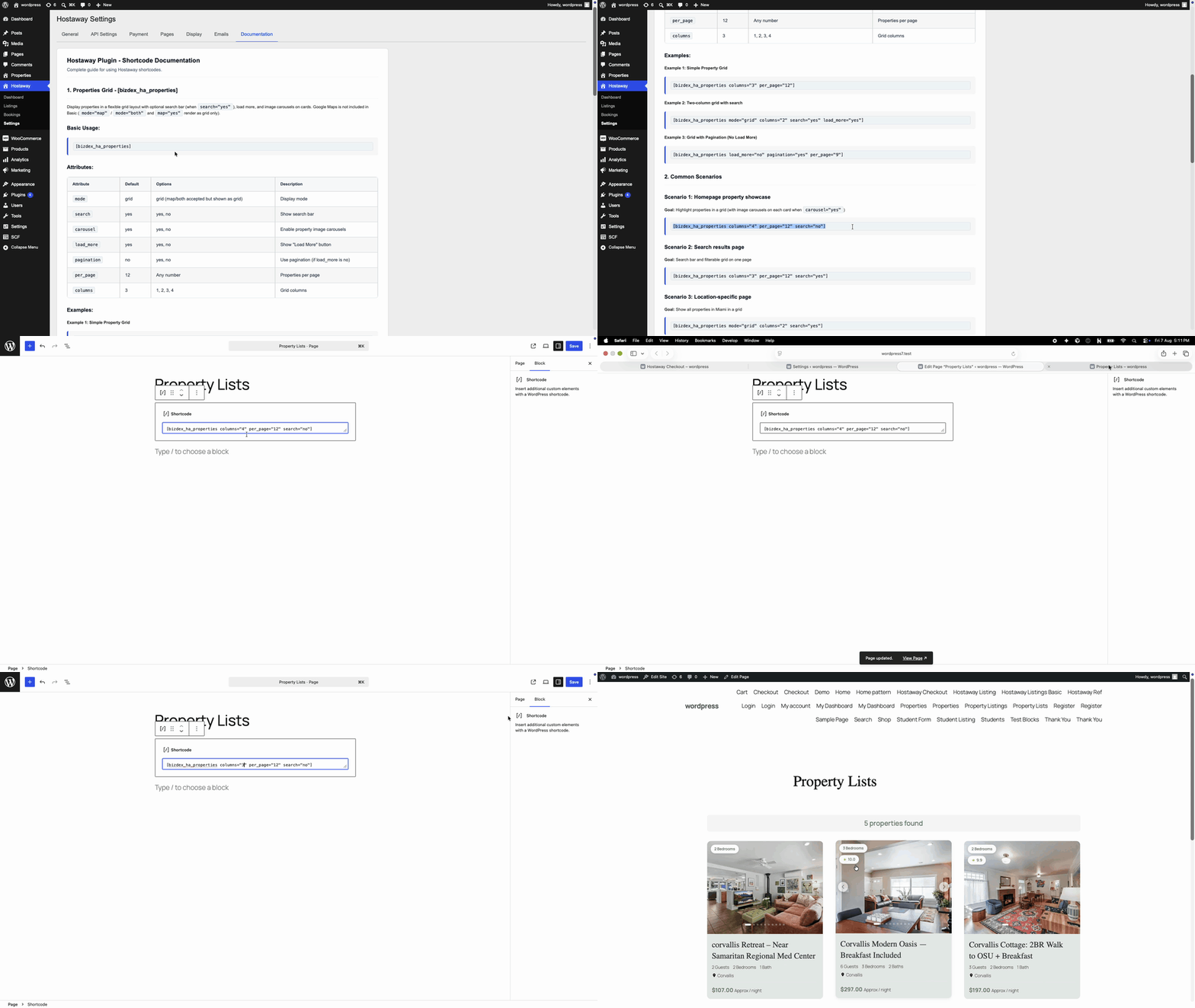
Browse available shortcodes and documentation to embed property grids, search, and single property pages.
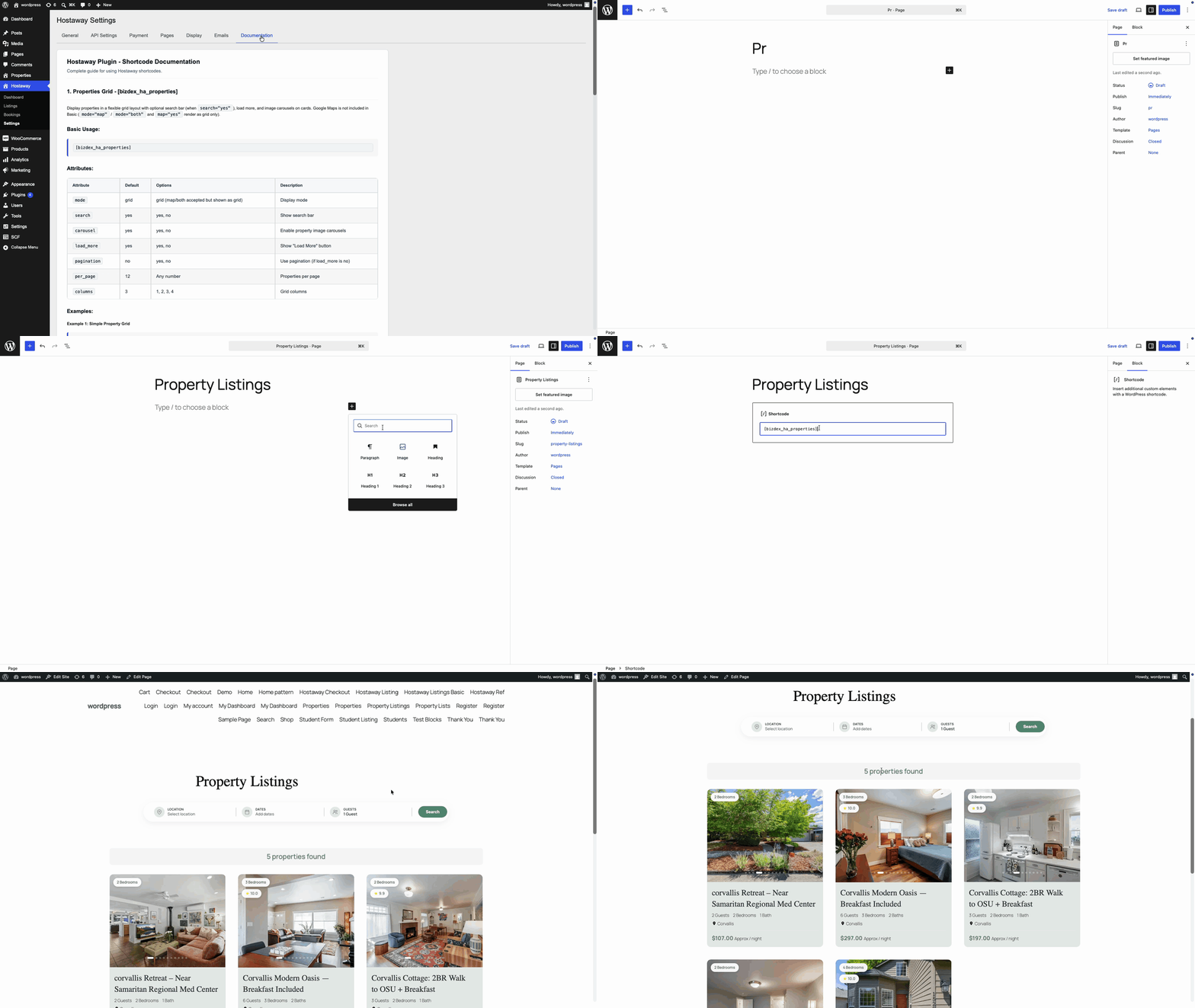
Display property listings in a clean responsive grid without the search bar for featured or curated pages.