BACK TO DIRECTORY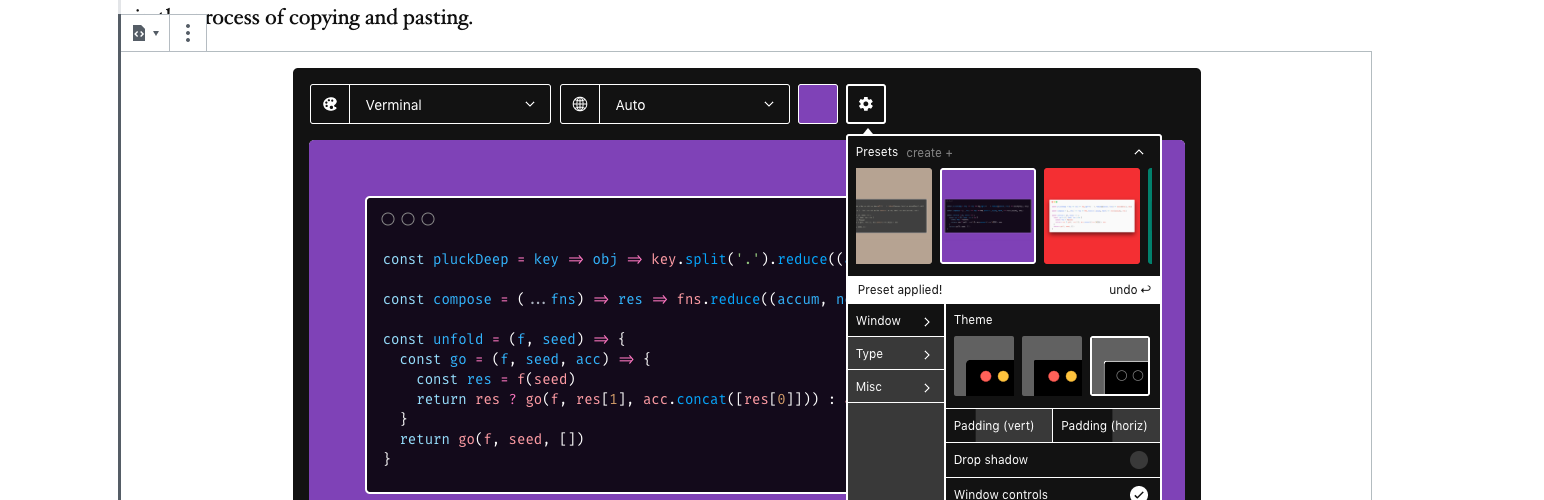


Carbon Code
The easiest way to create beautiful images of code comes to Gutenberg, the WordPress block editor!
How To
- Add a \”Carbon Code\” Block to your post.
- Write your code directly in the editor, copy/paste, or even drag a file into it.
- Use the toolbar to customize the syntax highlighting theme, background color/image, window effects/paddings, fonts, and even upload your own. Then save your customizations as a preset.
- Brace for awesomeness!
- Your preview or published post will render your customized block with a handy copy to clipboard button.
Thanks
To everyone who worked on Carbon, which this project forked.
Screenshots
Carbon Code Block with customizer open.
Carbon Code Block with background picker open.
Published Carbon Code Block.
Plugin Details
Active Installs
10Total Downloads
2,096Version
1.0.0Requires WP
5.2Requires PHP
5.6.20Tested Up To
5.2.30Added
2019-06-28Last Updated
2019-06-28 2:46am GMTRatings
5
0
4
0
3
0
2
0
1
0