
Block Manager gives you complete control over the WordPress Block Editor by allowing you to:
✅ Disable Blocks – Remove unwanted blocks from the Block Inserter and Editor
✅ Disable Patterns – Hide block patterns you don’t need with a single click
✅ Change Block Categories – Reorganize blocks by updating their categories for better workflow
Simplify your WordPress editing experience by removing clutter and organizing blocks exactly how you need them. Perfect for client sites, custom workflows, and maintaining a clean, focused Block Editor.
Key Features
Disable Blocks
– Globally remove any block from the Block Inserter and Block Editor.
– Disable block variations individually while keeping the core block.
– Control Embed blocks (Twitter, Facebook, YouTube, etc.) to remove unwanted options.
– Toggle entire block categories on/off with one click.
Disable Block Patterns
– Remove unwanted block patterns with a simple toggle.
– Hide core WordPress patterns that don’t fit your site.
– Clean up the pattern library for a focused editing experience.
Change Block Categories
– Update the category of any block to better organize your Block Inserter.
– Create a custom workflow that matches your editing process.
– Improve findability by grouping related blocks together.
Additional Features
– Code Hooks: Use filters to control blocks and patterns via functions.php.
– Search and Filter: Quickly locate blocks and patterns with built-in search.
– Export Options: Generate code snippets for syncing across environments.
– Status Reports: View active and disabled blocks at a glance.
Hooks & Filters
Use Block Manager hooks to controls blocks via code and sync options across multiple WordPress environments.
gbm_disabled_blocks
Use the gbm_disabled_blocks hook to remove blocks via backend code.
// functions.php
add_filter( 'gbm_disabled_blocks', function() {
    return [
        'core/buttons',
        'core/columns',
        'core/freeform',
        'core/table'
    ];
});
gbm_disabled_patterns
Use the gbm_disabled_patterns hook to remove block patterns via backend code.
// functions.php
add_filter( 'gbm_disabled_patterns', function() {
   return ['gbm/core-patterns', 'core/query-standard-posts', 'core/query-medium-posts'];
});
gbm_block_categories
Use the gbm_block_categories hook to update block categories via backend code.
// functions.php
add_filter( 'gbm_block_categories', function() {
    return [
        [ 'block' => 'core/html', 'cat' => 'design' ],
        [ 'block' => 'core/cover', 'cat' => 'design' ],
        [ 'block' => 'core/details', 'cat' => 'design' ]
    ];
});
block_manager_user_role
Update the minimum user role allowed to access the Block Manager plugin.
// functions.php
add_filter(
    'block_manager_user_role',
    'edit_theme_options' // Default: activate_plugins
);
Screenshots

Disable Blocks: Easily remove unwanted WordPress blocks by toggling the active state of each block.
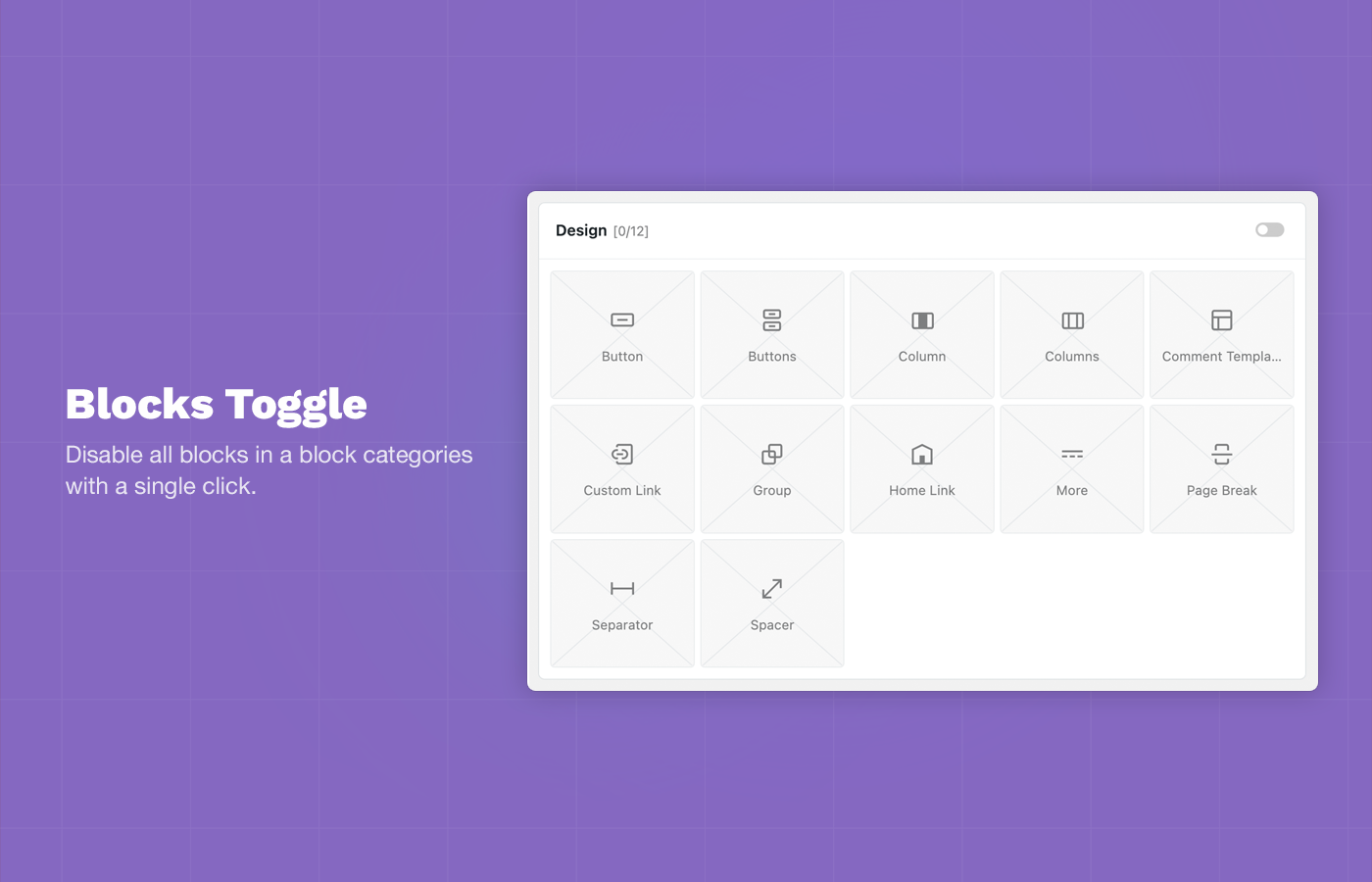
Block Toggle: Disable all blocks in a block categories with a single click.
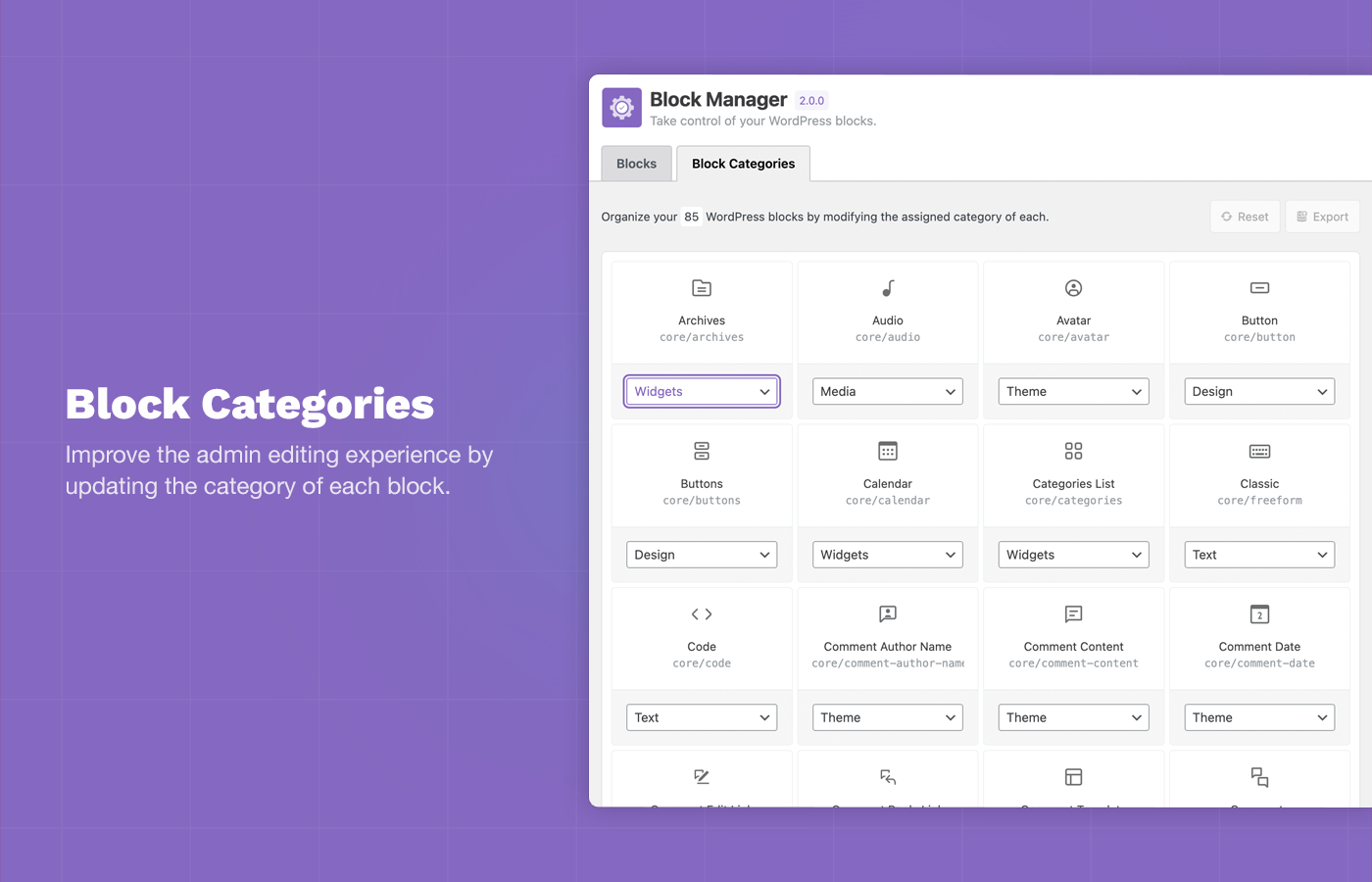
Block Categories: Improve the admin editing experience by updating the category of each block using the Category Switcher.

Disable Block Patterns: Remove unwanted block patterns and core patterns by toggling the active state of each pattern.

Status Reports: Total active and disabled blocks are displayed in the plugin sidebar.

Embed Blocks: Choose the Embed blocks you want to allow on your site and remove the majority of useless options.