
Free AI translation for WordPress
Make your WordPress website multilingual with AI – without paying for another translation subscription.
Blocklingo translates pages, posts, Gutenberg blocks, menus and SEO metadata with the translation provider you choose. Connect your own API key for Google Translate, DeepL, Gemini or Claude, or use the AI provider already set up in WordPress (7.0 and later).
Whether you build a multilingual site for yourself or manage WordPress sites for clients, Blocklingo keeps the translations, the costs and the content under your control.
AI-powered translation, your own API key
Choose the provider that fits your languages and budget:
- Google Translate (Google Cloud Translation API)
- DeepL
- Google Gemini
- Anthropic Claude
- WordPress AI – the AI provider set up in Settings > Connectors (WordPress 7.0 and later), no separate key
You pay your provider directly, at their price. Google, DeepL and Gemini offer free allowances. There is no Blocklingo account and no Blocklingo translation subscription.
Add a glossary of brand names that must never be translated, a style guide and extra instructions for AI providers.
Gutenberg-friendly translation
Blocklingo is built for the block editor and block themes. Block texts and attributes are translated in the browser and saved back as valid blocks – no “This block contains unexpected or invalid content” after translation.
- “Translate” button in the editor’s Language panel creates the translation as a draft to review.
- Per-language header and footer: header-uk replaces header on Ukrainian pages.
- Navigation menus and synced patterns per language.
- Shortcodes and Contact Form 7 forms are never sent to translation.
SEO-friendly multilingual websites
- Language URLs: the default language has no prefix, other languages use /uk/, /de/ and so on.
- Hreflang tags and per-language locale.
- SEO titles and descriptions translated for Slim SEO, Yoast SEO, Rank Math and SEOPress.
- One sitemap with hreflang alternates (Slim SEO).
- Categories and tags with their own translated URLs (/uk/category/novyny/).
- Latin slugs for Cyrillic titles, with a tool that converts existing slugs and redirects the old addresses.
Translate more than pages
- Pages, posts and custom post types.
- Navigation menus.
- Categories, tags and other public taxonomies.
- Header and footer template parts (block themes) and synced patterns.
- SEO metadata.
- Site title and tagline.
- Theme and plugin texts without an official translation (Language strings).
WordPress, theme and plugin translation files are installed automatically for every language you add.
Bulk translation
“Translate everything” machine-translates the whole site into a language at once: categories, tags, menus, header and footer, pages and posts. Everything is created as drafts, so you review before publishing. It shows progress and time left, and stops with a clear message when something blocks it (a rejected API key, no credit, a rate limit).
Language switcher
A Language switcher block for block themes, the [blocklingo_switcher] shortcode, the blocklingo_language_switcher() template tag, or “Add to menu” for classic themes without code.
Built for WordPress developers
- One post per language, linked in a translation group. Deleting a post never deletes its translations.
- Sync like Polylang: categories, tags, featured image, template, parent and order stay identical across translations.
- Public functions, filters and an action to customize what gets translated and how (see “Developer hooks” in the FAQ).
- Queries accept ‘lang’ => ‘uk’ or ‘all’.
- API keys can be defined in wp-config.php.
Why Blocklingo?
- Free multilingual functionality – no mandatory translation subscription.
- Bring your own AI – pick the provider, switch any time, pay only for what you translate.
- Made for Gutenberg – blocks stay valid after translation.
- SEO built in – language URLs, hreflang and translated SEO fields out of the box.
- Your content stays yours – translations are ordinary WordPress posts, and nothing goes to a translation provider until you translate.
External services
Machine translation is optional and off until you choose a provider in Settings > Blocklingo and add your own API key. Only the provider you choose is contacted, and only when you translate (the Translate button, “Translate everything”, “Translate empty” on Language strings, “Test connection”, “Load models”). The plugin sends the texts being translated (page title, excerpt, block texts, SEO fields, menu labels, category names, theme strings), the source and target language, your glossary, style guide and extra instructions, and the page title as context. It sends your API key to that provider to authenticate. Nothing is sent in the background or when visitors browse the site.
- Google Cloud Translation API (translation.googleapis.com), by Google: Terms, Privacy.
- DeepL API (api.deepl.com, api-free.deepl.com), by DeepL SE: Terms, Privacy.
- Google Gemini API (generativelanguage.googleapis.com), by Google: Terms, Privacy.
- Anthropic Claude API (api.anthropic.com), by Anthropic: Terms, Privacy.
- WordPress AI (WordPress 7.0 and later): the plugin does not contact any service itself. It passes the same texts to the WordPress AI Client, which sends them to the provider the site owner set up in Settings > Connectors, under that provider’s terms and privacy policy.
Language files: when you add a language, the plugin asks WordPress to install the official translation files for WordPress, themes and plugins from wordpress.org (the same updates WordPress does itself), Privacy.
Screenshots
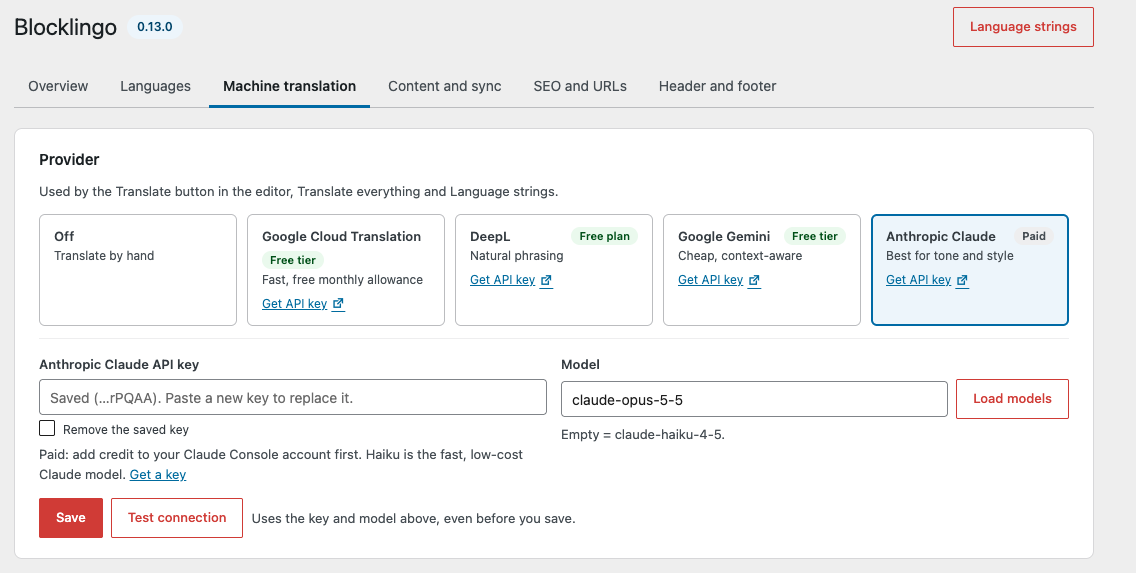
Machine translation: pick Google, DeepL, Gemini, Claude or WordPress AI and test the key.
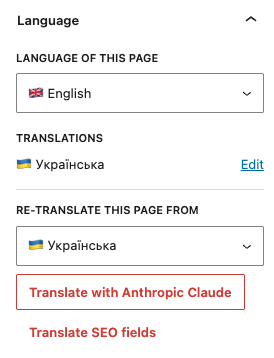
Language panel in the block editor: page language, its translations and one-click re-translation.
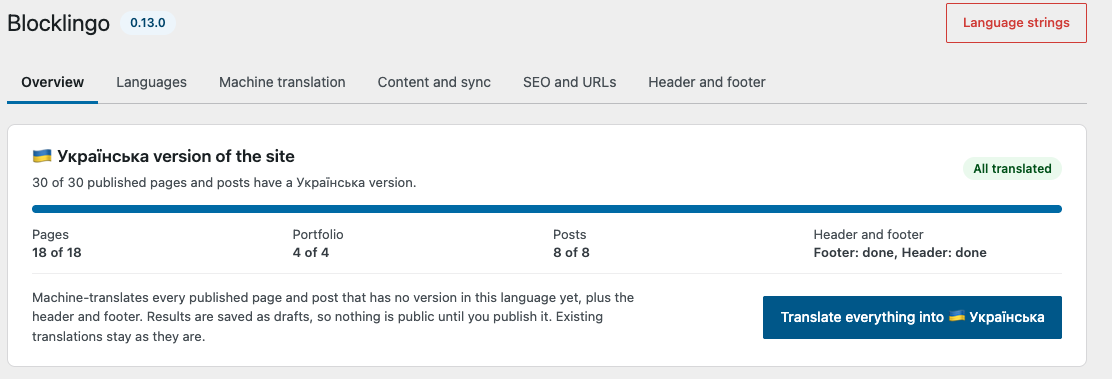
Overview: how much of the site is translated, and "Translate everything" for the rest.
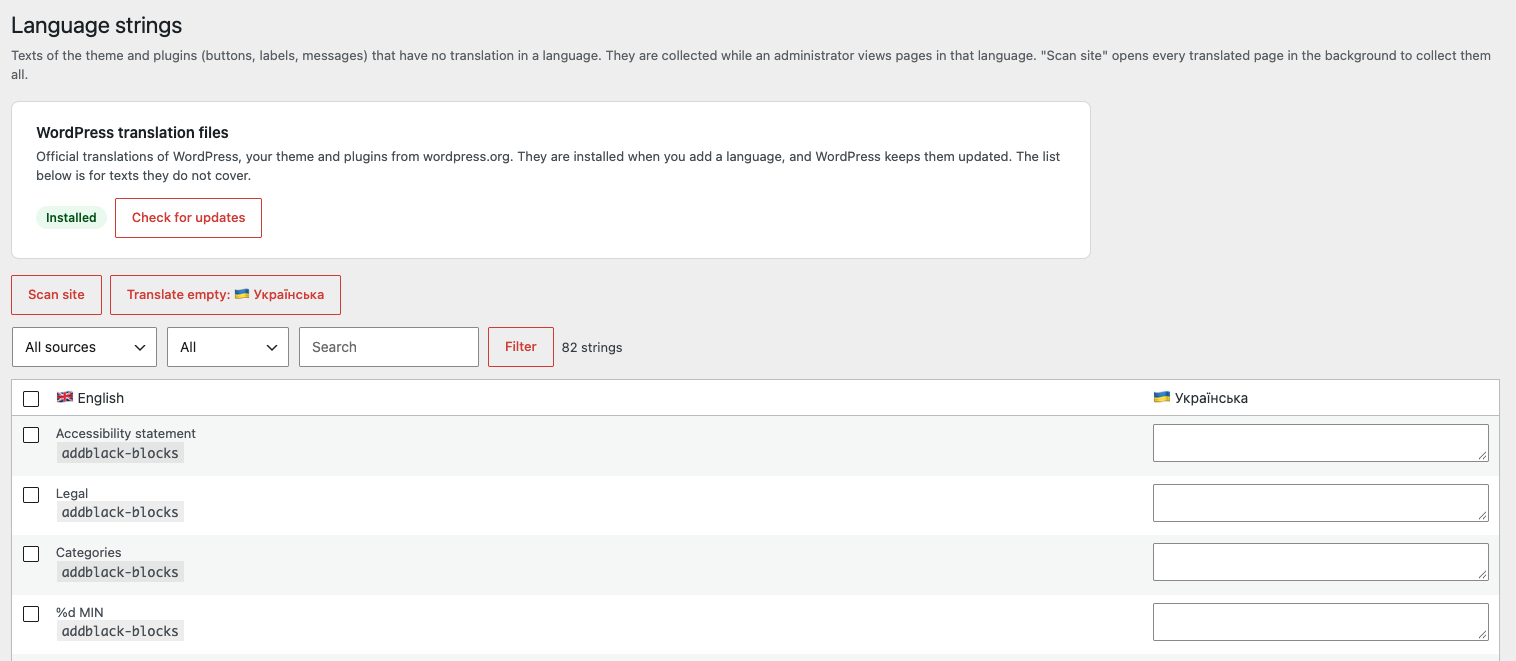
Language strings: theme and plugin texts without an official translation, translated by hand or by machine.

Language switcher block in the site header.