Blockrush API Request Diagnostics gives administrators and WooCommerce store managers a fast, private
view of outbound requests made through the WordPress HTTP API.
Highlights
- Groups calls by third-party destination.
- Expands destination groups into their individual recent calls.
- Tracks request volume, success rate, response time, transfer size, and source.
- Filters all calls by success, error, time, HTTP status, destination, URL, and source.
- Organizes calls chronologically with last-5-minute, last-hour, today, this-week, date-range, and exact custom periods.
- Opens a detailed request/response inspector.
- Produces a copyable, credential-safe cURL command for support and diagnostics.
- Fully suppresses recognized credentials before storage so Free never retains usable secrets.
- Adjustable local log retention and body-size limits, with conservative defaults of one day and 64 KB.
- Responsive, keyboard-accessible UI with no external JavaScript dependencies.
Capture scope
Blockrush API Request Diagnostics observes requests made through WordPress HTTP API functions such as
wp_remote_get() and wp_remote_post(). This includes WordPress core and most
well-behaved plugins, including WooCommerce extensions.
Calls made directly through raw cURL, sockets, or third-party SDK transports that
bypass the WordPress HTTP API cannot be observed from a WordPress plugin without
unsafe system-level interception.
Privacy and security
Recognized API keys, tokens, passwords, authorization headers, client secrets,
consumer credentials, signatures, and URL credentials are fully suppressed
before a log is inserted. Blockrush API Request Diagnostics does not
retain an unmasked copy.
Request bodies are captured by default with a 64 KB maximum. Authorized users
can adjust that limit in Settings. Response bodies are disabled by default.
Headers, status, duration, and byte size remain available when response bodies
are disabled.
Only administrators and WooCommerce users with manage_woocommerce can access
the dashboard, settings, and call details. All actions use WordPress nonces.
Filtered CSV and JSON exports are available through API Analyzer Pro.
Blockrush API Request Diagnostics stores logs only in the site’s own WordPress database. The plugin
does not send logs, telemetry, or personal information to Blockrush or any
other external service.
Because request bodies can contain customer or visitor information chosen by
other plugins, site owners should review their privacy obligations and retention
settings before enabling capture on a production site. Blockrush API Request Diagnostics provides
suggested text in WordPress’s Privacy Policy Guide.
External services
Blockrush API Request Diagnostics does not contact an external service on its own. It does not send
data to Blockrush, load remote assets, collect telemetry, or operate a
hosted component.
The plugin observes outbound WordPress HTTP API calls initiated by WordPress
core, themes, and other plugins. The destinations and information sent in those
calls are controlled by the software that initiated them, not by Blockrush API Request Diagnostics.
Site owners should review the terms and privacy policies of those services
separately.
Screenshots
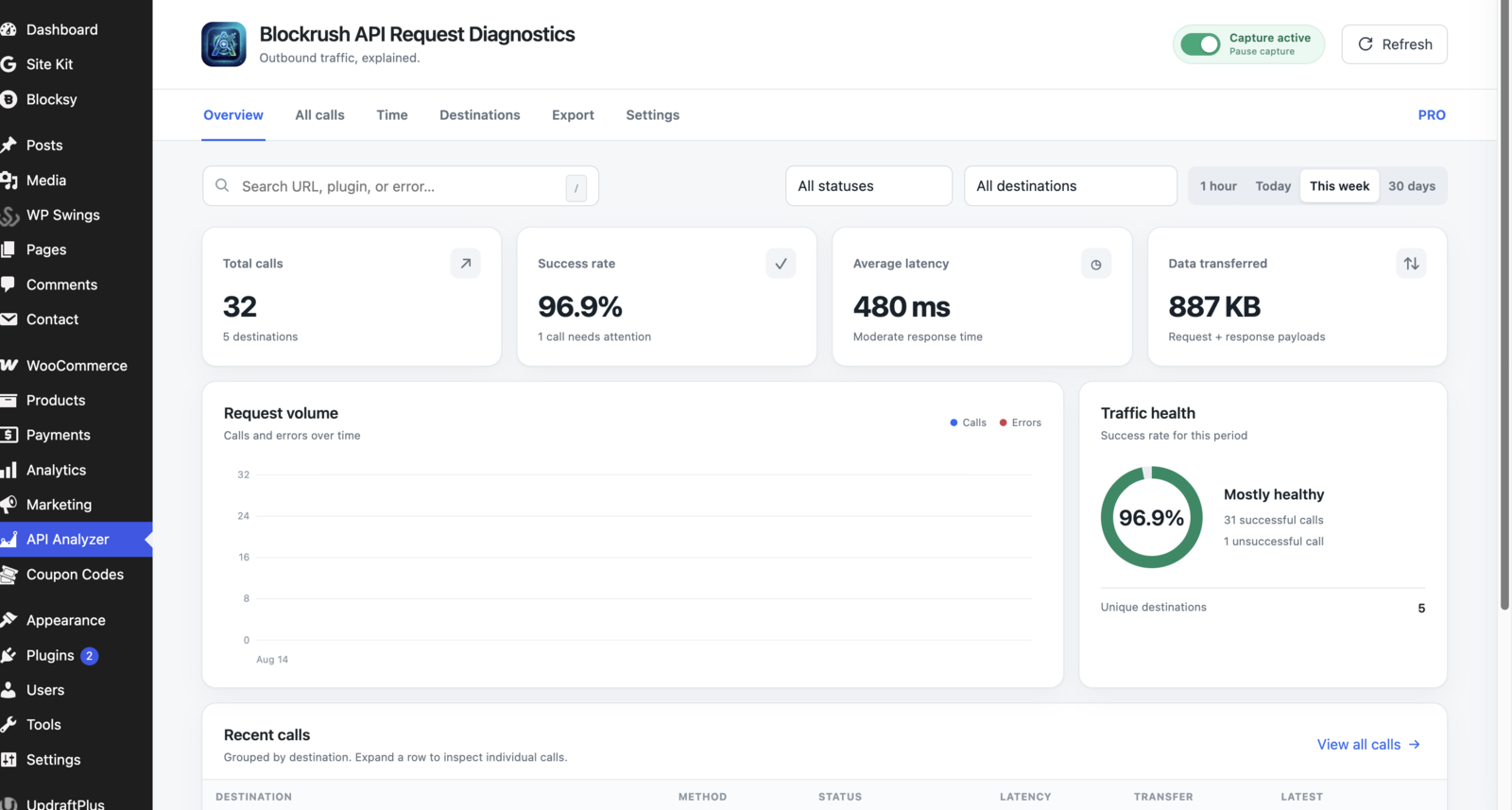
Overview analytics with request volume, traffic health, and recent calls grouped by destination.
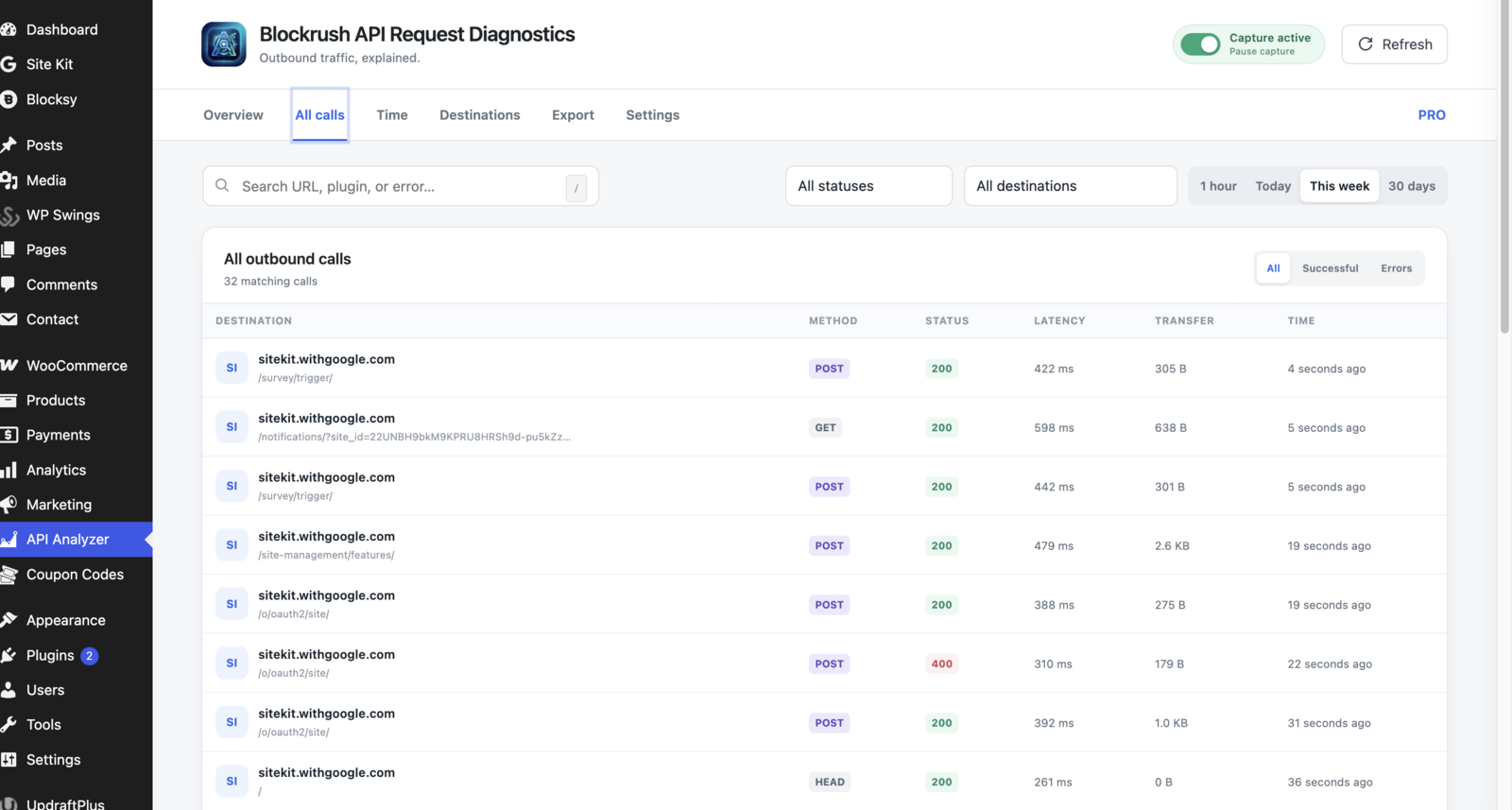
All outbound calls with successful-call and error filters plus latency and transfer details.
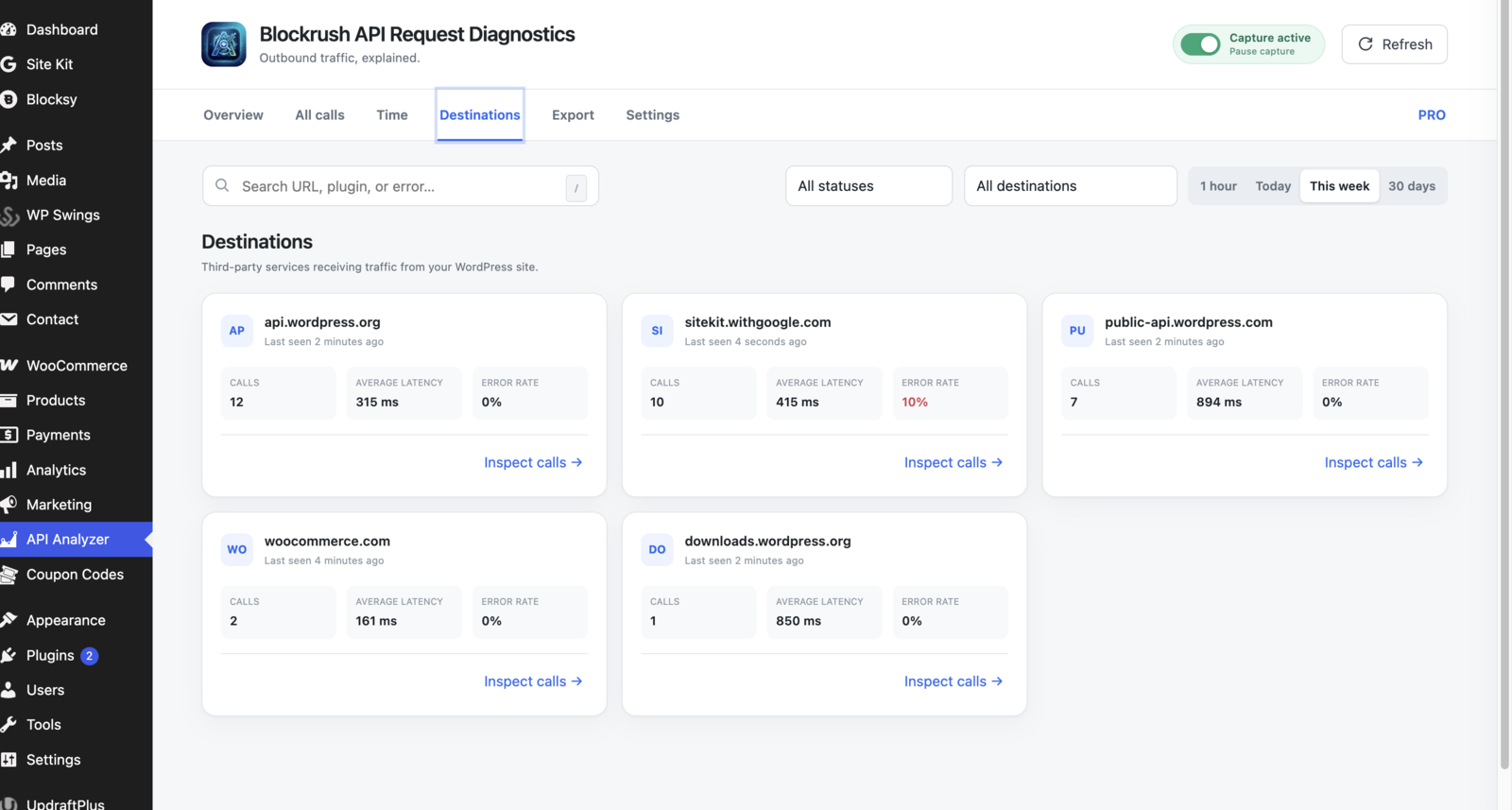
Destination analytics with call totals, latency, error rate, and last-seen activity.
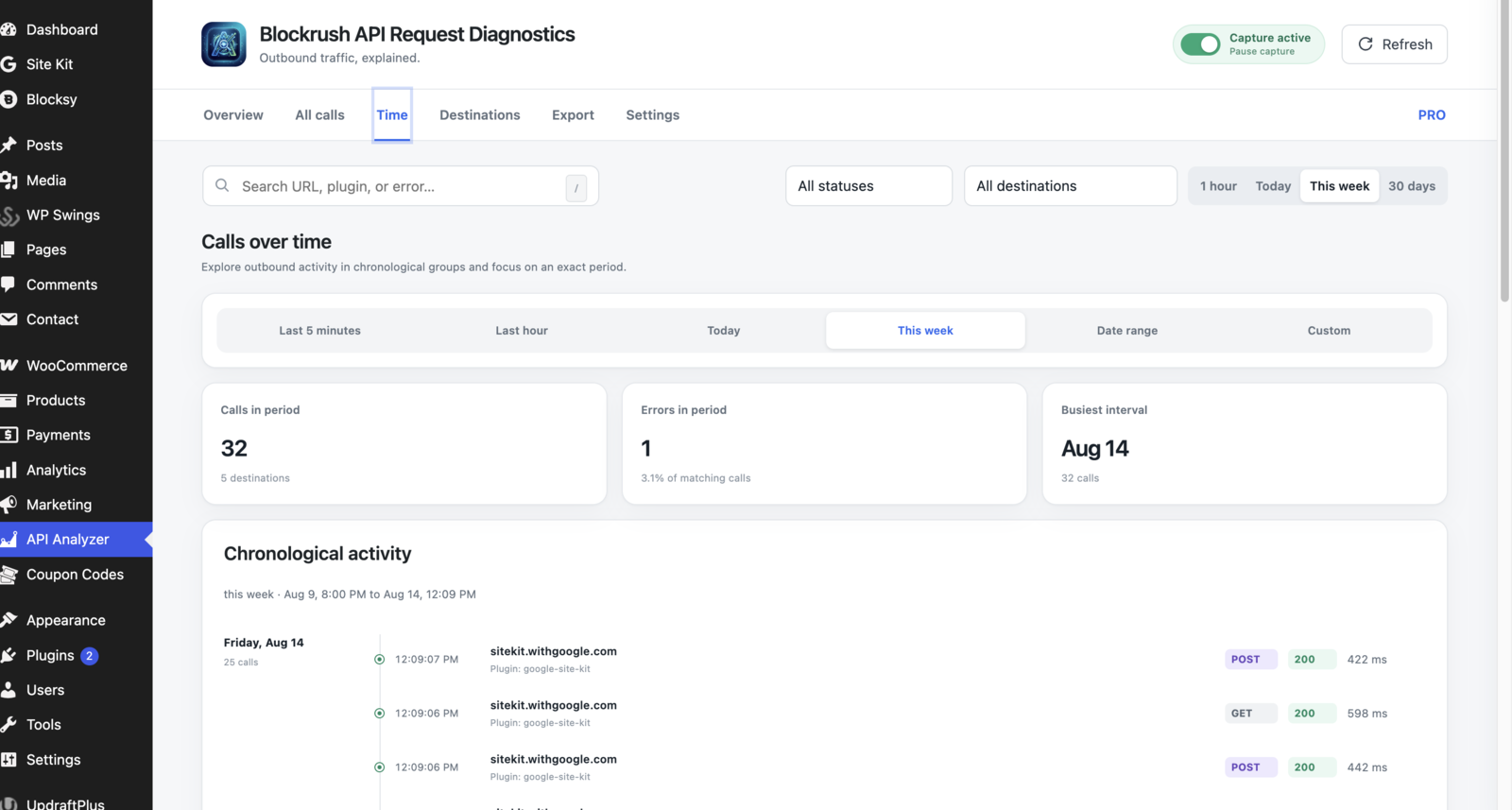
Calls over time with useful periods, summary totals, and chronological activity.
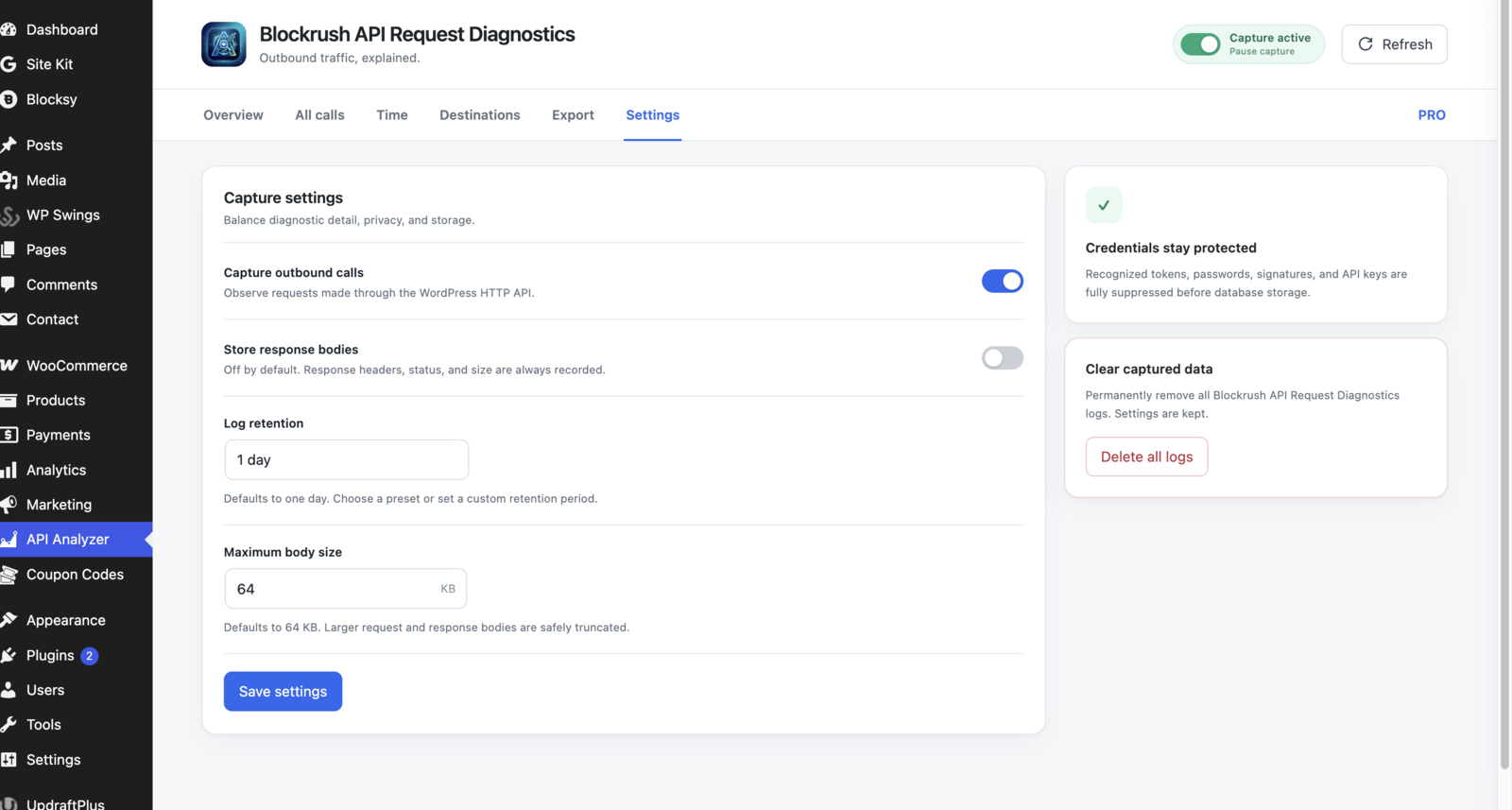
Free capture settings with protected credentials and adjustable retention and body-size controls.
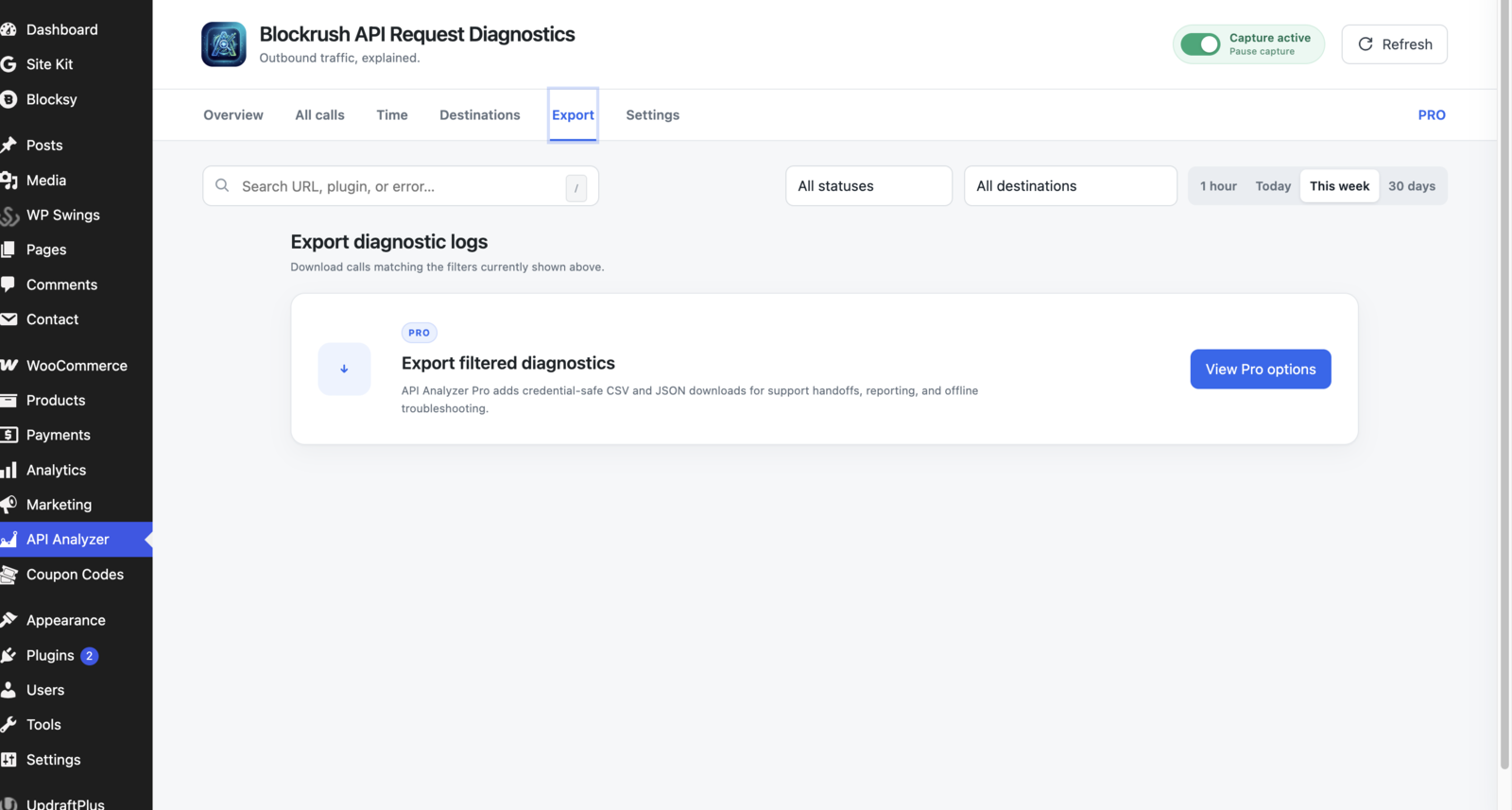
The Export tab showing the optional Pro upgrade for filtered CSV and JSON diagnostics.