Blocks Product Editor for WooCommerce plugin enables the Gutenberg Editor for WooCommerce products.
WooCommerce shipped its own block-based product editor and then removed it in 11.0 with no replacement, so a product description is edited in the classic editor again. This plugin brings the WordPress block editor back to the product screen: every product, its description, its short description and the product taxonomies are edited with blocks, and the classic editor is one switch away when a shop needs it.
Works with the WooCommerce versions that still ship a product block template (7.7 – 10.x) as well as with 11.0 and newer, which have none – the plugin only edits that template away where it exists.
FREE Features
- Enable or disable the Gutenberg Editor for WooCommerce products
PRO Features
The PRO version includes all FREE features, plus:
- The Catalog visibility metabox, so the “Catalog visibility” and “Featured” product settings are available next to the other product data instead of only in the sidebar
- A per-product switch back to the classic editor – the store keeps the block editor for products in general, but a single product can still be edited the old way
- Restricting the block editor to selected user roles, so e.g. shop managers can keep the classic editor
- Restricting the block editor to selected product types, so e.g. only simple products are edited in blocks
- The rich “Product short description” box – the short description gets the full WordPress editor instead of a plain textarea
l10n
This plugin is localization ready.
Languages this plugin is available now:
- English
- Arabic (عرب)
- Czech (čeština)
- Danish (Dansk)
- German (Deutsche)
- Greek (Ελληνικά)
- Spanish (Español)
- Persian (فارسی)
- French (Français)
- Hebrew (עִברִית)
- Hindi (हिन्दी)
- Indonesian (Bahasa Indonesia)
- Italian (Italiano)
- Japanese (日本)
- Korean (한국인)
- Malay (Melayu)
- Norwegian (Norsk)
- Netherlandish (Nederlands)
- Polish (Polski)
- Portuguese (Português)
- Russian (Русский)
- Slovak (Slovenský)
- Finnish (Suomalainen)
- Swedish (Svenska)
- Thai (ไทย)
- Philippine (Pilipinas)
- Turkish (Türk)
- Vietnamese (Tiếng Việt)
- Chinese (中国人)
Feel free to translate this plugin to your language.
Screenshots
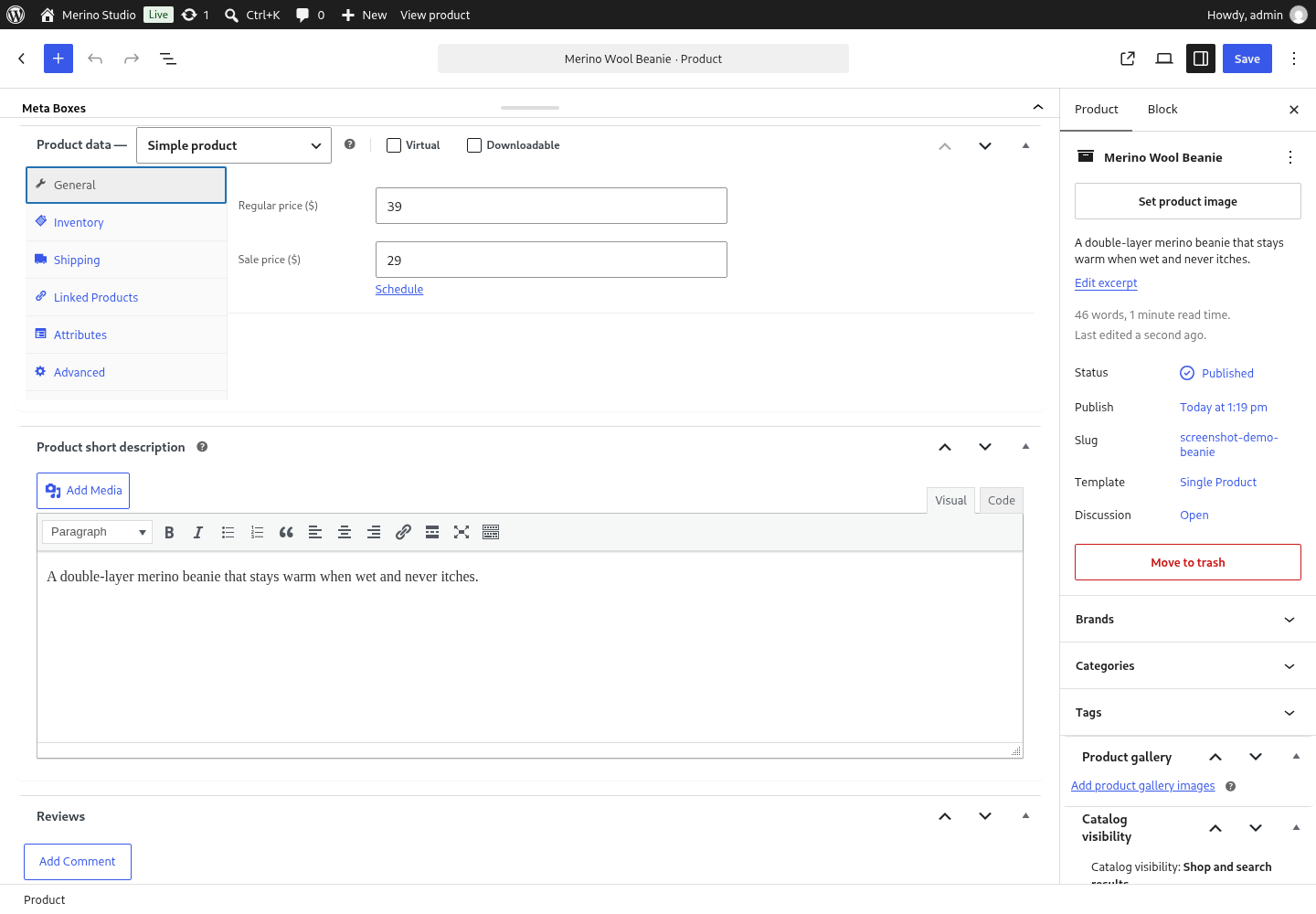
The product screen in the block editor: WooCommerce's product data panel is raised out of the 32px strip, so prices, stock and every third-party box stay where they always were.

The General tab of the product data panel: the regular price and the sale price, edited on the block editor screen.
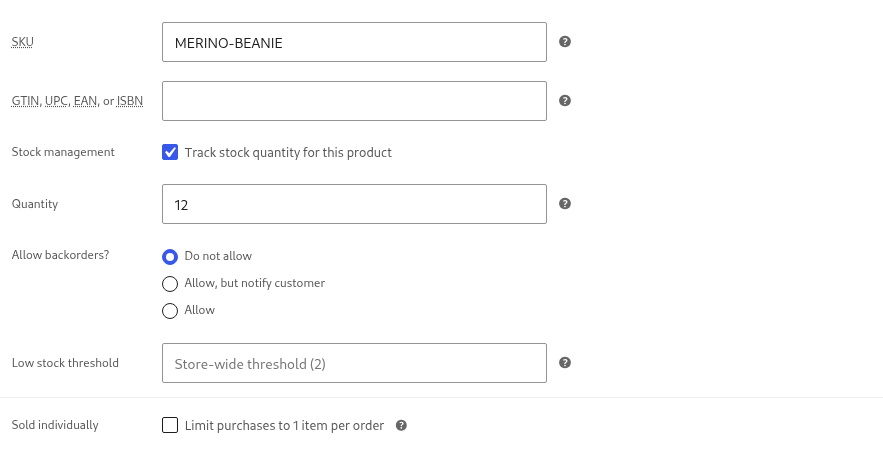
The Inventory tab: SKU, the tracked stock quantity, the backorder choice and the "sold individually" flag, in the same panel as before.
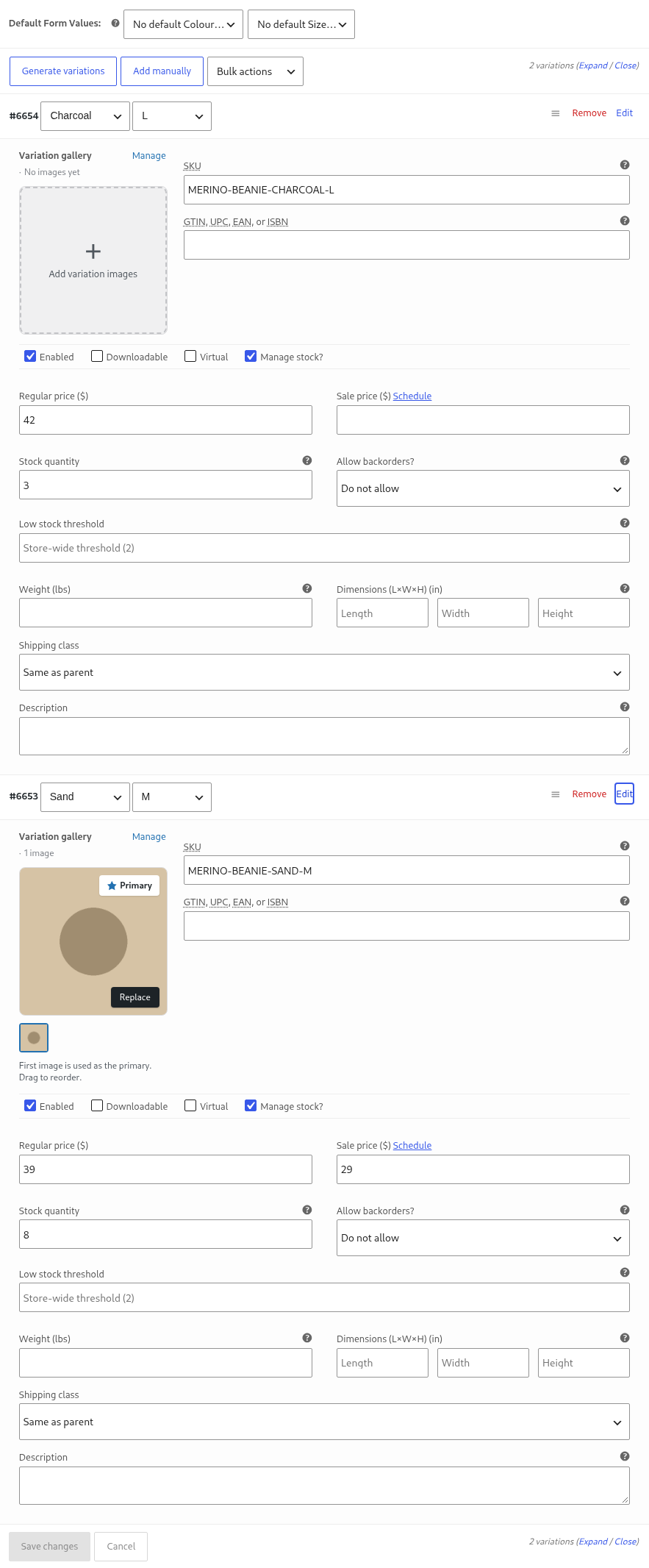
WooCommerce's own Variations tab, with the attributes, prices and stock of two variations - the Free build keeps it, so nothing is lost without the Professional table.
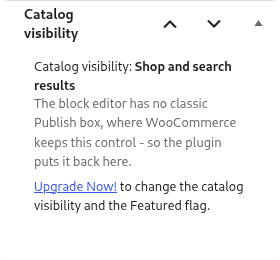
WooCommerce draws the Catalog visibility control inside the classic Publish box, which the block editor does not have, so the setting vanishes from the product screen. The plugin puts the box back in the editor sidebar, where the visibility and the Featured flag can be seen and changed with a Professional licence.
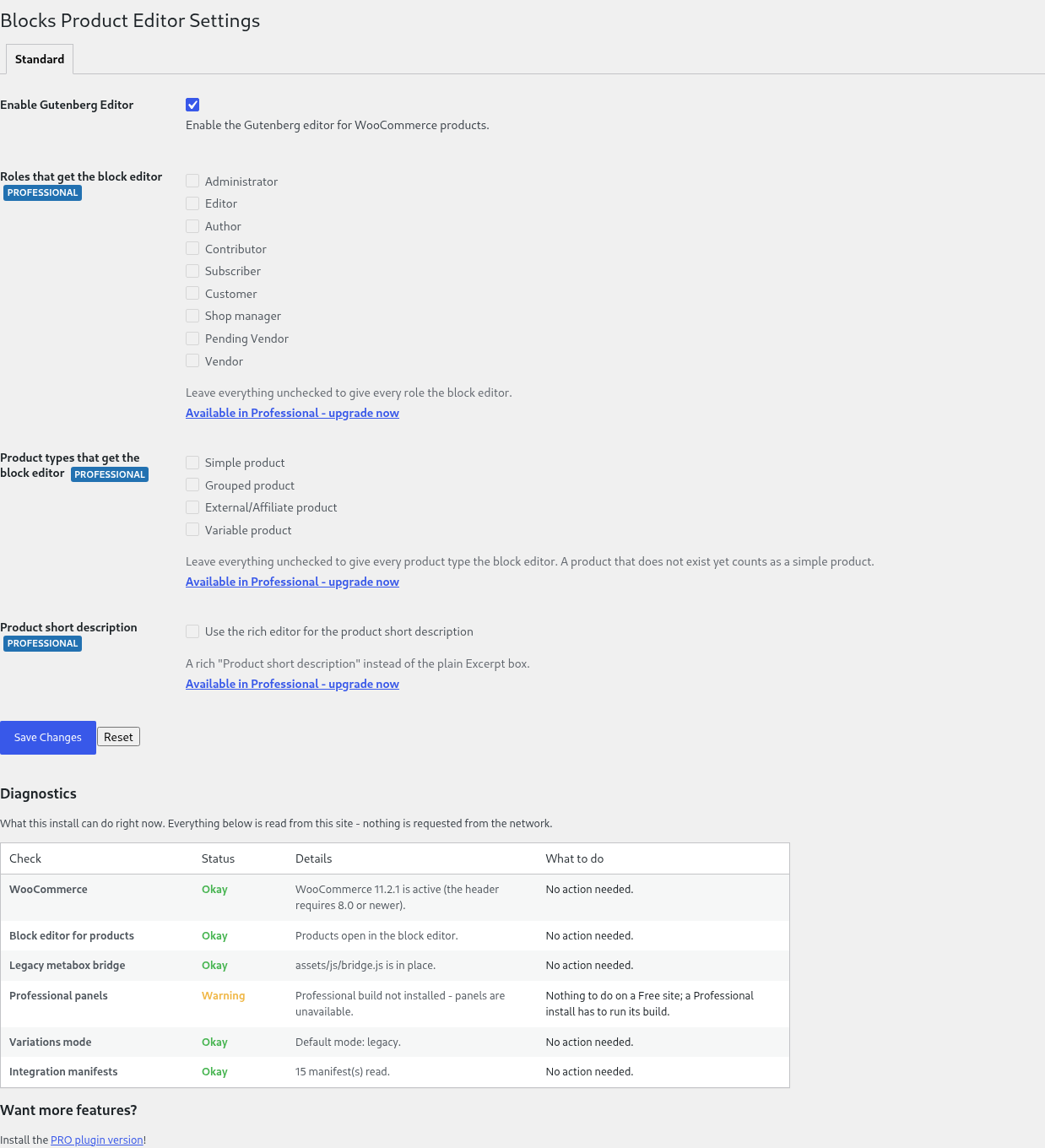
Settings: the switch that turns the block editor on for products, the diagnostics report of this install, and the Professional options the Free build keeps visible but locked.