
The default WordPress [gallery] shortcode only displays your images in a traditional column grid. BNE Gallery Extended adds a new option called “display” allowing you to also show the images as a 3D carousel or masonry grid.
When adding a new image gallery or editing an existing gallery in your page, a new option will show on the gallery settings to either set the display to 3D Carousel, Masonry, or Default Grid. The default grid is what you have been used to and is the default behavior of WordPress. 3D Carousel adds a jquery rotation to your images and Masonry is similar to the default grid but allows different sizes and stacks them. The Masonry grid will also automatically reduce the number of columns for tablet and mobile screens.
To use with the block editor, use a classic editor block, then use the media button on that block’s toolbar to add your legacy media gallery.
Screenshots
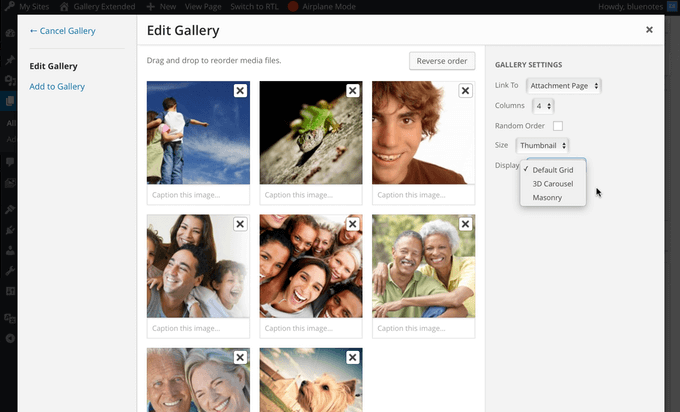
Display Options in the WP Gallery Window

3D Carousel Display

Masonry Display

Traditional Grid