BACK TO DIRECTORY
Send replies to messages you received trough a default Contact Form 7 contact form and you store with Flamingo.
Features
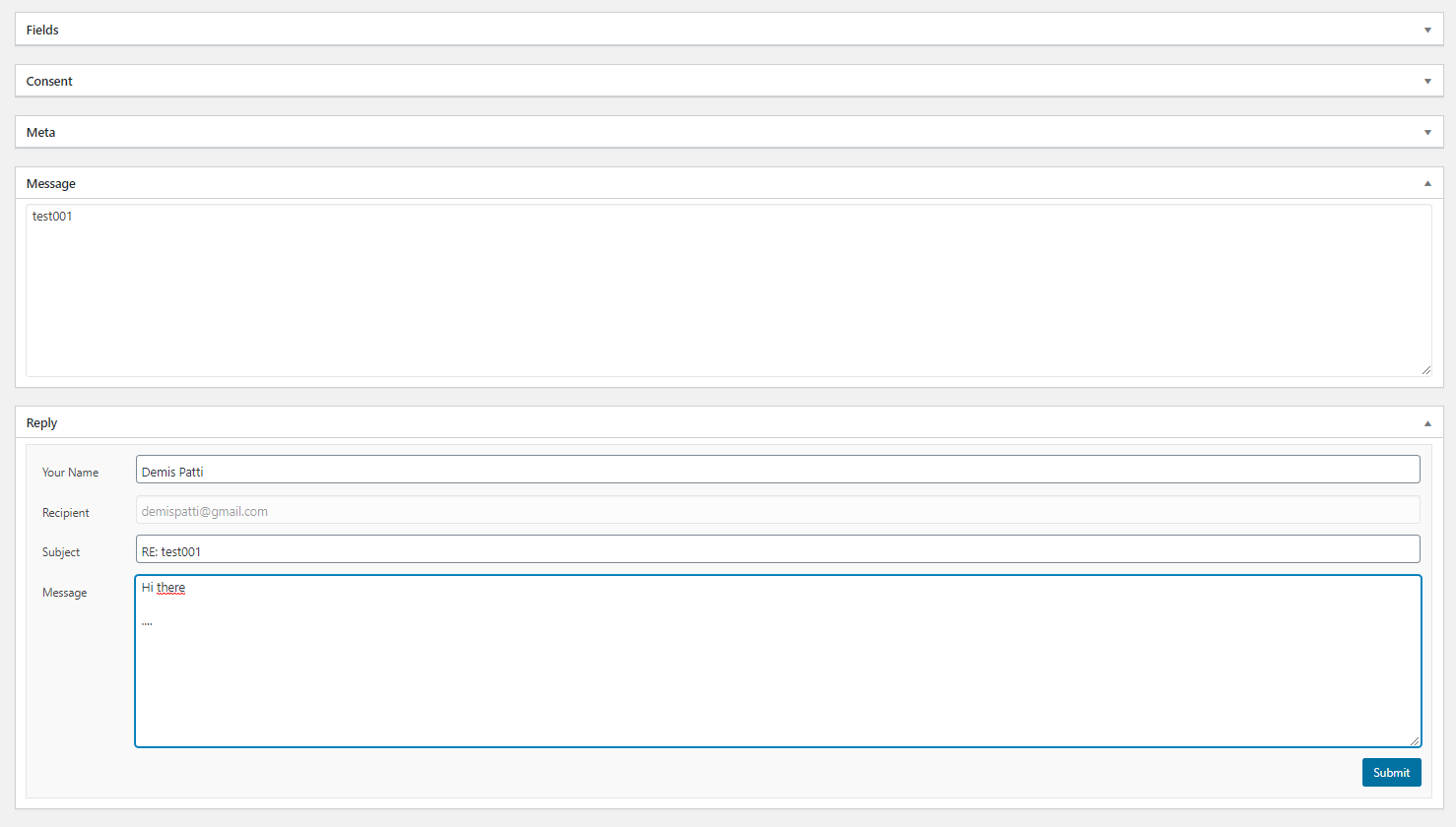
- Send replies to messages received trough a default “Contact Form 7” contact form
- Store replies on your mail server’s ‘Sent Items’ folder
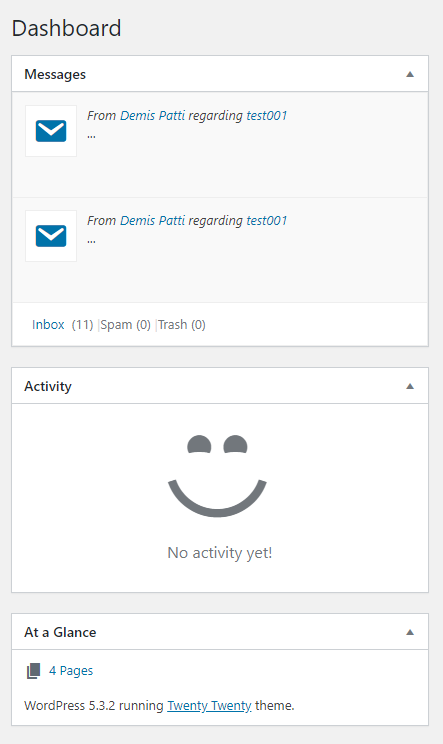
- Dashboard Widget lists incoming messages
- Email replies are text-only
Requirements
- Familiarity with configuration and usage of both Contact Form 7 and Flamingo
- Contact Form 7 installed and activated
- Flamingo installed and activated
- PHP IMAP extension installed and enabled on your web server
- PHP 8.0 or newer with OpenSSL
Privacy
Bonaire processes and displays personal data stored by Flamingo, including sender names, email addresses, subjects, and message bodies. Account credentials are stored locally in the WordPress database using authenticated encryption. Sending a reply transmits its content and recipient address to the configured SMTP and, when enabled, IMAP servers.
Screenshots
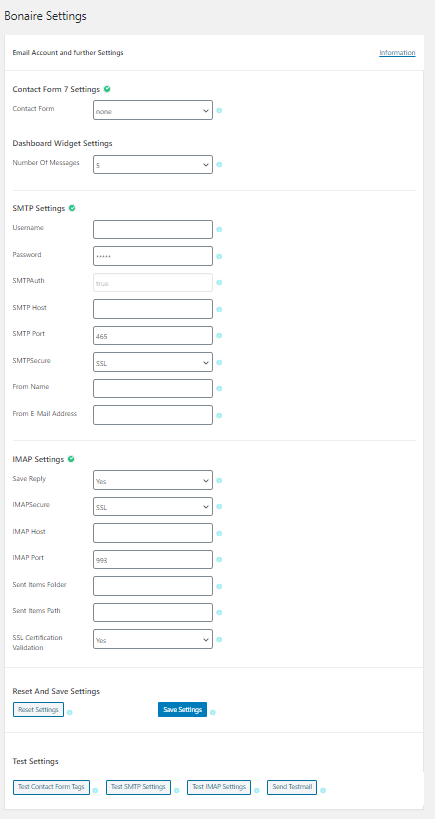
Settings Page
Dashboard Widget
Reply Form
Plugin Details
Active Installs
10Total Downloads
1,816Version
1.1.1Requires WP
6.7Requires PHP
8.0Tested Up To
7.1.3Added
2020-01-04Last Updated
2026-10-21 6:57pm GMTRatings
5
0
4
0
3
0
2
0
1
0