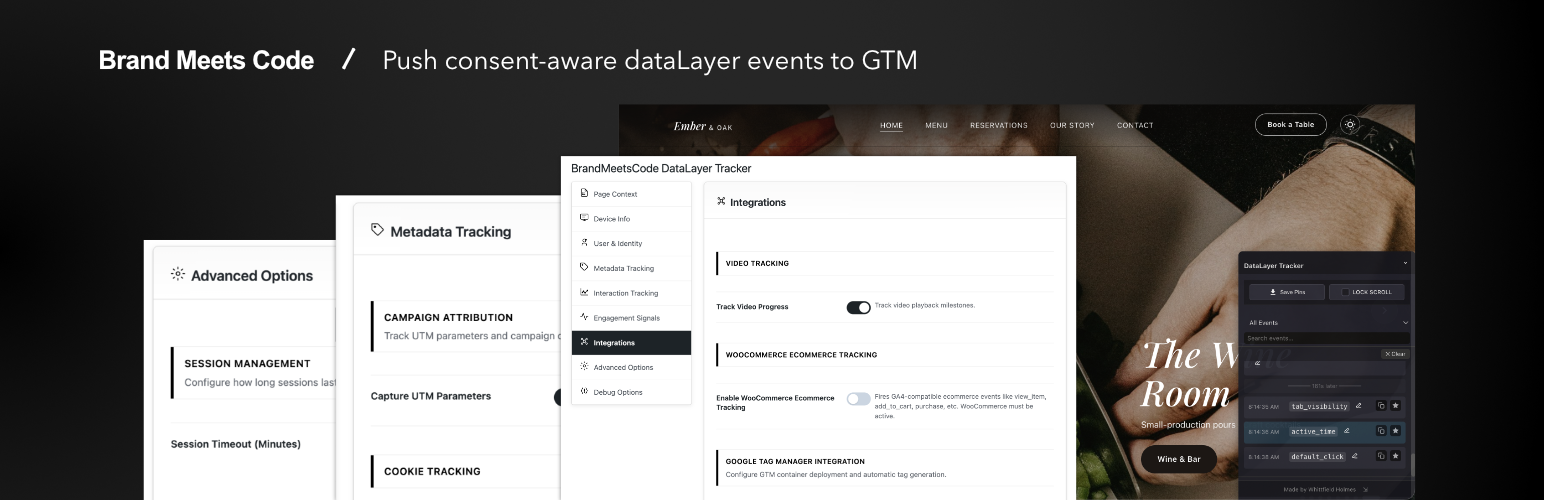
BrandMeetsCode DataLayer Tracker sends structured data to window.dataLayer so Google Tag Manager or your own tags can consume consistent events and page context.
By Whittfield Holmes at Brand Meets Code. Listed on WordPress.org as BrandMeetsCode DataLayer Tracker; the wp-admin menu is DataLayer Tracker.
This plugin is fully functional with no license checks, no trial period, no usage quotas, and no disabled settings in wp-admin.
Included features
- Page & content context — page type, IDs, title, URL, slug/path, categories/tags, referrer, UTM parameters
- Visitor & device hints — resolution, timezone offset, browser language; optional cookie exposure rules
- Logged-in user context — role-style flags and optional hashed user id (modes you configure)
- Engagement — scroll depth (modes), scroll back up, focus/blur, time on page, active time, hover intent, video progress, default clicks; optional deeper click/field/section options where listed in Settings
- Forms —
form_view,form_field_start,form_submit,form_error,form_abandon; optional form-vendor shortcut mode - WooCommerce (when enabled) — browser GA4-style ecommerce events (view_item, add_to_cart, purchase, etc.) when WooCommerce is active
- Google Tag Manager — optional container snippet output from settings (you configure tags inside GTM)
- Consent-aware loading — delay until consent, CMP preference, TCF option, fallbacks
- Page URL filtering — regex exclude list
- Sessions — client-side session timeout/heartbeat options
- Debugging — console logging levels and admin debug overlay (core panels)
- Developer-friendly — hooks/filters; push custom
window.dataLayerevents from theme or other plugins
Consent Management
Auto-detection and integration patterns vary by CMP; you remain responsible for correct legal configuration on your site.
Google Tag Manager
Optional snippet + consistent dataLayer pushes. Configure tags, triggers, and variables inside GTM.
External Services
Google Tag Manager (optional — only when you configure a container ID)
This plugin includes an optional feature to inject the Google Tag Manager container snippet on your site’s front end. This feature is disabled by default and only activates when you enter a GTM Container ID in the plugin settings and enable the snippet toggle.
What it does: When enabled, the plugin outputs the standard GTM <script> and <noscript> tags that load https://www.googletagmanager.com/gtm.js. This causes the visitor’s browser to contact Google’s servers to load the GTM container.
What data is sent: When GTM loads, Google receives the visitor’s IP address, browser, and the URL being viewed — the same data sent by any website that loads GTM. No additional data is sent by this plugin beyond the standard GTM request. The plugin itself populates window.dataLayer in the browser; it is your GTM configuration that determines what analytics data leaves the site.
When it is sent: Only on front-end page loads when the visitor’s browser downloads the GTM script. If the consent-delay feature is enabled, the snippet is withheld until the visitor grants consent via your CMP.
Service provider: Google LLC
- Terms of Service: Google Terms of Service
- Privacy Policy: Google Privacy Policy
- GTM documentation: Google Tag Manager
WordPress Admin AJAX
All plugin settings saves, the setup wizard, and admin actions use WordPress’s built-in admin-ajax.php endpoint. All requests go to your own WordPress installation. No data is sent to external servers by these requests.
Important: You are responsible for ensuring that any third-party analytics services (GTM, GA4, etc.) you configure on your site comply with applicable data-protection laws (GDPR, CCPA, etc.) and that visitors are properly informed. This plugin provides consent-delay and CMP-detection functionality to help withhold scripts until consent is obtained, but legal compliance remains your responsibility.
Privacy Policy
BrandMeetsCode DataLayer Tracker may expose, depending entirely on which options you enable:
- Page URL, titles, and taxonomy-style context
- Logged-in user fields you choose to surface, including optional hashed identifiers
- Engagement signals (scroll depth, timing, generic form interactions)
- WooCommerce-related item data when ecommerce tracking is enabled
- Structured event data pushed to
window.dataLayerfor use by analytics tools you configure
This plugin does not send data to any external server on your behalf. You are responsible for consent, disclosure, and lawful basis for any analytics tools you add to your site. The plugin does not replace legal or DPO review.
Data is exposed to the browser dataLayer; downstream tags decide what leaves the site.
Support
Documentation
- Full Documentation: https://datalayer-tracker.com/knowledge-base
- Video Tutorials: YouTube Channel
Community Support
- Support Forum: WordPress.org
Developer Hooks
Filters (examples)
add_filter(
    'brandatr_before_push',
    static function ( $event ) {
        $event['custom_field'] = 'value';

        return $event;
    }
);

add_filter(
    'brandatr_should_track_event',
    static function ( $should_track, $event_name ) {
        if ( 'unwanted_event' === $event_name ) {
            return false;
        }

        return $should_track;
    },
    10,
    2
);
Actions
// Run code after consent granted
add_action('brandatr_consent_granted', function($consent_types) {
    // Your code here
});

// Run code after dataLayer push
add_action('brandatr_after_push', function($event) {
    // Your code here
});
JavaScript API
// Push custom event
window.dataLayer.push({
    event: 'custom_event',
    custom_param: 'value'
});

// Get session context
const context = window.ADTSession?.getContext();

// Check consent
const hasConsent = window.hasConsent('analytics');<h3>Credits</h3>
Developed by Whittfield Holmes at Brand Meets Code.
Special thanks to the WordPress community, beta testers, and all users who provide feedback and feature requests.
Screenshots
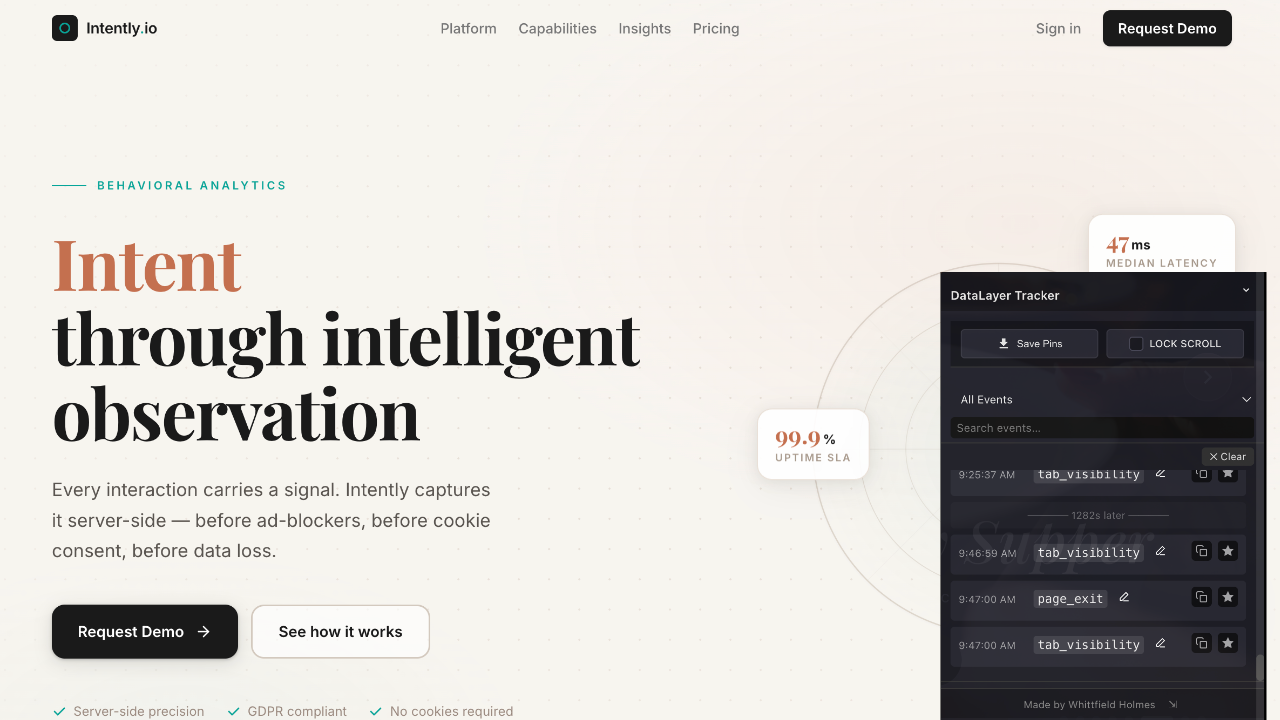
Live debug overlay (admin-only) — Front-end overlay on your site: stream events (for example tab_visibility, page_exit), pin payloads, and QA tracking before GTM Preview. Visible only to logged-in users at or above the role you set in Settings (default: Administrator). Try the interactive demo.
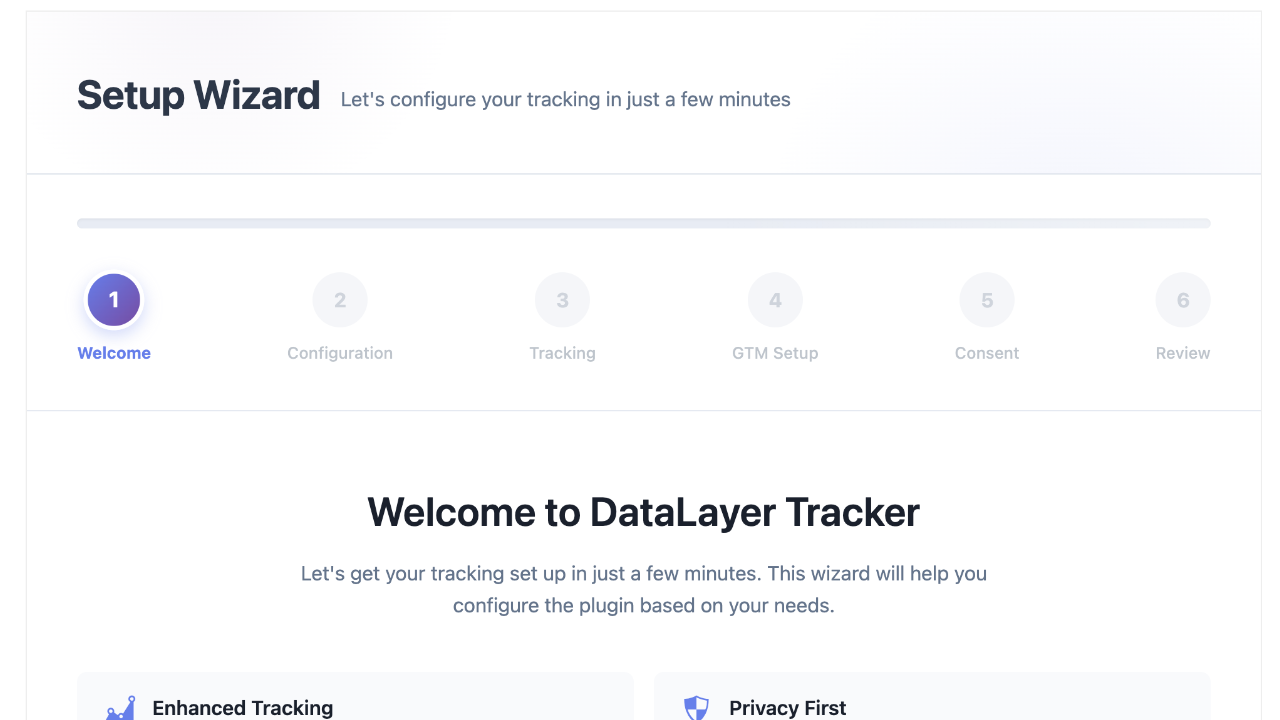
Setup wizard — Welcome step of the guided setup: walk through configuration, tracking, GTM, consent, and review in six steps.
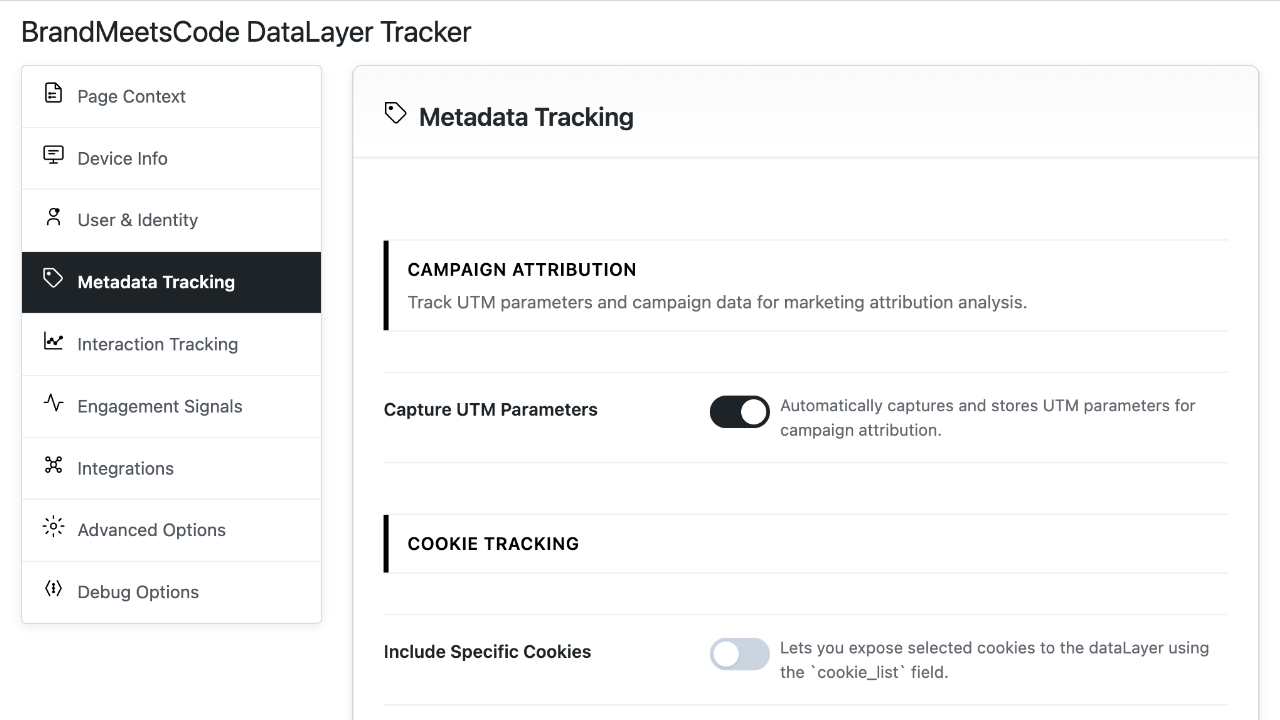
Metadata tracking — Campaign attribution via UTM capture; optionally expose selected cookies to the dataLayer with cookie_list.
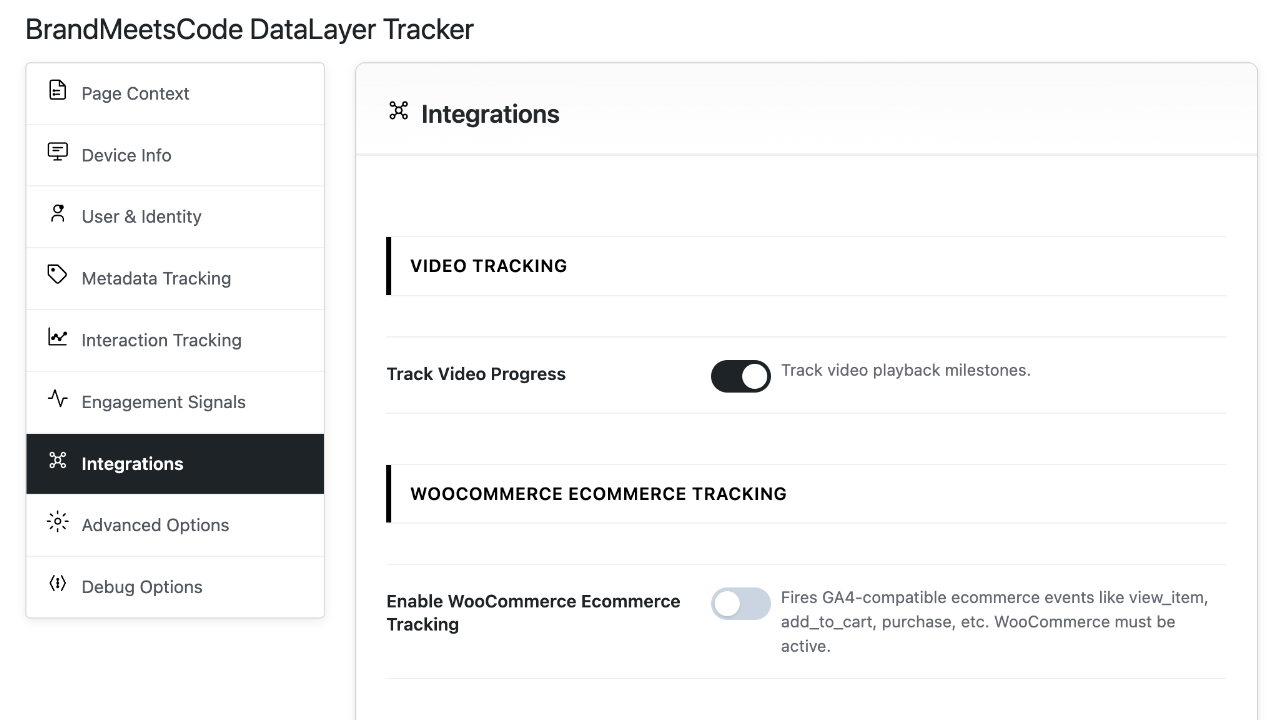
Integrations — Video progress and WooCommerce ecommerce toggles for GA4-compatible events (view_item, add_to_cart, purchase, and more) when those integrations are active.
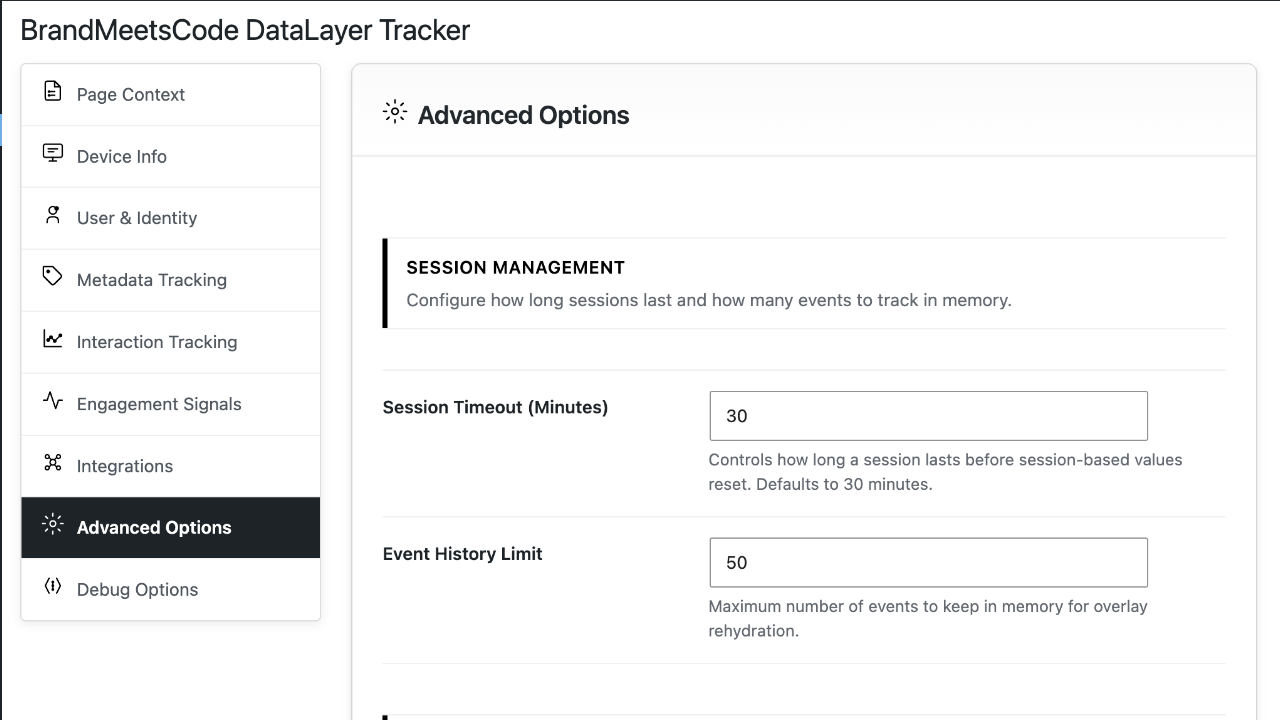
Advanced options — Session timeout and event history limits that control session resets and how many events the overlay keeps for rehydration.
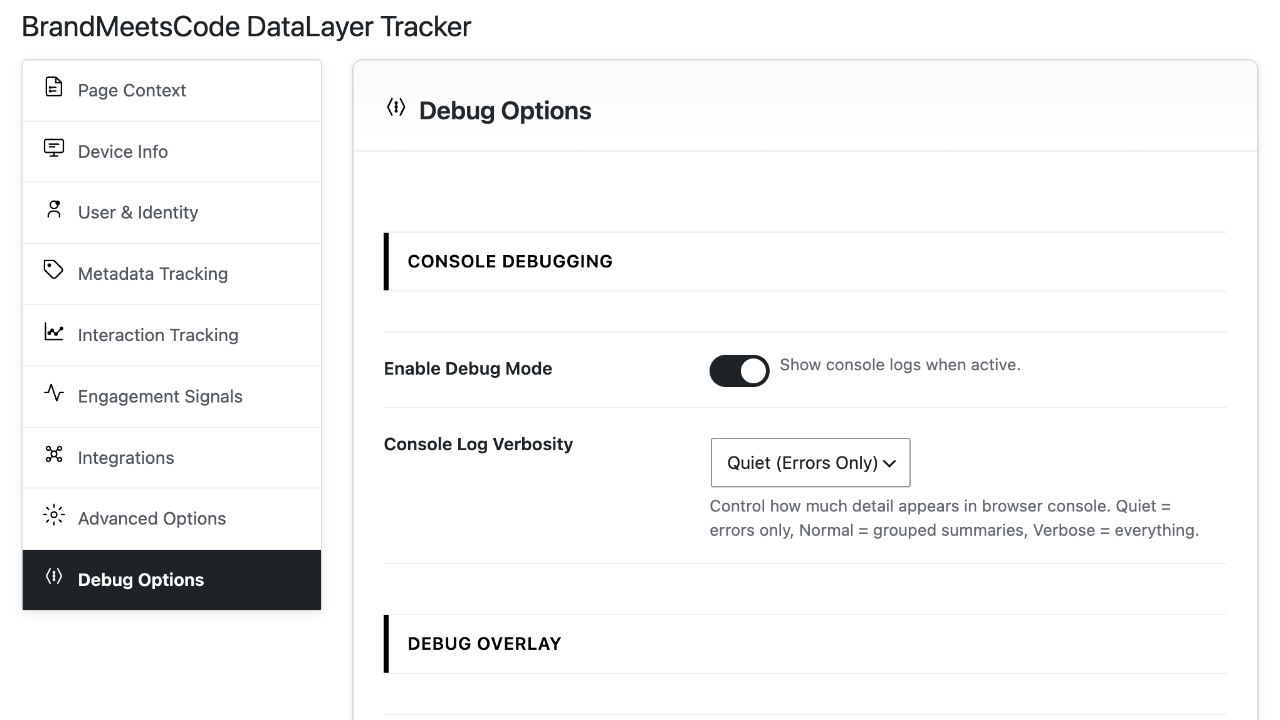
Debug options — Console debug mode and log verbosity, plus overlay settings for front-end QA without exposing tools to visitors.