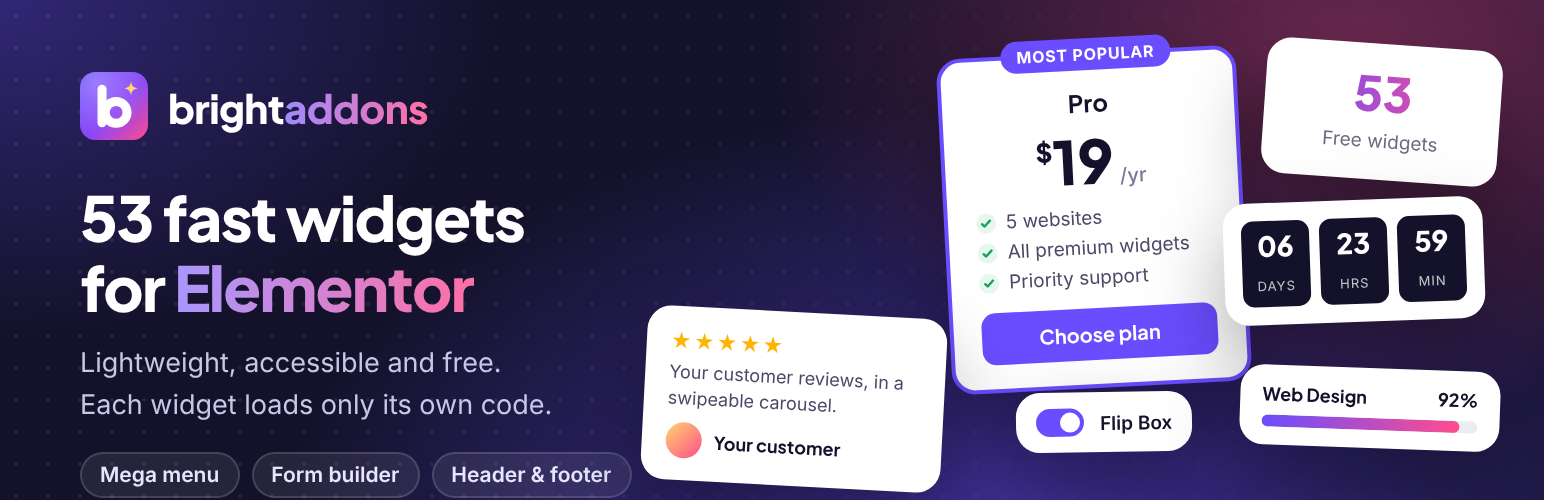
Bright Addons for Elementor is a free Elementor addons plugin with 51 well designed, easy to use Elementor widgets: pricing tables, FAQ accordions, tabs, testimonial and logo carousels, countdown timers, form stylers for Contact Form 7, WPForms, Fluent Forms and Gravity Forms, recipe cards, QR codes and more. Every widget is built for speed: no jQuery plugins, no slider libraries and no icon fonts of our own. Each widget loads its own small stylesheet and script only on pages where you use it, and you can switch off any widget you do not need.
Links
- Bright Addons website
- All widgets with live demos
- Documentation
- Bright Addons Pro: 70+ more widgets and 10 extensions
Widgets included
- Advanced Heading – pre-title, dual color, gradient or marker highlight, separator and subtitle.
- Info Box – icon or image, title, text and button, with left, top or right layouts.
- Dual Button – two buttons side by side with an optional “or” connector.
- Team Member – photo, name, role, bio and social links, with an optional hover overlay.
- Testimonial Carousel – swipeable reviews with star ratings and photos.
- Logo Carousel – client and partner logos with optional grayscale effect.
- Image Comparison – before and after slider, horizontal or vertical, keyboard accessible.
- Counter – animated number with prefix, suffix and thousands separator.
- Progress Bar – line or circle, with optional stripes and gradient.
- Countdown Timer – count down to any date, with a message or hide option when finished.
- Pricing Table – plan, price, sale price, features, badge and button.
- FAQ Accordion – built on native HTML details, with optional FAQPage schema for search engines.
- Advanced Tabs – accessible horizontal or vertical tabs with icons.
- Flip Box – flip or fade effect in four directions.
- Post Grid – your latest posts with image, meta, excerpt and read more link.
- Contact Form 7 Styler – style Contact Form 7 forms without writing CSS.
- Call to Action – headline, text and button on a color, gradient or image background.
- Feature List – icon list with titles, descriptions and a connector line.
- Card – image card with a badge, text and button.
- Social Icons & Share – link to your profiles or let visitors share the page, with official brand colors.
- Advanced Divider – line with text, an icon or both in the middle, in 11 styles including fade, gradient, zigzag and wave, with an optional draw-in effect.
- Blockquote – styled quote with author, photo and source link, in 5 styles, with an optional drop cap.
- Alert / Notice Box – info, success, warning, error and note messages with an icon, link and a close button that can remember the visitor’s choice.
- Pros and Cons – two lists side by side with tick and cross icons, for reviews and comparisons.
- Review Score Box – overall score as a number, circle or stars, rating bars per category, a summary and a button.
- Coupon Code – a code hidden behind “Show code” or shown with a copy button, with a discount badge and an optional end date.
- Star Rating – stars, hearts, circles or any icon with exact half values, a label and a review count.
- Floating Contact Buttons – WhatsApp, phone, text message, email, Messenger and Telegram buttons fixed to a corner of the screen.
- Contact Info List – address, phone, email, opening hours and website with icons; phone numbers and email addresses are clickable.
- Event Card – events with a date badge, time, place, image and button, as cards or a list, with optional Event schema.
- Image Mask – put any image inside a circle, blob, hexagon, heart, arch, brush stroke or your own SVG or PNG shape, with a colored shape behind it and gentle motion.
- Image Stack – two to six overlapping images and small info cards for hero sections, with floating motion and a one-by-one entrance.
- SVG Draw – draws a line drawing stroke by stroke when it scrolls into view, on hover or as the visitor scrolls. 14 drawings are built in, or use your own SVG file.
- QR Code – a QR code for a link, this page, text, email, phone, text message, Wi-Fi login or contact card, with colors, rounded dots, a logo in the middle and a download button. Made in the visitor’s browser, no outside service.
- PDF Viewer – shows a PDF from the Media Library on the page with the browser’s own viewer, plus open and download buttons. Phones that cannot show PDFs get a tidy card with the buttons instead.
- Site Logo – the logo from your WordPress or Elementor settings, linked home, with an optional second logo and smaller size while a sticky header is stuck.
- Copyright Text – a footer line such as “© 2019-2026 Site name” whose year updates itself, with a privacy policy link and more footer links.
- Recent Posts List – a compact list of posts with small images, numbers or titles only, for sidebars and footers.
- Simple Table – type rows with | between cells. Header row, row titles, stripes and lines; on phones each row becomes a card, or the table scrolls sideways.
- Image Gallery – a grid of Media Library images with captions, hover effects and Elementor’s lightbox.
- WPForms Styler – place a WPForms form and style its labels, fields, checkboxes, button and messages without CSS.
- Fluent Forms Styler – place a Fluent Forms form and style it from the Elementor panel.
- Gravity Forms Styler – place a Gravity Forms form and style it from the Elementor panel, with AJAX submit and theme choice.
- Recipe Card – ingredients you can tick off, numbered steps, prep, cook and total time, servings, calories, notes, a print button and Recipe schema for search engines.
- Code Block – code with syntax colors for 25 languages, line numbers, highlighted lines, a file name and a copy button, in a dark or light theme.
- Post Info – one row of post details: author with picture, published or updated date, time, reading time, categories, tags, comments or your own text.
- Stat Card – a key number with a label, an up or down change that turns green or red, a small trend line or bars, and a count-up effect.
- Job Listing – open positions with team, location, job type, salary and an apply button, as a list or cards, with team buttons and location and type filters.
- Ajax Search Free – a live search box: results from pages, posts, custom post types, WooCommerce products and categories or tags show while visitors type, grouped by type, with images, prices and keyboard support.
- Icon List with Tag – an icon list where any item can carry a Free, Pro, New or custom tag before or after its text, with its own link, in a vertical or inline layout with dividers.
- Icon Box with Tag – icon, title and text in a box with a Free, Pro, New or custom tag before or after the title or above it, the icon on the left, right or top, and an optional lift on hover.
Built for performance
- Assets load per widget, only where the widget is used.
- Carousels use native CSS scroll snap, so no slider library is loaded.
- The FAQ uses native HTML details and summary, so it works even without JavaScript.
- Counters, progress bars, carousels and every animation respect the visitor’s “reduce motion” setting.
- Switch widgets on or off from Bright Addons in your dashboard.
Accessibility
Keyboard support, focus styles and ARIA attributes are built in: the tabs follow the WAI-ARIA tabs pattern, the image comparison slider can be moved with the arrow keys and carousels can be controlled from the keyboard.
Bright Addons Pro
Bright Addons Pro adds 70+ more widgets and 10 extensions, and includes every free widget in the same plugin:
- Nav Menu with mega menus built from Elementor templates
- Modal Popup, Contact Form and AJAX Live Search
- WooCommerce widgets: product grid, product filter, mini cart, product deal and more
- Display Conditions to show or hide any element by user, device, date, cart and more
The free plugin is complete on its own and does not need Pro.
External services
The plugin does not send data to any external service when a page loads, and it does not track visitors. It connects to third party services in two cases only: the share buttons of the Social Icons & Share widget, and the chat buttons of the Floating Contact Buttons widget. In both cases nothing is sent until a visitor clicks a button.
When the widget’s Mode is set to “Share this page”, it shows a share button for each network the site owner picks. When a visitor clicks one of these buttons, their browser opens that network’s share page in a new tab and sends it the address (URL) and title of the page being shared, so the visitor can post it. Nothing is sent until the visitor clicks, and only the network they click receives the data. As with any website, the network also receives the information a browser normally sends (such as IP address and browser type) and handles it under its own terms and privacy policy.
Profile links (Mode “Link to my profiles”) are plain links to addresses the site owner enters. The Email share button opens the visitor’s own email app and does not contact any service.
The networks used by the share buttons:
- Facebook (Meta Platforms, Inc.): shares the page on Facebook. Sends the page URL to facebook.com. Terms of Service, Privacy Policy
- X (X Corp.): shares the page on X. Sends the page URL and title to x.com. Terms of Service, Privacy Policy
- LinkedIn (LinkedIn Corporation): shares the page on LinkedIn. Sends the page URL to linkedin.com. User Agreement, Privacy Policy
- Pinterest (Pinterest, Inc.): saves the page as a Pin. Sends the page URL and title to pinterest.com. Terms of Service, Privacy Policy
- WhatsApp (WhatsApp LLC): shares the page in a WhatsApp message. Sends the page URL and title to api.whatsapp.com. Terms of Service, Privacy Policy
- Telegram (Telegram Messenger Inc.): shares the page in a Telegram message. Sends the page URL and title to t.me. Terms of Service, Privacy Policy
- Reddit (Reddit, Inc.): submits the page to Reddit. Sends the page URL and title to reddit.com. User Agreement, Privacy Policy
- Threads (Meta Platforms, Inc.): shares the page on Threads. Sends the page URL and title to threads.com. Terms of Use, Privacy Policy
The Floating Contact Buttons widget shows buttons that the site owner sets up to start a chat with them. When a visitor clicks one of the chat buttons below, their browser opens that service in a new tab (or its app) and sends it the site owner’s number or username, plus the ready-made message if the site owner wrote one. Nothing is sent until the visitor clicks. The Phone, Text message and Email buttons open the visitor’s own phone or email app and do not contact any service.
- WhatsApp (WhatsApp LLC): starts a WhatsApp chat with the site owner. Sends the site owner’s phone number and the ready-made message to wa.me. Terms of Service, Privacy Policy
- Messenger (Meta Platforms, Inc.): starts a Messenger chat with the site owner. Sends the site owner’s username to m.me. Terms of Service, Privacy Policy
- Telegram (Telegram Messenger Inc.): starts a Telegram chat with the site owner. Sends the site owner’s username to t.me. Terms of Service, Privacy Policy
Credits
The QR Code widget uses qrcode-generator by Kazuhiko Arase, released under the MIT license. “QR Code” is a registered trademark of DENSO WAVE INCORPORATED.
The Code Block widget uses Prism 1.30.0 by Lea Verou and contributors, released under the MIT license. The bundled copy keeps to itself, so it never changes another copy of Prism that a theme or plugin loads.
WPForms, Fluent Forms and Gravity Forms are trademarks of their owners. The styler widgets work with those plugins when they are installed; they do not include them.
Screenshots

Settings screen: switch any Elementor widget on or off. Switched off widgets load no code.

Advanced Heading, Dual Button and Counter widgets for Elementor in a hero section.

Info Box widget for Elementor in a six card grid.

Advanced Tabs widget for Elementor, accessible horizontal or vertical tabs.

Pricing Table widget for Elementor with a featured plan, sale price and badge.

FAQ Accordion widget with FAQ schema, and Call to Action widget.

Testimonial Carousel and Countdown Timer widgets for Elementor.

Team Member and Flip Box widgets for Elementor.

Image Comparison (before and after slider) and Progress Bar (line and circle) widgets.