BACK TO DIRECTORY


Add thumbnail column to plugins displays thumbnails for WordPress plugins on the plugins list page, on admin (wp-admin/plugins.php).
Brozzme Add Plugins Thumbnails would help to easily identify plugins. Add your own thumbnails for premiums or personal plugins.
Just activate plugin to see thumbnail.
Options
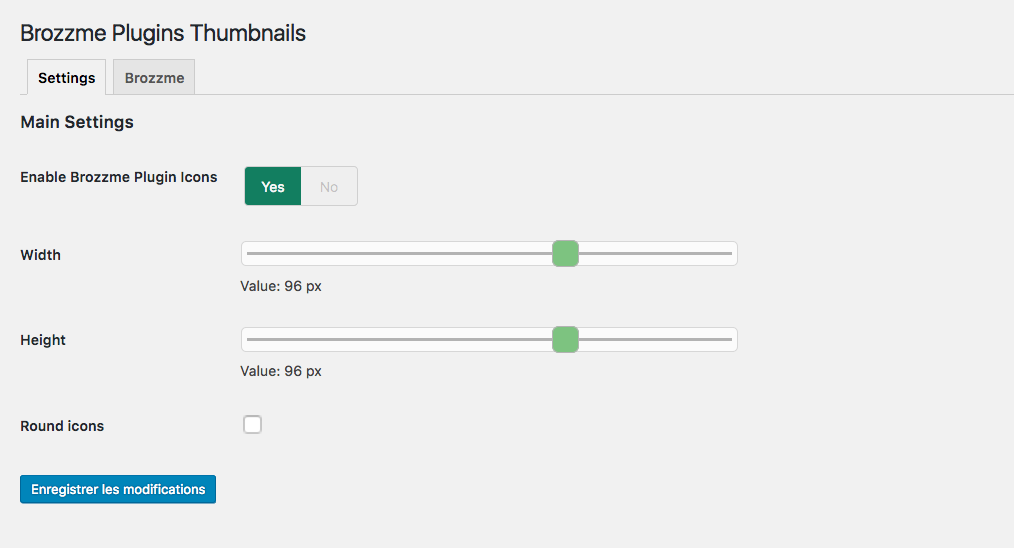
- Icon width and height
- Round icon
- Reset transients
- Transient expiration
- Add your special thumbnails
Behaviour
- thumbnail from wordpress.org repository
- thumbnail fallback with text, random colors or your own thubnails
- specials links to the thumbnails
- transients
Screenshots
Thumbnails settings screenshot-1.png.
Default thumbnail screenshot-2.png.
Round thumbnails screenshot-3.png.
Plugin Details
Active Installs
60Total Downloads
11,604Version
1.4.5Requires WP
4.7Requires PHP
5.6Tested Up To
5.8.19Added
2018-01-06Last Updated
2021-10-28 3:14pm GMTRatings
5
3
4
0
3
0
2
0
1
0