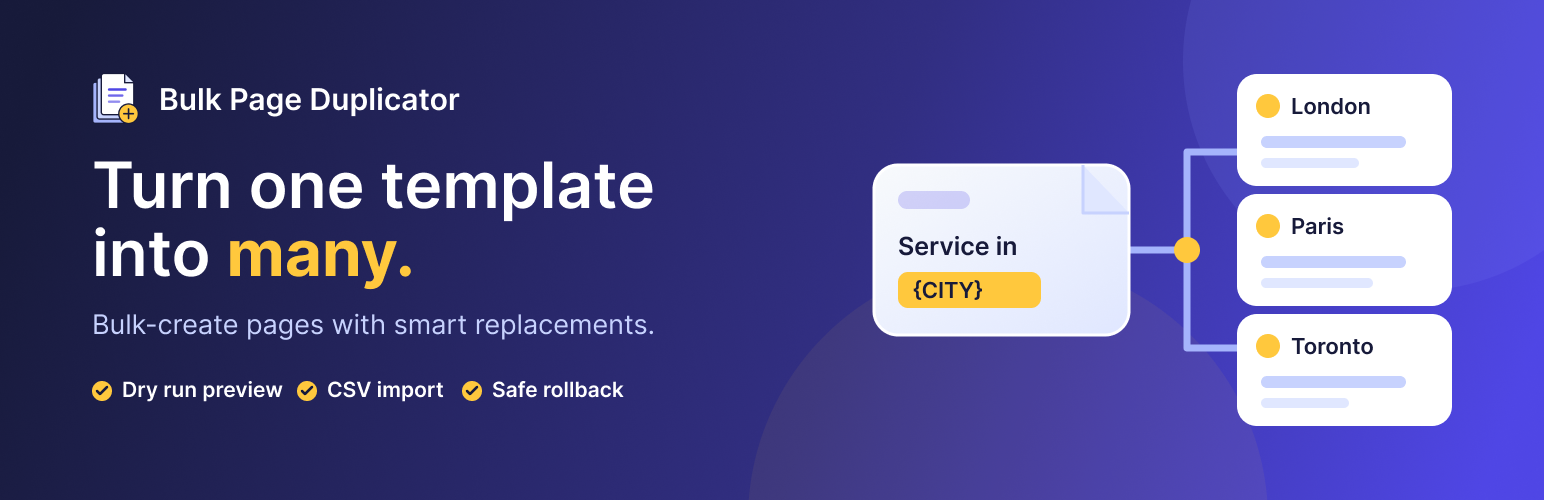
Bulk Page Duplicator turns one page into many. Duplicate any page or post in a single click, or build a template once (for example “Plumber in London”) and generate a page for every city, service or product, with your text replaced on each one.
When the template changes, push the change to every generated page with Template Sync, and keep your list of cities in a reusable Page Generator so adding a new one is a single click.
Import CSV column headers as named placeholders such as {{city}}, replace text in custom fields, and build an “Areas we serve” hub with the Generated Pages List block or shortcode. WP-CLI commands let you run generators and template syncs from the command line.
Every feature is free.
Who it is for
- Agencies and site owners building location, service or landing pages at scale.
- SEO teams who need titles, descriptions and metadata replaced on every page.
- Anyone who just wants a quick “Duplicate” link for pages, posts and custom post types.
One-click duplication
- “Duplicate” link in the Pages and Posts lists, the admin bar, the classic editor and the block editor.
- “Duplicate” bulk action to copy several selected items at once.
- Copies content, custom fields, featured image, categories, tags and page builder data. Copies are saved as drafts.
Bulk generation
- Pick a template, enter the text to replace (for example
London, orLondon, UKfor several placeholders) and add one line of values per page. - Paste values or import a
.csv/.txtfile. Quoted CSV values can contain commas; column headers can become named placeholders such as{{city}}and{{phone_number}}. - Replaces text in titles, slugs, content, excerpts, custom fields, page builder data and SEO fields. The placeholder exactly as typed inserts the value exactly as entered (
LondoniPhone Town); other case variants get matching case (LONDONIPHONE TOWN). - Choose draft or published, a parent page, categories and tags, and whether to copy the featured image and the template’s terms.
- Dry Run preview, live progress with ETA, a results log with CSV export, and one-click rollback of a whole run.
- Works with pages, posts and any public custom post type. Existing slugs are skipped, never overwritten.
Page Generators
- Save a template, its placeholders and its list of values as a generator (
Tools > Page Generators, orSave as Generatoron the bulk screen). - Run it again at any time: only missing pages are created.
- Edit a value and its page is updated in place; remove a value and its page is moved to the trash (after confirmation).
- See every value with its page, status and edit/view links. Pages you created earlier from the same template are linked, not duplicated.
Template Sync
- Edit the template, then click
Sync changesin itsBulk Page Duplicatorbox in the editor. - Choose what to push: content, excerpt, custom fields, page builder data, SEO meta, featured image, page template, terms, and (with confirmation) titles or slugs.
- Preview which pages will change. Pages edited by hand since they were generated are skipped unless you choose to overwrite them.
- A revision is saved before each page changes, including page builder data, so any sync can be undone from the Revisions screen.
Generated Pages List
- Add the “Generated Pages List” block to a hub page and choose a template or generator, sort order, columns and excerpts.
- Or use
[bpd_generated_pages template="123" columns="3" orderby="title" show_excerpt="yes"]. Replace123with your template ID, or usegenerator="45"to select a generator instead. - With neither ID set, a generated page lists its siblings and a template lists its generated pages. The current page is excluded by default.
- Lists published items only, with 100 items by default. Set
limit="500"for the maximum of 500 items; columns range from 1 to 4.
WP-CLI
Run commands as a WordPress administrator with --user=<ID-or-login>:
- List generators:
wp bulk-page-duplicator generator list --user=admin - Preview a generator run:
wp bulk-page-duplicator generator run 45 --dry-run --user=admin - Run a generator:
wp bulk-page-duplicator generator run 45 --user=admin. Add--no-updateto create missing pages without updating changed rows. - Preview a template sync:
wp bulk-page-duplicator sync 123 --fields=content,excerpt --dry-run --user=admin. Remove--dry-runto apply it; add--overwrite-editedonly if you want to replace hand-edited pages too.
Replace the example IDs and admin with your own template, generator and administrator account.
Works with
- Page builders: Elementor, Beaver Builder, Bricks.
- SEO plugins: Yoast SEO, Rank Math, All in One SEO, SEOPress.
How It Works
- Go to
Tools > Bulk Page Duplicator. - Choose a post type and select the template.
- Enter the placeholder text, for example
LondonorLondon, UK. - Add one line of replacement values per page, or import a CSV/TXT file.
- Choose where to replace text (title, slug, content, custom fields, page builder data, SEO data) and the other options.
- Click
Dry Run (Preview)to check the result, thenStart Duplication. - Review the Results Log. Use Recent Operations to roll back a run if needed, or
Save as Generatorto manage these pages later.
CSV/TXT Format Guide
Single placeholder
If the placeholder is London, use one value per line:
New York
Paris
Chicago
Multiple placeholders and quoted values
If the placeholders are London, UK, each line must contain matching comma-separated values. Wrap a value containing a comma in double quotes:
New York, USA
"Paris, France", EU
Toronto, Canada
One line creates one item. Empty lines are ignored; quoted fields containing line breaks are not supported.
Column headers and named placeholders
When importing a CSV, the plugin offers to turn a first row of column names into placeholders. For example:
City,Phone Number
Manchester,0161 496 0000
Birmingham,0121 496 0000
Accept the header suggestion to use {{city}}, {{phone_number}} as your placeholders. Write those tokens in your template’s title, content or custom fields wherever each value should appear. The header row is removed from the replacement values when you accept it.
Compatibility
- WordPress 5.0 or later, tested up to 7.1.
- PHP 7.2 or later.
- Pages, posts and any public custom post type.
- Page builders: Elementor, Beaver Builder, Bricks.
- SEO plugins: Yoast SEO, Rank Math, All in One SEO, SEOPress.
Usage Tips
- Use unique placeholders (for example
CITYNAME) to avoid accidental replacements. - Start with
Draftstatus for review workflows. - Use Dry Run before large batches.
- Keep the browser tab open during long runs for progress updates.
- Use Recent Operations to rollback quickly if required.
License
Bulk Page Duplicator is free software released under the GPLv2 or later.
Screenshots
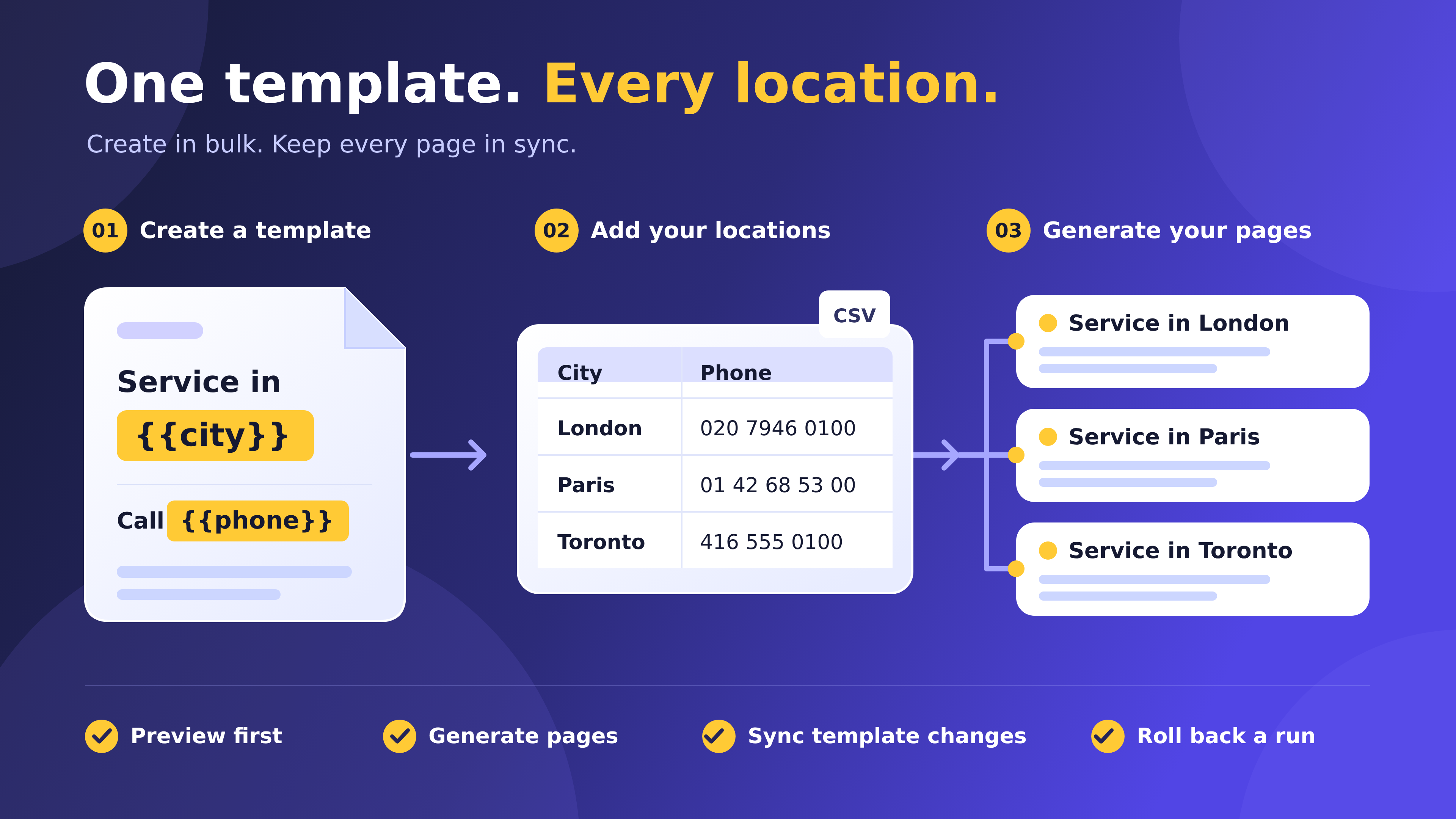
How it works: turn a template and CSV location data into individual pages, then preview, sync and roll back runs.
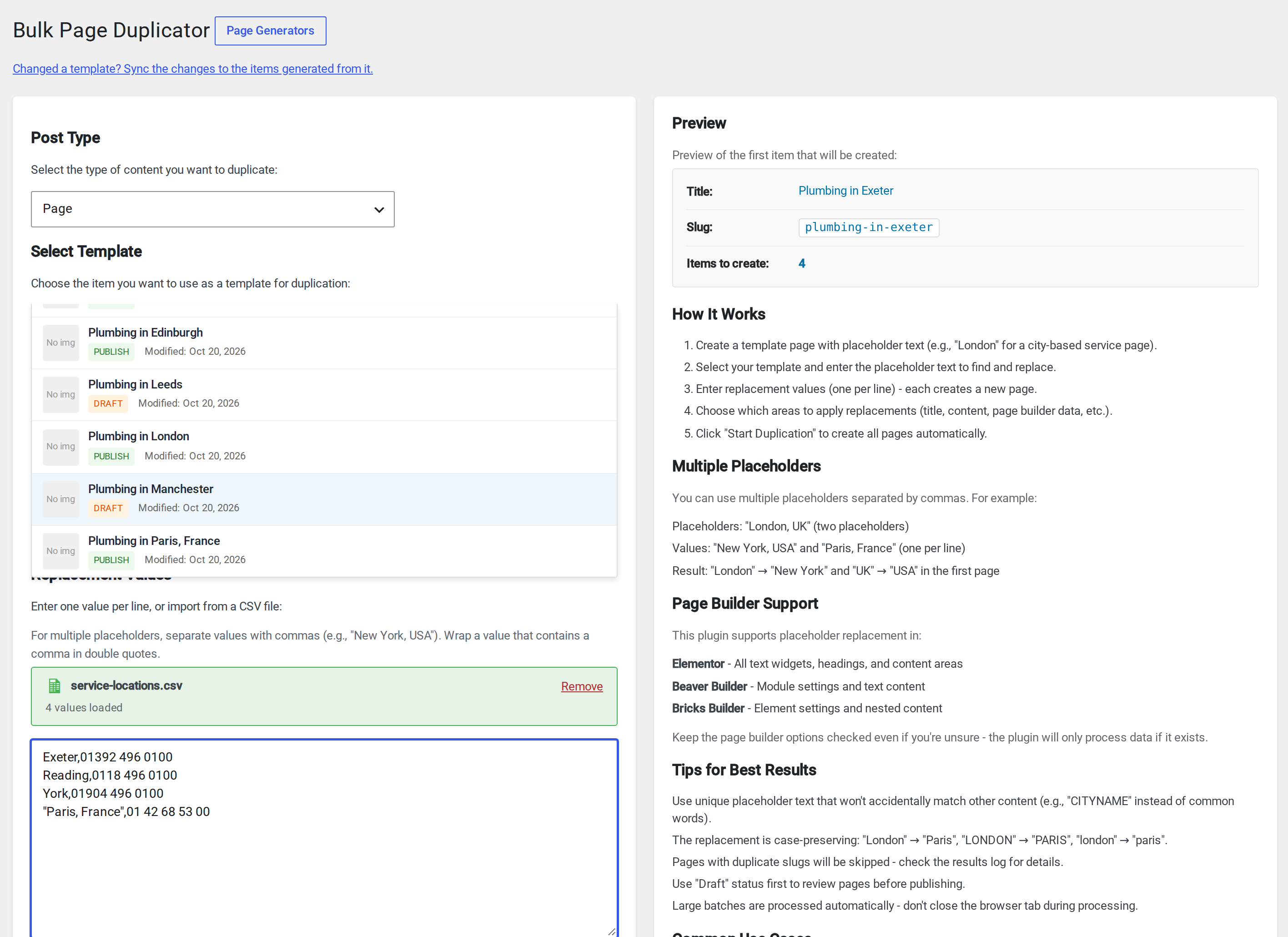
Bulk duplication with named CSV placeholders: import column headers as {{city}} and {{phone_number}}, including quoted values containing commas, and check the live preview.
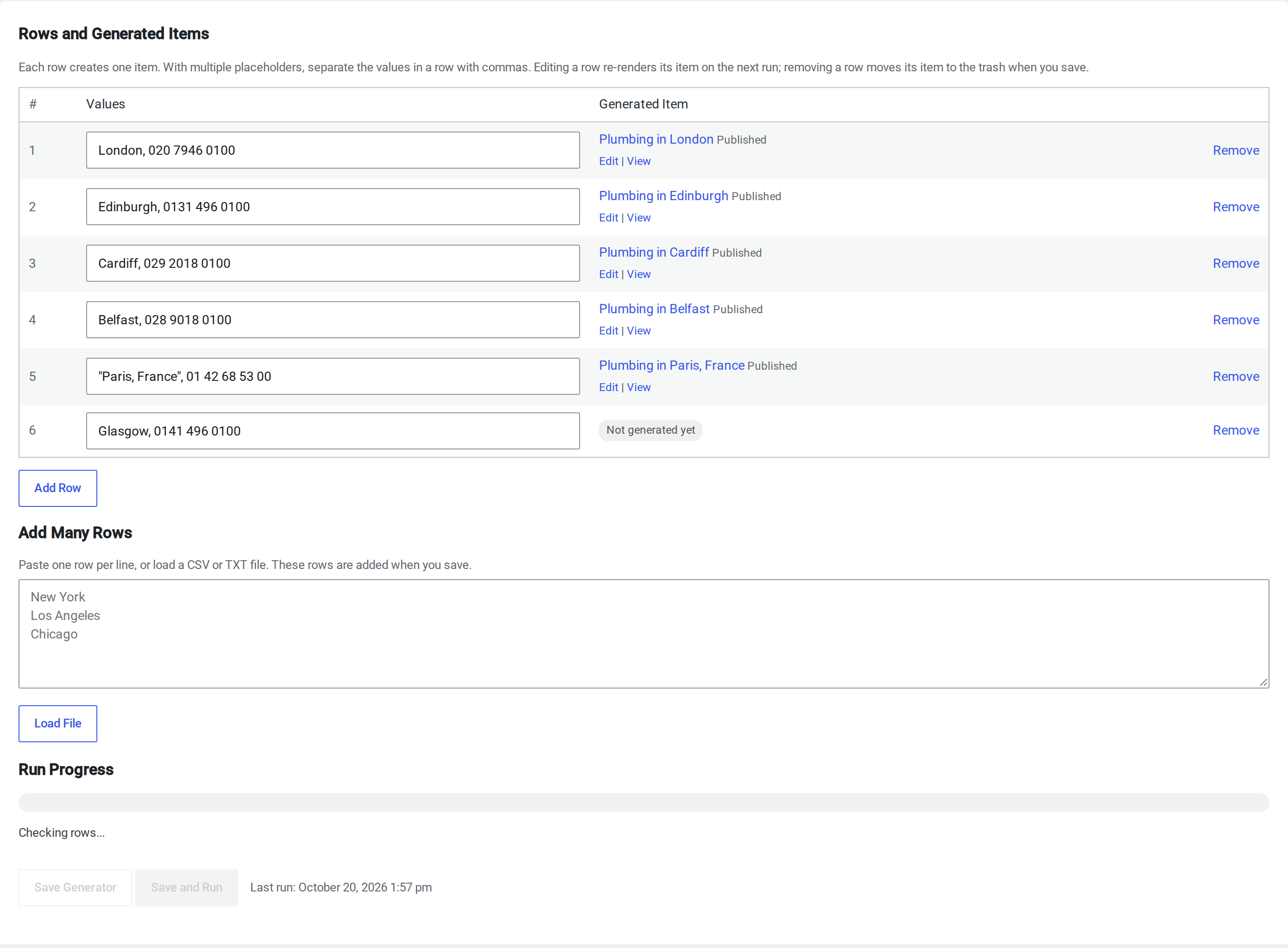
Page Generators: every value with its generated page, status and edit/view links. New values are created on the next run.
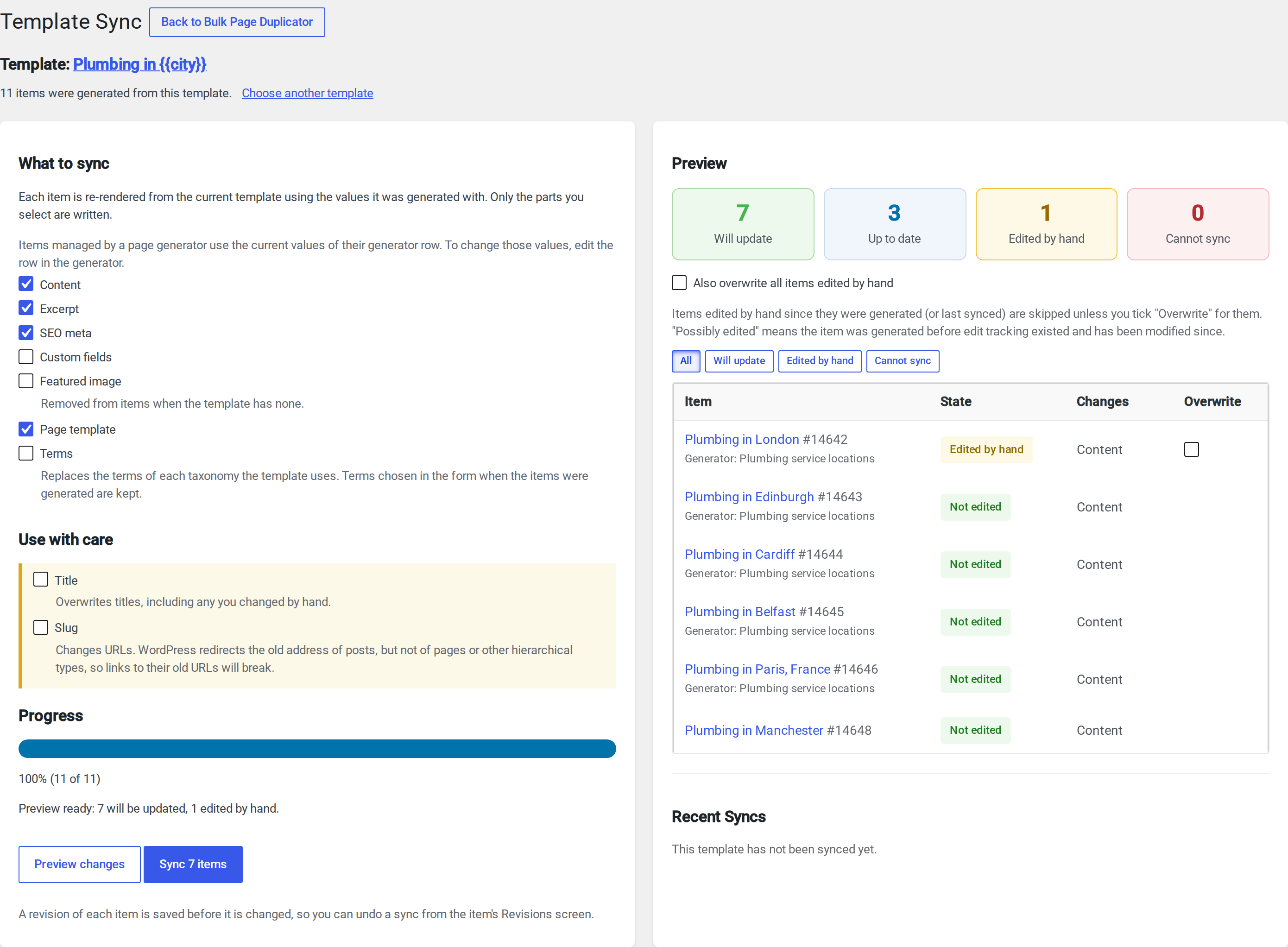
Template Sync: preview which pages will change. Pages edited by hand are skipped unless you choose to overwrite them.
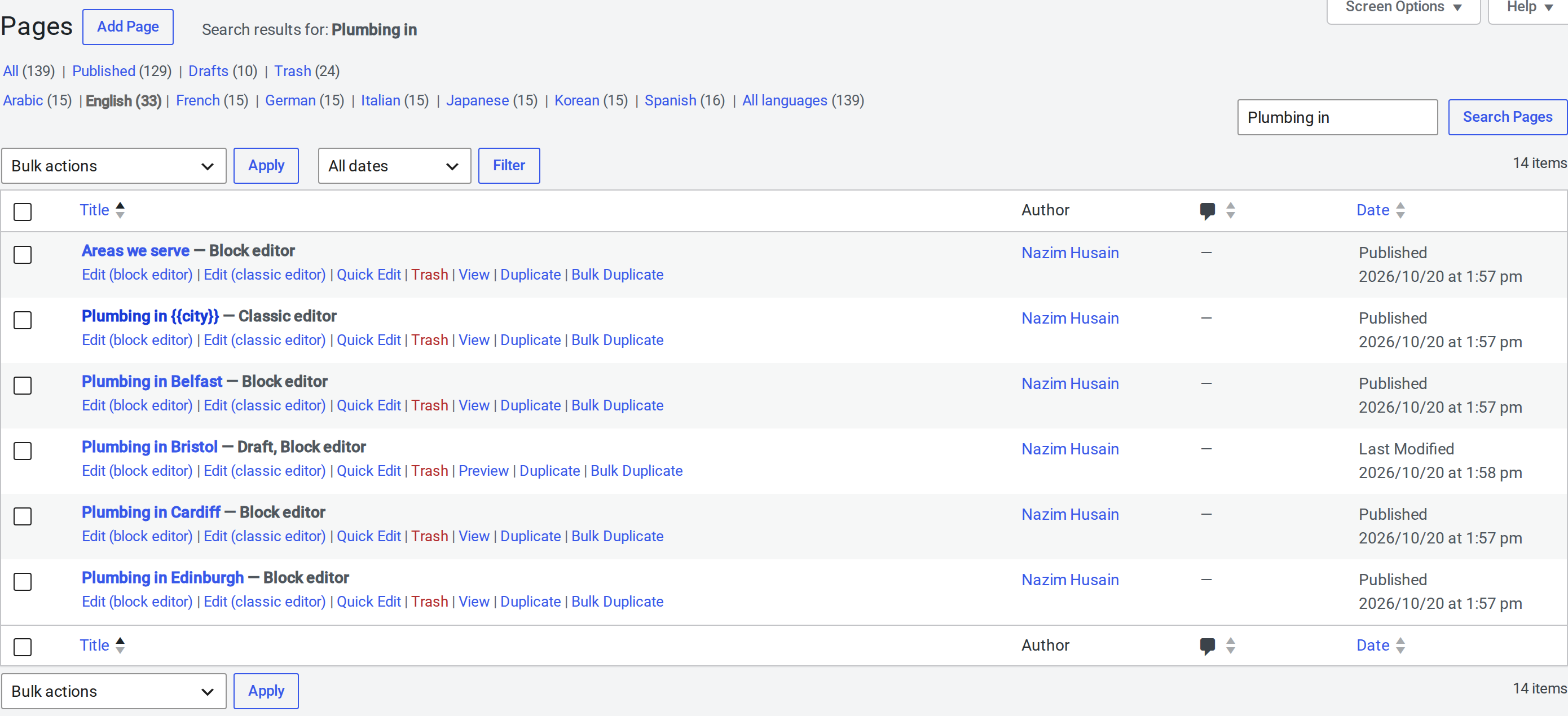
One-click "Duplicate" and "Bulk Duplicate" links in the Pages list. Copies are saved as drafts.
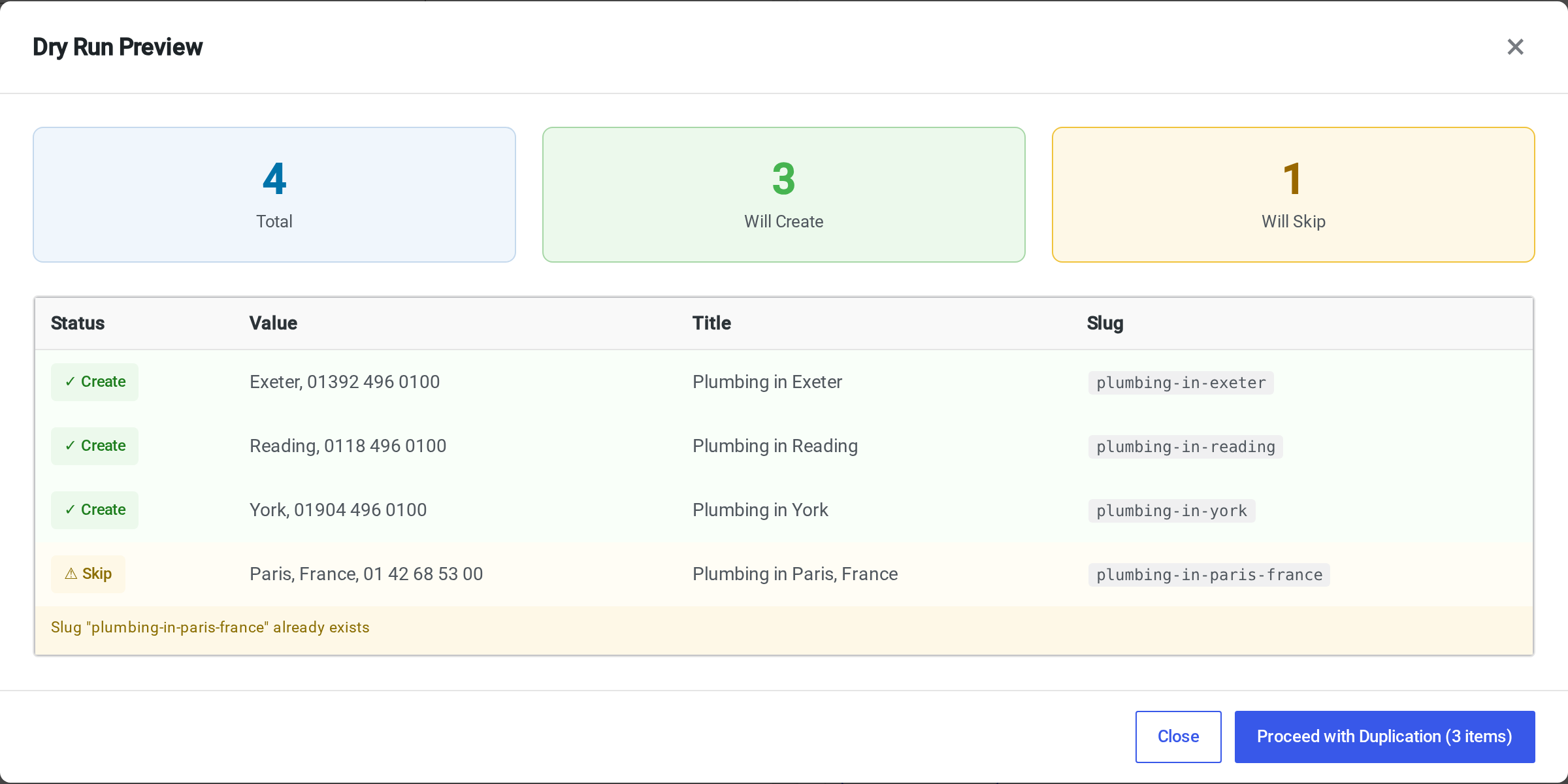
Dry Run preview: see every title and slug before anything is created.
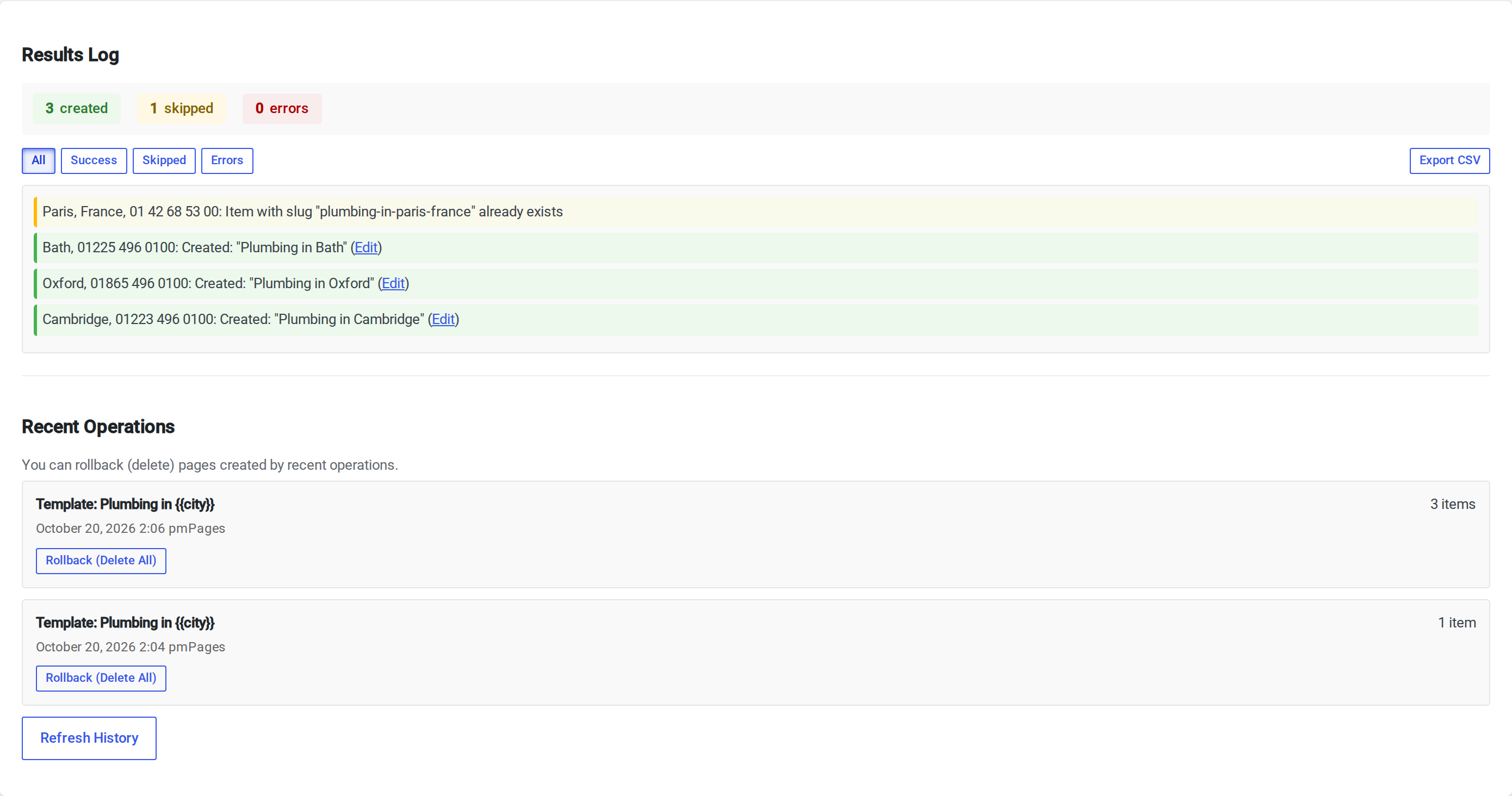
Results log with filters and CSV export, and Recent Operations to roll back a whole run.

All your Page Generators with their template, progress and last run.
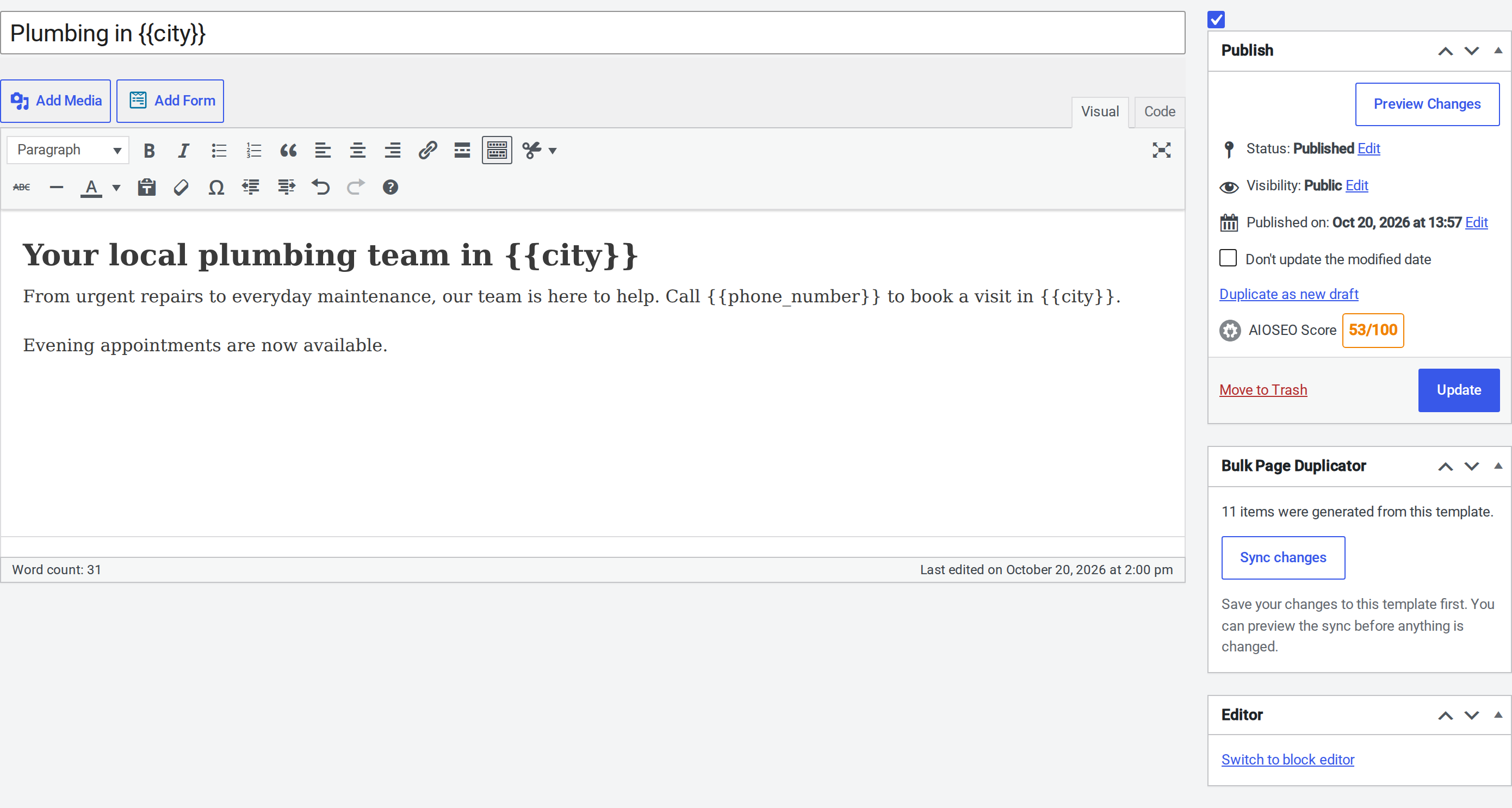
The editor box: "Duplicate as new draft", how many pages a template generated, and a shortcut to Template Sync.
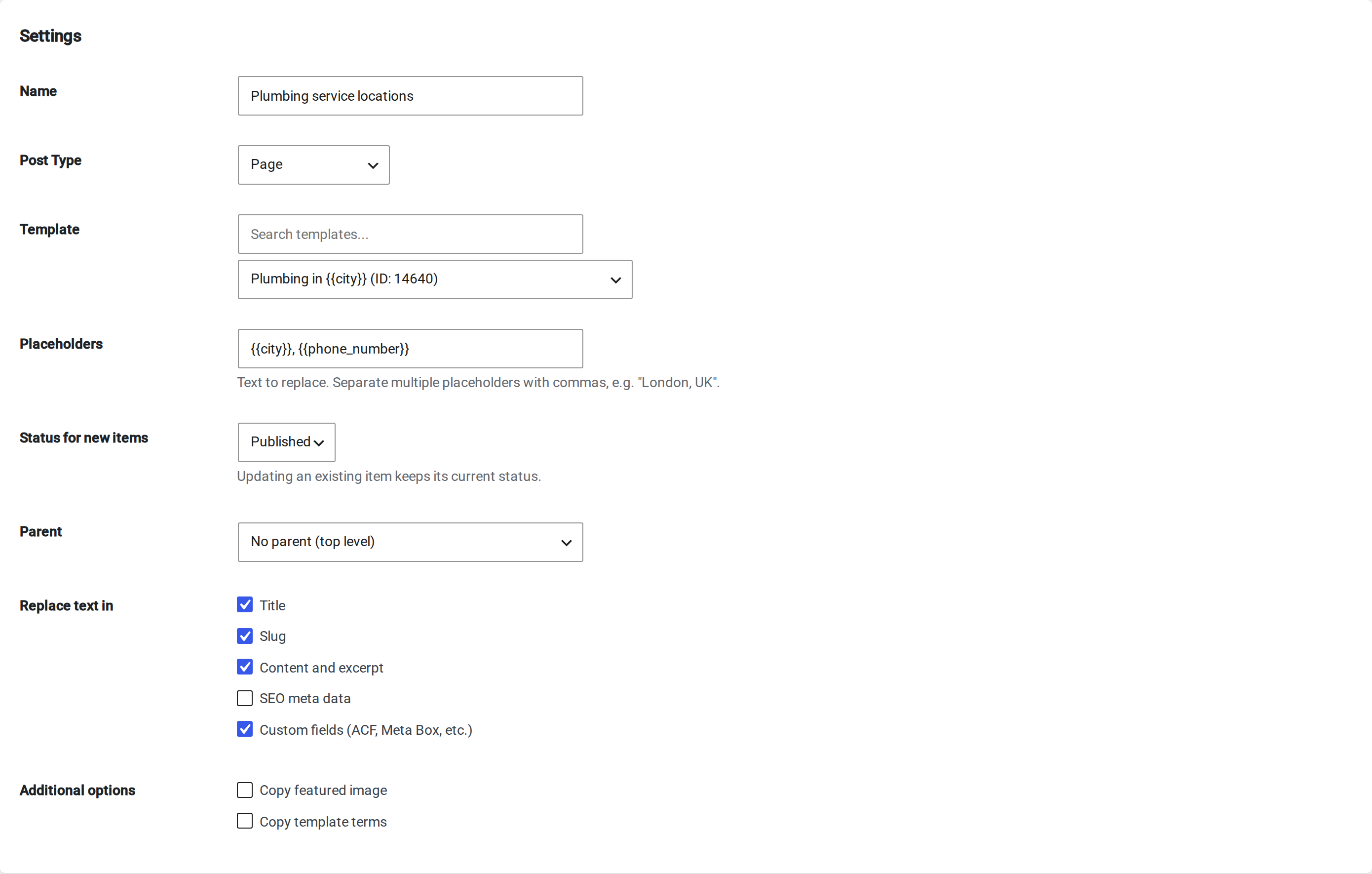
Custom field replacement: choose where placeholders are replaced, including public custom fields and nested data used by ACF and Meta Box.
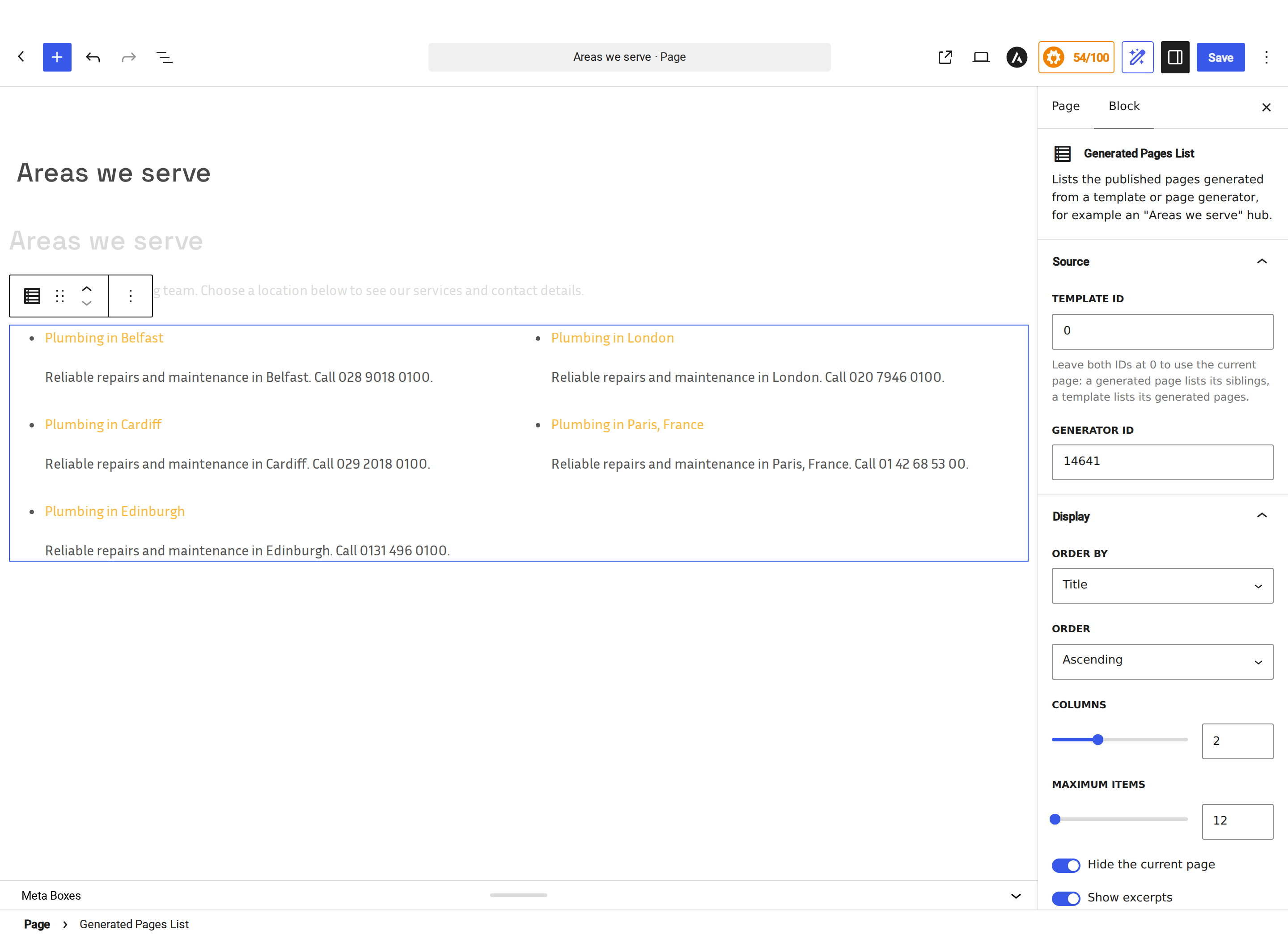
Generated Pages List block: choose a template or generator, set sorting and columns, and preview published pages in the editor.

An "Areas we serve" page using the generated pages listing with two columns and excerpts. Appearance follows your theme; the same listing is available through a shortcode.
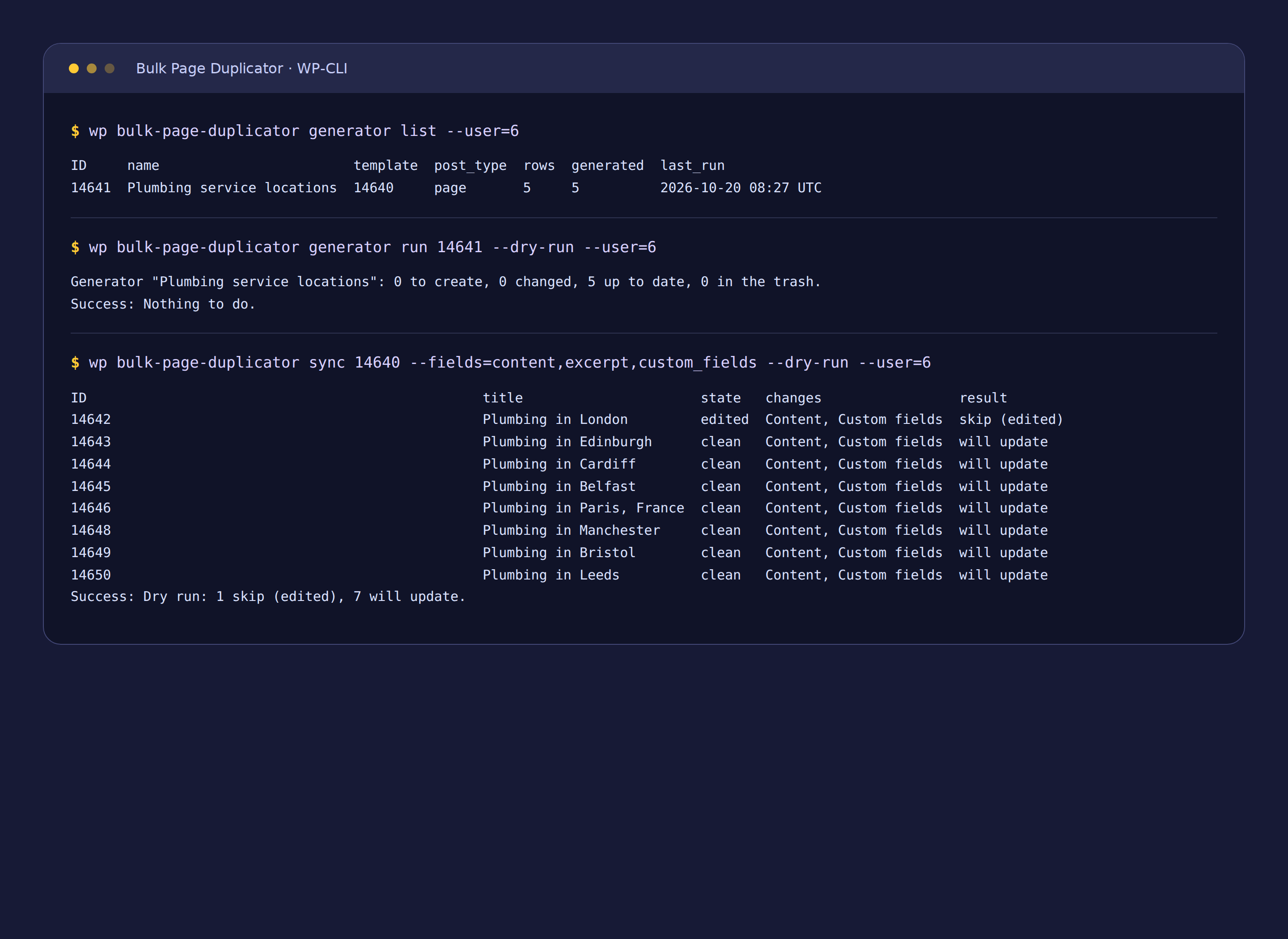
WP-CLI: list generators, preview a generator run and dry-run a template sync with protection for manually edited pages.