BACK TO DIRECTORY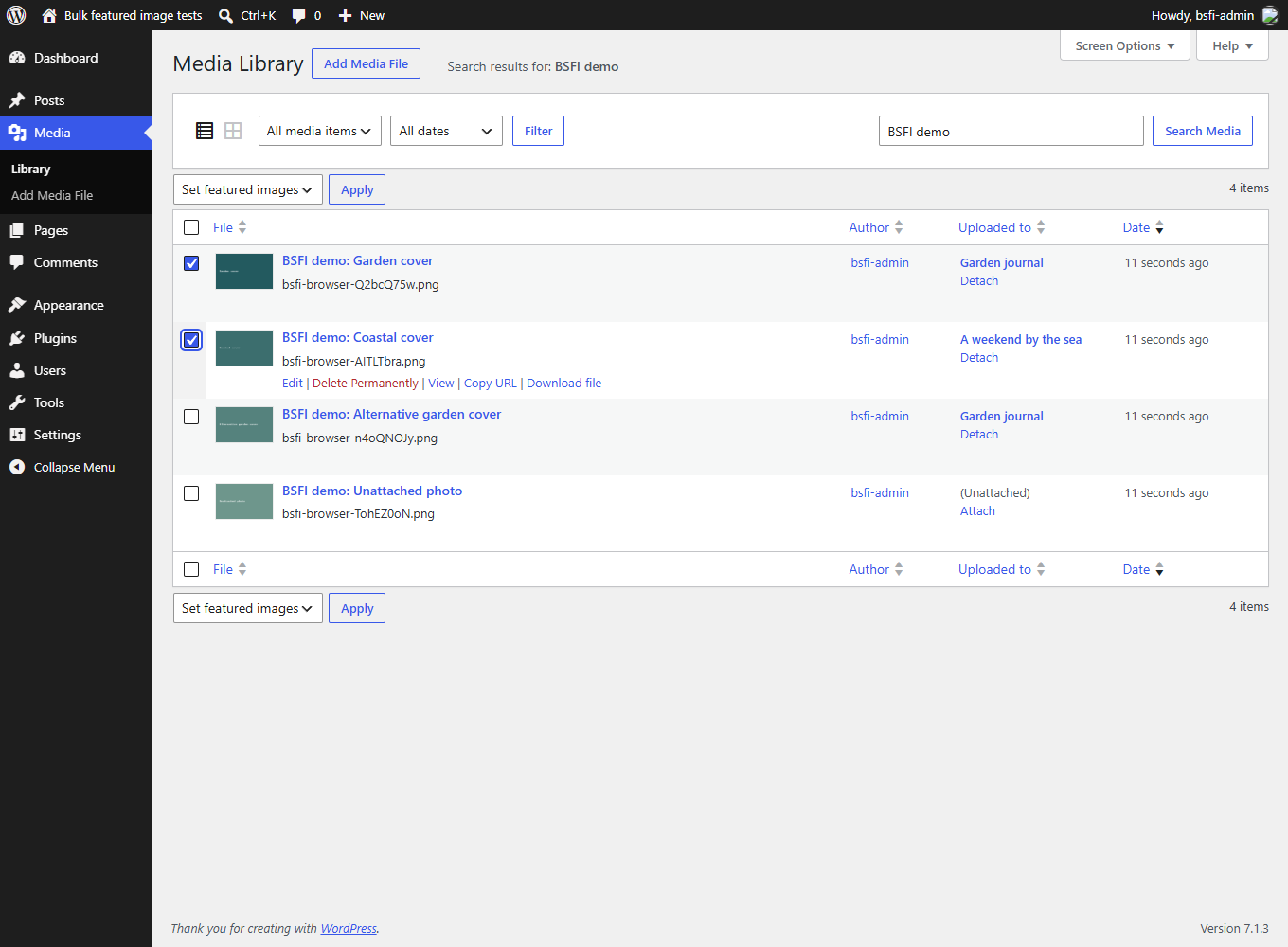
Set featured images for several posts without opening each post’s editor. In the Media Library’s List view, select your images, choose “Set featured images” from Bulk actions, then click Apply.
Each selected image becomes the featured image of the post shown in its “Uploaded to” column. Existing featured images are replaced. The familiar “Use as featured image” row action is also available for individual images.
- Uses WordPress’s existing checkboxes and bulk-action menu.
- Supports posts, pages and custom post types that allow featured images.
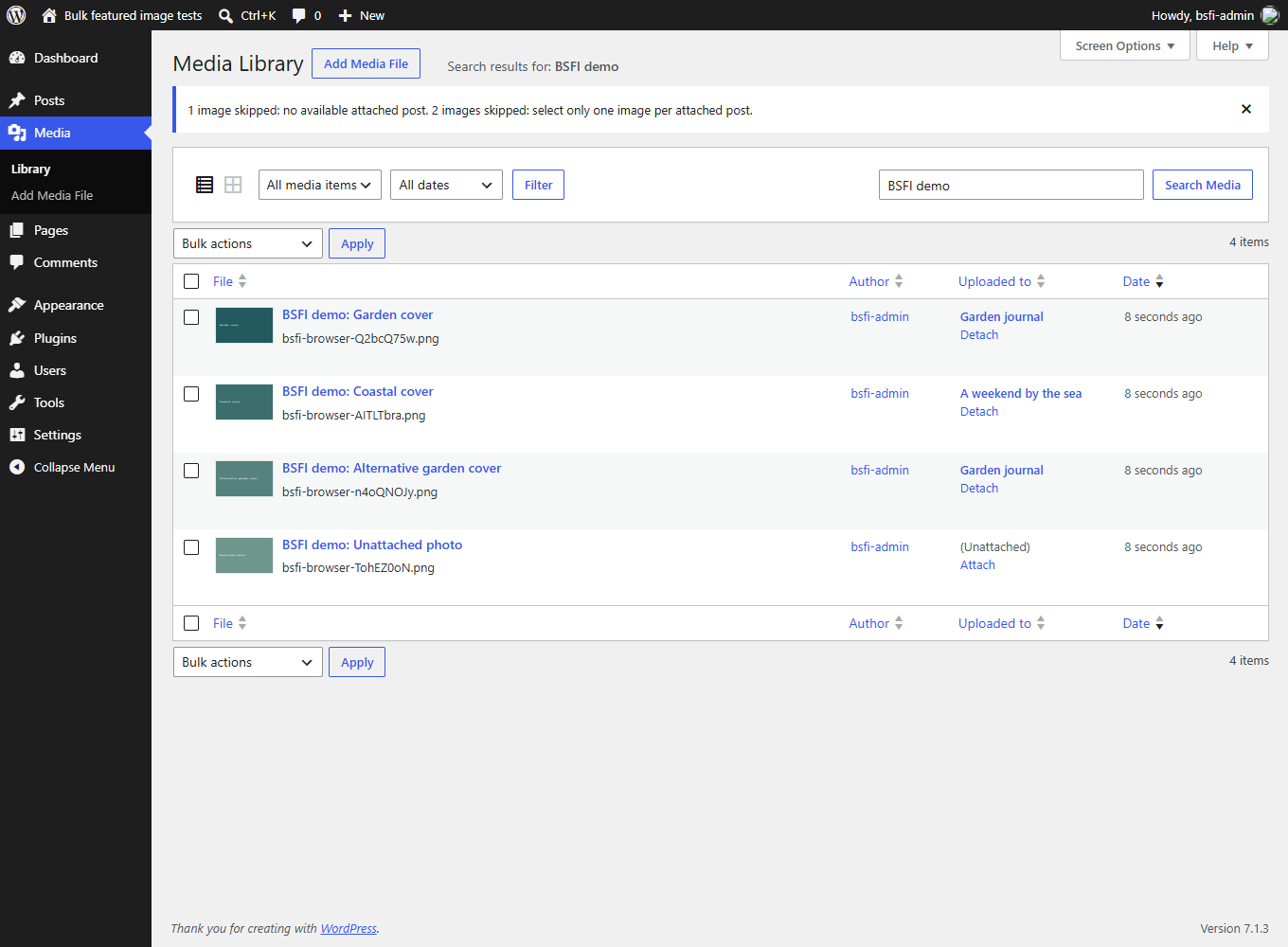
- Reports updated, unchanged and skipped items after each action.
- Skips ambiguous selections instead of choosing an image at random.
- Checks permission to edit both the image and its attached post.
- No settings page, external services, tracking or extra JavaScript.
Screenshots
Select one image per attached post in the Media Library's List view, choose "Set featured images", then click Apply.
Result notices explain skipped images, including unattached images and multiple selections for the same post.
Plugin Details
Active Installs
100Total Downloads
12,113Version
1.2.0Requires WP
6.8Requires PHP
8.2Tested Up To
7.1.3Added
2012-05-01Last Updated
2026-10-13 7:21pm GMTRatings
5
6
4
1
3
1
2
0
1
6