BuyNow lets WooCommerce customers pay with KIB BuyNow flexible payment options:
- Split – split the order total into instalments.
- Financing – apply for Sharia-compliant financing at checkout.
Features:
- Classic and block-based checkout support.
- Sandbox and Production environments with a credential test before going live.
- Signed webhooks to keep order statuses in sync.
- HPOS (High-Performance Order Storage) compatible.
- English and Arabic interface.
External services
This plugin connects to the KIB BuyNow payment gateway (hosted at buynow.kib.com.kw and related KIB environments) to authenticate the merchant, create finance applications and orders, and retrieve their status. This is required for BuyNow Split and Financing checkout.
Data sent when a customer places an order with BuyNow: order amount, customer phone number (the mobile number entered at checkout for Split, or the billing phone for Financing), order ID (correlation ID), number of instalments or financing tenor, and order line items (product ID, name, price, and quantity). Merchant credentials (merchant reference, API key, and a request signature) are sent when authenticating. Requests happen only at checkout, when checking order status, and when an administrator tests credentials.
The gateway also sends webhook notifications to your store to update order statuses.
This service is provided by Kuwait International Bank (KIB): terms of use, privacy policy.
Screenshots
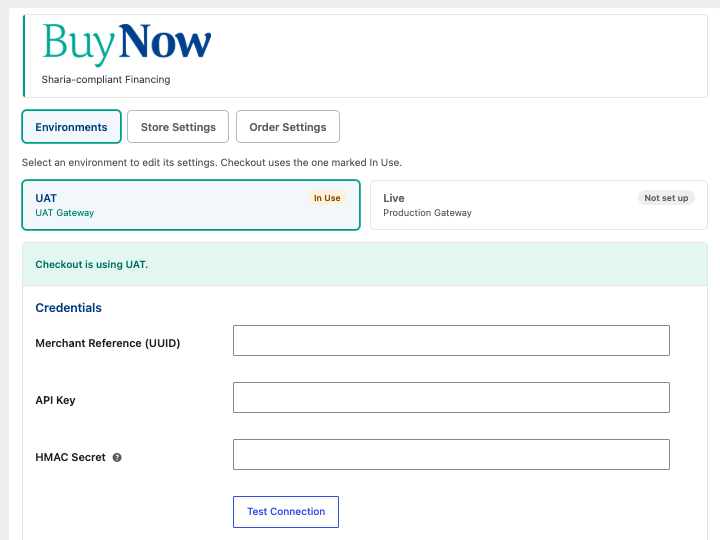
Environments: enter your BuyNow credentials for UAT or Live and test the connection.

Portal Setup: copy the webhook URL, redirect URL, and webhook auth header into the BuyNow portal.
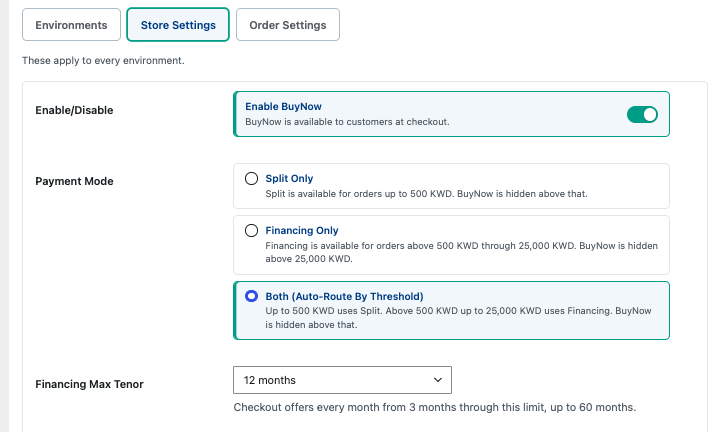
Store Settings: enable BuyNow, choose the payment mode, and set the maximum financing tenor.

Store Settings: set the Split down payment and choose where the instalment amount is shown.
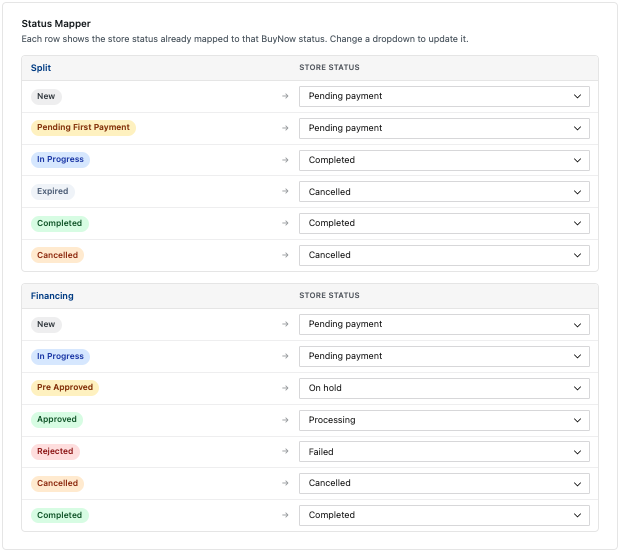
Order Settings: map BuyNow statuses to WooCommerce order statuses.
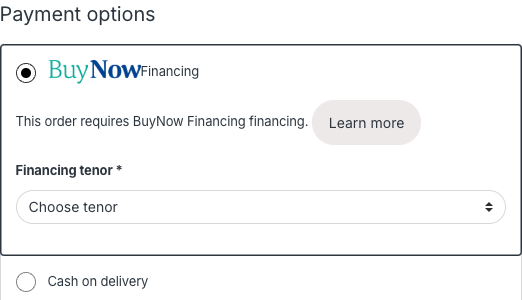
Checkout: BuyNow Financing in the payment methods, with the tenor selector.