
CallFusionAI Abandoned Cart connects your WooCommerce store to CallFusionAI — an AI-powered abandoned cart recovery platform that reaches out to customers by phone call, SMS, WhatsApp, and/or email to help them complete their purchase.
How it works:
- A customer visits your checkout page and enters their email/phone
- If they leave without placing an order, this plugin captures the cart data
- The cart data is securely sent to CallFusionAI
- Using the channels you’ve enabled and connected in your CallFusionAI dashboard, an AI voice agent can call the customer, and/or a checkout link or discount code can be sent via SMS, WhatsApp, or email
Bring your own providers: CallFusionAI doesn’t bundle a calling, SMS, or WhatsApp provider — you connect your own accounts (e.g. your own Vobiz/telephony trunk, SMS gateway, WhatsApp Business API) in the CallFusionAI dashboard, and choose per-campaign which channels to use. The AI agent’s call script/prompt is also fully editable per store from the dashboard — it only offers a channel it can actually confirm was configured and sent through.
Features:
- Captures checkout abandonment in real-time (on email blur, tab close via sendBeacon, and periodic polling)
- Stores captured checkouts locally in a custom DB table as a fallback
- Retries failed webhook deliveries automatically via WP Cron (every 15 minutes)
- Marks carts as recovered automatically when the customer places an order
- Admin settings page to configure webhook URL, store ID, and secret
- Test webhook button to verify connectivity from your WordPress admin
- Debug table showing last 10 captured checkouts with webhook status
- Captures customer country/state so recovery calls respect the customer’s own local quiet hours, not just the merchant’s timezone
Requirements:
- A CallFusionAI account — sign up free at app.callfusionai.in
- WooCommerce 5.0 or later
- WordPress 6.0 or later
External Services
This plugin sends checkout data to the CallFusionAI service (https://app.callfusionai.in) when a customer abandons their cart on your WooCommerce checkout page.
What data is sent:
* Customer email address
* Customer phone number (if entered)
* Customer first and last name (if entered)
* Customer billing/shipping country and state (if entered) — used only to schedule recovery attempts within the customer’s own local hours
* Cart total and currency
* Cart items (product name, quantity, price)
* Checkout URL
* A session token (hashed — no personally identifiable raw session ID)
When data is sent:
* Immediately when a customer enters a valid email on the checkout page and leaves without placing an order
* Retried every 15 minutes via WP Cron if the initial send fails
Why data is sent:
* To enable CallFusionAI’s AI agents to contact the customer and help them complete their purchase
CallFusionAI service links:
* Website: https://app.callfusionai.in
* Terms of Service: https://app.callfusionai.in/terms
* Privacy Policy: https://app.callfusionai.in/privacy
No data is sent to any other third party.
Screenshots
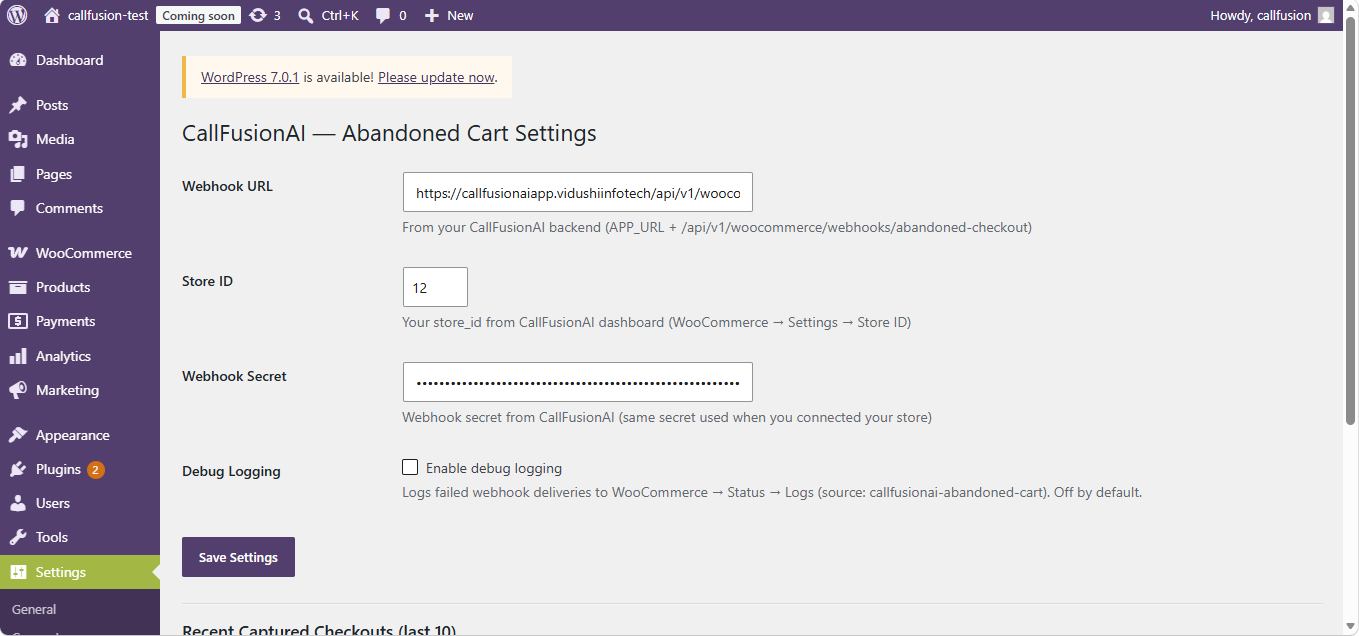
Plugin settings page — configure your Webhook URL, Store ID, and Secret (auto-filled automatically when you connect via the CallFusionAI dashboard, no manual entry needed)
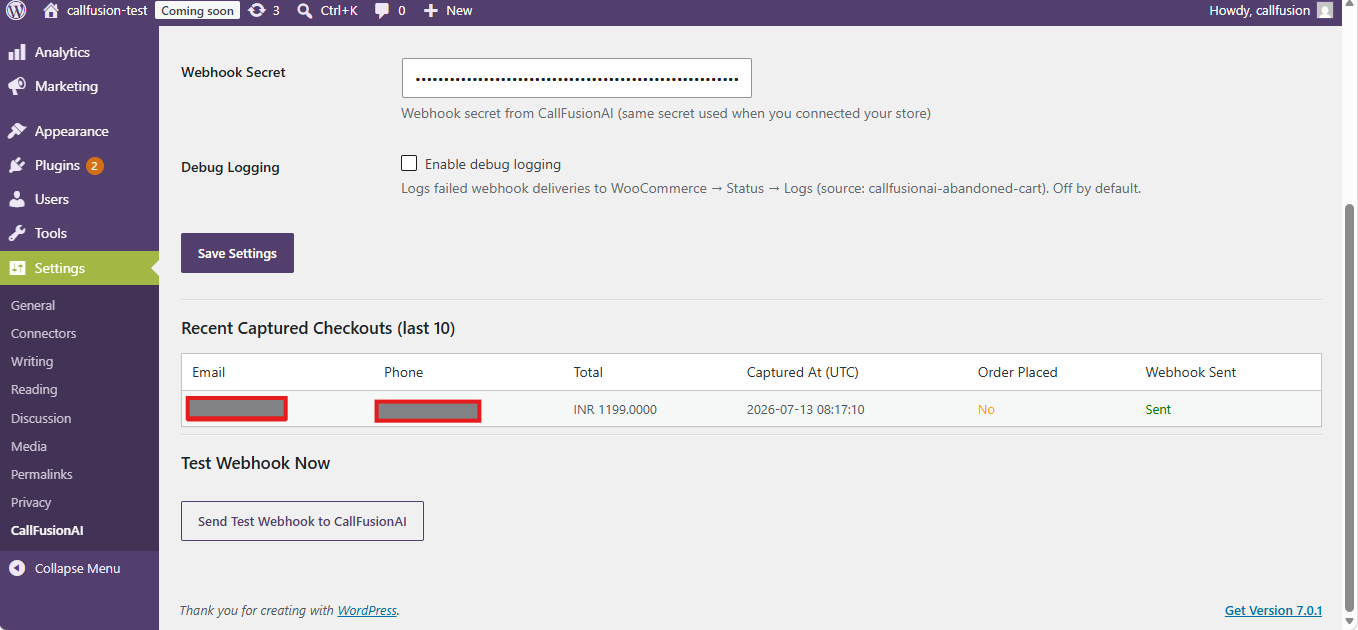
Recent captured checkouts with delivery status, plus a one-click Test Webhook button to verify connectivity
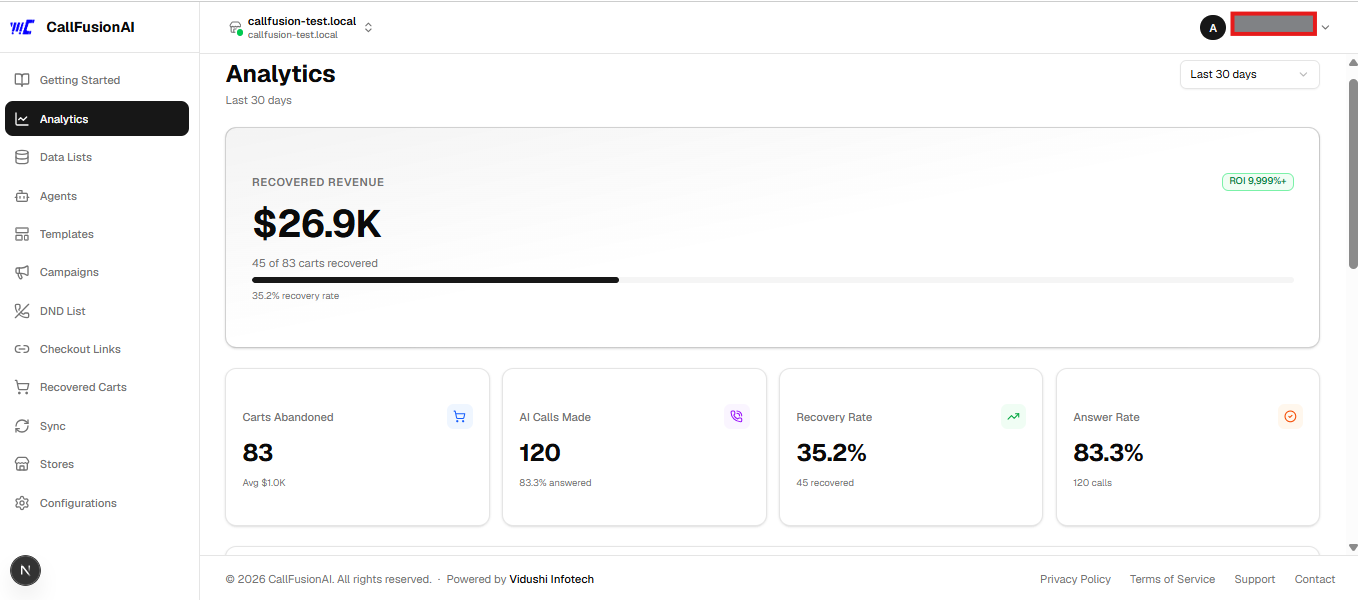
CallFusionAI dashboard — recovered revenue, recovery rate, and call analytics for your store
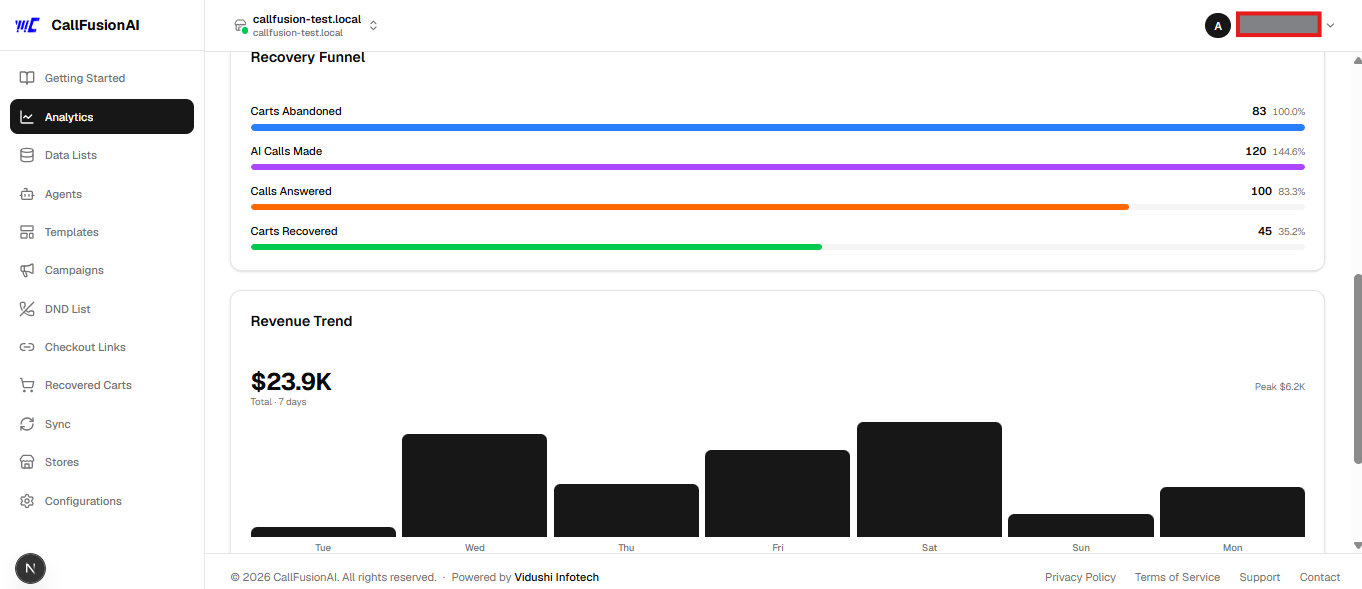
CallFusionAI dashboard — recovery funnel and 7-day revenue trend
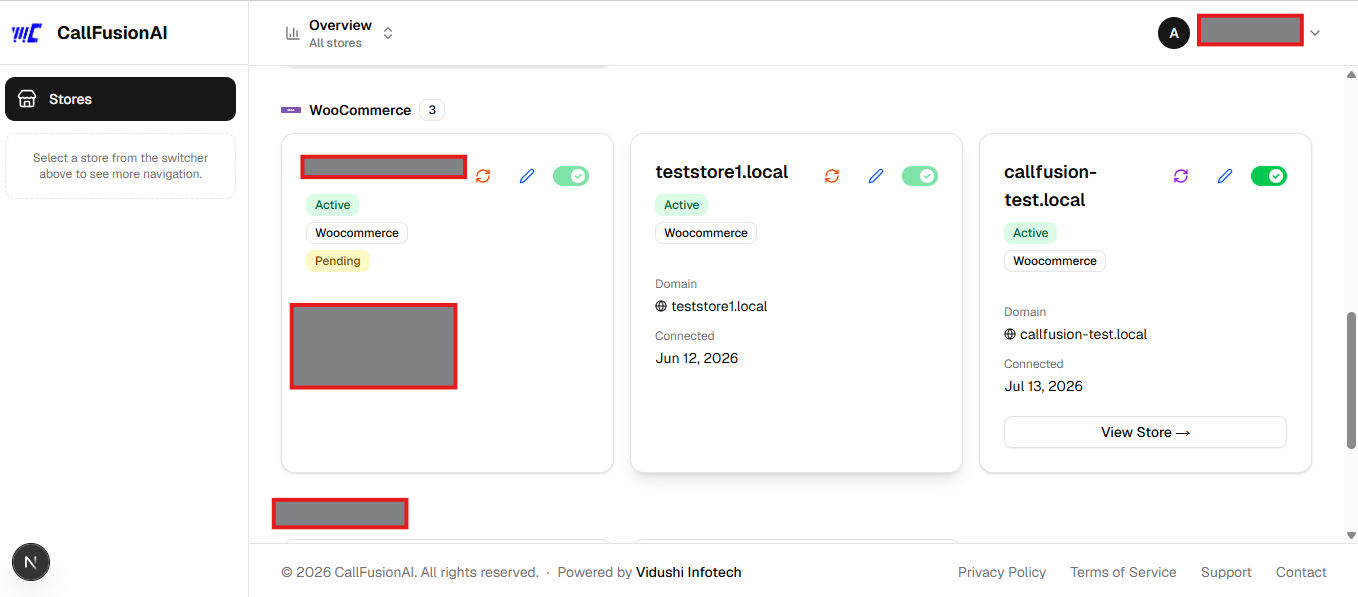
Manage all your connected stores in one place, grouped by platform (Shopify, WooCommerce, Magento)