Celestial Lunar Phase Widget helps WordPress sites display the current Moon phase in a polished astronomy card.
The plugin shows:
- Current lunar phase name
- Moonrise time
- Moonset time
- Astronomical dawn time
- Astronomical dusk time
- Illumination percentage
- Bundled Moon phase image matched to the phase
- Optional location label
- Optional calculation/source note
Version 2.3 uses local astronomy calculations and adds automatic Moon image orientation by hemisphere. The plugin can rotate the bundled lunar imagery for Northern Hemisphere observers, with manual Northern, Southern, and Original orientation overrides in Settings.
Key features
- Local astronomy calculations; no API key required
- Moonrise and moonset times
- Astronomical dawn and dusk display
- Current lunar phase and illumination percentage
- Bundled Moon phase photos packaged locally
- Location lookup helper for admin setup
- Browser geolocation helper for admin setup
- Timezone dropdown to prevent typos and date-shift errors
- Latitude, longitude, timezone, and optional elevation settings
- Shortcode:
[celestial_lunar_phase_widget] - Gutenberg block: Celestial Lunar Phase Widget
- 12-hour or 24-hour time display
- Per-location and per-date caching for better performance
- Admin notice after update if location settings need to be completed
- Automatic Moon image orientation based on configured latitude
- Manual Northern Hemisphere, Southern Hemisphere, and Original image orientation options
Support
Support and documentation are available at:
https://celestialwebdevelopment.com/lunar-phase-plugin/
External Services
This plugin performs all lunar phase, moonrise, moonset, astronomical dawn, and astronomical dusk calculations locally. It does not send visitor data to an astronomy API.
The optional Lookup Location button on the admin settings page uses the OpenStreetMap Nominatim geocoding service to convert a place name into latitude and longitude. This lookup is only triggered by an administrator clicking the button in wp-admin. The query entered by the administrator is sent to Nominatim for geocoding. The service may receive the searched location text, your site’s server IP address, and standard request metadata.
Service provider: OpenStreetMap Nominatim
Terms: https://operations.osmfoundation.org/policies/nominatim/
Privacy: https://osmfoundation.org/wiki/Privacy_Policy
The Use My Current Location button uses the browser’s built-in geolocation prompt. Coordinates are only saved after the administrator clicks Save Changes.
Screenshots
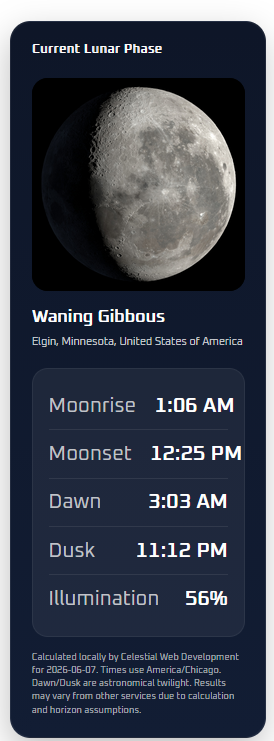
Frontend lunar phase widget display.
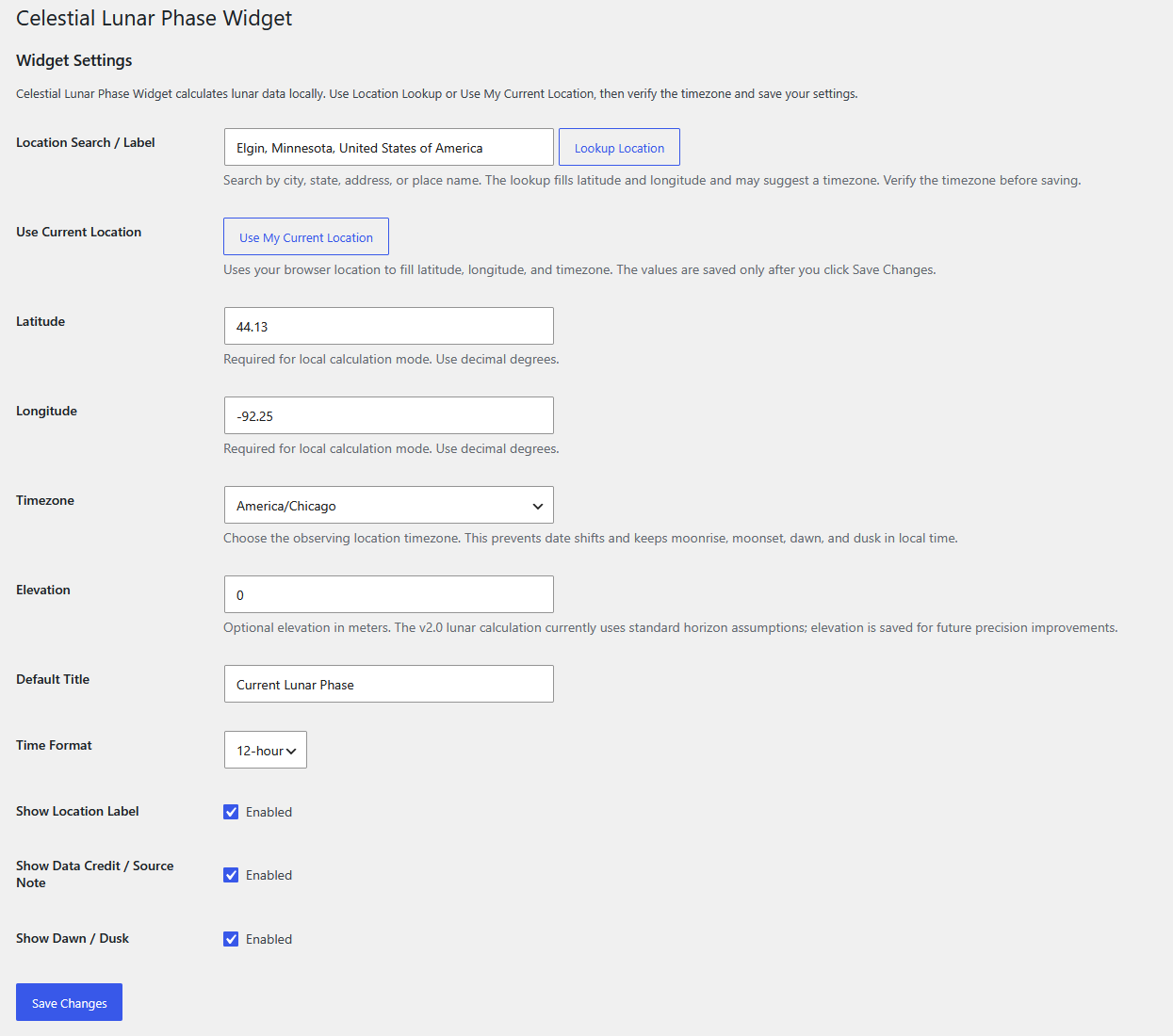
Plugin settings screen.