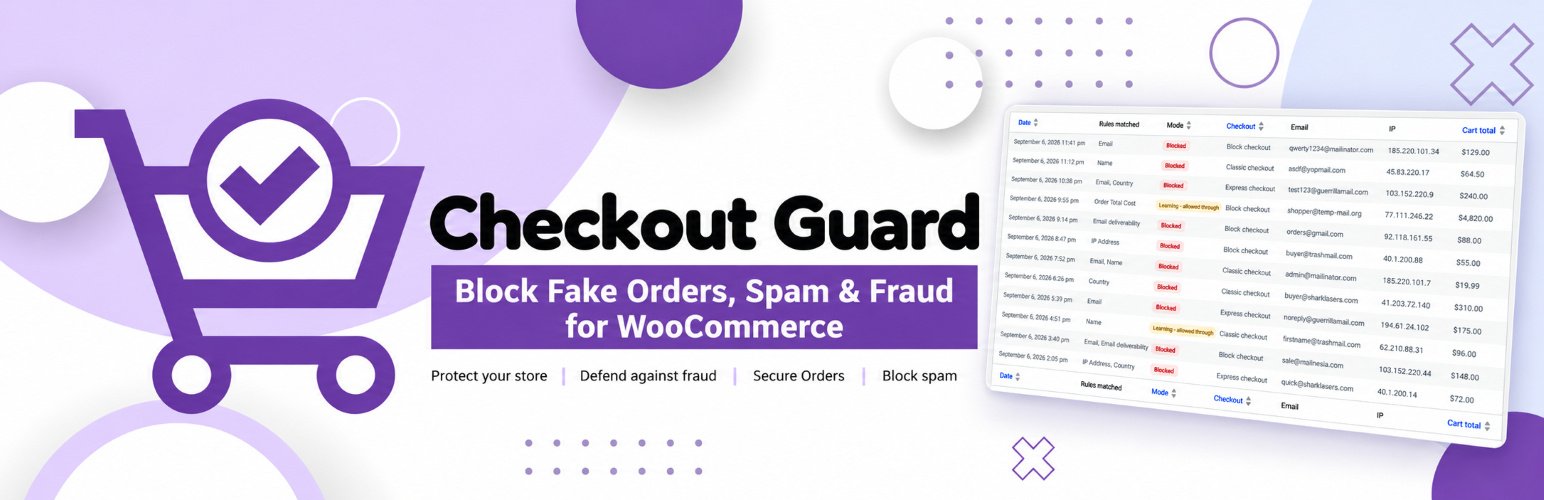
Stop fake and unwanted WooCommerce orders before they happen. Checkout Guard is a WooCommerce fraud prevention plugin that blocks spam orders and suspicious checkouts using simple rules you control, with no external fraud service, no scoring engine, and no monthly fee.
Often you already know what you want to block: a throwaway email domain, a repeat offender’s IP, a country you don’t ship to. Checkout Guard puts those controls directly in your WooCommerce checkout.
Included in the free plugin: the 22,000-domain disposable-email list, the junk-name check, the mail deliverability check, phone and country blocking, and a checkout attempt limit against card testing. Some WooCommerce fraud plugins sell these as premium features.
Requires: WooCommerce.
Works with: the classic checkout, the WooCommerce Checkout block, most express payment buttons, and HPOS.
🛡️ Block throwaway email services
Switch on one setting and Checkout Guard rejects checkouts from around 22,000 known disposable-email domains: Mailinator, Guerrilla Mail, YOPmail, Temp-Mail and thousands more. The list ships with the plugin, so it works the moment you enable it, with no signup and no API key.
🛡️ Block by email address, domain or pattern
Block individual addresses or whole domains, with wildcard support:
*@bad-domain.comblocks every address at that domainspam*@bad-domain.comblocksspammer@bad-domain.combut leavesnice@bad-domain.comalone*@*.bad-domain.comblocks its subdomains, such asmail.bad-domain.com*.edublocks every address ending in that TLD
Catch-all entries such as * or *@* would block every order on your store, so they are rejected when you save.
🛡️ Reject junk names
Catches checkouts where the name is obviously not a name: test, asdf, qwerty, John Doe and similar. Matching is exact and whole-field, so a customer called Testa or Contestabile is never affected by the entry test.
You can read the full list on the settings screen before switching the rule on.
🛡️ Block by phone number
Block numbers you have seen on fraudulent orders, in whatever format the customer types them:
+30 210 1234567blocks that exact international number+234*blocks every number starting with that country code210 1234567blocks the local number however it is written
Optionally reject numbers that are obviously not real, such as 0000000000 or 123456789. Billing phone is optional in WooCommerce, so a customer who leaves it empty is never blocked by this rule.
🛡️ Check that the email can actually receive mail
Optionally look up the address’s domain during checkout and turn the order away if it cannot receive mail at all. If the lookup itself fails, the order goes through, so a DNS problem never costs you a sale.
🛡️ Block by IP address
Block individual IPv4 or IPv6 addresses, or cover a whole range with a wildcard or CIDR notation:
203.0.113.*203.0.113.0/242001:db8::/32
Ranges wider than /8 (IPv4) or /16 (IPv6) are not saved, so one line can never block everyone.
Useful when you identify a recurring source of unwanted checkout attempts. If your store sits behind Cloudflare or another proxy, Checkout Guard reads the forwarded visitor IP rather than the edge server’s.
🛡️ Restrict billing countries
Block checkout for billing countries you don’t serve. This is a blocklist: you name the countries to turn away, not the ones to allow.
🛡️ Restrict order totals
Set a minimum, a maximum, or both, and stop checkouts falling outside the range. Useful against waves of suspicious low-value orders, or unusually large ones worth reviewing by hand.
🛡️ Stop card testing with an attempt limit
Card testers run stolen card numbers through your checkout one after another. Checkout Guard counts checkout attempts and turns a source away once it goes over the limit: by default 10 attempts from one IP address in 10 minutes, or 5 from one email address in an hour. Both limits are adjustable, and shop managers are never limited.
The limit is on for new installs. On an existing store you are asked once whether to switch it on, because a shared office or mobile network can put many real customers behind one IP address.
⭐ Try it before it blocks anyone
Set Protection Mode to Learning and Checkout Guard records what each rule would have caught without turning a single customer away. Check the results, adjust your rules, then switch to Enforce when you are happy. Nothing is blocked until you say so.
📋 See what was blocked
Turn on recording, and the Blocked attempts tab lists every checkout a rule matched: when, which rules, which checkout, the email, the IP, and the cart total. A summary shows how many were stopped in the last 7 and 30 days and which rule fires most often.
Records are pruned automatically so the table never grows without limit.
🛒 Works with WooCommerce checkout and express payments
Checkout Guard enforces on the classic WooCommerce checkout, the WooCommerce Checkout block, and express checkouts.
Wallet buttons placed on a product or cart page skip the checkout form entirely, so they are an easy route for a blocked customer to slip through. Checkout Guard checks the ones that create their order through WooCommerce, Apple Pay included. One known exception is described in the FAQ.
It also declares compatibility with High-Performance Order Storage (HPOS).
⚡ Designed to stay out of the way
Checks run during checkout validation, not on normal browsing, so regular customers shop at normal speed. The bundled domain list is only loaded into memory when you actually enable it.
⭐ Checkout Guard Premium Security
Everything above is free and stays free. Premium Security adds tools for stores that are already dealing with fraud:
- Declined-payment blocking: after repeated declined payments from one IP or email address, that shopper cannot check out for a while. An Unblock panel lifts a block in one click.
- Checkout lockdown: close checkout to everyone, or to guests only, for an hour during an attack.
- Attack alerts: one email when blocked checkouts suddenly pile up, plus an optional daily summary.
- Always allow lists: trusted email addresses and IP addresses that skip every rule.
- Block from an order: add an order’s email, IP and phone to your blocklists from the order screen, or from many orders at once.
- More rules: your own name list, street address, state and postcode. Street address and postcode check the shipping address as well as the billing one.
- Restrict payment methods: hide cash on delivery or bank transfer from guests or first-time customers.
- Import and export: move every list to another store as one file, and download the blocked attempts log as CSV.
Premium Security comes with a 7-day free trial, no card required.
💻 Developer hooks, filters and actions
Rules live in a filterable registry, so developers can add custom rules, change the bundled lists, or adjust matching through filters and actions. If you need a hook that is not there yet, ask in the support forum.
Documentation and support
📖 Documentation: setup and a guide for every rule, from blocking emails and domains to order total limits and the developer hooks.
🛟 Support forum: questions and bug reports. We answer every topic.
✉️ Contact us: anything that is not a support question.
Like it?
A 5-star review is the most useful thing you can do for a small plugin. It takes a minute and helps other store owners find it.
More from The WP Garden
Checkout Guard is made and maintained by The WP Garden, small focused plugins for WooCommerce, BuddyPress and WordPress.
- Terms and Conditions per Product: a required Terms checkbox per product.
- SubPortal: a self-service portal for WooCommerce Subscriptions.
- Pinned Feed Notices: pinned announcements on the BuddyPress activity feed.
- Block Member Posting: stop chosen members posting on BuddyPress.
- Peter’s Post Notes: admin notes on posts and pages.
Screenshots
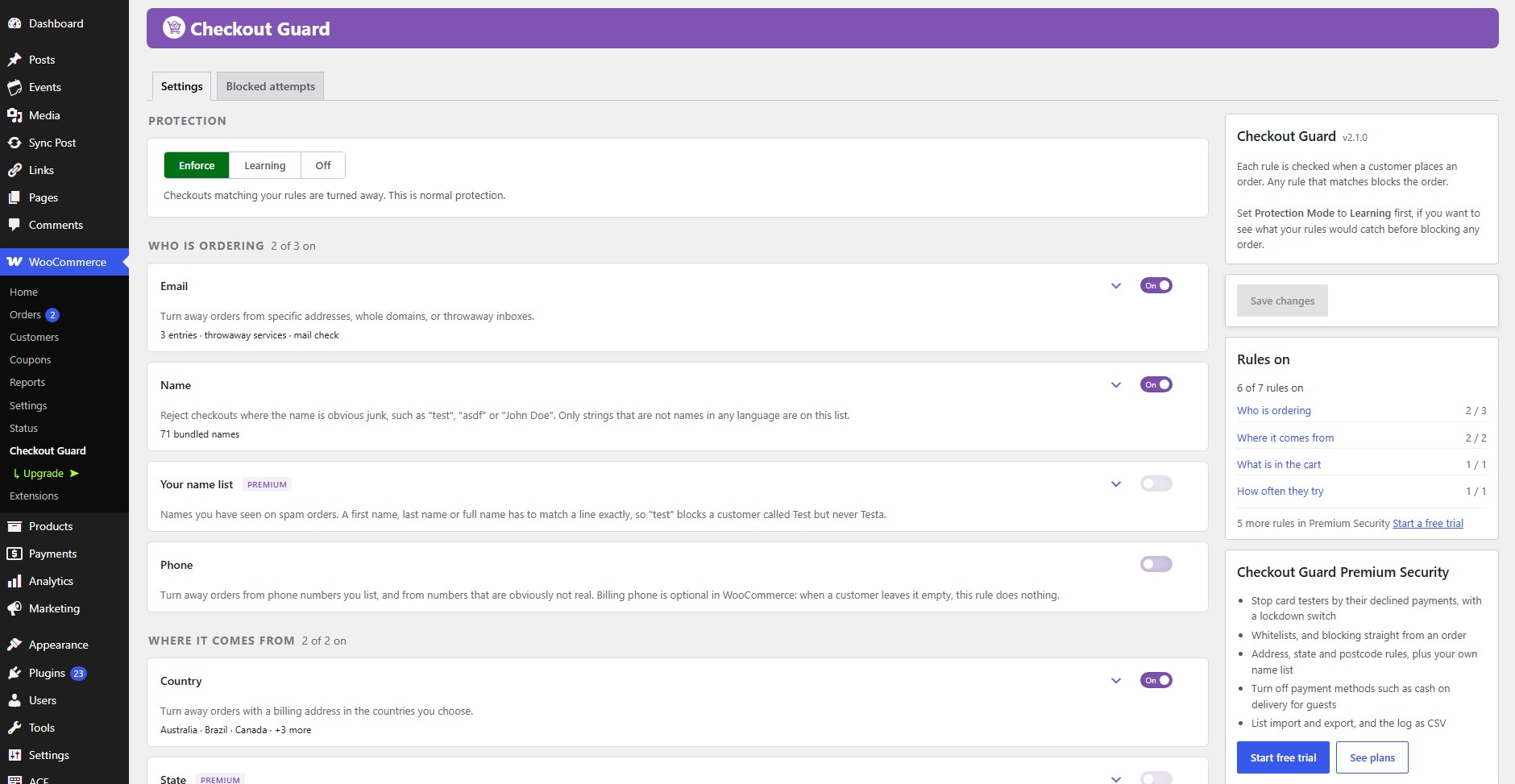
Protection mode and every rule on one screen. Each rule shows what it is set to; Save stays in view, and the sidebar counts the rules switched on.
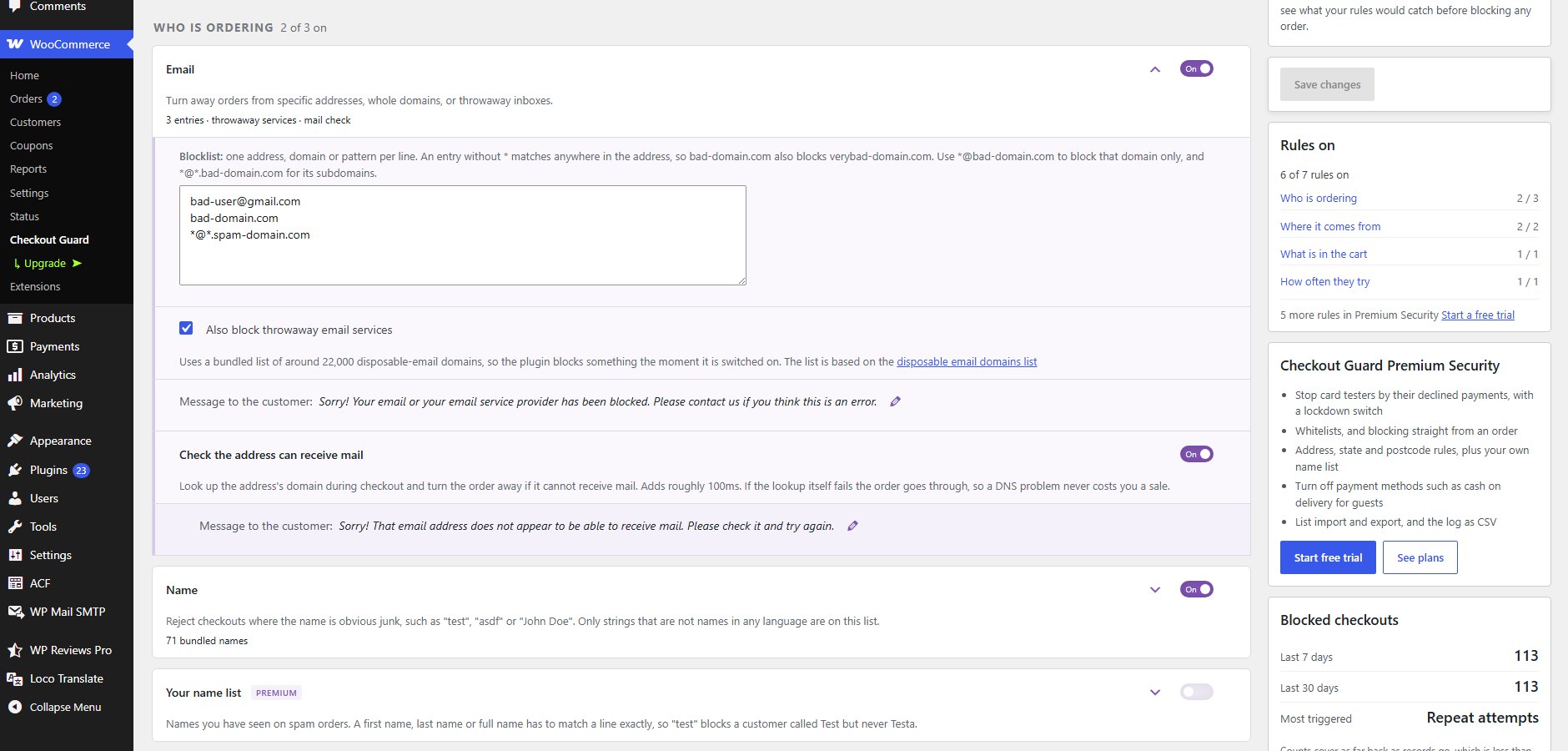
The email rule opened: blocked addresses and domains, the bundled list of throwaway services, and the mail check.
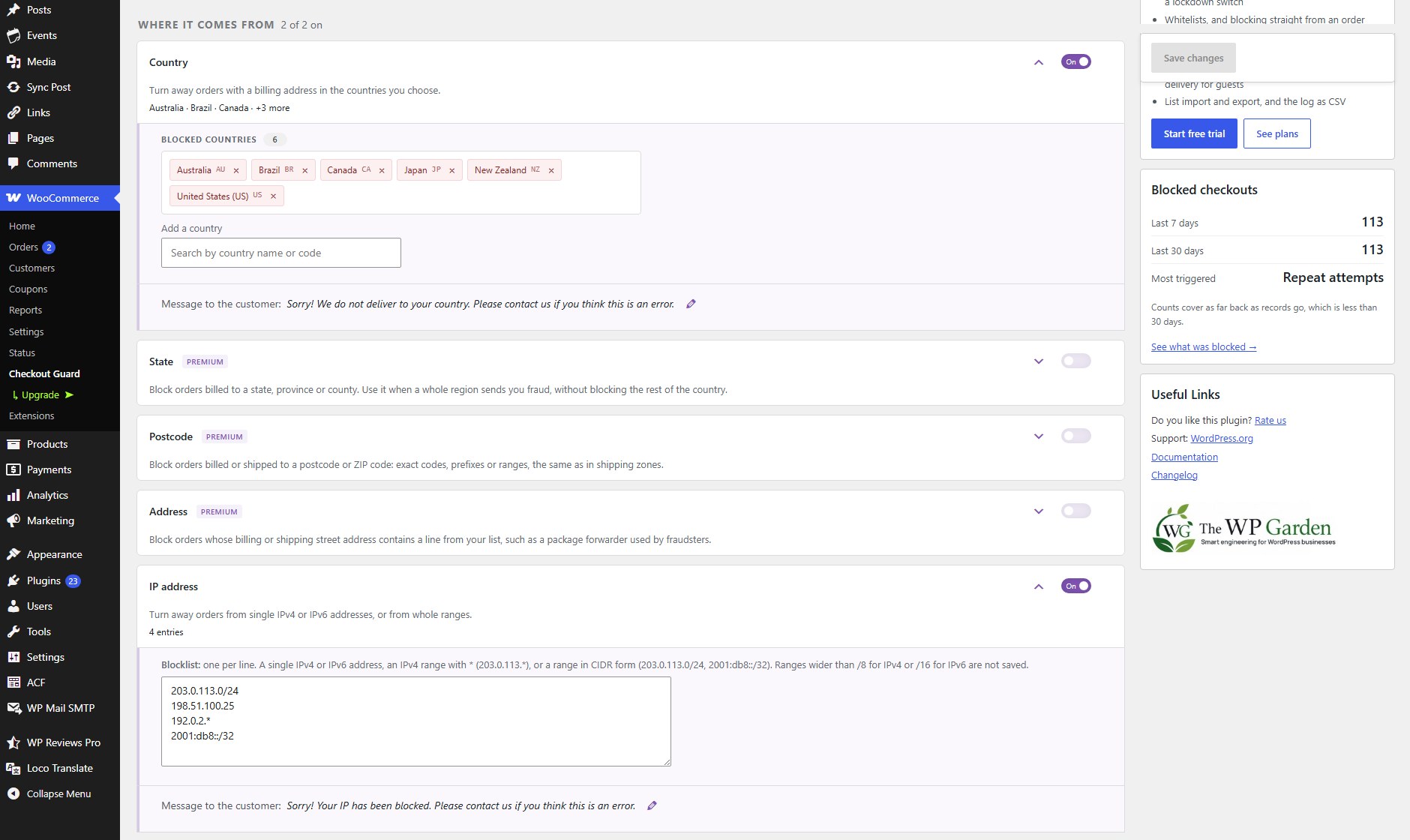
Country and IP rules. Blocked countries are chips you can see at a glance, with search to add more.
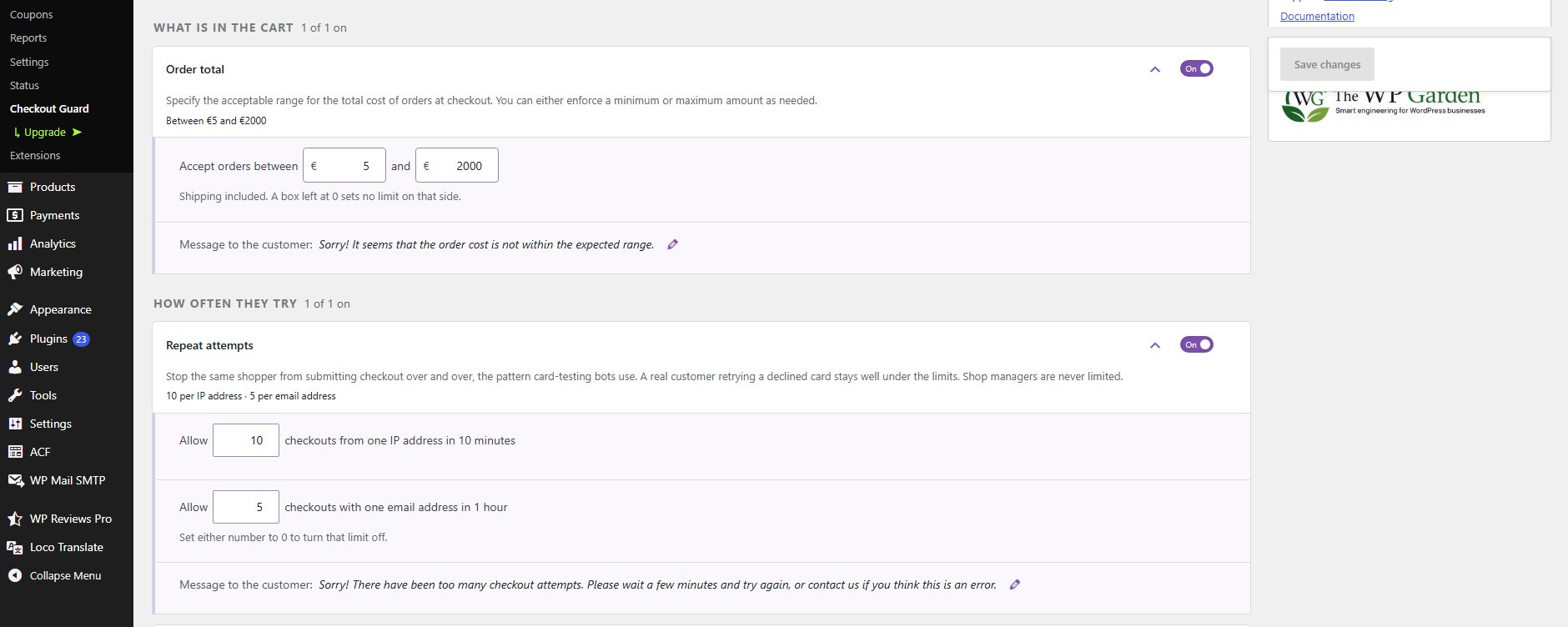
Order total and attempt limits, written as sentences in your store's currency.

Blocked attempts, with a summary of what each rule has caught.