Chronition Ad Manager places Google AdSense ad units and your own image banners exactly where you want them, and decides who sees them and when. You never paste code: enter your AdSense publisher and ad unit IDs (or choose a banner image), and the plugin writes the official markup for you.
Ad types
- Google AdSense ad units: responsive, in-article or fixed size, from your publisher ID and ad unit (slot) ID.
- AdSense Auto ads: switch them on with your publisher ID.
- Image banners: any image from your media library with a link (marked
rel="sponsored", as Google asks), alternative text and “open in a new tab”.
Place ads anywhere
- Inside posts and pages: before the content, after any paragraph (with “repeat every N paragraphs”), in the middle, or after the content. Paragraphs inside tables, lists, quotes and figures are skipped, so ads never break your layout.
- Between posts on your blog page, categories, tags and archives. Works with classic themes and block themes (Query Loop).
- Manually with a shortcode, the “Ad” block, the “Ad” widget or a template tag.
Show each ad to the right people
- Pages: single posts and pages, front page, blog page, archives, search results, 404.
- Content types, specific post IDs, and categories or tags to include or exclude.
- URL contains / does not contain.
- Devices: desktop, tablet and mobile (based on screen width, so it works with page caching).
- Visitors: everyone, logged-out only or logged-in only. Hide ads from chosen user roles.
- Schedule: start and end date and time.
- Minimum post length.
ads.txt and app-ads.txt
- Edit both files in WordPress. They are served at your site root, with no file uploads needed.
- Live validation that shows errors and warnings line by line (IAB ads.txt 1.1).
- An “Add AdSense line” helper.
- A live check that confirms the public file matches what you saved.
- Finds an existing ads.txt file on the server and imports it for you.
Google & tracking by ID
Enter an ID and the plugin adds the official snippet:
- Google Analytics 4 (measurement ID)
- Google Tag Manager (container ID)
- Meta Pixel (pixel ID)
- Site verification for Google Search Console, Bing and Pinterest
Your own visits as an administrator are not tracked unless you choose so.
Built for real sites
- Ads are on/off with one click from the list, and can be duplicated.
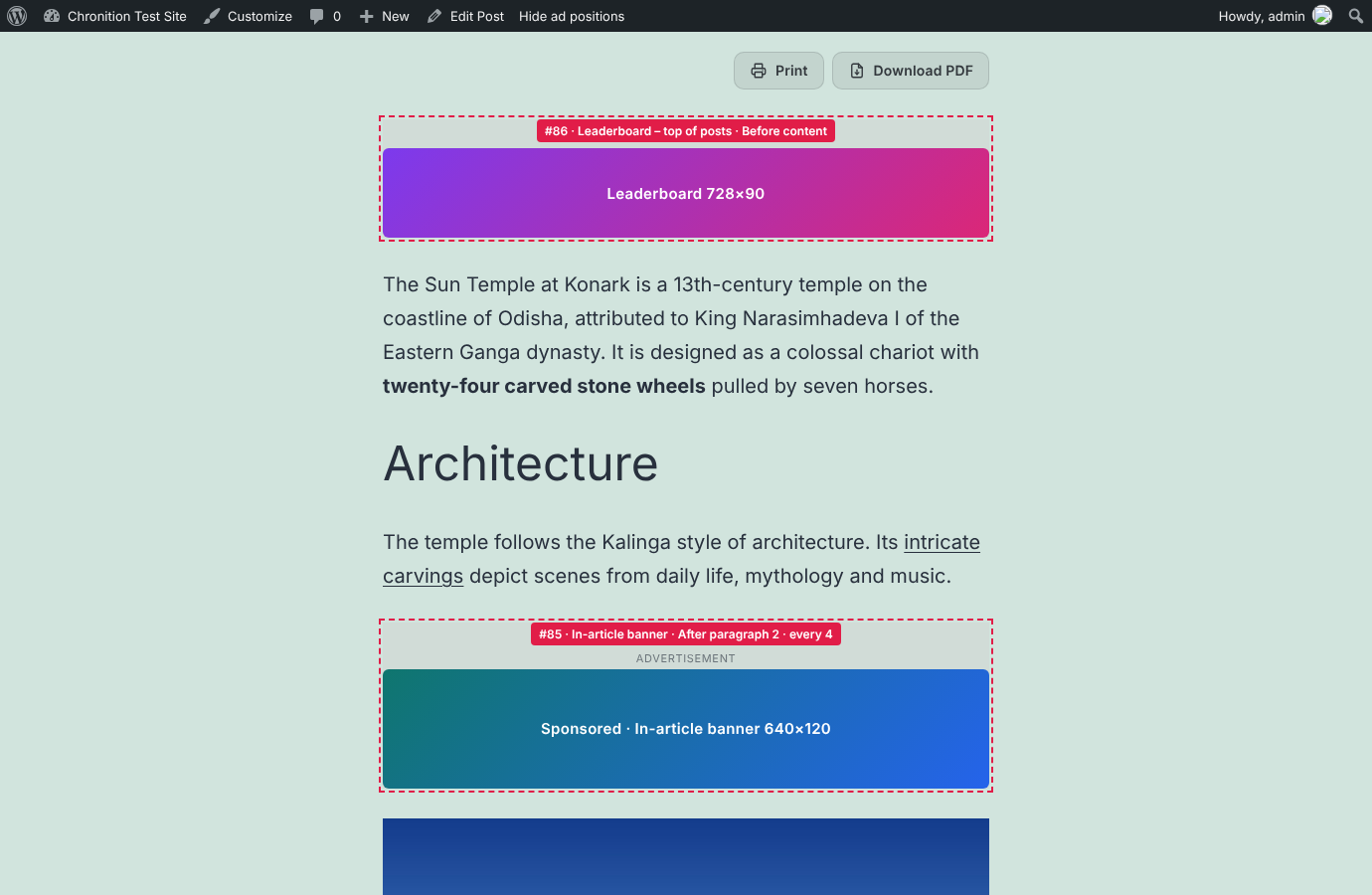
- “Preview ad positions” outlines and labels every ad on your site, visible only to you.
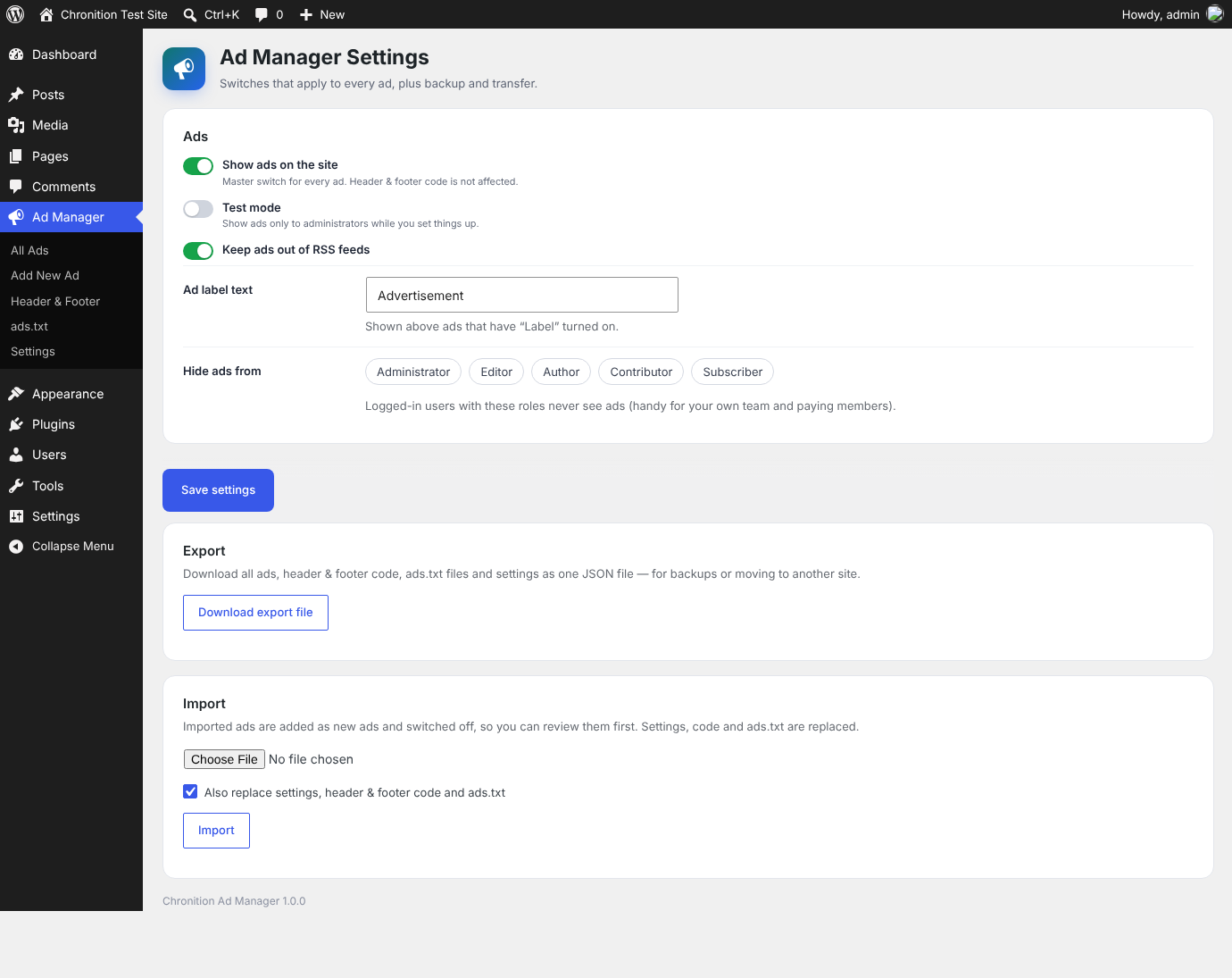
- Test mode shows ads only to administrators while you set up.
- Per-post switch to turn off all ads on a page.
- Optional “Advertisement” label, alignment, floating and spacing.
- Fast: active ads are compiled into a single cached option, so pages do not run extra database queries to find ads.
Ad Manager Pro
An optional paid add-on, Chronition Ad Manager Pro, adds custom code ads for any ad network, header and footer code, sticky, side-rail and pop-up ads, rotation and A/B tests, lazy loading, impression and click statistics, an ad-blocker message, consent support and import/export. This plugin is complete and fully functional without it.
External services
This plugin connects to third-party services only when you enter an ID for them. Nothing is loaded until you do.
- Google AdSense — when you create an AdSense ad or turn on Auto ads, visitors’ browsers load
https://pagead2.googlesyndication.com/pagead/js/adsbygoogle.jswith your publisher ID so Google can show ads. Google receives the visitor’s IP address, browser details and the page address, and may set cookies. Terms — Privacy — AdSense policies - Google Analytics 4 — when you enter a measurement ID, visitors’ browsers load
https://www.googletagmanager.com/gtag/jsand send page views to Google Analytics. Terms — Privacy - Google Tag Manager — when you enter a container ID, visitors’ browsers load
https://www.googletagmanager.com/gtm.js(andns.htmlwithout JavaScript), which runs the tags you set up in Tag Manager. Terms — Privacy - Meta Pixel — when you enter a pixel ID, visitors’ browsers load
https://connect.facebook.net/en_US/fbevents.jsand send page views to Meta (https://www.facebook.com/tr). Terms — Privacy - Site verification codes for Google Search Console, Bing and Pinterest are printed as meta tags; your site does not contact those services.
- ads.txt live check — the “Check now” button requests your own site’s ads.txt file from your server. No other site is contacted.
If your visitors are in a region that requires consent for advertising or analytics cookies, use a consent plugin or the consent option of Ad Manager Pro.
Screenshots
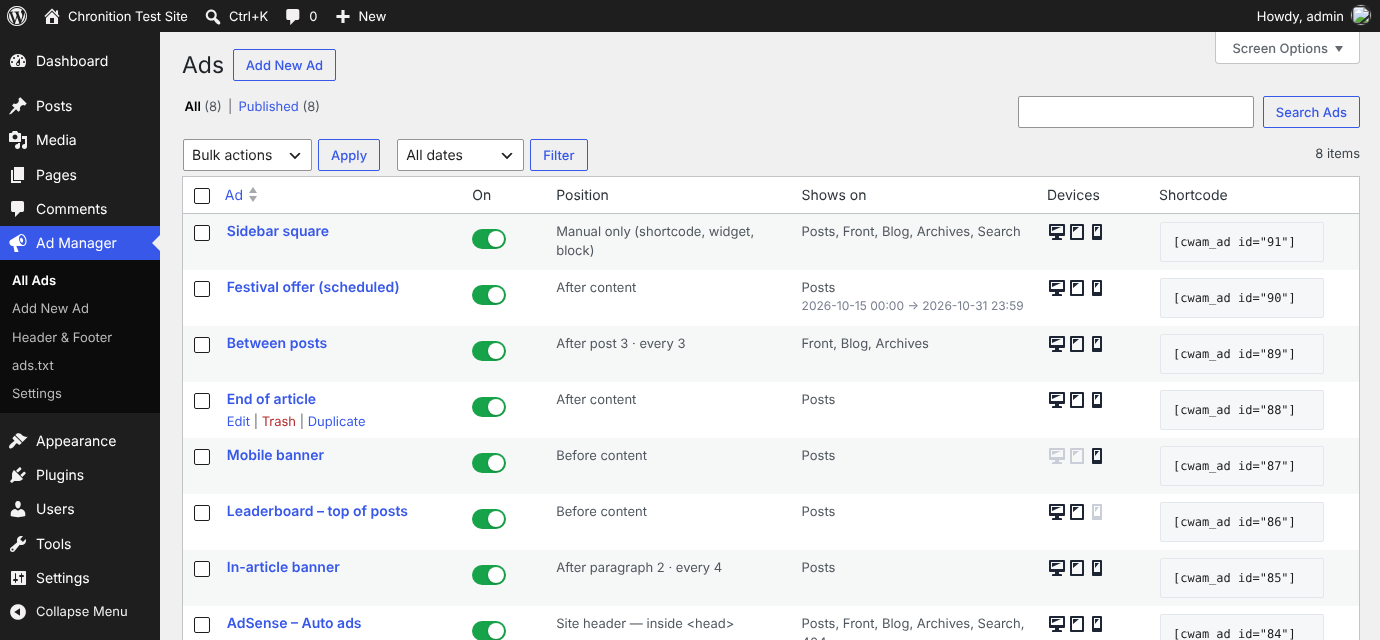
All ads, with on/off switches, types, positions, devices and shortcodes.
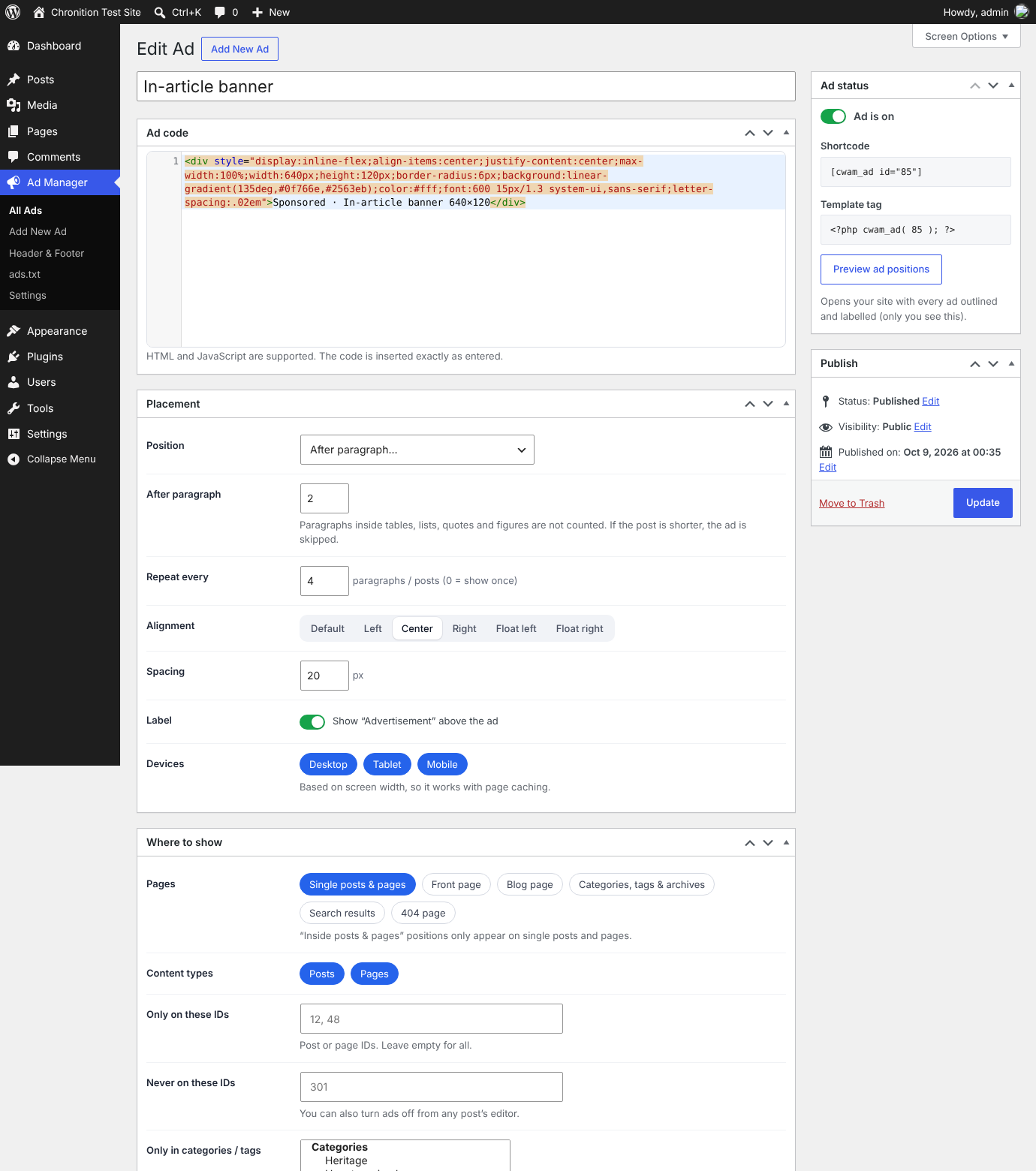
Editing an ad: AdSense unit or banner, position, alignment, devices and targeting rules.
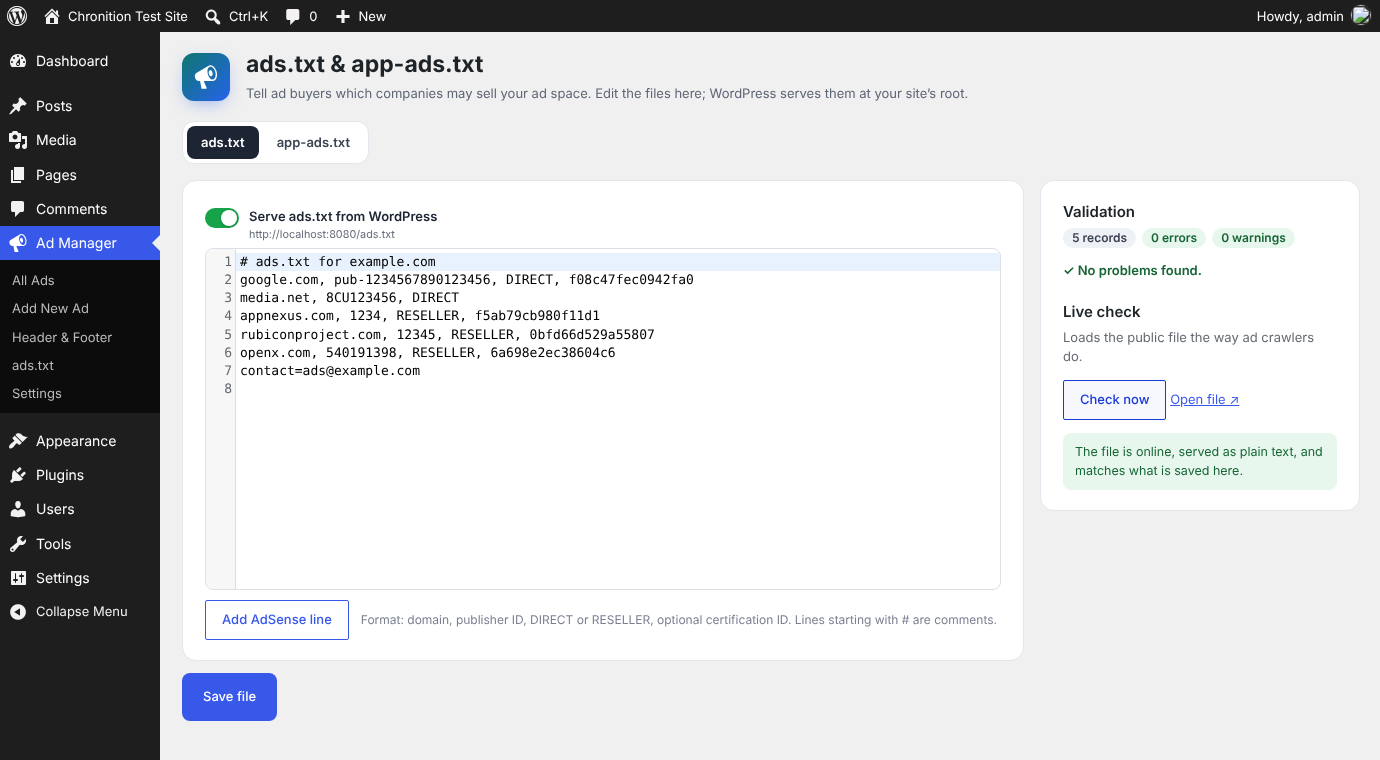
The ads.txt editor with live validation and live check.
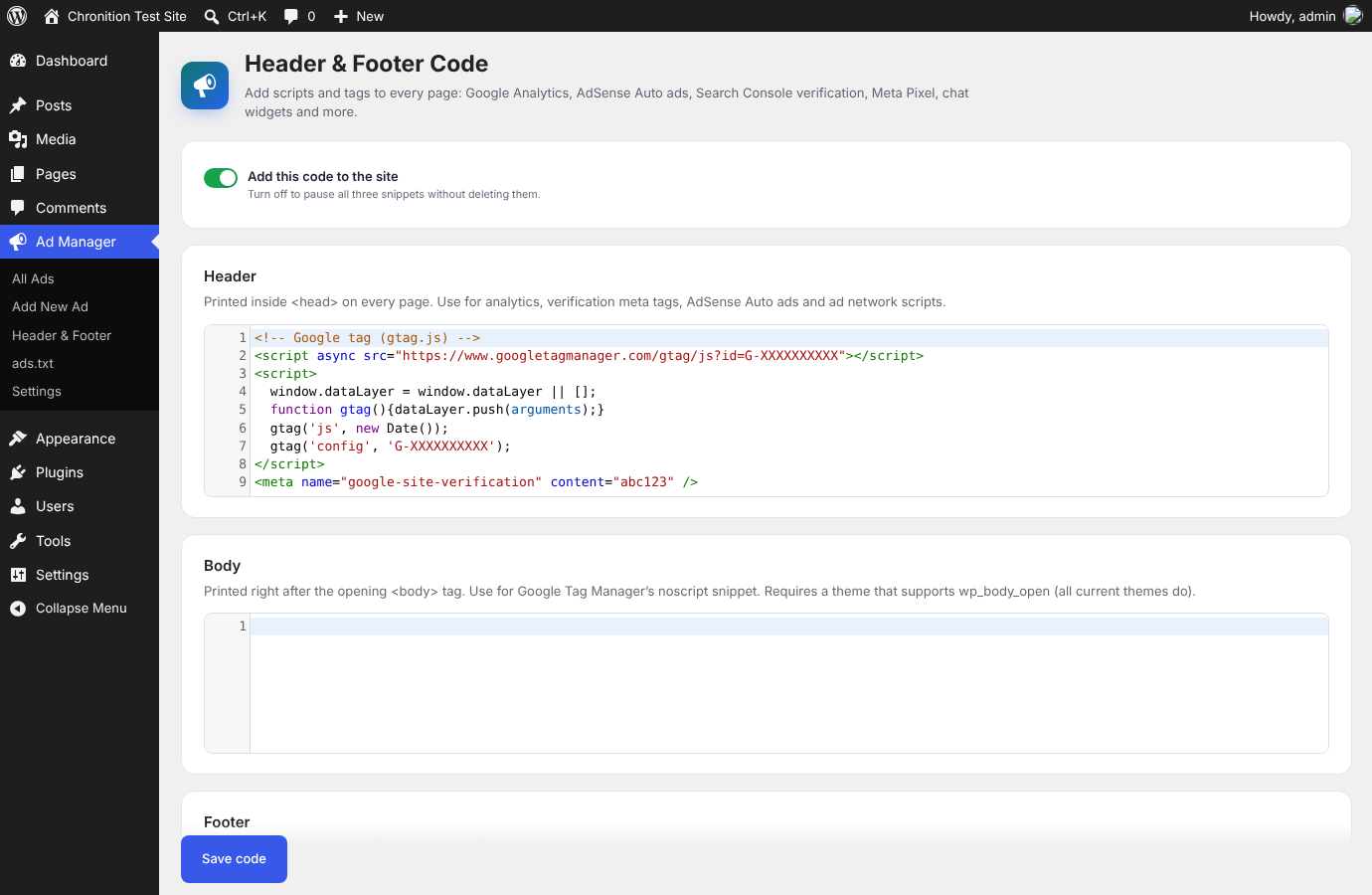
Google & Tracking: AdSense, Analytics, Tag Manager, Meta Pixel and site verification by ID.
"Preview ad positions" on the site.